Radio code for Chrysler Uconnect 12.0 UDX
Instant Radio Code Generation ⚡
Also compatible with: Dodge, Jeep, and RAM.
We're available round the clock.
Simply send us a video that shows both the code entry and serial number together.
View our complete Refund Policy.
1. Check out our service explanation video.
2. Browse through our customer reviews.
3. Explore our blog for verification, proof, and detailed information.
How to get your Chrysler Uconnect 12.0 UDX radio code?
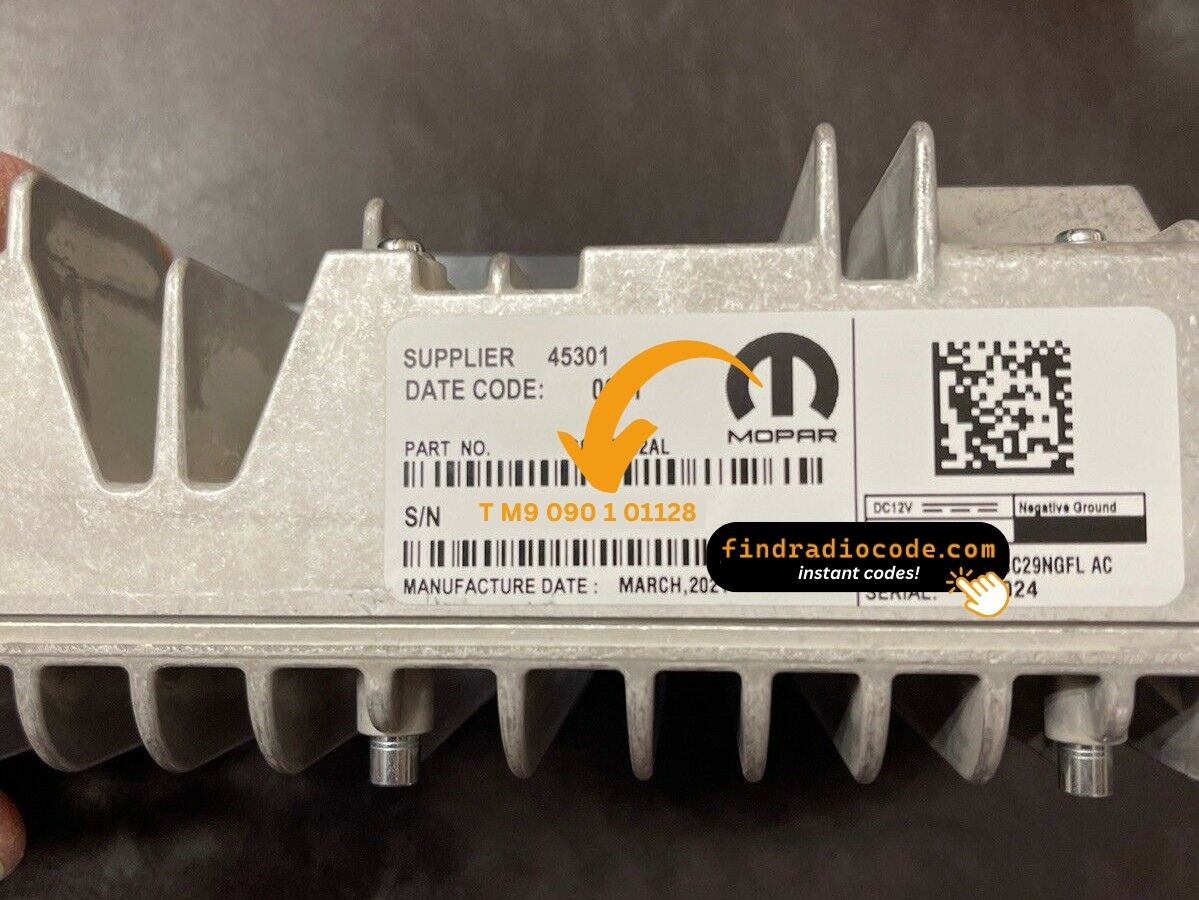
1. Find the serial number on the label at the back of your radio. No VIN required.
2. Enter your serial number in the field provided.
3. Proceed to checkout to instantly receive your unlock code on screen and via email.
Supported partnumbers for model Chrysler Uconnect 12.0 UDX
:
68378396AA
68378396AE
68422049AA
68422049AC
68422049AD
Panasonic Uconnect 12.0 UDX Unlock Code - Complete Guide
Battery Died in Your RAM Limited/Longhorn? Massive 12" Screen Locked?
Premium truck, premium problem: You have a $70,000+ RAM with the gorgeous 12.0-inch vertical screen. Battery died or was replaced. Now that $2,400 screen shows "Enter Anti-Theft Code" and your whole infotainment system - navigation, 360 camera, premium audio - is useless.
Don't panic: The Uconnect 12.0 UDX has the same anti-theft as cheaper models. When battery power cuts, it locks. You need the 4-digit unlock code unique to your system. This is normal, not a defect.
⚡ Premium System Auto-Unlock - Try First (Works 40-50% on 2021+ Models):
- Fully start your RAM - let engine run 3-4 minutes
- On the 12" screen, try navigating to Settings → System → Reset (some unlock here)
- Turn off, lock truck, wait 3 minutes
- Start again - newer RAM systems often auto-unlock when CAN-bus syncs
2021-2024 Longhorn/Limited have better auto-unlock rates than 2019-2020 models. If it works, you're done - no code needed!
Auto-Unlock Failed? Get Your Premium System Code Instantly
The 12.0 UDX code is 4 digits tied to the TM9 serial number. Good news: 95% of 12.0" systems show serial in Settings menu - no need to remove that heavy screen! Our service: $9.99 instant. Dealer: $150-200, 2-4 days wait.
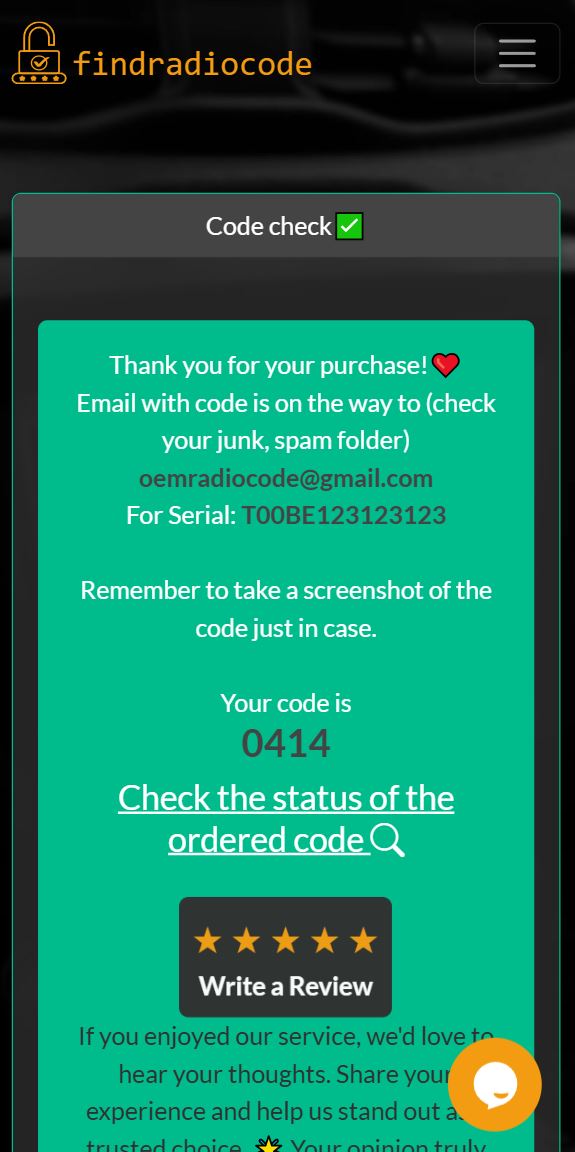
Instant code delivery on your screen
Why You Need a Unlock Code for Uconnect 12.0 UDX
Your Panasonic Uconnect 12.0 UDX premium infotainment system requires the anti-theft code in these scenarios:
- Battery replacement or disconnection in your RAM 1500, 2500, 3500, or other compatible luxury vehicles
- Radio or infotainment unit removal during service or upgrades
- Dead battery requiring jump-start or recharge
- Purchasing a pre-owned RAM truck or luxury Chrysler vehicle without the original unlock code documentation
- Electrical system repairs or fuse replacements affecting the infotainment circuit
- Software updates that reset the radio security system
Premium System Compatibility:
The Uconnect 12.0 UDX unlock code is specifically designed for the premium 12.0-inch Panasonic TM9 system found in high-end RAM trucks (Limited, Laramie Longhorn, Limited Longhorn trims) and select luxury Chrysler/Dodge vehicles (2019-2024 model years).
How to Locate Your Uconnect 12.0 UDX Serial Number
The 12.0" premium system is found in high-end RAMs. Here's how to find the serial:
✅ Method 1: On-Screen Display (Easiest for Premium Systems)
Available on: All 2019-2024 12.0 UDX systems in RAM Limited, Longhorn, Limited Longhorn
- Start truck (or ACC mode)
- On massive 12" screen: Settings → System → System Information → Radio Serial Number
- Serial format: TM9 prefix + 10 more digits (example: TM9320045678)
- Screenshot by taking photo of screen with phone
95% of 12.0 UDX owners can get serial this way - no tools needed!
📋 Method 2: Premium Vehicle Documentation
Luxury RAM trucks often include comprehensive documentation:
- Owner's manual leather portfolio: Limited/Longhorn models come with premium manual holder - check for unlock code card
- Delivery checklist from dealer: High-end RAM dealers often record all serials during PDI
- Monroney sticker/window sticker: Some dealers attach code card to original sticker paperwork
- Pre-owned luxury vehicle inspection reports: CPO RAMs have detailed documentation
🔧 Method 3: Physical Removal - 12.0 UDX Premium System
Difficulty: Medium-Hard | Time: 30-45 min | Special Tools for Premium Trucks:
- Trim removal tool set - Premium soft-touch materials scratch easily
- T20/T25/T30 Torx set - 12.0 systems use mixed sizes
- Panel gap tools - For luxury interior materials (avoid damage)
- Magnetic parts tray - Many small screws
- Second person helpful - 12.0" screen is large and heavy
RAM 1500/2500/3500 Limited/Longhorn - 12.0 UDX Removal:
- Disconnect battery: Premium trucks have many modules - prevents fault codes
- Remove side trim panels:
- Driver side A-pillar trim (pulls straight off - 3 clips)
- Left dashboard end cap (1 Torx screw hidden, then pry)
- Center stack bezel removal - VERTICAL 12" SCREEN SPECIFIC:
- Longhorn/Limited have real wood/aluminum trim - be VERY careful
- Start at bottom of screen bezel, work upward
- 10 clips total around massive screen (vs 6-8 on smaller screens)
- Climate controls are separate - don't need to remove for screen access
- Remove mounting screws:
- 6 Torx screws (not 4 like smaller systems): 4 corners + 2 mid-support
- Top screws: T25 | Bottom screws: T20 | Side supports: T30
- Pull screen forward SLOWLY:
- 12.0" screen is HEAVY (3.2 kg / 7 lbs) - support from bottom
- Only pull 3-4 inches - harnesses are not long
- Disconnect FIVE harness connectors (vs 3 on smaller systems):
- Main power (large gray 40-pin) - two squeeze tabs
- Navigation GPS antenna (black coax)
- AM/FM antenna (twist ¼ turn counter-clockwise)
- SiriusXM satellite antenna (small black coax)
- Surround view camera module (12.0 systems integrate cameras) - white 24-pin connector
- Tilt screen to see back/side labels:
- UDX labels typically on BACK LOWER RIGHT
- White Panasonic sticker with "UDX" designation
- Serial: TM9XXXXXXXXXX (13 digits)
⚠️ 12.0 UDX Premium System Warnings:
- Screen weight: 7 lbs - support from bottom when removing or it will fall and crack ($2,400 replacement!)
- Real wood/aluminum trim: Longhorn has genuine materials - plastic pry tools ONLY
- Surround view cameras: Don't forget 5th connector - screen won't boot without it
- Vertical screen orientation: Removal angle is different from horizontal 8.4" - tilt bottom OUT first, then lift
- Alpine audio systems: Limited with premium audio has extra amp connector - 6 total plugs instead of 5
- Reinstall torque: T30 side bolts need 8-10 Nm torque - too tight cracks screen housing
🕐 Time Estimate: First-timers: 40-50 minutes | Experienced: 25-30 minutes | Professionals: 15-20 minutes
12.0 UDX Model Year & Trim Variations:
- 2019-2020 RAM 1500 Limited: Original UDX rollout. Serial always on back. Screen horizontal orientation.
- 2021-2024 RAM 1500 Longhorn: Vertical screen introduced. Serial back lower right. Real wood trim - careful!
- 2022+ RAM 2500/3500 Limited Longhorn: HD trucks got 12.0 option. Same serial location. Heavier duty brackets.
- 2024 RAM Tungsten edition: Top-tier trim. May have additional security features - check for firmware lock before removal.
- Horizontal vs Vertical: 2019-2020 = horizontal | 2021+ = vertical (affects removal angle)
How to Enter Your Uconnect 12.0 UDX Unlock Code
After receiving your 4-digit unlock code, follow this code entry procedure:
- Turn on your vehicle's ignition to the ACC or ON position (engine doesn't need to be started)
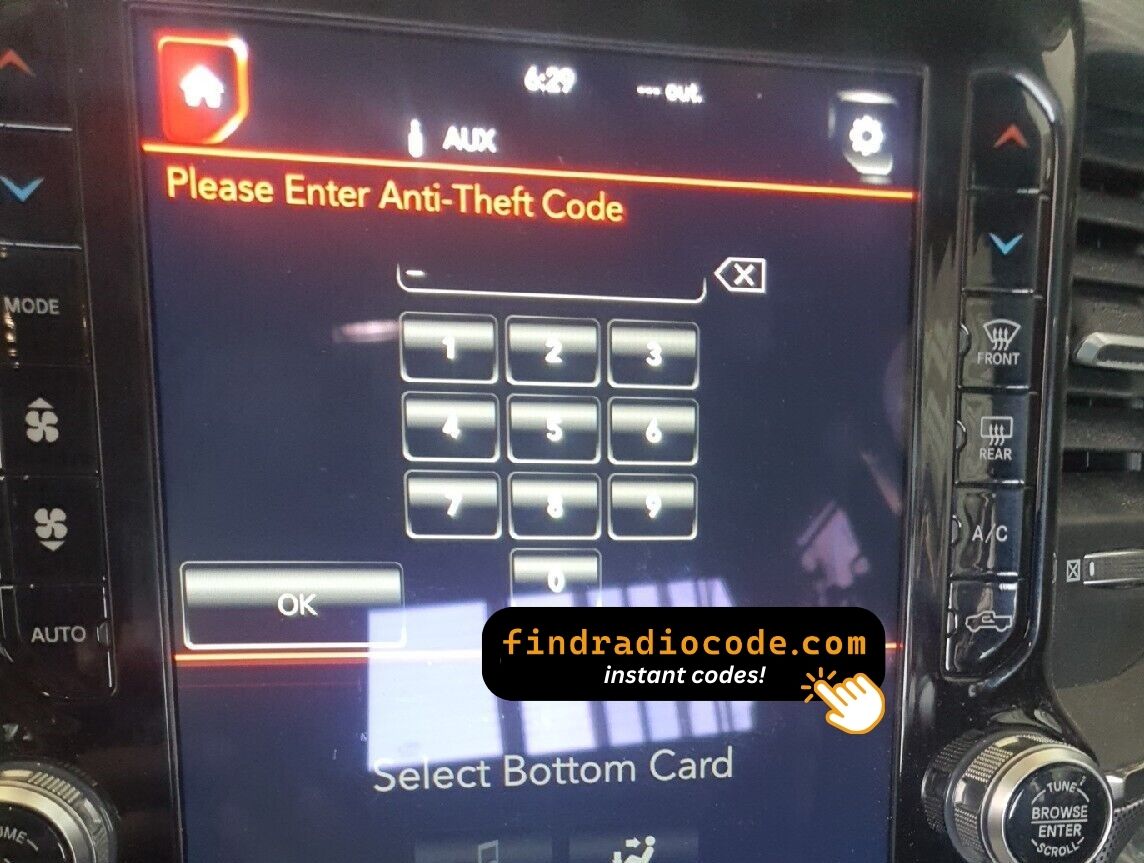
- The large 12.0-inch Uconnect touchscreen will display "Enter Anti-Theft Code" or "Security Code Required"
- Use the on-screen number pad to enter each digit of your 4-digit code one at a time
- Double-check the entered digits before confirming (you have limited attempts)
- Tap "Submit", "Enter", or "OK" button to confirm your code entry
- Your Panasonic Uconnect 12.0 UDX system unlocks immediately and resumes full functionality including navigation, Apple CarPlay, Android Auto, and SiriusXM
⚡ Premium Service for Premium Systems: Your Uconnect 12.0 unlock code is generated instantly using advanced algorithms - no dealer appointment, no VIN verification, no waiting days for a callback!
Uconnect 12.0 UDX Premium Vehicle Compatibility
RAM Trucks (Primary)
- RAM 1500 Limited (2019-2024)
- RAM 1500 Laramie Longhorn (2019-2024)
- RAM 1500 Limited Longhorn (2019-2024)
- RAM 2500 Laramie Longhorn (2019-2024)
- RAM 2500 Limited (2019-2024)
- RAM 3500 Limited (2019-2024)
- RAM 3500 Laramie Longhorn (2019-2024)
Chrysler/Dodge Premium Models
- Chrysler Pacifica Pinnacle (2021-2024)
- Chrysler 300 (select premium trims)
- Dodge Durango Citadel (2021-2024)
- Jeep Grand Cherokee L Summit (2021-2024)
Note: The 12.0-inch UDX system is typically found only in top-tier luxury trims with premium packages.
UDX Part Number Identification:
The Panasonic Uconnect 12.0 UDX radio can be identified by part numbers: 68378396AA, 68378396AE, 68422049AA, 68422049AC, 68422049AD. The large 12.0-inch vertical or horizontal touchscreen display is the easiest way to visually identify this premium system. Check your radio's serial label for the exact part number beginning with UDX.
Uconnect 12.0 UDX Unlock Code FAQs
Is the Uconnect 12.0 UDX code different from 8.4-inch codes?
Yes. The Uconnect 12.0 UDX unlock code uses a different algorithm than the 8.4-inch or 7.0-inch systems. Each system size and part number variant has its own unique unlock code based on the specific serial number, even though they're all Panasonic TM9 systems.
Why does my premium RAM truck need a unlock code?
Even premium vehicles with Uconnect 12.0 systems have anti-theft protection. The 4-digit code prevents unauthorized use if the radio is stolen or removed. This security feature activates automatically when power is disconnected from the system.
How long does code delivery take?
Your Panasonic Uconnect 12.0 UDX unlock code is delivered instantly - within seconds of purchase. The code appears on your screen immediately and is also sent to your email for permanent record keeping.
Can the dealer retrieve my code faster?
No. Dealers typically charge $120-150 and require 1-3 business days for Uconnect 12.0 unlock codes. Our service costs $9.99 and delivers instantly 24/7, saving you time and money.
Do I need to provide my VIN?
No VIN required! For Uconnect 12.0 UDX unlock codes, we only need the serial number from your radio label. This makes our service faster and works even if you don't have vehicle registration documents.
Can I find my code in the owner's manual or glove box?
Some premium RAM trucks include a unlock code card in the owner's manual packet or glove box documentation. Check for a card labeled "Radio Security Code" or "Anti-Theft Code" with a 4-digit PIN. If not found or lost, our instant online service is the fastest recovery method.
What happens if I exceed the entry attempts?
After 3-10 failed attempts (varies by model year), your Uconnect 12.0 UDX enters permanent lockout mode. Recovery requires dealer intervention with specialized diagnostic equipment, potentially costing $200-300. Always verify your code before entry to avoid this expensive scenario.
What if my code doesn't work?
If your Panasonic Uconnect 12.0 UDX code doesn't unlock your system, we offer a 100% money-back guarantee. Provide a photo or video showing code entry with the serial number label visible, and receive an immediate refund - no questions asked.