
How to Locate the S/N on a Mercedes
Once you find the radio serial number, the unlock code can be generated instantly.
Remove the Radio Unit
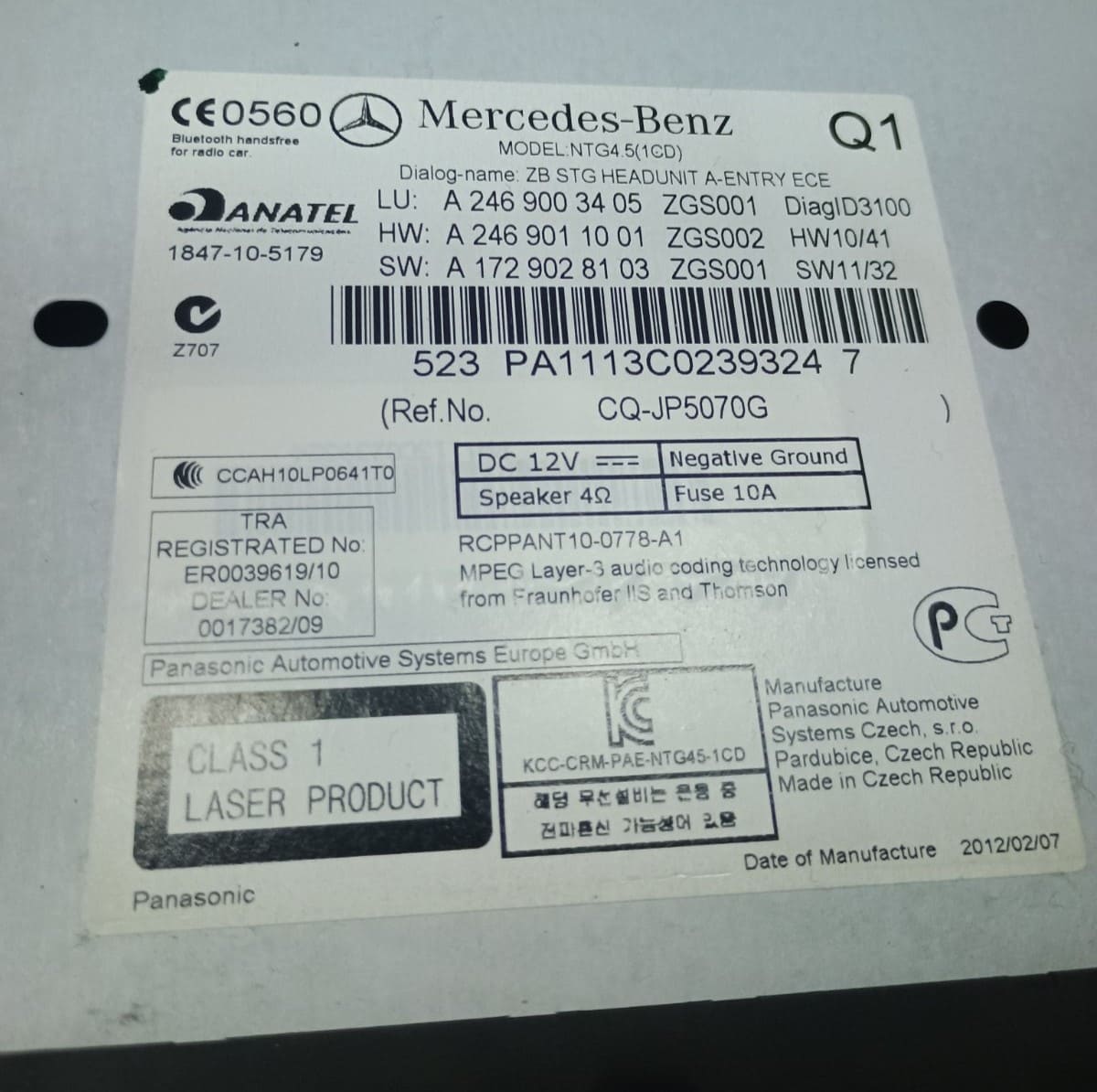
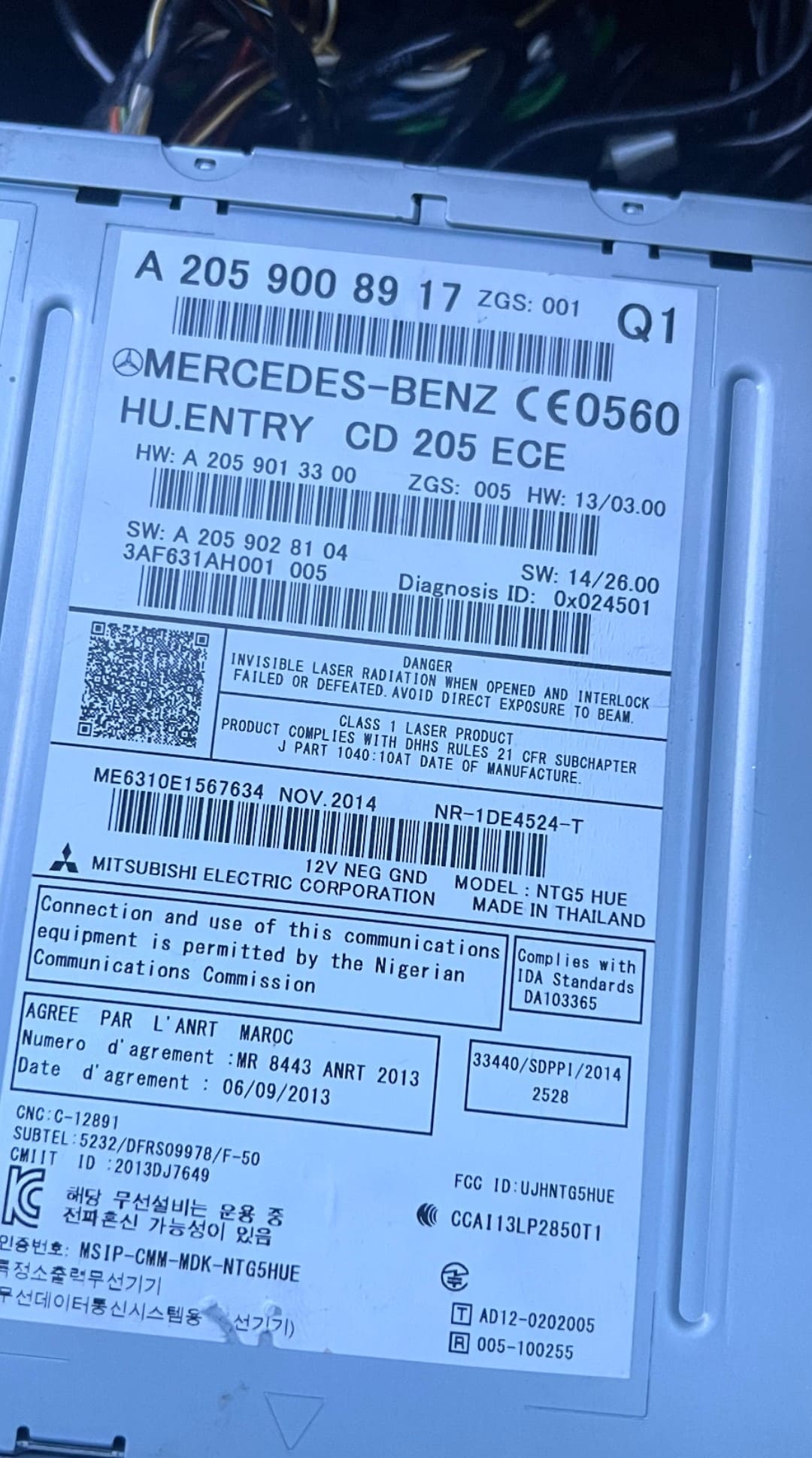
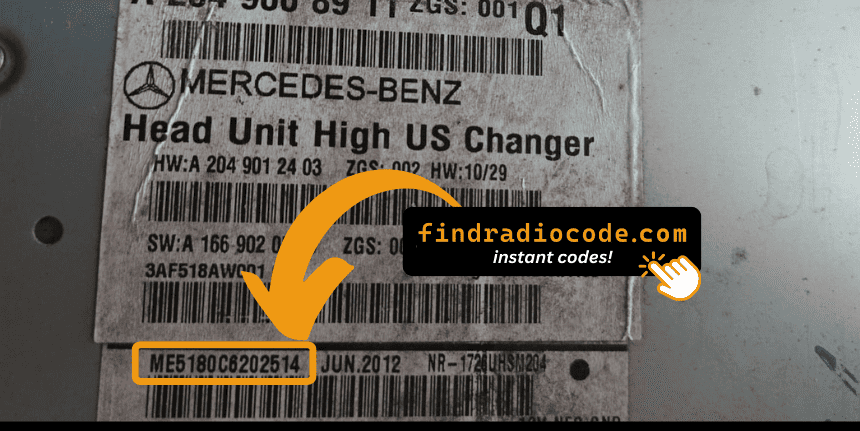
Typically, the serial number is located on a label placed on the top, back or the side of the radio unit.
To access it, you'll need to slightly extract the stereo using radio removal keys.
- Find a prominent label showing "Serial".
- The serial number is typically an alphanumeric code.
- It may begin with codes like "M" / "V" / "CL" / "TM" / "T00AM".
- Do not mistake it for the part number, which is not accepted.
Common on older units.
Checking the S/N on the Radio Display
Some newer radios allow you to see the S/N using a button combination.
- Try holding 1 & 6, 2 & 6 or INFO + MENU while turning on the radio.
- A hidden menu may show the serial number.
- The key sequence for various models is not always the same.
Support varies by model, but it's quick to try before taking the unit out.
The Difference Between the Serial Number and Part Number
The Serial Number (S/N):
- This is the individual ID assigned to your specific radio.
- It's used by our radio code generator.
- Usually found on a label marked "S/N" or "Serial".
The Part Number:
- This refers to the radio series of the unit.
- It's used by manufacturers for replacement purposes, but irrelevant for unlocking your stereo.
- May look similar, but doesn't link to your specific code.
How to Input the Security Unlock Code
Entering the code into your unit takes only a few steps.
The unit typically shows four dashes on the screen.
Use the radio keys to input each digit.
Some models require you to press a specific button - such as pressing ENTER or OK to confirm or holding preset key, Seek or Tune.
Repeated incorrect attempts can cause lockout.
After 3 to 10 incorrect attempts the radio may temporarily disable input.
The wait time depends on the model, sometimes requiring extended waiting.
Refer to your radio manual or our support guides if needed.
Getting the Unlock Code for Your Radio
If you no longer have the original code, you can recover it using these methods:
Dealer Option (Slow, VIN Required)
The slower way to retrieve the radio code is by contacting a Mercedes dealer, manufacturer, or authorized service center.
They usually ask for your Vehicle Identification Number (VIN), proof of ownership, and vehicle documentation.
In some cases, additional verification such as a photo ID may also be required.
The process is often slow. Depending on the each dealer and availability of records, retrieving it may take several hours or even a few days.
Some of them provide the code for free, while others charge a fee - which is often expensive.
Unlock Your Radio Online - Quick and Affordable
Instead of that slow and expensive process, you can retrieve your Mercedes radio code instantly using our system.
All you need is the radio's serial number, which can be found on the unit, retrieved from the display, or located on the sticker.
There's no personal data required. Once the payment is done, the correct PIN code is displayed instantly and sent to your email.
Our system supports most factory-installed Mercedes radios.
Find Radio Code handles the whole process securely. If the code doesn't work, you're protected by a 100% refund.
Common Questions
A factory radio code, sometimes also known as an anti-theft code is a numeric security code that reactivates your car audio system after it has been locked.
This security code is triggered when the radio loses power.
Automakers include this feature to protect factory stereos from theft.
If power is interrupted, the radio locks automatically and requires the unlock CODE before it can be used again.
Once the valid numbers combination is entered, the stereo is unlocked.
- Too many failed code entries triggered a lockout
- Inactivity can cause the anti-theft lock to engage
- You jump-started the vehicle
- You purchased a used vehicle without the unlock code
- There was an electrical issue affecting the radio fuse
- You installed a new or used radio
- Service work affected radio power
- You recently changed or disconnected the battery
- A reset cleared the saved code
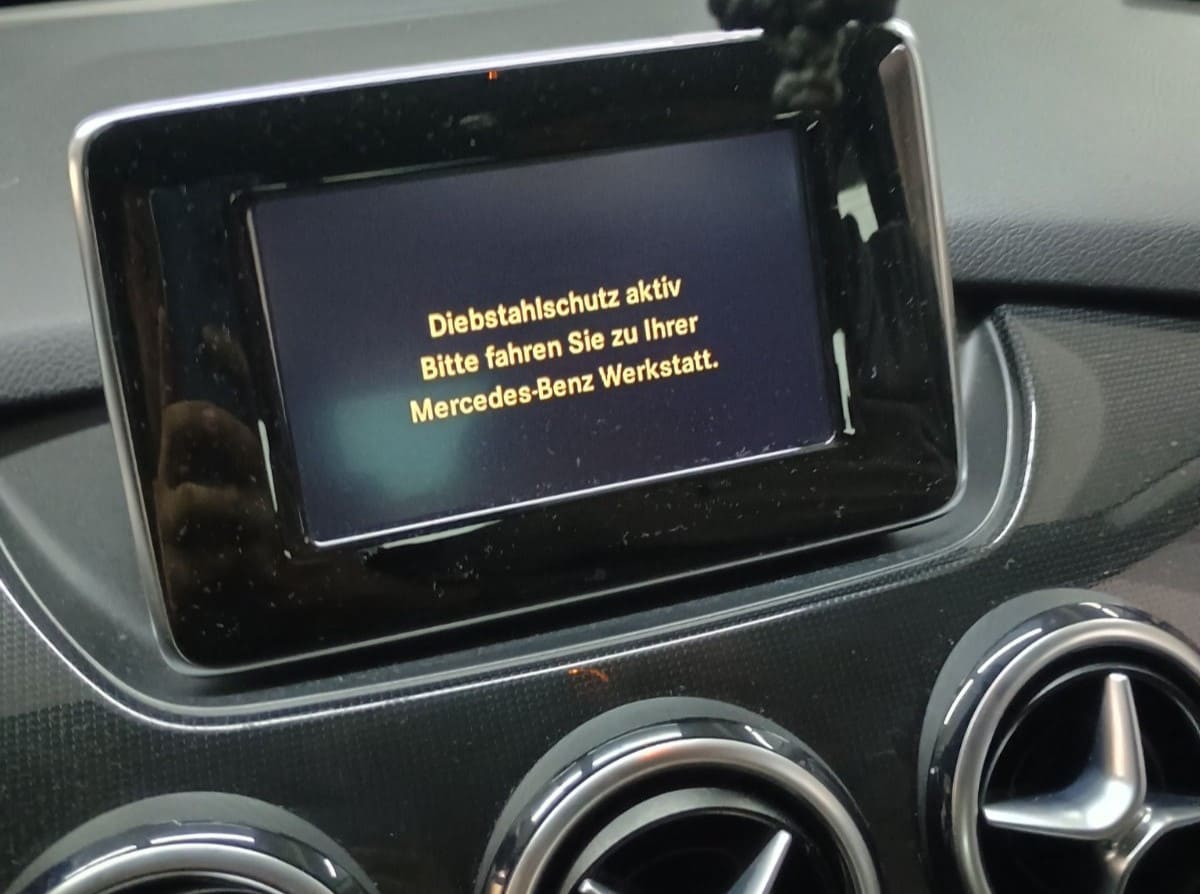
Yes, all Mercedes-Benz vehicles with NTG 3.5, 4.5, 4.7, or 5.5 infotainment systems require an Anti-Theft PIN after a battery disconnect, head unit replacement, or ECU reset. This applies across all models including C-Class, E-Class, ML, GLK, GLC, and more from 2007 onwards.
The Anti-Theft PIN is different from a standard radio code — it is a system-level security feature that requires diagnostic software (Vediamo, DTS Monaco, or Xentry) to enter. The PIN can be either 6 digits or 25 digits long depending on the NTG generation.
Start by checking the owner's manual. The code is sometimes found on a detachable slip or written directly on a dedicated panel.
You can also look the glovebox or trunk, where dealers or previous owners may have stored a sticker with the code. Some also search for it behind trim pieces or inside the fuse box.
If you have the original manufacturer label, that's the most reliable place to find the code - it usually includes both the serial number and unlock key.
There are a few options - but they depend on your situation.
- Some online communities share generic code info, but they don't work for serial-based systems.
- Look inside the glovebox or vehicle documents - some vehicles came with the code printed at delivery.
- If none of these work, our service is the fastest and most accurate option.
- Contact your dealership - some offer free code retrieval if you're the original owner and can provide proof of ownership.
PIN Code Length
The Mercedes Anti-Theft PIN code can be either 6 digits or 25 digits long, depending on the NTG generation and the specific unit's security configuration.
Supported Systems
Supported models include NTG 3.5, 4.5, 4.7, 5.5, and more. Coverage spans a wide range of Mercedes-Benz passenger cars, SUVs, and vans from 2007 onwards.