Where to Look for the S/N
The only thing you'll need to find the corresponding code is your radio's radio serial. No VIN is needed.
On almost all Chrysler vehicles, you can find it in one of these places:
- Visible on the radio screen (sometimes by using button combinations)
- On the radio housing itself - you'll need to pull it out and write down your serial (which is usually simple)
Search for text similar to: Serial Num. or SN.
1. Get the S/N from Chrysler 300C's Display
The 300C radio and the standard 300 radio are interchangeable units on the LX/LD platform. Here's a quick summary for each era:
- 2005–2010: MyGig / base radio — no Dealer Mode. Serial label on radio chassis, physical removal required. Be mindful of the premium leather and trim when pulling the centre stack.
- 2011–2018 (Uconnect 8.4" Classic): Hold Fan Up + Fan Down + Front Defrost for 5 seconds → Dealer Mode → System Info → Radio Part Info → Serial Number. (Or use Temp Up + Temp Down 5 sec for the Engineering Menu route.)
- 2019+ (Uconnect 8.4" NEW): Press the bottom-left + bottom-right bezel edges simultaneously until Dealer Mode opens, then navigate to the serial number.
The serial number is a 14-character alphanumeric code (e.g. T00AM394958584). SRT and Hellcat 300C variants use the same radio unit and serial format.
2. Locating the Serial Number on the Radio Body
To find the serial number, you'll need to remove the radio unit out.
- Start by turning off the ignition and taking off the dashboard bezel.
- Next, release the clips and slide the radio out to check the label on the side of the radio. Pay attention not to damage the cables that the unit is connected to.
- Write down full serial number carefully and come back to our website.
- Know that serial number and part number are not the same thing. You will find both on the sticker, and you only care for the serial.
Physical Radio Removal for Chrysler 300C
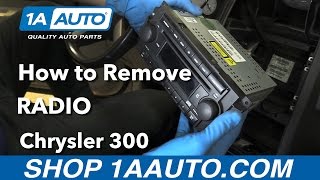
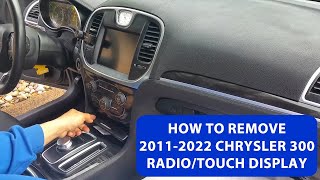
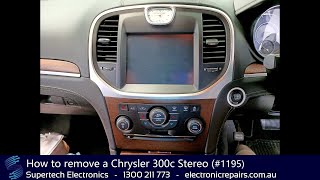
The Chrysler 300C shares the same radio removal process as the 300 model.

Example: Chrysler 300C serial number label location
Serial Number Prefixes You'll See on Chrysler 300C
The radio uses serials starting with T00AM (14 chars), TM9, or A2C (newer Uconnect). The serial label is on the body of the radio unit — not visible without removal on most models.
Common Chrysler 300C Radio Code Problems
Many owners encounter radio lock problems on their 300C after power loss.
Below are the most typical situations when this can happen.
Radio Lock After Battery Replacement
A dead battery is the most common reason a Chrysler 300C radio asks for a code.
Even a momentary power loss is enough to activate the built-in security system.
Other Cases When Your Radio Asks for a PIN
- Electrical repairs may reset the radio memory on some Chrysler 300C units.
- Replacing the factory stereo with a used one requires the code for that particular radio.
- A blown fuse can reset the radio and prompt for a code.
- Even a brief jump-start can activate the anti-theft lock.
Places to Check Before Paying for a Radio Code
Want free Chrysler 300C Radio Code? Actually, you may already have it.
In few cases, the code may already be available in the vehicle or in the documentation.
Checking these sources can save you time and money before using an online generator.
Below are the most reliable places to look.
Check the Manual or Documents
- Inside the glovebox, sometimes on a small card.
- In your car paperwork from the previous owner.
- In the boot compartment, on a radio label.
- On the head unit itself, if it was serviced earlier.
- In the vehicle handbook, often on a sticker page.
Getting It from the Chrysler Dealer
A Chrysler dealer can usually retrieve the security code using your 300C's VIN.
In most cases, you need to visit or contact them and prove ownership.
When it is verified, they can request the original anti-theft code for your radio.
Downsides:
- Dealers often ask for payment for the lookup service and it can cost more than 100$.
- Some older Chrysler 300C radios may require manual lookup.
- The process can take hours depending on the model and database.
- You usually need to visit in person and bring ID.
Why Choose Our Chrysler 300C Radio Code Generator Service?
Our Chrysler 300C radio code lookup is designed to simplify the unlock process.
Unlike traditional dealer lookup, this method doesn't require VIN and can be done online in minutes.
It's a faster and cheaper alternative for drivers who need their radio unlocked quickly.
What Sets Us Apart
- Some dealers require a visit to the service center, while FindRadioCode is fully remote.
- Dealer services often charge over $100, while FindRadioCode offers codes from 9.99 USD.
- Dealerships operate during business hours, while FindRadioCode is available anytime.
- Dealer lookup can take time, while our system delivers codes right away 95% of times.
- Dealer lookups often come with limited refunds, while FindRadioCode offers a full money-back policy.
Entering the Radio Code on Chrysler 300C
Once you have the unlock code, it's time to input it into the Chrysler 300C's radio.
The locked radio will usually show an "ENTER CODE" message.
Use the preset number buttons to select each number, then confirm to activate the head unit.
To input the unlock code on your Uconnect radio:
- When the radio is locked, the screen will display "ENTER CODE" or show four dashes (----).
- Use the on-screen keypad (touchscreen models) or the preset buttons (non-touchscreen models) to enter each digit of your 4-digit code.
- After entering all 4 digits, the radio will unlock automatically – no need to press a confirm button.
Tip: Make sure you enter the code carefully. Three incorrect attempts will trigger a temporary lockout.
What Exactly is a Radio Anti-Theft Code?
The radio code is a factory-set numeric code that protects your car audio from theft.
It is stored within the radio at the factory and activates automatically whenever the unit is disconnected.
Without this code, the radio remains disabled and produces no sound.
Entering the code tells the radio that it is still in the original vehicle, restoring normal operation immediately.
300C's Radio Code FAQs
Not all of them require a radio code, but many factory radios use it as an security measure.
Some production series may not require a code depending on the radio unit.
Yes. Each factory radio has its own unique security code.
A different radio will need its correct security code to work.
Free codes are uncommon.
You might already possess the code in the owner's booklet or from a previous owner, but most require a database lookup.
Uconnect is the infotainment system developed by Stellantis (formerly Fiat Chrysler Automobiles) and used across Chrysler, Dodge, Jeep, Ram, Fiat, and Alfa Romeo vehicles. Most Uconnect radios include an anti-theft protection system that activates whenever the radio loses power – for example after a battery replacement, a dead battery, or electrical work.
When triggered, the radio displays "ENTER CODE" and won't work until the correct 4-digit unlock code is entered. The code is permanently tied to the radio's serial number, not the vehicle's VIN, which is why finding the serial number is the first step to unlocking.
Yes, in most cases. Uconnect systems from 2013 onwards include a hidden Dealer Mode (or Engineering Mode) diagnostic menu that displays the serial number right on the display. You can access it by holding specific button combinations – no tools or radio removal required.
However, some 2020+ models may have had Dealer Mode restricted via software updates. If you cannot access the on-screen menu, the radio must be physically removed to read the serial number label on the unit. See our full Dealer Mode guide for step-by-step instructions with video tutorials.