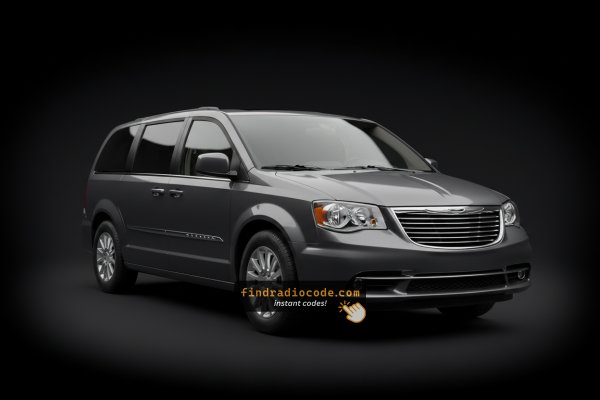
How to Find the Serial Number on a Town & Country's Radio
To retrieve the correct radio code, you first need the radio serial number.
Depending on your radio model, you can see it on the screen or find it on the radio unit itself.
It's often written as: Serial Num. / S/N / Serial Number etc.
These are the typical ways to find it:
1. Find the S/N on Chrysler Town & Country's Screen
The Chrysler Town & Country was Chrysler's premium minivan from 2008 to 2016, when it was replaced by the Pacifica. It shares the RT minivan platform with the Dodge Grand Caravan. Check your year first — the procedure is different for pre- and post-2013 models.
2013–2016 Town & Country — Uconnect 8.4" Classic
Climate button method: Hold Fan Up + Fan Down + Front Defrost for 5 seconds. Dealer Mode opens.
Navigate: System Info → Radio Part Info → Serial Number.
Temperature button method: Hold Temp Up + Temp Down for 5 seconds to open the Engineering Menu, then navigate to the serial number via the same path.
The serial number is a 14-character alphanumeric code (e.g. T00AM394958584).
2. Locating your Serial on the Radio Unit
To find the serial number, you'll need to pull out the head unit out.
- Start by turning off the vehicle and removing the trim panel.
- Next, unscrew the mounting bolts and pull the unit forward to check the label on the back of the radio. Pay attention not to damage the cables that the unit is connected to.
- Write down the serial number carefully and come back to our website.
- Know that serial number and part number are not equal. You will find both on the unit, but you only care for the serial.
Physical Radio Removal for Chrysler Town & Country
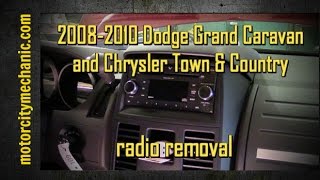
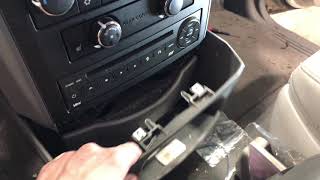
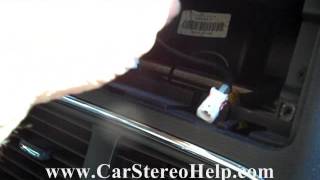
Chrysler Town & Country (2008-2016) radio removal procedure is similar to other Chrysler minivans.

Example: Chrysler Town & Country serial number label location
Usual Serial Formats on Chrysler Town & Country Radios
To unlock your radio, find the serial that starts with T00AM, TM9, or A2C. Important: do NOT use serials ending in W, J, L, or S — those are screen/DVD/amplifier modules, not the main radio brain.
Chrysler Town & Country's Usual Anti-Theft Code Causes
Your radio may enter anti-theft mode when it detects a power interruption.
These are the some well-known scenarios that activate the radio code prompt.
Battery Change Lock (Most Common)
A dead battery is the most common reason a Chrysler Town & Country radio asks for a code.
Even a momentary power loss is enough to activate the built-in anti-theft lock.
Other Situations That May Trigger the Code
- After an ECU reset, software update, or electrical repair, some Chrysler Town & Country radios display a CODE message.
- If a fuse is pulled, the radio can lock itself.
- After a jump-start, the radio may reset and request a security code.
- When the radio is removed, it usually locks automatically.
Free Options First
Before you pay for it, you should check a few places where the code is often stored.
Some drivers find their Chrysler Town & Country radio code without needing any tools or paperwork.
Here are the easiest things to check first.
Check the Car Documents
- In the vehicle documentation provided with the car.
- On a label in the glove compartment.
- On the head unit casing if the unit was previously removed.
- In the owner's handbook, often on a separate code card.
- Near the spare tire, where some manufacturers place radio labels.
Can You Get a Chrysler Town & Country Radio Code from the Dealership?
A Chrysler dealer can usually retrieve the radio code using your Town & Country's vehicle identification number.
In most cases, you need to contact the service department or visit the dealership and show vehicle documents.
When it is verified, they can generate the original anti-theft code for your radio.
Limitations:
- Some older Chrysler Town & Country radios may require manual lookup.
- The process can take hours depending on the model and database.
- Dealers often charge a fee for the lookup service and it's sometimes more than 100$.
- You usually need to visit in person and bring vehicle paperwork.
You've Got the Security Code. How to Enter It?
Once you have the Chrysler's radio code, you can type it in using the infotainment controls.
Most radios display a "CODE", "ENTER CODE", or "----" message when they are locked.
You typically use the number keys to input the code.
After entering the full code, the radio will confirm the entry.
To input the unlock code on your Uconnect radio:
- When the radio is locked, the screen will display "ENTER CODE" or show four dashes (----).
- Use the on-screen keypad (touchscreen models) or the preset buttons (non-touchscreen models) to enter each digit of your 4-digit code.
- After entering all 4 digits, the radio unlocks automatically – no need to press a confirm button.
Tip: Ensure you enter the code carefully. Three incorrect attempts will trigger a temporary lockout.
Radio Code - Quick Explanation
The radio code is a built-in numeric code that keeps your stereo secure.
It is stored within the radio at the factory and activates automatically whenever the unit loses power.
If the correct code is not entered, the radio remains disabled and cannot be operated.
Entering the code tells the radio that it is still in the original vehicle, restoring normal operation immediately.
Chrysler Town & Country Radio Code - Frequently Asked Questions
Not all of them require a radio code, but many factory radios use it as an anti-theft feature.
Certain production series may not require a code depending on the head unit.
Free codes are uncommon.
You might locate the code in the owner's booklet or from a dealer, but most require a paid retrieval.
Yes. Each radio unit has its own unlock code.
A second-hand radio will need its original code to work.
Uconnect is the infotainment system manufactured by Stellantis (formerly Fiat Chrysler Automobiles) and used across Chrysler, Dodge, Jeep, Ram, Fiat, and Alfa Romeo vehicles. Most Uconnect radios feature an anti-theft protection system that activates whenever the radio loses power – for example after a battery replacement, a dead battery, or electrical work.
When triggered, the radio displays "ENTER CODE" and won't work until the correct 4-digit unlock code is entered. The code is permanently tied to the radio's serial number, not the vehicle's VIN, which is why finding the serial number is the first step to unlocking.
Yes, for most vehicles. Uconnect systems from 2013 onwards include a hidden Dealer Mode (or Engineering Mode) diagnostic menu that displays the serial number directly on screen. You can access it by holding specific button combinations – no tools or radio removal required.
However, some 2020+ models may have had Dealer Mode disabled via software updates. If you cannot access the on-screen menu, the radio must be physically removed to read the serial number label on the unit. See our full Dealer Mode guide for step-by-step instructions with video tutorials.