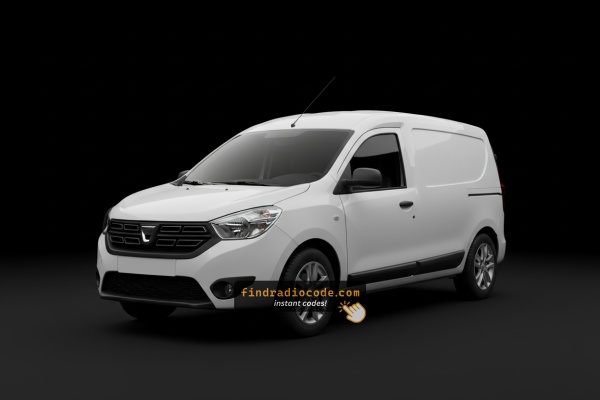
Dacia Dokker's Most Common Unlock Code Causes
Many drivers encounter radio code issues on their Dokker after power loss.
Below are the most typical situations when this can occur.
Error After a Battery Work
After a battery replacement, your radio may stop working.
This happens because the radio loses power, which activates the security lock.
More Events That Can Lock Your Dokker's Radio
- Replacing the head unit with a used one requires the code for that particular radio.
- Even a quick battery boost can wake the anti-theft system.
- A power surge can interrupt the radio and prompt for a code.
- ECU reflashing may reset the radio memory on some Dacia Dokker units.
What Exactly is a Dacia Radio Code?
A radio code, sometimes also known as an anti-theft code is a unique numeric unlock key that restores access to your car stereo after it has been disabled.
This security code is triggered when the radio detects a power interruption.
This system helps prevent stolen radios from working in other vehicles.
If power is interrupted, the radio locks automatically and requires the unlock CODE before it can work again.
Once the right combination is entered, the stereo is restored to normal operation.
Places to Check Before Paying for a Radio Code
There is a chance your Dacia Dokker radio code is already somewhere in your car.
Before spending money, take a few minutes check the places below - it costs nothing to look.
Search the Vehicle Interior
- In the user guide, often on a separate page.
- On the head unit casing if the unit was previously removed.
- In the service booklet provided with the car.
- On a sticker in the door pillar.
- Near the boot panel, where some manufacturers place radio labels.
Dealer Retrieval Process
A Dacia dealer can usually retrieve the security code using your Dokker's VIN.
In most cases, you need to visit or contact them and prove ownership.
When it is verified, they can request the original anti-theft code for your radio.
Downsides:
- The process can take days depending on the model and database.
- Dealers often ask for payment for the lookup service and it can cost more than 100$.
- You usually need to visit in person and bring vehicle paperwork.
- Some older Dacia Dokker radios may not be supported.
How to Find the S/N on a Dokker's Radio
The only thing you'll need to find the corresponding code is your radio's serial number. VIN or other details are not required.
On many Dacia models, you can find it in one of the following locations:
- Shown on the radio screen (occasionally by using button combinations)
- On the radio housing itself - you'll need to pull it out and write down your serial (which is usually simple)
Search for something like: S/N or Serial.
1. View the Serial Number on Dacia Dokker's Display
Try pressing and holding 1 + 6 or 1 + 5 while powering on the radio. Some units display the serial on screen. If not, the radio needs physical removal.
2. The Serial Number on the Radio Label
To find the serial number, you'll need to remove the radio unit from the dashboard.
- Start by turning off the ignition and removing the trim panel.
- Next, unscrew the mounting bolts and slide the radio out to check the label on the side of the radio. Be careful not to damage the cables.
- Write down full serial number precisely and come back to the website.
- Know that serial number and part number are not equal. You can find both of them on the unit, and you only need for the serial.
Dacia Radio Removal Guide
To remove the Dacia Dokker radio, use radio extraction keys (same as Renault) — insert into the holes on each side of the unit, release the clips, and slide out. The serial and precode labels are on the back.
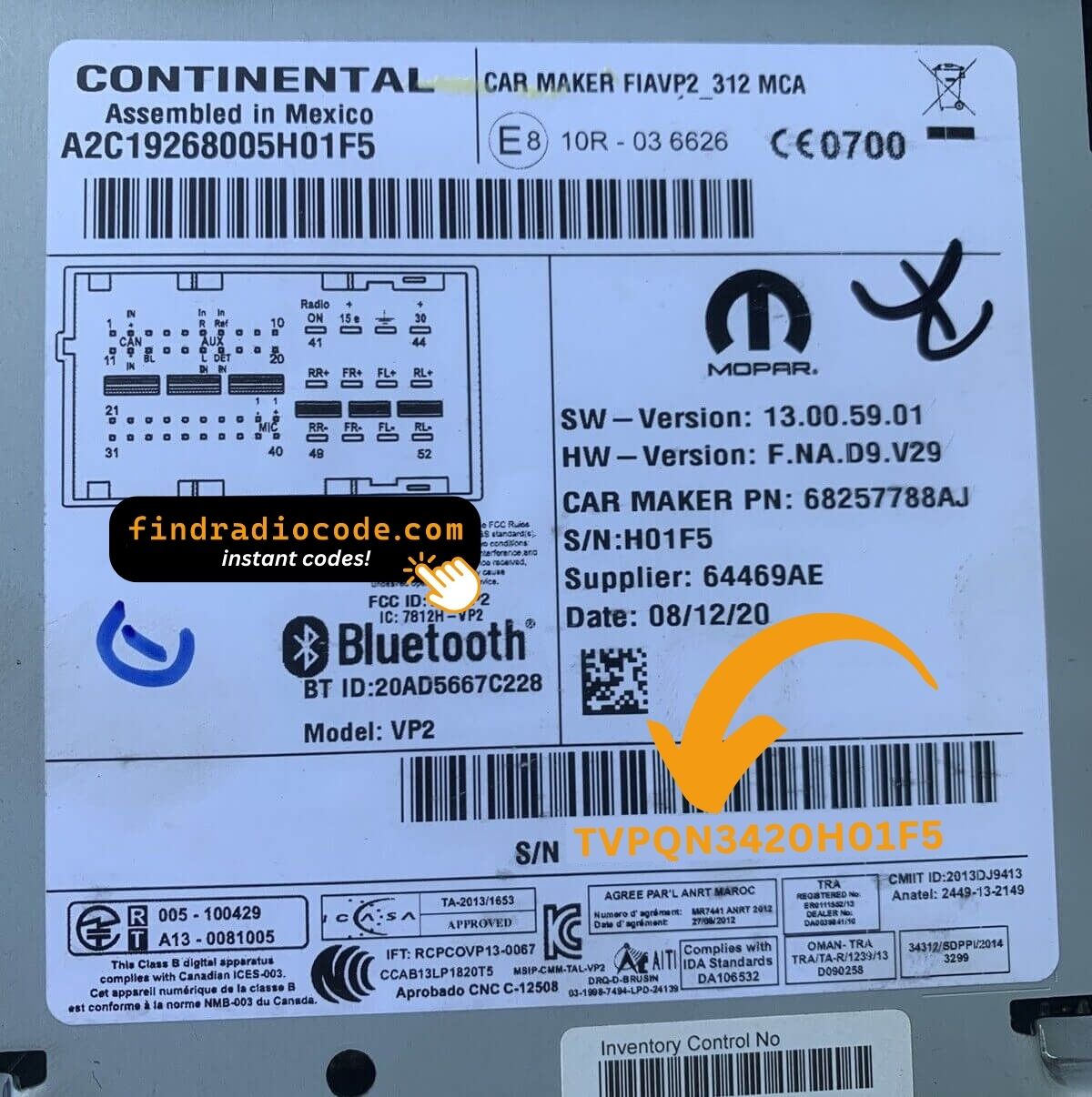
Example: Dacia Dokker serial number label location
Common Serial Formats on Dacia Dokker Factory Units
To unlock the radio, find the serial (8200####, 2811####, or 7700####) on the radio label, or the Precode (A123) from the glovebox card.
How to Enter the Radio Code on Dacia Dokker
Once you have the Dacia's radio code, you can type it in using the radio buttons.
Most radios display a "CODE", "ENTER CODE", or "----" message when they are locked.
You typically use the preset buttons to input the code.
After entering the full code, the radio will confirm the entry.
If you fail multiple times, you may cause the Dokker's head unit to block further attempts.
When this happens, your screen usually displays messages like "CODE ERR", "ERROR", or a blank screen.
To unlock it, you usually need to keep the ignition on for a waiting period that is shown or up to an hour before trying again.
Frequently Asked Questions about Dacia Dokker Code
Yes. Each head unit has its own unlock code.
If you install a different radio, you'll need the code for that particular device.
Many original head units use a anti-theft code, but not every model year require one.
Whether a code is needed varies by the radio unit and the production year.
Free unlock codes are rarely available.
Some dealers may help, but most codes require a database lookup.
The only free possibility would be to check your vehicle and its documentation to see if you have it written down.