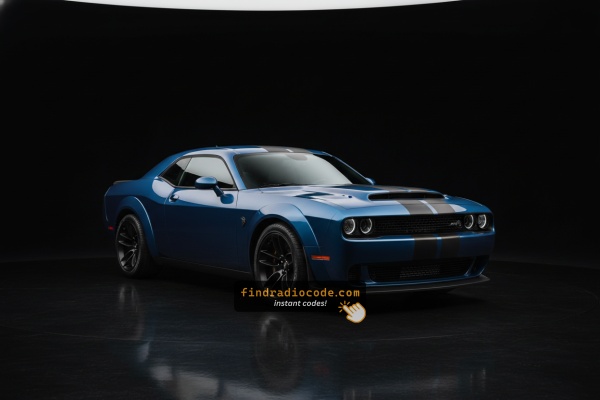
Finding the Radio S/N for Dodge
The starting step is writing down the radio serial number.
Most people assume the code depends on the Dodge model or year, but actually, the whole process depends on the unique radio's serial number.
Each radio has its own serial tied to the security system.
This is actually better, because if you have a used radio, the VIN or other Dodge-specific data wouldn't be of much use.
Depending on the radio used, you can see the serial directly from the screen or by checking the label on the radio chassis.
Before Removing the Radio, Try This Screen Method
The method for 2013 Dodge Challenger is this:
The 2013 Dodge Challenger of this generation features a MyGIG radio (REP 430) or an first-generation Uconnect system mounted in the muscle car's center stack. These pre-2014 head units do not support on-screen serial display.
The serial number is accessible only by pulling the radio from the Challenger's center stack and reading the barcode label on the unit casing.
View it by Pulling Out the Radio Unit
If the serial does not appear in menu, the next step is checking the radio itself.
Many Dodge radios require physical access to the serial tag attached to the unit.
Typical approach:
- Start by completely turning off the engine - pull the key out.
- Then detach the radio surround.
- Next, release the mounting points and pull the radio forward.
- Look for a factory sticker showing the serial number.
To access the serial number on the 2013 Challenger's radio, you'll need to remove it:
- Power down the vehicle.
- Remove the center stack bezel using a plastic trim tool. The Challenger's wide, retro-style center console has a distinctive trim surround that starts at the bottom corners.
- Remove the four Phillips mounting screws securing the radio.
- Slide the unit out and locate the serial label on the top, side, or back of the chassis.
Take care with the wiring harness. No need to disconnect it unless more clearance is needed.

Example: Dodge Challenger serial number label location
Common Serial Number Structures
Common radio units in the 2013 Dodge Challenger and their serial formats:
- MyGIG REP 430 (non-nav touchscreen) – Serial prefix:
TM9 - MyGIG RBZ 430 (6.5" touchscreen) – Serial prefix:
TM9orT00AM - MyGIG RER 730N (navigation) – Serial prefix:
TM9 - RES 130 (base CD/MP3) – Serial prefix:
TM9orT00AM
All serials are 14 characters. Ensure to use the serial number, not the part number (P05064... or 68...).
Entering the Radio Security Code
Now that you've found the S/N and received the unlock code, the final part is entering it into your radio.
Dodge OEM units display a locked screen when ready for input.
The process is quick, but button layouts and confirmation methods may change depending on the radio version installed in your Challenger.
Detailed Entering Instructions for Challenger 2013
Entering the unlock code on the 2013 Challenger's radio:
- Turn ignition to ON. The radio displays "CODE" or "ENTER CODE".
- Touchscreen models (REP/RBZ/RER): Use the on-screen keypad to enter each digit.
- Non-touchscreen models (RES/REF): Press preset button 1 multiple times for the first digit, button 2 for the second, 3 for the third, 4 for the fourth. Hold Enter/OK to confirm.
Warning: 3+ wrong attempts trigger a lockout. Keep the Challenger's radio powered for about 60 minutes to reset it.
How Our Radio Code Generator Works for 2013 Dodge Challenger
To get the code, you'll take only a few simple steps.
- Find the radio's serial - this is the only information required to generate the correct unlock code.
Unlike dealership lookup, no VIN is needed. - Enter the serial number into our generator above.
Our system checks it against a database of supported units and automatically retrieves the matching anti-theft code. - In most cases, the code appears instantly on the screen after you pay and is also sent to your email , just in case.
If we need to check it manually, you'll be notified before checkout. - When you get it, simply enter it into your radio to restore full functionality.
Why Did the Radio Lock and Ask for a Code?
2011–2013 Challenger owners encounter this primarily due to:
- Seasonal storage — Many Challengers sit over winter, draining the battery enough to activate the anti-theft.
- Battery disconnect or replacement — the primary trigger on pre-2014 Challengers.
- Blown fuse — a blown radio fuse also counts as a power loss.
- Used purchase — buying these used often means the code was never recorded.
The unlock code is tied to the radio serial and does not expire.
Understanding Unlock Issues with Your Challenger
Code rejection on the Challenger's MyGIG or early Uconnect almost always means the wrong serial was submitted. The label shows both a serial number (TM9 or T00AM, 14 characters) and a part number (P05064... or 68...) — only the serial generates the code.
Look at the sticker again and contact support for a free re-check if needed.
When no "CODE" screen appears after a battery event:
- Ensure the ignition is in ON (not ACC) and wait 15–20 seconds to initialize.
- Inspect the radio fuse — a blown fuse prevents the radio from displaying anything.
- On some older units, pressing any button on the radio face activates the code prompt.
If the radio stays dark, a blown fuse is the first thing to check.
The Challenger's MyGIG radio must be removed to access the serial label, as older platforms lack on-screen display. On the label:
- Serial number — 14 characters, starts with
TM9orT00AM. Use this. - Part number — prefixed by
P05064or68. Do not use.
Copy all 14 characters carefully — similar-looking characters are easy to mix up on printed labels.
After 3 wrong entries on the Challenger's MyGIG, a 60-minute lockout takes effect. The display will show "WAIT":
- Leave the radio powered — ignition stays in ON, engine off is fine.
- Wait the full 60 minutes.
- Cycling the ignition resets the timer.
Once clear, re-enter the code carefully.
How you enter the code on the Challenger depends on which radio is fitted:
- Touchscreen models (MyGIG REP 430, RBZ, RER 730N) — Use the on-screen number pad. The display confirms each digit as you enter it.
- Non-touchscreen models (RES 130, REF) — Press preset button 1 cycling to set the first digit, button 2 for the second, 3 for the third, 4 for the fourth. Then hold Enter/OK to confirm.
If unsure which type you have: a touchscreen means touchscreen entry; a black physical display means preset buttons.