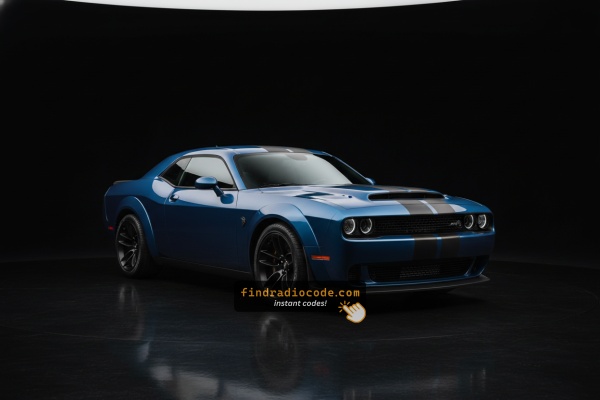
Radio Serial Number Explained - Finding It on Your Dodge
The useful fact to know is that factory radios use a specific serial number to identify each unit.
The security system matches the code directly to the serial.
Unlike vehicle-specific data like VIN or registration info, it is not determined by the model or production year, so you'll be able to get it even if you have a radio that you bought afterwards.
Depending on the maker and radio installed in your Dodge Challenger, the access method varies.
Here are the most reliable ways to find it.
Find the Serial Number on the Radio Screen
These are the steps you should follow for 2016 Dodge Challenger:
The 2016 Dodge Challenger's retro-styled 2-door muscle coupe interior features the Uconnect 8.4" (RA3) touchscreen prominently in the cockpit. The serial number is available directly on screen via Dealer Mode.
Climate Button Method:
- Turn the ignition to ACC or ON.
- On the Challenger's wide center console, locate the Climate Up, Climate Down, and Front Defrost buttons beneath the 8.4" display. Press and hold all three at once for 5 seconds.
- Dealer Mode appears on the display.
- Navigate to: System Info → Radio Part Info → Serial Number.
Alternative: Hold Temperature Up (red) and Temperature Down (blue) together for 5 seconds to access Engineering Mode, then navigate the same menu.
Locate Serial on Challenger's Radio Chassis
If the serial does not appear in menu, the next step is checking the radio itself.
Many Dodge radios require physical access to the serial sticker attached to the unit.
Common approach:
- Start by completely shutting off the engine - pull the key out.
- Then detach the dashboard bezel.
- Next, unscrew the mounting points and pull the radio forward.
- Look for a barcode label showing the serial number.
Should Dealer Mode be unavailable on your 2016 Challenger, physical removal of the RA3 radio is necessary. The Challenger's wide, retro-style center console has a distinctive trim layout:
- Remove the center stack bezel – The Challenger's trim panel encompasses the 8.4" screen and HVAC controls. Insert a trim tool at the lower edge – the panel typically starts at the lower edge first.
- Unscrew the 4 Torx T20 bolts – These secure the radio mounting frame to the dash structure.
- Ease the radio forward – Pull the unit out enough to expose the serial label on the top or side of the unit.
The 14-character serial is on a barcode sticker. Cables can remain connected.

Example: Dodge Challenger serial number label location
How Serial Numbers Usually Look on These Challenger Radios
Year Dodge Challenger Uconnect 8.4" (RA3) radios use these common serial formats:
T00AM– Harman VP2 Uconnect 8.4" (standard prefix)T00BE– Continental-manufactured versionTM9– Earlier Harman units
The Challenger's radio is designated RA3 (or VP2 with Alpine audio). Serial: 14 characters, e.g., T00AM394958584.
Note Do not mix up the serial (T00AM...) with the part number (P05064... or 68...) on the Challenger's radio label. Only the serial is needed to calculate the unlock code.
How to Enter the Radio Code
After locating the S/N and retrieved the unlock code, the last step is entering it into your radio.
Dodge factory radios display a locked screen when ready for input.
The process is quick, but button layouts and confirmation methods may change depending on the radio version installed in your Challenger.
Detailed Entering Instructions for Challenger 2016
To unlock the Challenger's radio Uconnect 8.4":
- With ignition ON, the screen shows "ENTER CODE" or ----.
- Tap the on-screen touchscreen keypad to enter your 4-digit code. The Challenger's large 8.4" screen makes each tap easy.
- The radio auto-unlocks after the 4th digit — no OK button.
Lockout Warning: 3 wrong entries trigger a 60-minute lockout. Leave ignition ON for the entire hour. Turning the Challenger off adds to the wait.
Locked Challenger Radio? Here's Exactly How to Get the Code
- Rather than relying on Dodge dealership lookup or online threads you can find the code online with the radio S/N.
- First locate your radio's serial. It is always present on the unit itself, and in some cases it can be visible on the Challenger's radio screen.
- Enter it into the form above, and our software will generate the correct 2016 Challenger unlock code.
- After receiving your code, input it using Challenger's radio buttons to unlock the system successfully.
- The entire process takes less than a minute for most users and requires zero paperwork and no dealer visit.
Why Did the Radio Lock and Ask for a Code?
Owners of this muscle coupe encounter radio lockouts more than some other models because:
- Seasonal storage and battery drain — The Challenger is often a weekend or summer car, and months without use drains the battery enough to lock the radio.
- Battery replacement — standard battery service triggers the lock on any model year.
- Performance battery work — Owners who disconnect the battery for mods will trigger the lock.
- Used purchase — second-hand purchase without the prior owner's code means the code is needed right away.
The unlock code is permanently linked to the serial number and does not change.
Understanding Unlock Issues with Your Challenger
The Challenger's RA3 radio label shows multiple identifiers that are easy to mix up:
- Serial number — 14 characters, starting with
T00AM,T00BE, orTM9. This is what you need. - Part number — begins with
P05064or68. Not the serial.
Using Dealer Mode is the cleanest way: System Info → Radio Part Info → Serial Number. No tools required.
The 2016 Challenger's Uconnect 8.4" uses touchscreen-only input for code entry — none of the Challenger's factory radio buttons are involved. When "ENTER CODE" is on screen:
- Tap each digit on the virtual keypad on the 8.4" screen.
- The Challenger's Uconnect auto-confirms after the final digit — no confirmation button is needed.
If taps don't register, cycle the ignition and wait 30 seconds.
If the Challenger's screen doesn't show after a battery event:
- Turn the ignition to ON (not ACC) and allow 15–20 seconds for the Uconnect system to load.
- Check the fuse box for the Challenger's radio fuse — a blown fuse prevents the display from powering.
- Tap the touchscreen once to trigger the code entry prompt if it hasn't appeared.
If the display stays dark, a blown fuse is worth checking first.
After three failed code entries on the Challenger's Uconnect, a 60-minute lockout activates and the screen shows "WAIT":
- Leave the key in the ON position — engine does not need to run but the key cannot be cycled.
- Wait for the entire 60 minutes.
- Cycling the ignition restarts the 60-minute wait.
Once the lockout clears, re-enter the code carefully.
Code rejection on the Challenger's Uconnect 8.4" usually means the wrong serial was used. The RA3 label shows both: the serial (T00AM, T00BE, or TM9, 14 characters) and the part number (P... or 68...) — the part number does not generate a code.
Confirm the serial via Dealer Mode and contact support for a free re-check if needed.