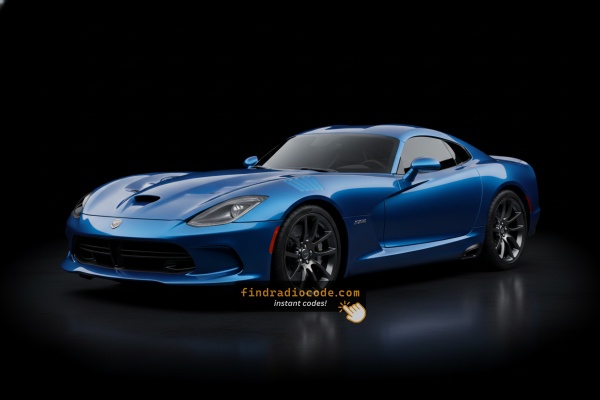
When a Radio Unlock Code Is Needed?
Your radio may enter anti-theft mode when it detects a power interruption.
These are the most common scenarios that activate the radio code prompt.
Error After a Battery Change
After a battery change, your radio may stop working.
This happens because the radio recognizes a voltage interruption, which triggers the security lock.
Other Possible Causes
- Installing a used head unit will trigger the original anti-theft code.
- A blown fuse can cause the Dodge Viper radio to lock.
- After an ECU or software reset, the radio may enter security mode.
- Jump-starting the vehicle can trigger anti-theft mode, requiring the PIN.
Radio Code - Quick Explanation
When the radio is cut off from power, it immediately locks and requires a security code to be entered before it can be used again.
A factory radio code (also known as an anti-theft code) is a security feature integrated into factory car stereos to protect theft.
This system makes sure that a removed radio becomes inoperable without the correct code.
Entering the valid code restores full stereo and infotainment functionality.
Check These Free Methods
There is a chance your Dodge Viper radio code is already somewhere in your car.
Before using a paid service, take a few minutes check the places below - it costs nothing to look.
Check the Owner's Manual
- In the radio manual, often on a code card.
- In the spare wheel area, on a radio label.
- In your car paperwork from the previous owner.
- On the radio unit itself, if it was serviced earlier.
- Inside the center console, sometimes on a small card.
Dealer Retrieval Option
Dealerships can generate your radio code by checking the vehicle records in their system.
They typically ask for registration and ID before sharing the unlock code.
This is the official way to restore access to the factory radio.
Downsides:
- Dealers frequently charge a service fee (It may cost more than 100$).
- You may need to contact service support during business hours.
- Some imported or older radios may not be in their database.
- The lookup is often not instant and may require waiting.
Finding the Serial Number on a Viper's Radio
To retrieve the correct unlock code, you will need the serial number from your Dodge Viper's radio unit.
You may be able to find it on the radio body. Common labels to look for: S/N, SN, Serial, Serial Number.
1. Displaying the Serial Number on the Viper Screen
The Dodge Viper is an exotic American sports car with limited production numbers. Treat it accordingly during any dashboard work — the interior plastics and materials are bespoke and not interchangeable with standard Chrysler/Dodge parts.
Gen IV Viper 2008–2012
No touchscreen, no Dealer Mode. Serial label is on the radio chassis — physical removal required. Given the rarity of this vehicle (~3,500 units per year), consider consulting Viper-specific forums (ViperAlley.com) before attempting removal. The standard Chrysler pry-tool approach applies, but be gentle with the exotic interior trim.
Gen V Viper 2013–2017 — Uconnect 8.4" Classic
The Gen V Viper received the standard Uconnect 8.4" system. Hold Fan Up + Fan Down + Front Defrost for 5 seconds to open Dealer Mode. Navigate: System Info → Radio Part Info → Serial Number.
Alternate: hold Temp Up + Temp Down for 5 seconds → Engineering Menu → same navigation path.
Serial is a 14-character alphanumeric code (e.g. T00AM394958584). The Viper uses an Alpine amplifier with a non-standard 8-pin DIN cable — if physical removal is needed, disconnect harnesses with care.
2. How to Find the Serial Number on the Radio Sticker
The serial number is usually found on a label attached to the radio casing.
Step 1: Turn off the vehicle.
Step 2: After that, remove the dashboard.
Step 3: Then unscrew the radio brackets.
Step 4: Carefully slide the unit out partially (Be careful not to damage the cables).
Step 5: Look for the serial number on the side of the unit.
Step 6: Write down the full number carefully and come back to our website so that we can generate the code.
Important: Differentiate the Serial Number and the Part Number!
Accessing the Serial Number in Dodge Viper
The Viper is an exceptionally rare vehicle with only about 3,500 units built during this generation, which means DIY documentation is limited. However, it uses the standard Uconnect 8.4" system with an Alpine amplifier.
Search for video guides on YouTube — Charger and Challenger 8.4" removal videos apply, as the Uconnect system is shared across the platform.
General Removal Process:
- Remove the center bezel—secured by Torx screws and clips.
- Remove mounting bolts holding the radio unit.
- Disconnect harnesses carefully—the Viper uses an 8-pin DIN cable (non-standard), and the antenna turn-on wire is critical for proper operation.
Note: Due to the rarity of this vehicle, consider consulting Viper-specific forums like ViperAlley.com for detailed guidance, or seek assistance from a dealership or Viper specialist.

Example: Dodge Viper serial number label location
Usual Serial Letters and Numbers on Dodge Viper Factory Units
Your Dodge Viper radio serial may be in T00AM format (14 characters, e.g. T00AM394958584), TM9 format (e.g. TM9123456789), or A2C format on newer Uconnect systems. The serial is printed on a label on the radio housing.
How to Enter the Radio Code on Dodge Viper
You need to enter the anti-theft code into the system to unlock your Dodge's radio.
When the unit is locked, the screen usually shows a code prompt.
Based on the radio, use control knob, touchscreen, or radio presets to set each digit, then submit the code to reactivate the audio system.
To input your unlock code in the Viper:
- Turn on the ignition—the Uconnect display shows the code entry prompt.
- Use preset buttons 1-4 to cycle through digits for each position.
- Press and hold ENTER/OK for 2-5 seconds to unlock.
Lockout Warning: After 3 incorrect attempts, the radio locks for 30 minutes. Keep the ignition ON during the waiting period.
Dodge Viper Radio Code - FAQ
Not all of them require a security code, but many factory radios use it as an security measure.
Some series may not require a code depending on the radio unit.
Free codes are uncommon.
You might locate the code in the owner's booklet or from a previous owner, but most require a database lookup.
Yes. Each head unit has its own unique security code.
A different radio will need its original code to work.
Uconnect is the infotainment system manufactured by Stellantis (formerly Fiat Chrysler Automobiles) and used across Chrysler, Dodge, Jeep, Ram, Fiat, and Alfa Romeo vehicles. Most Uconnect radios include an anti-theft protection system that activates whenever the radio loses power – for example after a battery replacement, a dead battery, or electrical work.
When triggered, the radio displays "ENTER CODE" and won't work until the correct 4-digit unlock code is entered. The code is permanently tied to the radio's serial number, not the vehicle's VIN, which is why finding the serial number is the first step to unlocking.
Yes, for most vehicles. Uconnect systems from 2013 onwards feature a hidden Dealer Mode (or Engineering Mode) diagnostic menu that shows the serial number directly on screen. You can access it by holding specific button combinations – no tools or radio removal required.
However, some 2020+ models may have had Dealer Mode restricted via software updates. If you can't reach the on-screen menu, the radio must be physically removed to read the serial number label on the unit. See our full Dealer Mode guide for step-by-step instructions with video tutorials.