
Finding the Serial Number on a Radio
To get the correct unlock code, you will need the serial number from your Honda Insight's radio unit.
You can usually find it on the radio body. Common labels to look for: S/N, SN, Serial, Serial Number.
1. Displaying the Serial Number on the Insight Screen
Accessing the Serial Number in Honda Insight
The Honda Insight hybrid uses Honda's proven serial display system across all generations. Whether you have a 2000-2006 first-gen, 2010-2014 second-gen, or 2019+ third-gen Insight, you can retrieve the serial number without removing the radio.
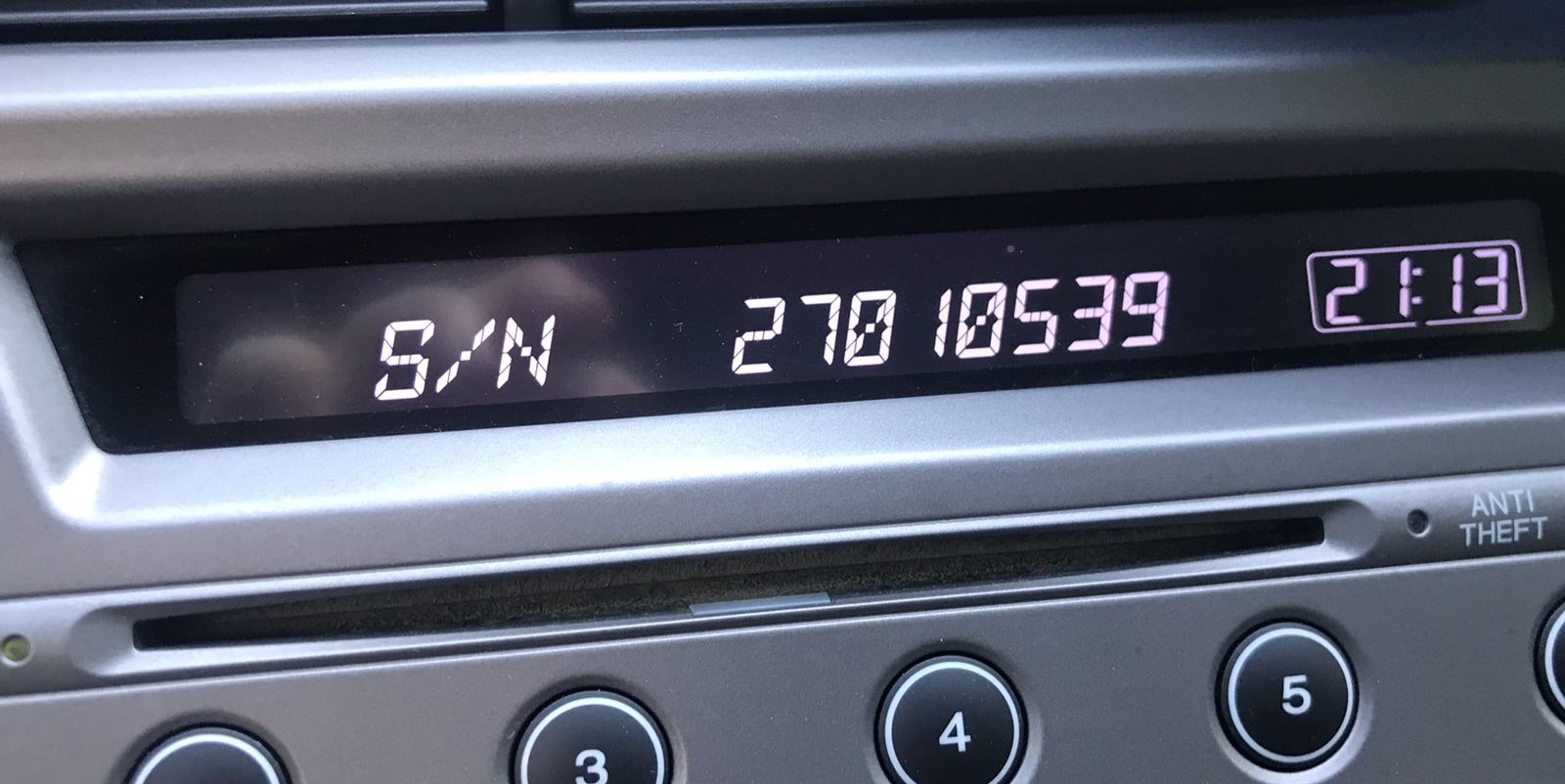
Display Method:
- Turn on the radio — If locked, the screen shows "CODE".
- Press and hold buttons 1 and 6 simultaneously for 2-5 seconds.
- The serial number appears — Typically 10 characters like
U1234L5678orT00AM1234567.
Generation-Specific Details:
- 2019-2022 Insight (3rd gen) — Features either the 5-inch Display Audio (base LX) or 8-inch touchscreen (EX, Touring). Both support the 1+6 button method. You may also find the serial in Settings → System → About.
- 2010-2014 Insight (2nd gen) — All models use a CD/MP3 radio with USB that responds reliably to the 1+6 combination.
- 2000-2006 Insight (1st gen) — The original two-seater hybrid uses a basic AM/FM/CD radio. The 1+6 method works, though you may need to hold the buttons for a full 5 seconds on early units.
Note: The Insight was discontinued after 2022, with Honda focusing on the CR-V Hybrid and Accord Hybrid instead. However, all radio unlock procedures remain valid.
2. The Serial Number on the Radio Housing
To find the serial number, you'll need to take out the head unit out.
- Start by turning off the ignition and taking off the dashboard bezel.
- Next, unscrew the mounting bolts and pull the unit forward to check the sticker on the back of the radio. Be careful not to damage the connections.
- Write down the serial number precisely and come back to the website.
- Know that serial number and part number are not equal. You will find both of them on the unit, and you only care for the serial.
Alternative: Removing the Honda Radio
If the on-screen method fails, you can remove the Honda Insight radio using DIN removal tools or by removing the surrounding trim panel. The serial is on a label on the top or side of the radio unit. Be careful with the trim clips — they can break if forced.
Example: Honda Insight serial number label location
Most Common Honda Insight S/N Formats
The radio uses a serial in U####L#### format (e.g. U1234 L5678). Navigation systems may show a GNA or HBM prefix. This serial is essential for code generation.
When a Radio Unlock Code Is Needed?
Your radio may lock automatically when it detects a power interruption.
These are the some typical scenarios that trigger the radio code prompt.
Radio Asking for Code After Battery Change
After a battery change, your radio may stop working.
This happens because the radio recognizes a voltage interruption, which triggers the anti-theft system.
More Situations That Can Lock Your Insight's Radio
- Jump-starting the vehicle can reset the radio, requiring the PIN.
- Installing a replacement head unit will trigger the original radio code.
- A fuse removal can cause the Honda Insight radio to request a security code.
- After an ECU or software reset, the radio may lock.
Before Paying for Help
There is a chance your Honda Insight radio code is written down in your documents.
Before spending money, take a few minutes check the places below - it costs nothing to look.
Check Inside the Vehicle
- Inside the glovebox, sometimes on a small card.
- In your service book from the previous owner.
- In the vehicle handbook, often on a code card.
- On the radio unit itself, if it was serviced earlier.
- In the trunk, on a radio label.
Getting It from the Dealer
A Honda dealer can usually look up the security code using your Insight's vehicle identification number.
In most cases, you need to visit or contact them and prove ownership.
Once verified, they can request the original anti-theft code for your radio.
Possible Drawbacks:
- Dealers often charge a fee for the lookup service and it can cost more than 100$.
- The process can take days depending on the model and database.
- You usually need to visit in person and bring ID.
- Some older Honda Insight radios may require manual lookup.
You Found the Code. How the Entering Process Works?
Once you have the Honda's unlock code, you can enter it using the infotainment controls.
Most radios display "ENTER CODE", "----" or "XXXX" message when they are locked.
You typically use the preset buttons to input the code.
After entering the full code, the radio will restore normal operation.
To unlock your Honda Insight radio:
- Turn on the ignition — The radio displays "CODE" or "Enter Code".
- Use preset buttons 1 through 5 to enter your 5-digit code:
- Press button 1 repeatedly to set the first digit
- Press button 2 repeatedly to set the second digit
- Continue for all 5 digits
- Confirm by pressing and holding button 6 for 2-5 seconds.
For Touchscreen Models (2019+): The 8-inch Display Audio may show an on-screen numeric keypad. Simply tap each digit and press "Enter".
Lockout Warning: After 3 incorrect attempts, the radio locks for 1 hour with ignition ON. Turning off the ignition resets the waiting period.