When a Radio Unlock Code Is Needed?
Many owners encounter radio code issues on their Navara after power loss.
Below are the most typical situations when this can happen.
Lock After a Battery Replacement
After a battery replacement, your radio may stop working.
This happens because the radio recognizes a voltage interruption, which triggers the security lock.
Other Situations That May Trigger the Code
- After a software update, electrical repair, or an ECU reset, some Nissan Navara radios ask for a code.
- When the radio is replaced, it usually locks automatically.
- After a jump-start, the radio may reset and request a radio code.
- If a fuse is pulled, the radio can enter anti-theft mode.
Places to Check First
Want free Nissan Navara Radio Code? Actually, you may already have it.
In few cases, your code may already be available in the vehicle itself or in the documentation.
Checking these sources can save you time and money before using an online lookup tool.
Below are the simplest places to look.
Search the Car Interior
- On the back of the radio if the unit was previously removed.
- Near the trunk lining, where some manufacturers place radio labels.
- On a sticker in the door pillar.
- In the vehicle documentation provided with the car.
- In the radio manual, often on a separate page.
Dealer Retrieval Process
Dealerships can retrieve your radio code by checking the vehicle records in their system.
They typically require proof of ownership before sharing the security PIN.
This is the official way to restore access to the factory radio.
Potential Downsides:
- Dealers frequently charge a service fee (sometimes more than 100$).
- You may need to visit the dealer during business hours.
- Some imported or older radios may need extra verification.
- The lookup is often slower and may require waiting.
Searching for the S/N on a Navara
To generate the right radio code, you first need the radio's serial.
Depending on your model, you can display it on the radio screen or locate it on the unit.
Common abbreviations are: Serial Num. / S/N / Serial Number etc.
These are the easiest ways to find it:
1. Getting Navara's S/N on the Display
Most Nissan vehicles (2010+) with LCN/Navi/Connect systems are able to show the serial number directly on the screen – no radio removal required.
LCN Screen Display Method (No Removal Needed!)
- Power on the radio - the display shows "CODE"
- Enter any random 4-digit number (e.g., 0000) and press OK/Enter
- Repeat this process two more times (total of 3 wrong attempts)
- After the 3rd incorrect code entry, the screen will automatically display:
- Serial Number
- Device Number
- Date
- Write down all displayed information
Screen data example LCN: 1234567 7612830076 11.07.26
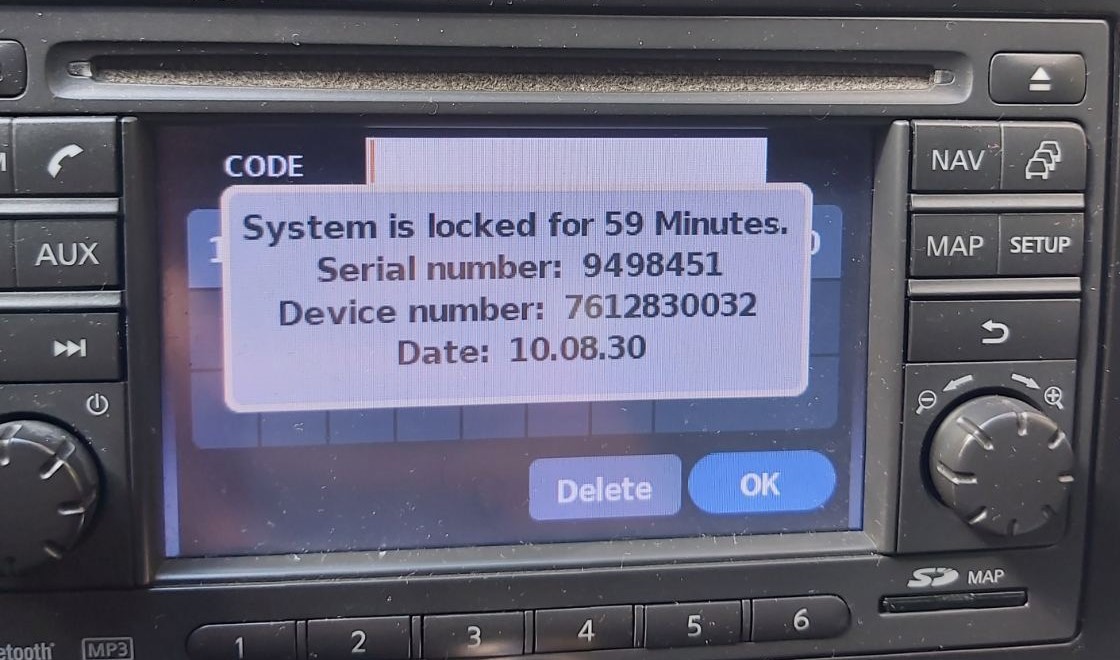
LCN Screen Display
Screen data example Juke: DSDYN03774 28185BH30A 10.11.23
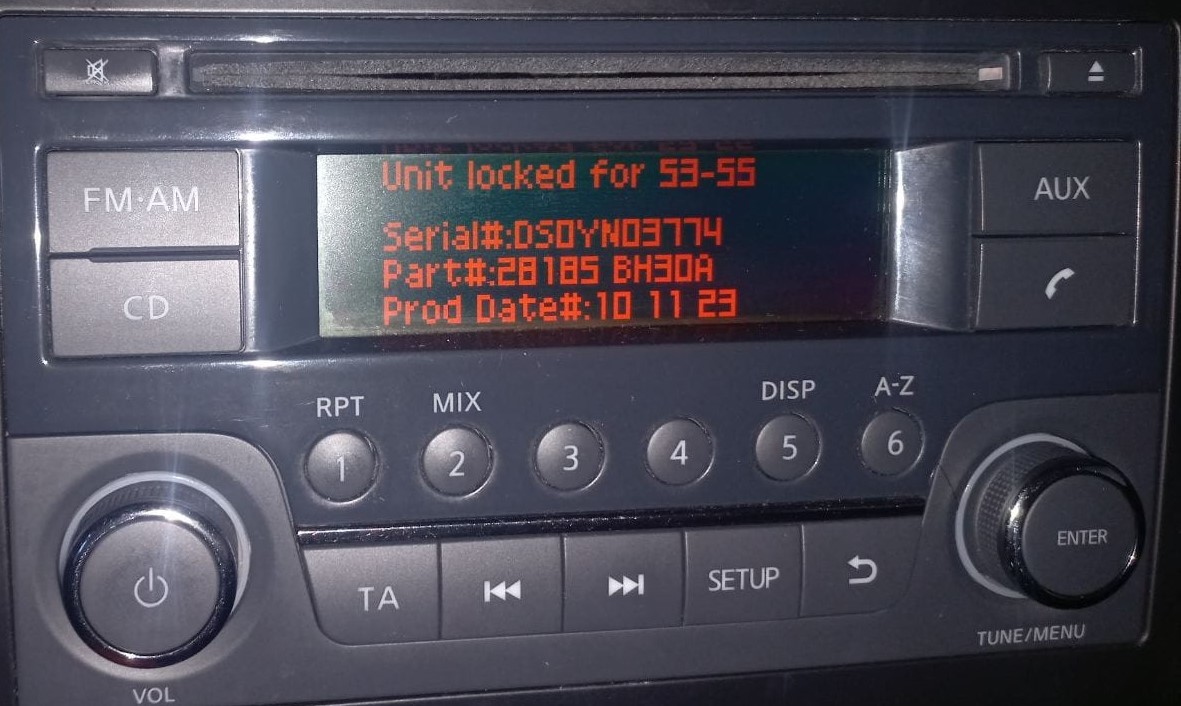
Juke Screen Display
Radio Label Method (Physical Removal)
For Clarion, Blaupunkt, and other radio types, remove the unit to find the serial number on a label:
Serial number formats:
- Clarion: CL094390003175, PN2804FB0122741, PP2804FB0122741
- Blaupunkt: BP1092X1231234
- Daewoo: Various formats
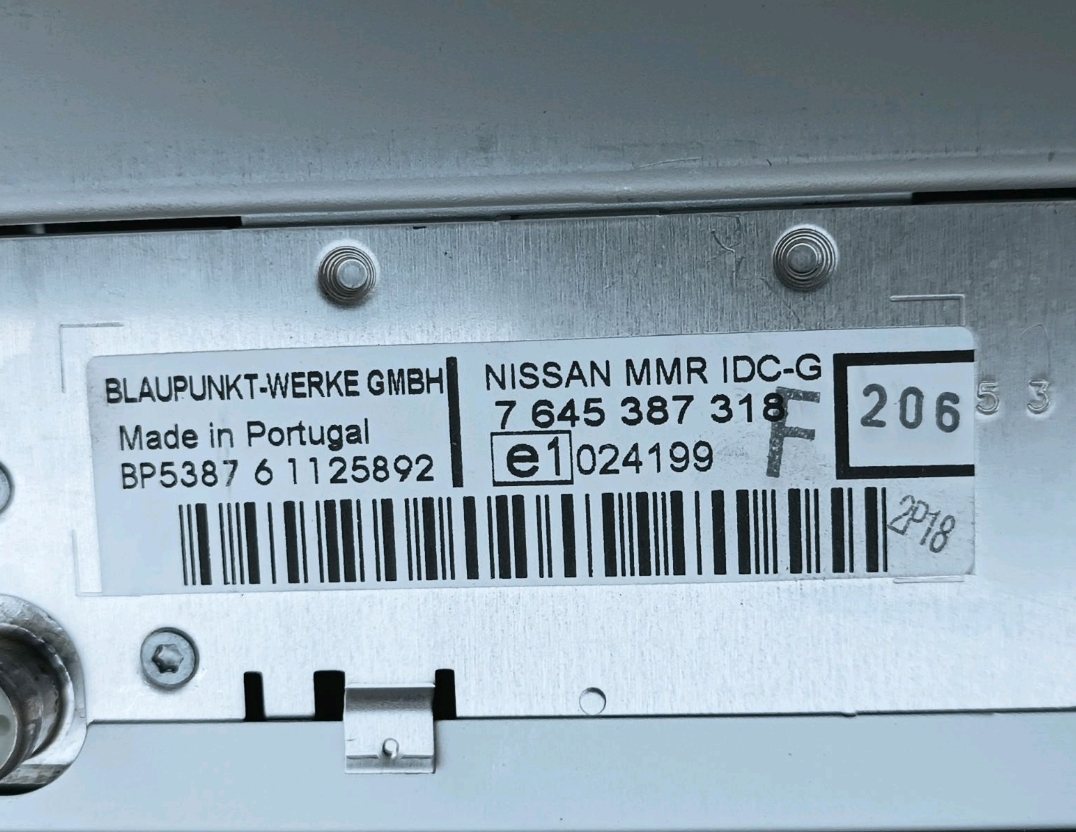
Blaupunkt Label
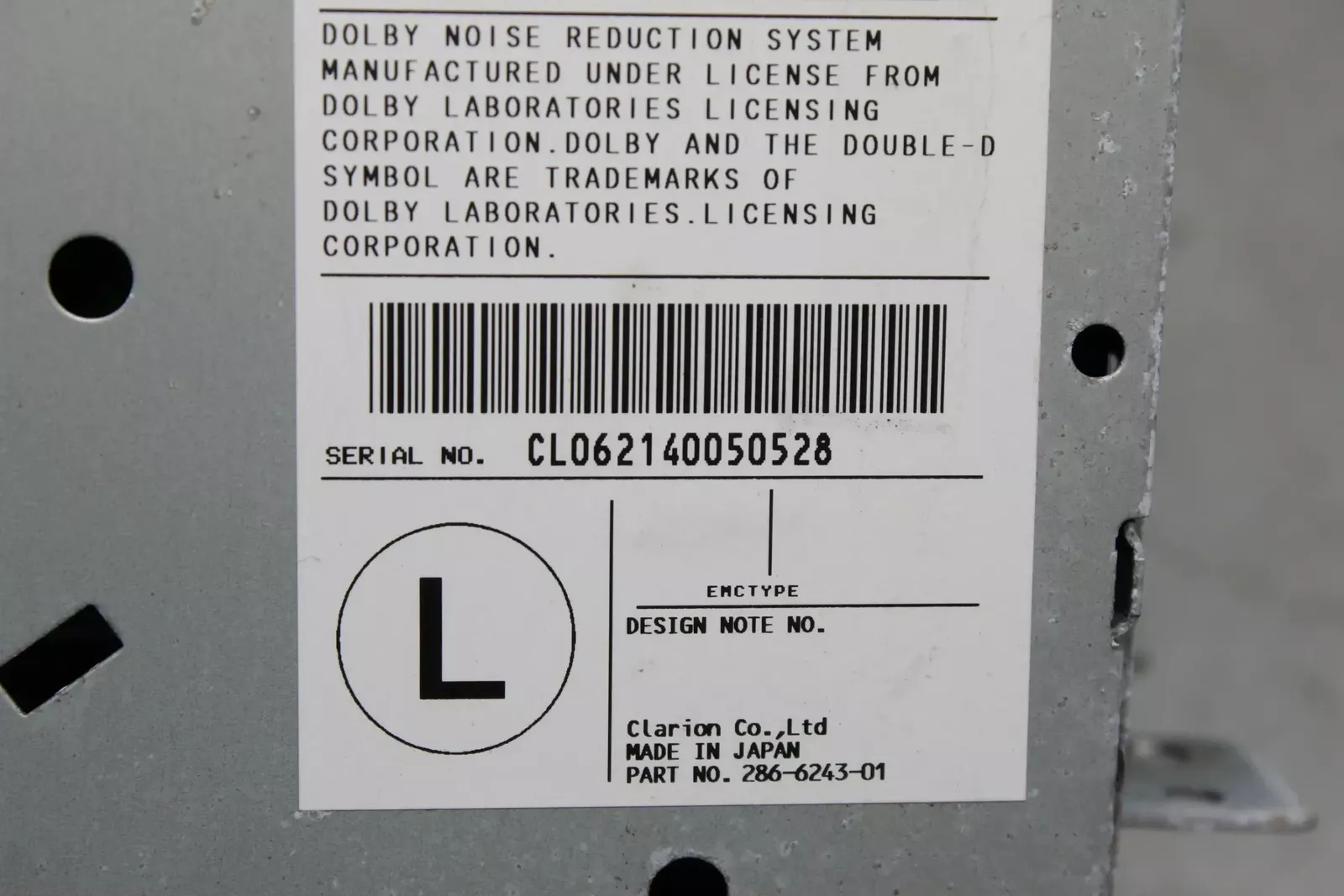
Clarion Label
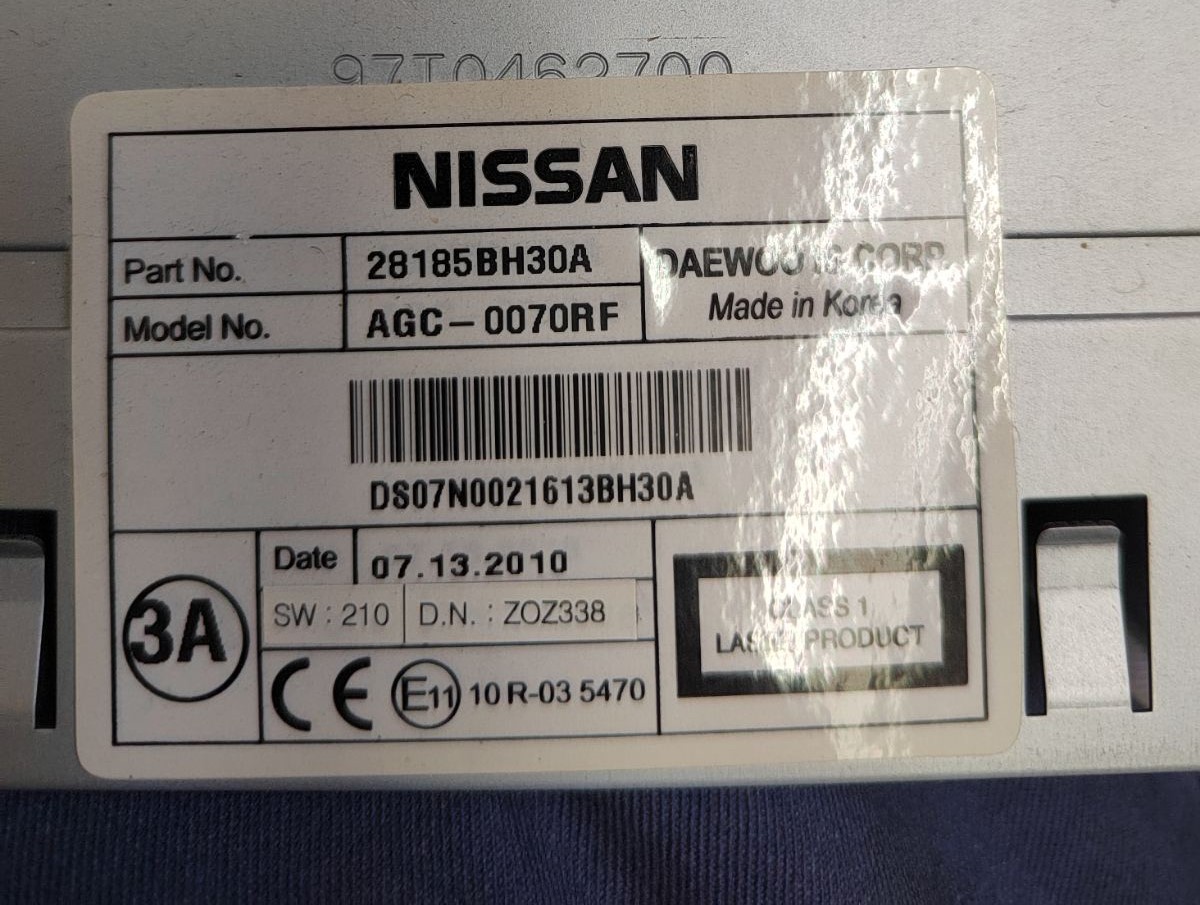
Daewoo Label
No VIN required - just the radio serial number!
2. Locating the S/N on the Radio Body
The serial number is usually found on a sticker attached to the head unit.
Step 1: Turn off the vehicle.
Step 2: After that, remove the dashboard trim.
Step 3: Then release the mounting clips.
Step 4: Carefully slide the unit out partially (Be careful not to damage the cables that the unit is connected to).
Step 5: Look for the serial on the rear of the unit.
Step 6: Write down the full number carefully and come back here so that we can generate your code.
Important: Don't mix the Serial Number and the Part Number!
📹 Video Guide: Removing Your Nissan Radio
For most modern Nissan vehicles with LCN/Connect systems, you don't need to remove the radio! Use the on-screen method above (enter wrong code 3 times).
However, if you need to physically remove the radio for Clarion, Blaupunkt, or Daewoo units:
- Disconnect the battery – For safety, disconnect the negative terminal before beginning.
- Remove the trim bezel – Carefully pry off the dashboard trim surrounding the radio using plastic trim tools.
- Unscrew mounting bolts – Remove the screws securing the radio to the dash frame.
- Slide the unit forward – Gently pull the radio out to access the label on the back or side.
- Locate the serial number label – Look for the barcode sticker with the serial number.
- Take a photo – Document the serial number before reinstalling.

Example: Nissan Navara serial number label location
Serial Number Formats You'll See on Nissan Navara
Your Nissan Navara radio serial number may start with:
BPCNLCN
How to Enter the Anti-Theft Code on Your Vehicle
With your code ready, it's time to input it into the Nissan Navara's radio.
The locked radio will usually show a "CODE" prompt.
Use the preset number buttons to dial in each digit, then press OK to unlock the head unit.
Be careful, because too many wrong attempts can disable your radio temporarily.
It will allow you a few incorrect tries before showing a LOCKED message.
You can reset the lockout by keeping the ignition on for 60 minutes or a set waiting period.
Frequently Asked Questions about Nissan Navara Radio Code
Many OEM stereos use a anti-theft code, but not every model year require one.
Whether a code is needed is determined by the factory stereo and the model year.
Yes. Each head unit has its own unlock code.
If you install a different radio, you'll need the code for that particular device.
Free are uncommon.
Some online tools may help, but most codes require a serial number lookup.
The only free possibility would be to check your car and its glovebox to see if you have it written down.