Nissan NV200's Most Common Anti-Theft Code Triggers
Many drivers encounter security code prompts on their NV200 after battery-related issues.
Below are the most typical situations when this can happen.
Battery Replacement Radio Code Problem
When the battery is disconnected, the Nissan NV200 radio enters anti-theft mode.
This security feature is designed to prevent theft by disabling the radio after power loss.
More Scenarios That Can Lock Your NV200's Radio
- After an ECU or software reset, the radio may enter security mode.
- A blown fuse can cause the Nissan NV200 radio to request a security code.
- Installing a replacement head unit will trigger the original anti-theft code.
- Jump-starting the vehicle can trigger anti-theft mode, requiring the PIN.
What is a Radio Code and Why is it Important?
A radio unlock code, sometimes also known as an anti-theft code is a security PIN that restores access to your car stereo after it has been locked.
This factory security PIN is triggered when the radio is disconnected from power.
Car manufacturers use this security system to prevent stolen radios from being reused.
If power is lost, the radio disables itself and asks for the CODE before it can be used again.
Once the valid numbers combination is entered, the stereo is fully reactivated.
Free Things to Try
There is a chance your Nissan NV200 radio code is already somewhere in your car.
Before using a paid service, quickly check the places below - you might be surprised.
Look Through the Vehicle Documents
- In the radio manual, often on a code card.
- In your car paperwork from the previous owner.
- Inside the center console, sometimes on a small card.
- On the head unit itself, if it was serviced earlier.
- In the spare wheel area, on a radio label.
Through the Dealer
A Nissan dealer can usually retrieve the security code using your NV200's VIN.
In most cases, you need to contact the service department or visit the dealership and show vehicle documents.
Once verified, they can generate the original anti-theft code for your radio.
Limitations:
- Some older Nissan NV200 radios may not be supported.
- Dealers often charge a fee for the lookup service and it can cost more than 100$.
- You usually need to visit in person and bring ID.
- The process can take hours depending on the model and database.
Finding the Serial Number on a NV200's Radio
To generate the correct radio code, you will need the radio serial number from your Nissan NV200's head unit.
You may be able to find it on the radio body. Common labels to look for: S/N, SN, Serial, Serial Number.
1. Getting NV200's S/N on the Screen
Most Nissan vehicles (2010+) with LCN/Navi/Connect systems are able to show the serial number directly on the screen – no radio removal required.
LCN Screen Display Method (No Removal Needed!)
- Power on the radio - the display shows "CODE"
- Enter any random 4-digit number (e.g., 0000) and press OK/Enter
- Repeat this process two more times (total of 3 wrong attempts)
- After the 3rd incorrect code entry, the screen will automatically display:
- Serial Number
- Device Number
- Date
- Write down all displayed information
Screen data example LCN: 1234567 7612830076 11.07.26
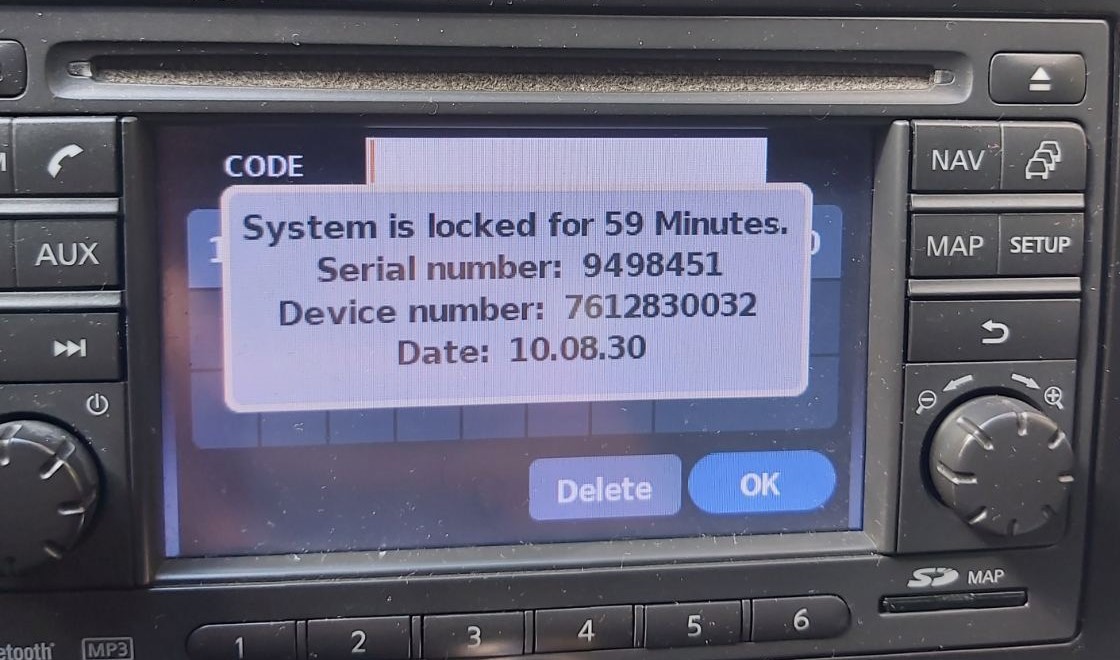
LCN Screen Display
Screen data example Juke: DSDYN03774 28185BH30A 10.11.23
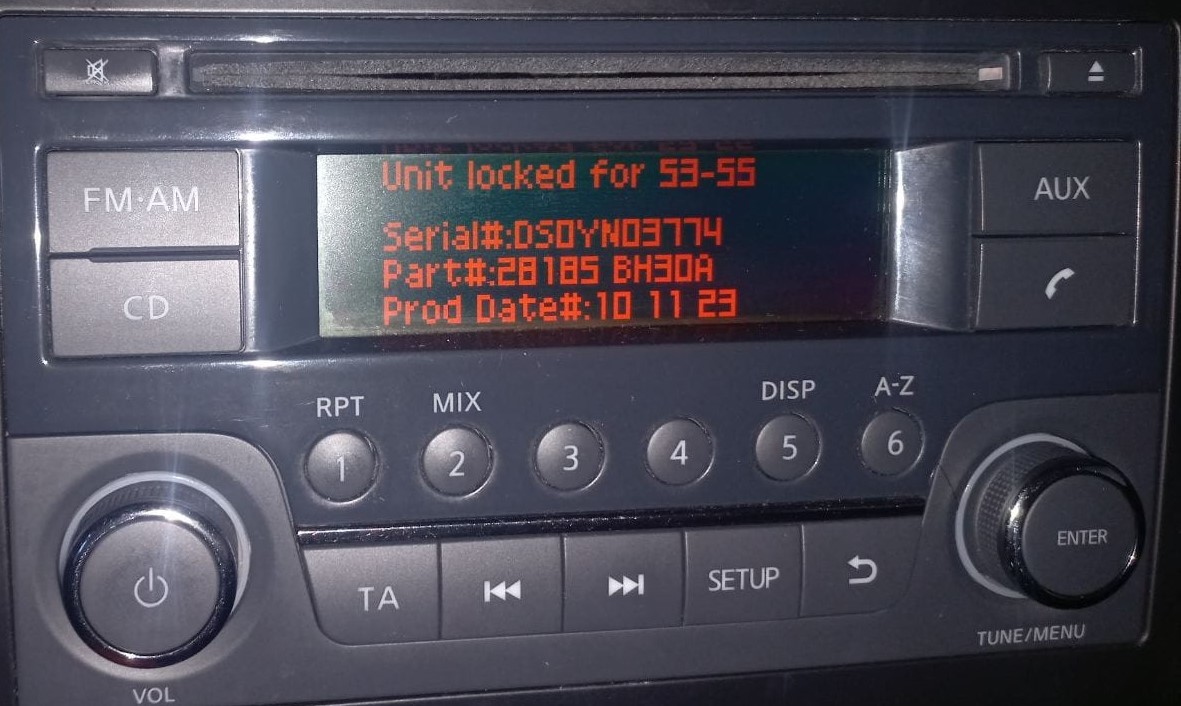
Juke Screen Display
Radio Label Method (Physical Removal)
For Clarion, Blaupunkt, and other radio types, remove the unit to find the serial number on a label:
Serial number formats:
- Clarion: CL094390003175, PN2804FB0122741, PP2804FB0122741
- Blaupunkt: BP1092X1231234
- Daewoo: Various formats
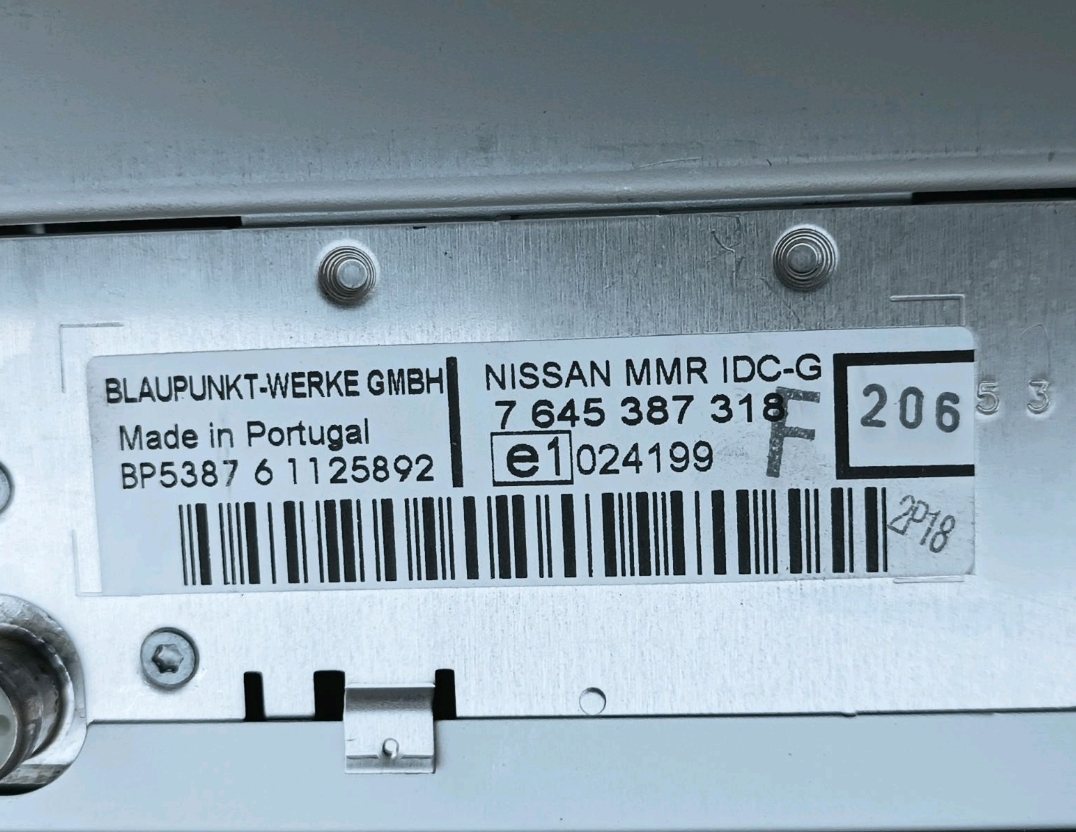
Blaupunkt Label
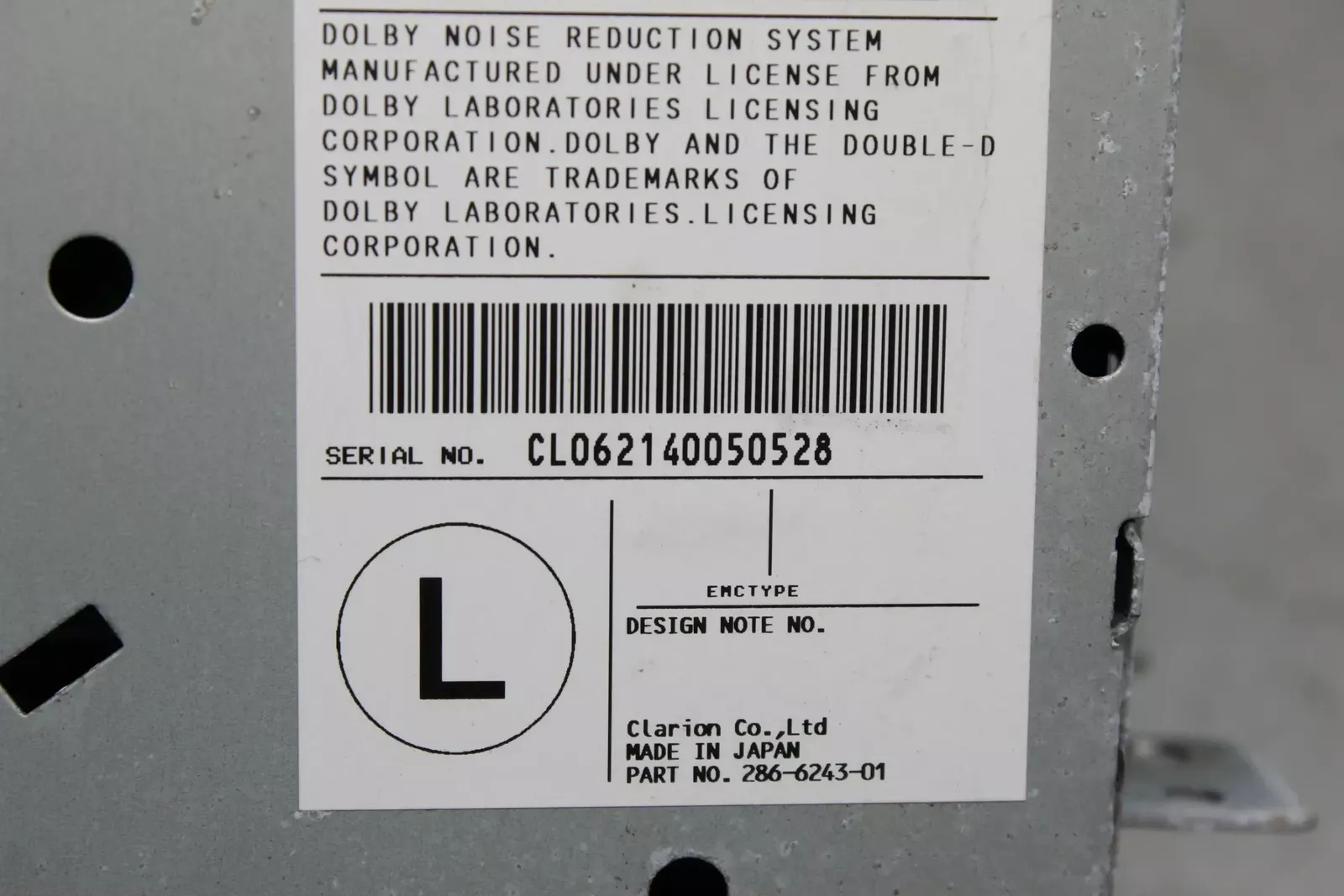
Clarion Label
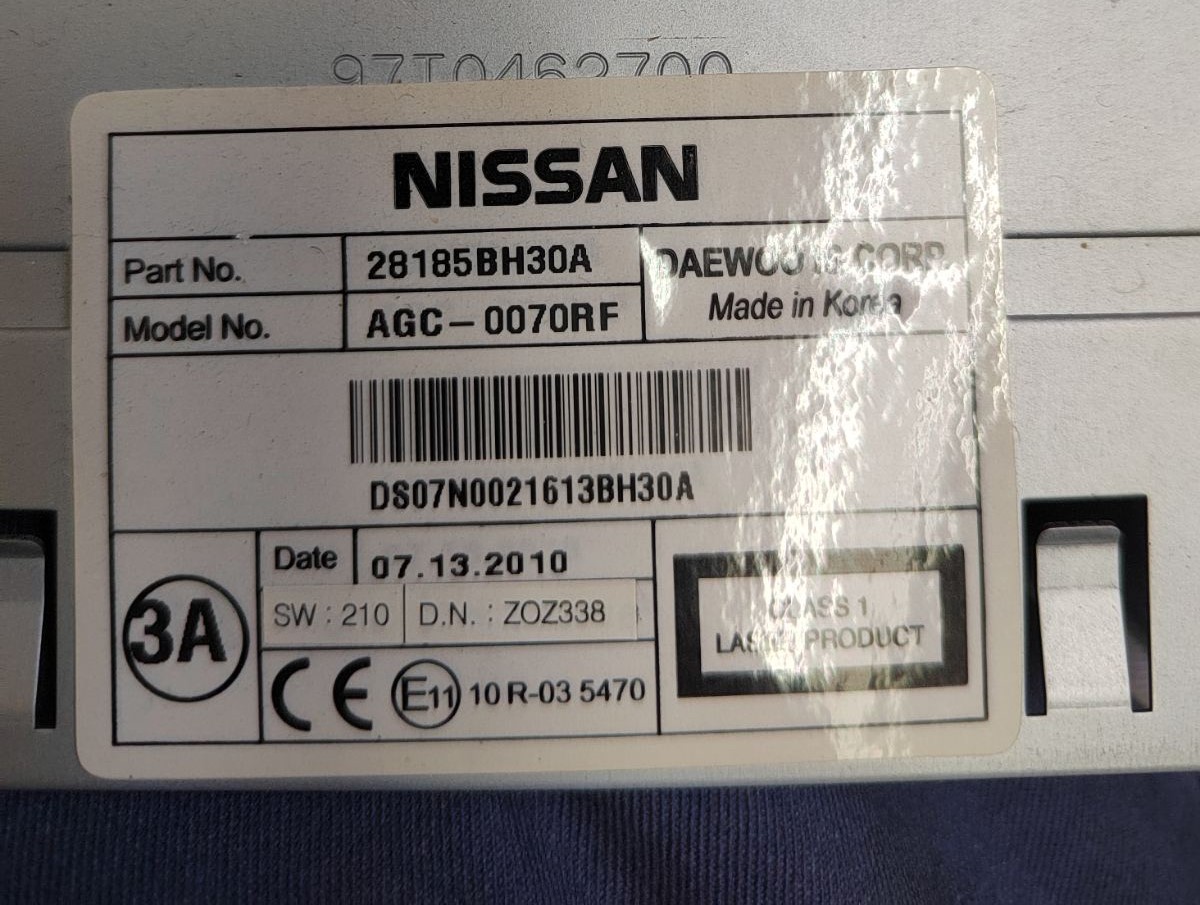
Daewoo Label
No VIN required - just the radio serial number!
2. The Serial Number on the Radio Housing
To find the serial number, you'll need to take out the radio unit from the dashboard.
- Start by turning off the ignition and removing the trim panel.
- Next, unscrew the mounting bolts and slide the radio out to check the label on the side of the radio. Be careful not to damage the cables.
- Write down full serial number carefully and come back to the website.
- Know that serial number and part number are not the same thing. You can find both on the unit, and you only care for the serial.
📹 Video Guide: Removing Your Nissan Radio
For most modern Nissan vehicles with LCN/Connect systems, you don't need to remove the radio! Use the on-screen method above (enter wrong code 3 times).
However, if you need to physically remove the radio for Clarion, Blaupunkt, or Daewoo units:
- Disconnect the battery – For safety, disconnect the negative terminal before beginning.
- Remove the trim bezel – Carefully pry off the dashboard trim surrounding the radio using plastic trim tools.
- Unscrew mounting bolts – Remove the screws securing the radio to the dash frame.
- Slide the unit forward – Gently pull the radio out to access the label on the back or side.
- Locate the serial number label – Look for the barcode sticker with the serial number.
- Take a photo – Document the serial number before reinstalling.

Example: Nissan NV200 serial number label location
Serial Number Prefixes You'll See on Nissan NV200
Your Nissan NV200 radio serial number may start with:
BPCNLCN
Entering the Radio Code on Nissan NV200
Once you have the unlock code, it's time to input it into the Nissan NV200's radio.
The locked radio will usually show a "CODE" prompt.
Use the radio presets or a rotary dial to select each number, then confirm to activate the head unit.
Be careful, because too many wrong attempts can disable your radio temporarily.
It will allow you a few incorrect tries before showing a LOCKED message.
You can try again by keeping the ignition on for 60 minutes or a set waiting period.