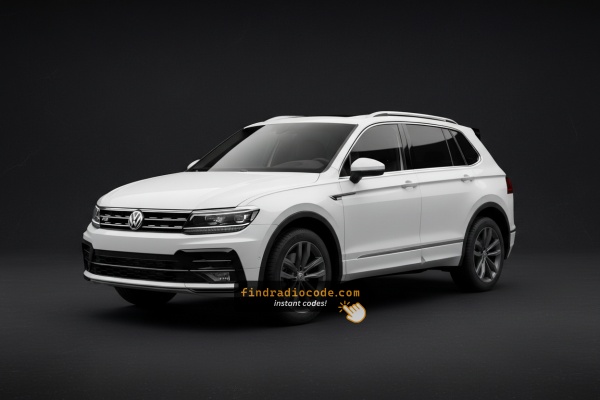
Common VW Tiguan Radio Code Issues
Facing a locked VW Tiguan radio? In most cases, it was caused by one of these common events.
Lock After a Battery Change
After a battery change, your radio may lock.
This happens because the radio detects a power reset, which triggers the security lock.
Other Possible Causes
- Even a quick battery boost can activate the anti-theft system.
- Replacing the head unit with a second-hand one requires the code for that particular radio.
- A fuse replacement can interrupt the radio and prompt for a code.
- ECU reflashing may reset the radio memory on some VW Tiguan units.
Why Do Tiguan Radios Use a Security Code?
When the radio is cut off from power, it automatically locks and requires a security code to be entered before it can be operated.
A radio code (also known as an anti-theft code) is a built-in security system integrated into factory car stereos to protect theft.
This system makes sure that a removed radio becomes useless without the correct code.
Entering the correct code returns full audio and media functionality.
Places to Check First
There is a chance your VW Tiguan radio code is already somewhere in your car.
Before spending money, take a few minutes check the places below - it costs nothing to look.
Check Inside the Car
- On the back of the radio if the unit was previously removed.
- In the user guide, often on a separate code card.
- In the service booklet provided with the car.
- Near the boot panel, where some manufacturers place radio labels.
- On a sticker in the door pillar.
Getting It from the VW Dealer
Dealerships can generate your radio code by checking the VIN in their system.
They typically require proof of ownership before sharing the security PIN.
This is the official way to restore access to the factory radio.
Things to Consider:
- Dealers frequently bill for the code (sometimes more than 100$).
- Some imported or older radios may need extra verification.
- You may need to visit the dealer during business hours.
- The lookup is often not instant and may require waiting.
How to Find the S/N on a Radio
To generate the correct unlock code, you will need the serial number from your VW Tiguan's radio unit.
You can usually find it in one of two places. Common labels to look for: S/N, SN, Serial, Serial Number.
1. How to See the Serial Number on the Tiguan Screen
The vehicle is fitted with VAG-group radios such as the RCD 300, RCD 310, RCD 500, RNS 310, and RNS 510. None of these units support an on-screen serial display. You will need to remove the radio to find the label.
2. Locating the S/N on the Radio Unit
The serial number is usually found on a label attached to the head unit.
Step 1: Turn off the vehicle.
Step 2: After that, remove the dashboard.
Step 3: Then release the mounting clips.
Step 4: Carefully pull the radio forward partially (Be careful not to damage the cables that the unit is connected to).
Step 5: Look for the serial on the side of the unit.
Step 6: Write down the full S/N carefully and come back here so that we can generate the code.
Important: Be careful not to mix the Serial Number and the Part Number!
How to Pull the Radio Using VAG Keys
To remove a VW radio you need a pair of VAG extraction keys — flat, U-shaped metal tools that are pushed into the two round holes on each side of the unit. Once fully inserted, the clips release and the radio slides out freely. Be careful not to use a flat-head screwdriver, as this can scratch the trim or damage the release mechanism.
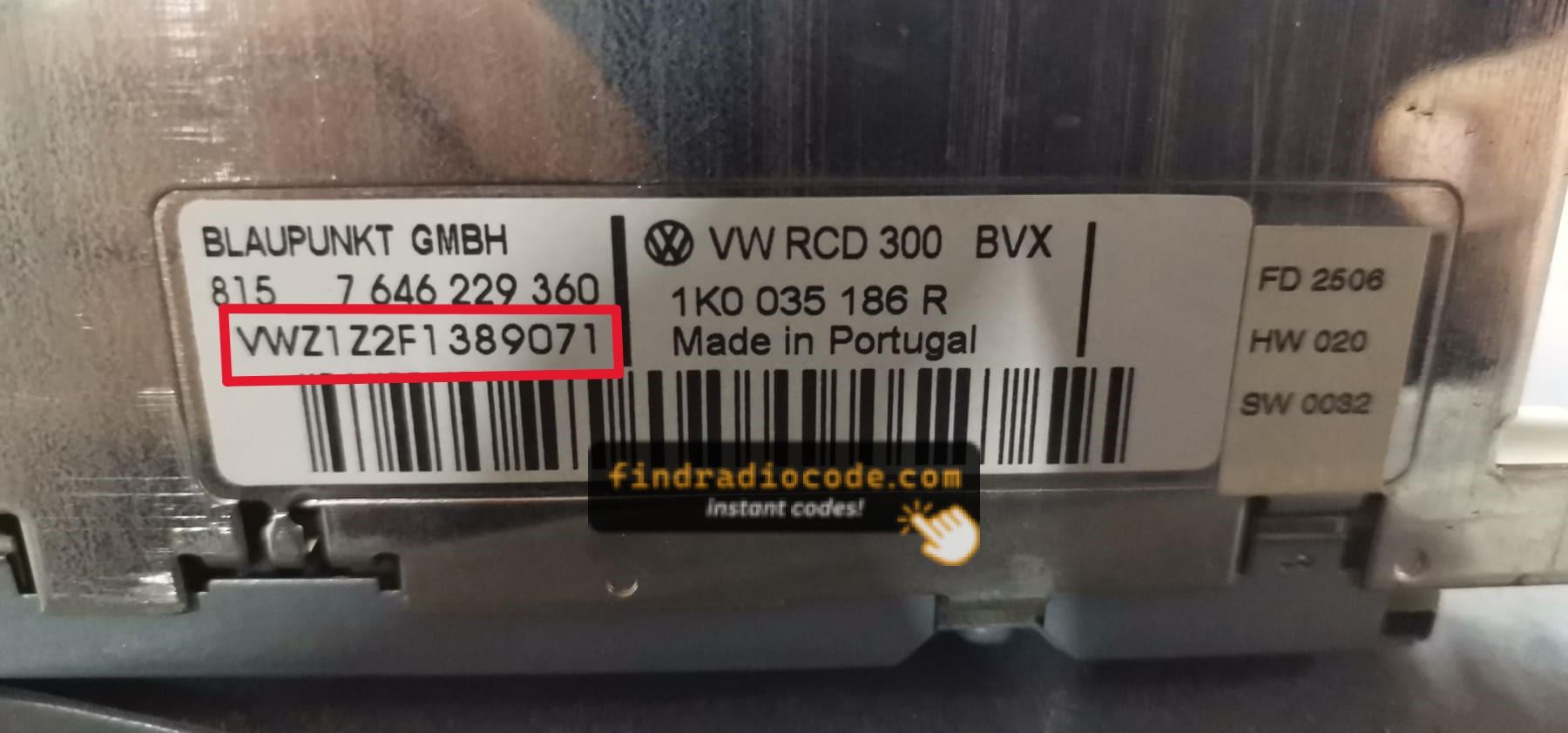
Example: VW Tiguan serial number label location
Typical VW Tiguan Serial Formats
To unlock your radio, you need the VWZ-prefixed serial number, which is always exactly 13 characters long. You will find it printed on a label on the radio body itself, for example VWZ6Z7J1234567.
How to Enter the Radio Code on the Vehicle
You need to enter the code into the system to unlock your VW's radio.
When the unit is locked, the screen usually displays a security message.
Based on the radio, use radio presets, control knob, or touchscreen to enter the numbers, then confirm the code to restore radio functionality.
If you fail multiple times, you may cause the Tiguan's head unit to enter lockout mode.
When this happens, your screen usually displays messages like "CODE ERR", "ERROR", or a blank screen.
To unlock the system, you usually need to leave the radio powered for a shown waiting period or up to a full hour before trying again.
Frequently Asked Questions about VW Tiguan Unlock Code
Many OEM stereos use a radio unlock code, but some versions require one.
Whether a code is needed is determined by the installed head unit and the vehicle generation.
Yes. Each head unit has its own unlock code.
If you install a different radio, you'll need the code for that individual radio.
Free security codes are not easy to find.
Some service documents may help, but most codes require a serial number lookup.
The only free possibility would be to search your vehicle and its manual to see if you already have the code.