Luis
Verified
Perfect
Instant Code Generation⚡

If your radio does not accept the code, you can request a full refund..
A quick video of the code attempt and serial number is required to process the refund.
Review our Refund page for full explanation.
The lookup tool works with a wide range of Audi OEM radios.
If your radio serial is supported, the unlock code is retrieved automatically.
1. View our demonstration video to see in detail how the service works.
2. Thousands of users have already used the lookup - check their authentic reviews.
3. You can also check our blog for tutorials, case examples, and verification videos.
As soon as payment is processed, the radio code becomes available on-screen and by email.
We're available 24/7, day and night.
When manual lookup is needed (occasional exceptions), you'll see that before completing the order.
These the code typically arrives within 1 hour, with a max wait of 24 hours.
The whole process requires two things: the radio serial number and your email for delivery.


Perfect
It really worked 😲😄
The code worked
The radio serial number is required to retrieve the correct unlock code.
In most cases, the serial number is printed on a label on the top, back or side of the radio unit. To access it, you'll need to gently pull the radio from the dash using VAG radio extraction keys.
AUZBZ7G1234567 or AUZ1Z1K1234567). Some units shared with VW use VWZ.This method applies to most Audi radios including Chorus, Concert, Symphony, RNS-E, and MMI navigation systems.
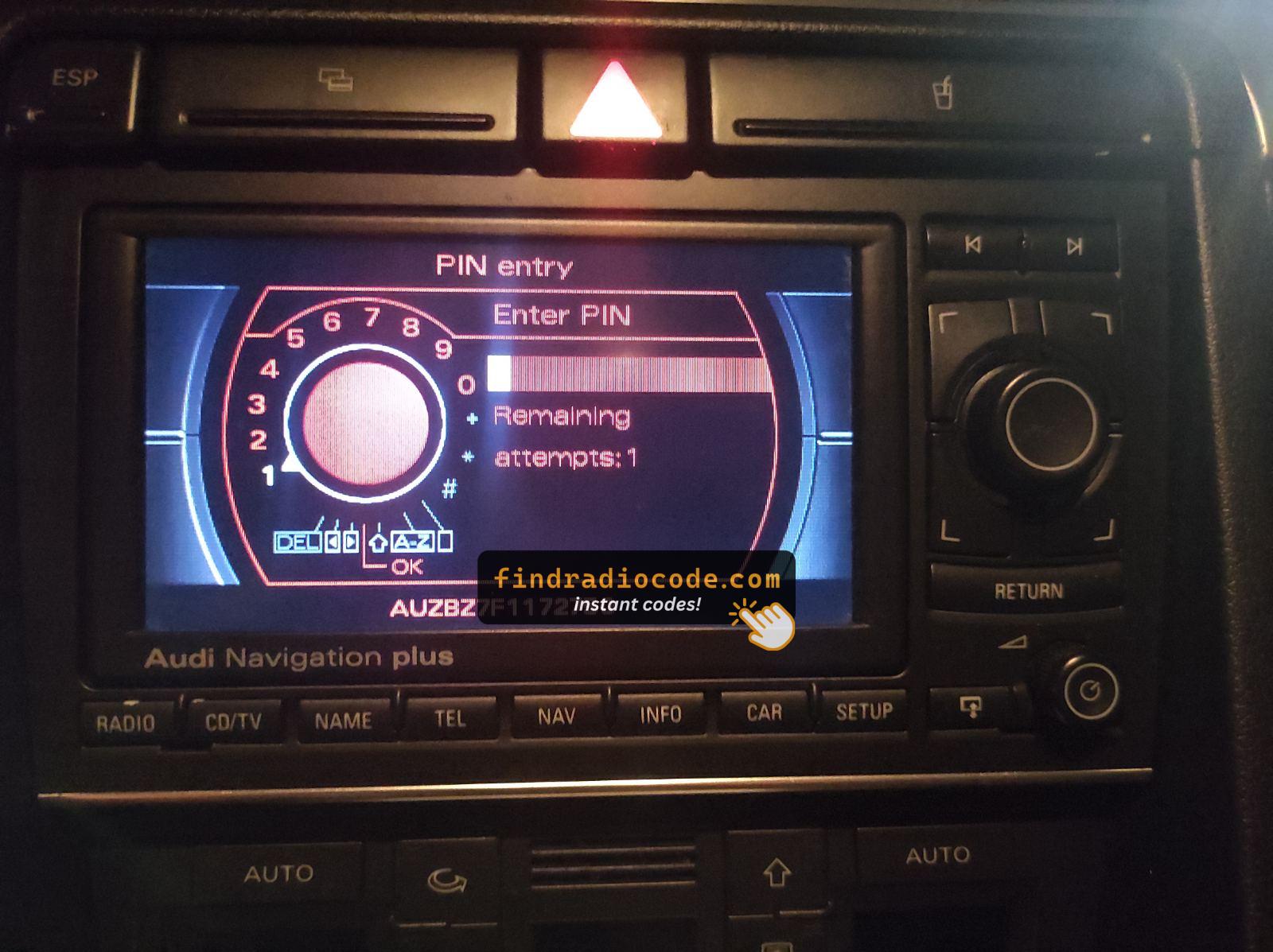
Audi RNS-E Serial on Screen
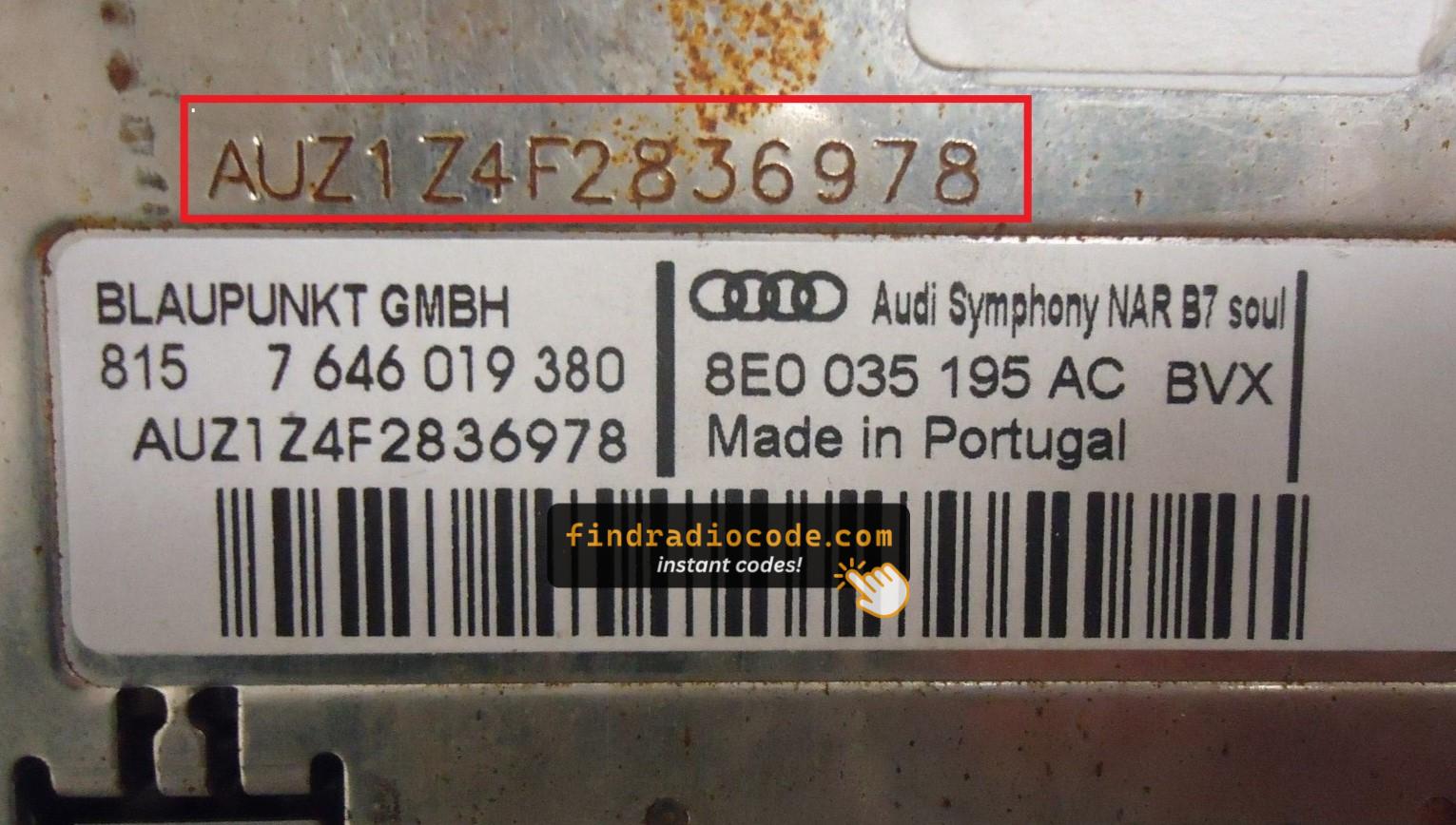
Audi Symphony Label (AUZ)
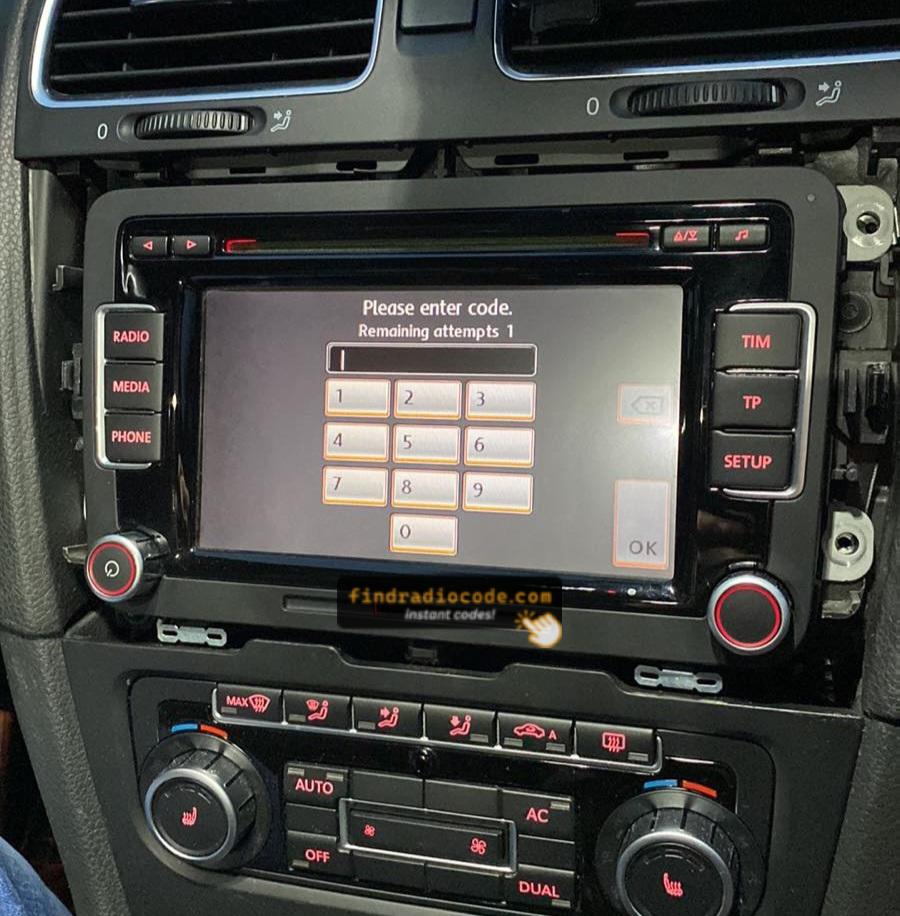
RCD510 SAFE Mode Screen
On Audi RNS-E navigation units, the serial number can be retrieved directly from the screen without removing the unit:
All other Audi radios (Chorus, Concert, Symphony, RNS 300, etc.) do not support on-screen serial retrieval — the unit must be physically removed to read the label.
After retrieving the unlock code, the input process is quick.
Many radios show four dashes on the screen.
Use the radio preset buttons to select the numbers.
Some models require you to press a specific button - like pressing 5, Enter or OK to confirm or holding "Seek", "Tune" or the preset key.
Too many wrong attempts may lock the radio.
After 3 to 10 incorrect attempts the radio may display WAIT mode.
The wait time depends on the model, sometimes requiring extended waiting.
If the radio remains locked, consult our help guides for the correct procedure.
A missing PIN can be retrieved through a few different options:
Car manufacturers store security codes in their databases. To get it through official channels, you usually need to contact a dealer or authorized service center.
Before providing the code, the dealer will typically request the VIN, proof of ownership, and vehicle documents. The process confirms that the radio belongs to your vehicle.
Because the request is handled manually, response times vary. Some dealers can provide the code in a few hours, while others may take a few days.
Many dealers charge a fee for retrieving the code, which can make this option relatively costly.
Find Radio Code is a reliable lookup tool that retrieves the correct unlock code for your Audi radio.
It does so by matching the radio's serial with the manufacturer database used for factory-installed units.
To generate your code, requires the serial number from your radio and a valid email address. No dealership, paperwork or VIN are required.
Once you submit the serial number and the order is completed, your PIN is there.
Compatibility includes a wide range of factory-installed Audi head units.
Everything is processed automatically through our secure lookup tool, and each order is covered by a full refund guarantee if the code fails.
A radio unlock code, sometimes also known as an anti-theft code is a unique numeric unlock key that unlocks your factory radio after it has been locked.
This factory security PIN is triggered when the radio detects a power interruption.
This system helps prevent stolen radios from working in other vehicles.
If power is cut, the radio disables itself and requires the unlock CODE before it can be used again.
Once the right combination is entered, the stereo is unlocked.
Yes, all Audi vehicles with factory-installed radios require a radio code after battery disconnection or radio replacement. This applies to all models including A1, A3, A4, A5, A6, A7, A8, Q3, Q5, Q7, Q8, TT, and R8.
The anti-theft feature is standard on all Audi radios including RNS-E Navigation, Chorus, Concert, Symphony, and MMI systems manufactured by Blaupunkt, Becker, and other VAG suppliers. Your 4-digit code is permanently linked to your radio's unique serial number. Audi shares radio systems with VW, Skoda, and SEAT brands.
Start by inspecting the owner's manual. The code is occasionally found on a small card or written directly on a section.
You can also check the glovebox or trunk, where dealers or previous owners may have stuck a sticker with the code. Some also search for it behind trim pieces or inside the fuse box.
If you have the original radio code card, that's the most reliable place to find the code - it usually includes both the serial number and unlock key.
There are a few options - but they don't always work.