
How to Find the S/N on a Accord's Radio
The only thing you'll need to get the code is your radio's serial number. No extra vehicle data is required.
On most Honda models, you can find it in one of the following locations:
- Visible on the radio screen (in some cases by using specific button presses)
- On the radio housing itself - you'll need to remove the unit slightly and write down your serial (which is fairly easy)
Search for a label such as: Serial Num. or SN.
1. Get the S/N from Honda Accord's Screen
Accessing the Serial Number in Honda Accord
One of the best features of Honda radios is that you typically don't need to remove the radio unit to obtain the serial number. The Accord, across all generations from 2008-2024, supports a simple button combination that displays the serial right on your radio screen.
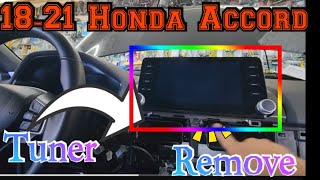
Display Method (Works on Most Models):
- Turn on the radio — If it's locked, it will show "CODE" or "Enter Code". If it's not locked, just power it on normally.
- Press and hold preset buttons 1 and 6 simultaneously — Hold for 2-5 seconds.
- Read the serial number — The display will show a 10-character code starting with a letter (e.g.,
U1234L5678orA1234B5678).
Model-Specific Notes:
- 2013-2017 Accord (9th gen) — Base models with 5-inch Display Audio and Touring models with 7-inch Display Audio both support the 1+6 method.
- 2018-2024 Accord (10th/11th gen) — The touchscreen Display Audio system stores the serial in the settings menu. Navigate to Settings → System → About to find it without button combinations.
- 2008-2012 Accord (8th gen) — Older single-CD or 6-disc changer models reliably respond to the 1+6 button method.
If the button method doesn't work: Some aftermarket or dealer-replaced radios may not support this feature. In that case, you'll need to take out the radio unit to locate the serial number label.
2. Locating the Serial Number on the Radio Unit
The serial number is usually printed on a sticker attached to the head unit.
Step 1: Turn off the car.
Step 2: After that, remove the dashboard.
Step 3: Then unscrew the radio brackets.
Step 4: Carefully pull the radio forward partially (Be careful not to damage the connections).
Step 5: Look for the serial number on the rear of the unit.
Step 6: Write down the full Serial Number carefully and come back to our website so that we can generate your code.
Important: Be careful not to mix the Serial Number for the Part Number!
Alternative: Removing the Honda Radio
If the on-screen method doesn't work, you can remove the Honda Accord radio using DIN removal tools or by removing the surrounding trim panel. The serial is on a label on the top or side of the radio unit. Be careful with the trim clips — they can break if forced.
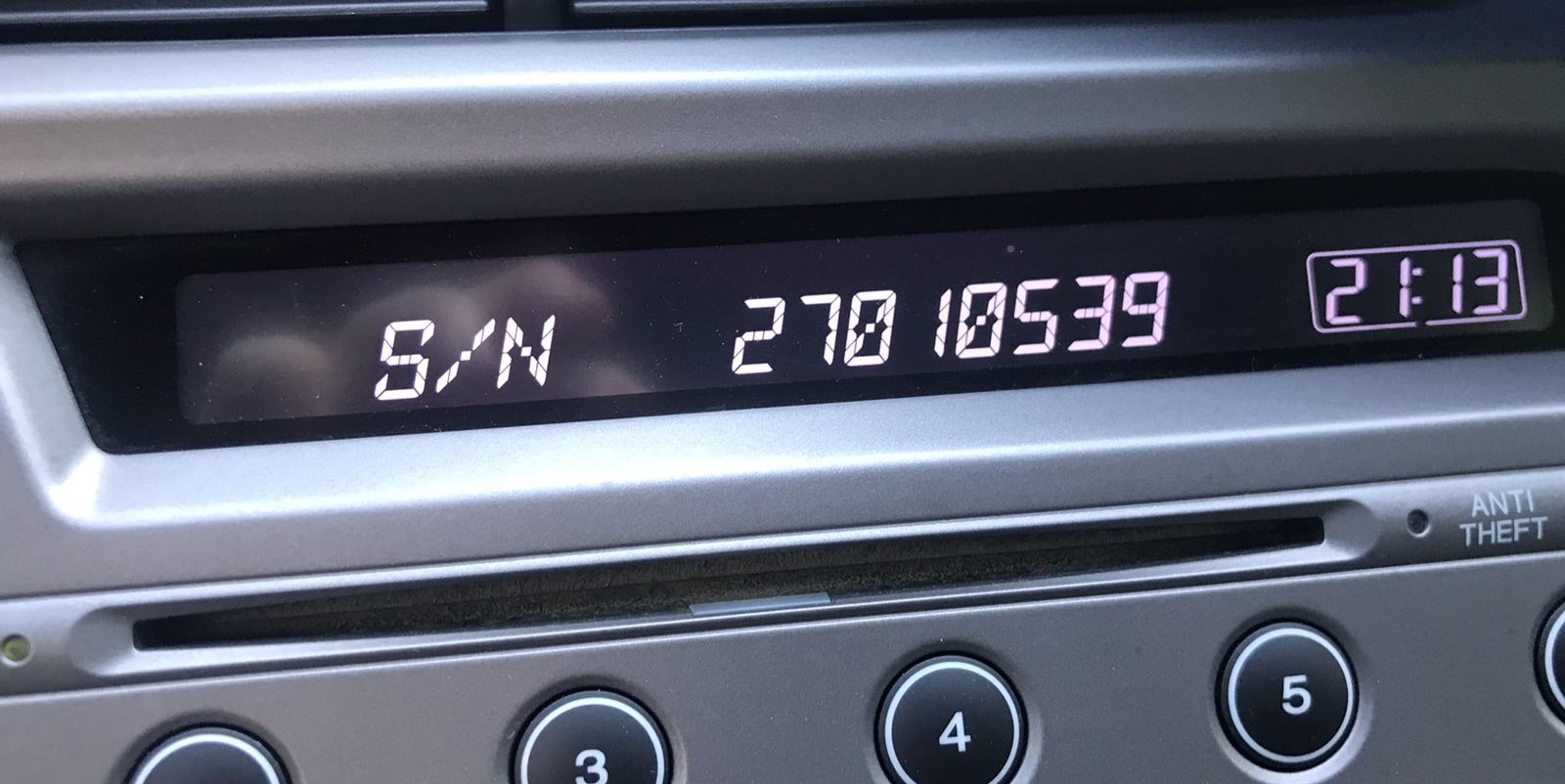
Example: Honda Accord serial number label location
Common Serial Prefixes on Honda Accord Factory Units
To unlock your radio, locate the serial number in U####L#### format — for example U4567 L8901. Navigation units use GNA or HBM prefixes instead.
Common Honda Accord Radio Code Situations
Dealing with a locked Honda Accord radio? Usually, it was caused by one of these common situations.
Radio Asking for Code After Battery Change
When the battery is disconnected, the Honda Accord radio requests a security code.
This security feature is designed to protect the original head unit by disabling the radio after power loss.
Other Possible Triggers
- Replacing the factory stereo with a used one requires the code for that particular radio.
- A blown fuse can reset the radio and trigger the security lock.
- Software updates may trigger the anti-theft mode on some Honda Accord units.
- Even a quick battery boost can activate the anti-theft system.
Quick Fixes Before Buying a Radio Code
Before you pay for it, you should check a few places where the code is often stored.
Some drivers find their Honda Accord radio code without needing any tools or paperwork.
Here are the most common things to check first.
Check the Vehicle Paperwork
- On the back of the radio if the unit was previously removed.
- Near the trunk lining, where some manufacturers place radio labels.
- On a label in the glove compartment.
- In the radio manual, often on a separate page.
- In the maintenance records provided with the car.
Can You Get a Honda Accord Radio Code from the Dealership?
Dealerships can generate your radio code by checking the vehicle records in their system.
They typically ask for registration and ID before sharing the security PIN.
This is the official way to restore access to the factory radio.
Drawbacks:
- Dealers frequently bill for the code (It may cost more than 100$).
- The lookup is often not instant and may require waiting.
- You may need to contact service support during business hours.
- Some imported or older radios may not be in their database.
How to Enter the Unlock Code on Your Accord
You need to type in the anti-theft code into the system to unlock your Honda's radio.
When the unit is locked, the screen usually shows a security message.
Based on the radio, use radio presets, control knob, or touchscreen to enter the numbers, then submit the code to reactivate the audio system.
Once you have your Honda Accord unlock code, entering it is simple:
- Turn on the ignition — The radio will display "CODE" or "Enter Code".
- Use preset buttons 1 through 5 to enter each digit of your 5-digit code. Each button corresponds to one digit position:
- Button 1 = first digit
- Button 2 = second digit
- Button 3 = third digit
- Button 4 = fourth digit
- Button 5 = fifth digit
- Press each button repeatedly until the correct digit appears. For example, if your first digit is "7", press button 1 seven times.
- Confirm by pressing and holding preset button 6 for 2-5 seconds (or press the "Enter" button on touchscreen models).
Important for 2018+ Touchscreen Models: If your Accord has the Display Audio touchscreen system, the radio may display an on-screen numeric keypad instead of requiring preset button presses. Simply tap each digit and confirm.
Lockout Warning: After 3 incorrect attempts, the radio locks for 1 hour. The ignition must remain ON during this period. Turning it off resets the timer.