Honda Civic's Usual Radio Code Causes
Dealing with a locked Honda Civic radio? Usually, it was triggered by one of these well-known events.
Radio Lock After Battery Replacement
After a battery replacement, your radio may show a CODE message.
This happens because the radio loses power, which activates the security lock.
More Events That Can Lock Your Civic's Radio
- After a jump-start, the radio may lose power and request a radio code.
- When the radio is removed, it usually locks automatically.
- After an ECU reset, software update, or electrical repair, some Honda Civic radios ask for a code.
- If a power circuit is interrupted, the radio can enter anti-theft mode.
The Radio Code - What is It and Why It's Important for Honda Civic?
The radio code is a factory-set numeric code that protects your car audio from theft.
It is stored within the radio at the factory and activates automatically whenever the unit is disconnected.
Without this code, the radio stays locked and produces no sound.
Entering the code tells the radio that it is still in the original vehicle, restoring normal operation immediately.
No-Cost Options First
Looking for a free Honda Civic Radio Code? Actually, you may already have it.
In few cases, your code may already be available in the vehicle itself or in the documentation.
Checking these sources can save you time and money before using an online lookup tool.
Below are the most reliable places to look.
Check Inside the Car
- In the vehicle handbook, often on a code card.
- On the radio unit itself, if it was removed before.
- In your car paperwork from the previous owner.
- Inside the center console, sometimes on a small card.
- In the boot compartment, on a radio label.
Can You Get a Honda Civic Radio Code from the Dealership?
Dealerships can generate your radio code by checking the VIN in their system.
They typically require proof of ownership before sharing the unlock code.
This is the official way to restore access to the factory radio.
Potential Downsides:
- Some imported or older radios may need extra verification.
- Dealers frequently charge a service fee (It may cost more than 100$).
- You may need to contact service support during business hours.
- The lookup is often not instant and may require waiting.
How to Find the Serial N. on a Civic's Radio
The only thing you'll need to find the corresponding code is your radio's serial number. No extra vehicle data is required.
On many Honda models, you can find it in one of these places:
- Visible on the radio screen (occasionally by using a key combination)
- On the radio housing itself - you'll need to pull it out and write down your serial (which is fairly easy)
Search for something like: Serial Number or SN.
1. Getting Civic's S/N on the Screen
Accessing the Serial Number in Honda Civic
The Honda Civic, like most Honda vehicles, features a convenient method to display the radio serial number without removing the unit. This works across generations from 2006-2025, though the exact interface varies by model year.

Standard Display Method:
- Turn on the radio — It will show "CODE" if locked.
- Press and hold preset buttons 1 and 6 together for 2-5 seconds.
- The serial number appears — Usually a 10-character format like
T00AM1234567orU1234L5678.
Generation-Specific Notes:
- 2016-2021 Civic (10th gen) — Base LX models with the 5-inch Display Audio and EX/Touring models with 7-inch touchscreen both support the 1+6 method. The Si and Type R models have the same radio architecture.
- 2022+ Civic (11th gen) — The new HondaLink infotainment may display the serial in Settings → System → Device Information without needing button combinations.
- 2012-2015 Civic (9th gen) — Single-CD or AM/FM radios use the classic 1+6 button method reliably.
- 2006-2011 Civic (8th gen) — The 1+6 method works, but on some base models you may need to press buttons 1 and 6 multiple times if it doesn't respond on the first attempt.
Removal Alternative: If the button combination fails (rare), you can physically remove the radio to find a white label with the serial number printed on the chassis.
2. The Serial Number on the Radio Label
The serial number is usually located on a label attached to the radio casing.
Step 1: Turn off the car.
Step 2: After that, remove the dashboard.
Step 3: Then release the mounting clips.
Step 4: Carefully slide the unit out partially (Be careful not to damage the cables that the unit is connected to).
Step 5: Search for the serial number on the side of the unit.
Step 6: Write down the full number carefully and come back to our website so that we can generate the code.
Important: Don't mix the Serial Number for the Part Number!
How to Pull Out Your Honda Civic Radio
When the on-screen method is not available, remove the radio by using DIN extraction tools. The serial is printed on a sticker on the unit itself.
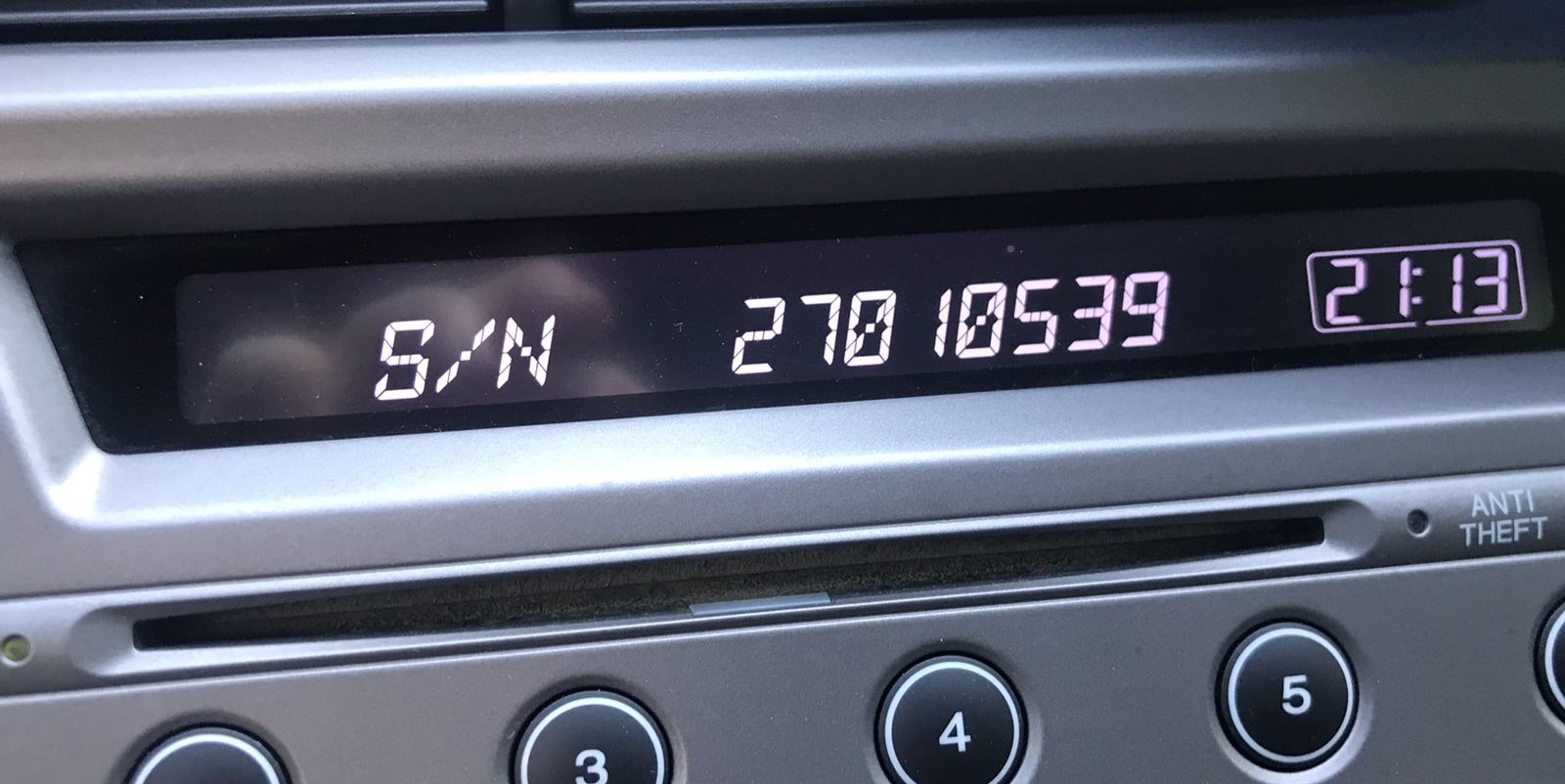
Example: Honda Civic serial number label location
Usual Serial Formats on Honda Civic Factory Units
Your Honda Civic radio serial number is in the format U####L#### — for example U1234 L5678. Some units display just 8 digits. Navigation units may start with GNA or HBM. The serial is needed to generate the unlock code.
You've Got the Corresponding Security Code. How to Enter It?
Once you have the Honda's security code, you can type it in using the radio buttons.
Most radios display a "CODE", "ENTER CODE", or "----" message when they are locked.
You typically use the preset buttons to select each digit.
After entering the full code, the radio will confirm the entry.
Entering your Honda Civic unlock code is quick with the preset button method:
- Turn on the ignition — The radio displays "CODE".
- Use preset buttons 1-5 to enter your 5-digit code:
- Press button 1 repeatedly until the first digit is displayed
- Press button 2 repeatedly until the second digit is displayed
- Continue for all 5 digits
- Confirm by pressing and holding preset button 6 for 2-5 seconds.
For 2022+ Models with Touchscreen: If your Civic has the new 9-inch Display Audio system, it may show an on-screen numeric keypad. Tap each digit and press "Enter" to unlock.
Lockout Warning: After 3 incorrect attempts, the radio locks for 1 hour with ignition ON. Do not turn off the ignition during the wait, as this resets the timer.
Frequent Questions about Honda Civic Radio Code
Yes. Each radio unit has its own radio code.
A replacement radio will need its original code to work.
Not all of them require a radio code, but many factory radios use it as an anti-theft feature.
Some production series may not require a code depending on the radio unit.
Free codes are uncommon.
You might already possess the code in the owner's booklet or from a service center, but most require a paid retrieval.
For most Honda radios: turn the ignition ON, turn the radio OFF, then hold preset buttons 1 and 6 while turning the radio back ON. The serial number will appear on the display as a complete number or in two parts (U#### and L####).
For navigation-equipped models (2008–2019), press and hold CANCEL + MAP + MENU simultaneously to access the diagnostic menu, then navigate to Detail Information → Unit Check → ECU Information. See our full Honda serial number guide for all methods.
Honda and Acura radio codes are 5 digits long, using only digits 1 through 6 (no zeros, sevens, eights, or nines). This is different from most other manufacturers that use 4-digit codes.
You enter the code using the preset buttons 1–5 on the radio. Each button press corresponds to one digit of the code.