
How to Locate the S/N on Your Radio
The only thing you'll need to find the corresponding code is your radio's unit serial. No extra vehicle data is required.
On almost all Honda vehicles, you can find it in one of the following locations:
- Displayed on the radio screen (in some cases by using button combinations)
- On the radio housing itself - you'll need to pull it out and write down serial (which is fairly easy)
Search for text similar to: S/N or Serial.
1. Displaying the Serial Number on the Passport Screen
Accessing the Serial Number in Honda Passport
The Honda Passport (2019+) uses Honda's modern Display Audio system with the familiar serial number display feature. You can retrieve the serial number using the standard button combination without removing the radio.
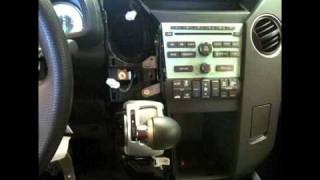
Display Method:
- Turn on the radio — If locked, it shows "CODE" or "Enter Code".
- Press and hold buttons 1 and 6 simultaneously for 2-5 seconds.
- The serial number appears — Typically a 10-character format like
U1234L5678.
Passport Details:
- 2019-2025 Passport — All trims feature either the 5-inch Display Audio (base Sport) or 8-inch touchscreen (EX-L, Touring, Elite, TrailSport). Both systems support the 1+6 button method.
- The Passport shares its platform with the Honda Pilot and Ridgeline, so the radio architecture is identical.
Alternative Method: On newer Passport models, you may also find the serial number in Settings → System → Device Information or About on the touchscreen.
2. The Serial Number on the Radio Housing
To find the serial number, you'll need to take out the radio unit from the dashboard.
- Start by turning off the ignition and taking off the dashboard bezel.
- Next, unscrew the mounting bolts and slide the radio out to check the sticker on the back of the radio. Pay attention not to damage the connections.
- Write down the serial number carefully and then come back to our website.
- Know that serial number and part number are not the same. You can find both of them on the unit, but you only need for the serial.
Alternative: Removing the Honda Radio
If the on-screen method fails, you can remove the Honda Passport radio using DIN removal tools or by removing the surrounding trim panel. The serial is on a label on the top or side of the radio unit. Be careful with the trim clips — they can break if forced.
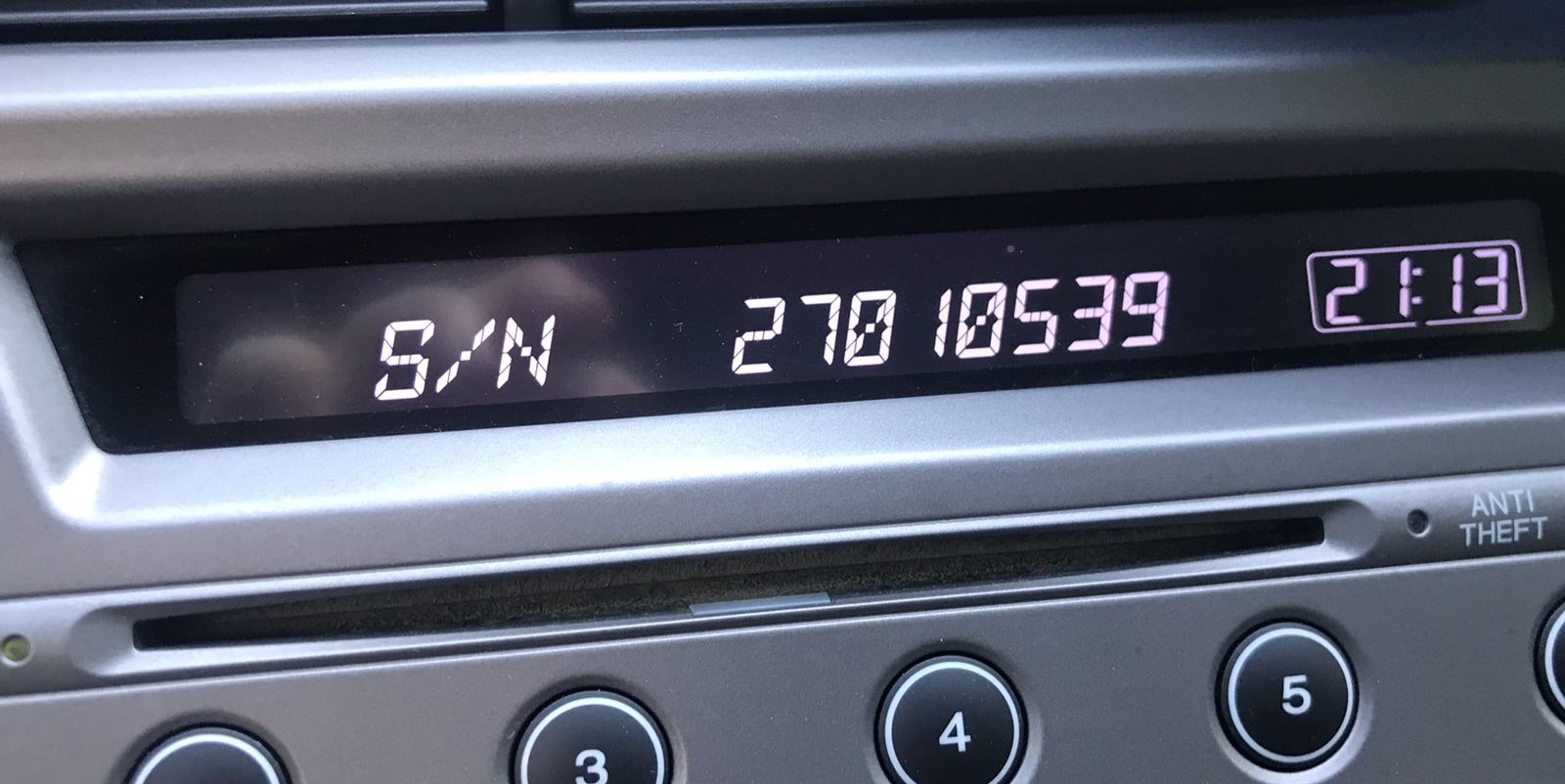
Example: Honda Passport serial number label location
Usual Serial Prefixes on Honda Passport Radios
Your Honda Passport radio serial number is in the format U####L#### — for example U1234 L5678. Some units display just 8 digits. Navigation units may start with GNA or HBM. The serial is needed to generate the unlock code.
Common Honda Passport Radio Code Issues
Facing a locked Honda Passport radio? Usually, it was triggered by one of these well-known events.
Radio Asking for Code After Battery Swap
When the battery is removed, the Honda Passport radio enters anti-theft mode.
This security feature is designed to protect the original head unit by disabling the radio after electrical reset.
Other Possible Triggers
- Electrical repairs may trigger the anti-theft mode on some Honda Passport units.
- Even a quick battery boost can activate the anti-theft system.
- Replacing the factory stereo with a used one requires the code for that particular radio.
- A fuse replacement can reset the radio and prompt for a code.
Free Things to Try
There is a chance your Honda Passport radio code is already somewhere in your car.
Before spending money, quickly check the places below - it costs nothing to look.
Check the Owner's Manual and Paperwork
- On the radio chassis if the unit was previously removed.
- In the radio manual, often on a separate code card.
- In the maintenance records provided with the car.
- Near the boot panel, where some manufacturers place radio labels.
- On a sticker in the center console.
Getting It from the Dealer
A Honda dealer can usually look up the radio code using your Passport's VIN.
In most cases, you need to visit or contact them and show vehicle documents.
When it is verified, they can generate the original unlock code for your radio.
Downsides:
- Some older Honda Passport radios may not be supported.
- The process can take hours depending on the model and database.
- You usually need to visit in person and bring vehicle paperwork.
- Dealers often charge a fee for the lookup service and it can cost more than 100$.
You Found the PIN. How Entering Works?
With your code ready, it's time to input it into the Honda Passport's radio.
The locked radio will usually show a "CODE" prompt.
Use the preset number buttons to dial in each digit, then confirm to activate the head unit.
To enter your Honda Passport unlock code:
- Turn on the ignition — The radio displays "CODE".
- Use preset buttons 1 through 5 to enter your 5-digit code. Each button sets one digit — press repeatedly until the correct number appears.
- Confirm by pressing and holding button 6 for 2-5 seconds.
For Touchscreen Models: If your Passport has the 8-inch Display Audio, it may display an on-screen numeric keypad. Simply tap each digit and press "Enter" or "Confirm".
Lockout Warning: After 3 incorrect code attempts, the radio locks for 1 hour with ignition ON. Turning off the ignition resets the timer.
Passport's Radio Code FAQs
Yes. Each radio unit has its own unique code.
If you install a used radio, you'll need the code for that individual radio.
Free unlock codes are rarely available.
Some online tools may help, but most codes require a serial number lookup.
The only free possibility would be to check your vehicle and its glovebox to see if you already have the code.
Many factory radios use a anti-theft code, but some versions require one.
Whether a code is needed depends on the radio unit and the model year.
For most Honda radios: turn the ignition ON, turn the radio OFF, then hold preset buttons 1 and 6 while turning the radio back ON. The serial number is displayed on the screen as a complete number or in two parts (U#### and L####).
For navigation-equipped models (2008–2019), press and hold CANCEL + MAP + MENU simultaneously to access the diagnostic menu, then navigate to Detail Information → Unit Check → ECU Information. See our full Honda serial number guide for all methods.
Honda and Acura radio codes are 5 digits long, using only digits 1 through 6 (no zeros, sevens, eights, or nines). This is different from most other manufacturers that use 4-digit codes.
You enter the code using the preset buttons 1–5 on the radio. Each button press corresponds to one digit of the code.