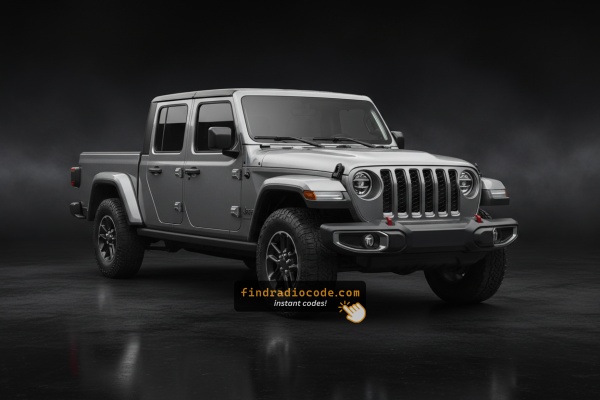
What is a Gladiator Radio Code?
The security code is a built-in numeric code that keeps your stereo secure.
It is stored within the radio at the factory and activates automatically whenever the unit is disconnected.
Without this code, the radio stays locked and produces no sound.
Entering the code tells the radio that the owner is present, unlocking all audio functions immediately.
Common Situations Requiring a Code
Your radio may enter anti-theft mode when it detects a power interruption.
These are the some typical scenarios that activate the radio code prompt.
Lock After a Battery Change
After a battery change, your radio may lock.
This happens because the radio loses power, which activates the security lock.
More Situations Causing This Issue
- Installing a used head unit will trigger the original radio code.
- A fuse removal can cause the Jeep Gladiator radio to request a security code.
- Jump-starting the vehicle can trigger anti-theft mode, requiring the PIN.
- After an ECU or software reset, the radio may lock.
Check These Places First
Before you pay for it, you should check a few places where the code is often already written down.
Some owners find their Jeep Gladiator radio code without needing any tools or paperwork.
Here are the most common things to check first.
Look Through the Car Papers
- On a label in the center console.
- Near the trunk lining, where some manufacturers place radio labels.
- On the back of the radio if the unit was previously removed.
- In the vehicle documentation provided with the car.
- In the owner's handbook, often on a separate page.
Can a Dealer Retrieve It?
A Jeep dealer can usually retrieve the security code using your Gladiator's VIN.
In most cases, you need to contact the service department or visit the dealership and show vehicle documents.
When it is verified, they can request the original unlock code for your radio.
Limitations:
- The process can take hours depending on the model and database.
- Dealers often charge a fee for the lookup service and it's sometimes more than 100$.
- Some older Jeep Gladiator radios may not be supported.
- You usually need to visit in person and bring ID.
How to Find the S/N on a Gladiator's Radio
The only thing you'll need to find the corresponding code is your radio's unit serial. No extra vehicle data is required.
On most Jeep models, you can find it in one of the following locations:
- Displayed on the radio screen (in some cases by using button combinations)
- On the radio unit itself - you'll need to pull it out and write down your serial (which is usually simple)
Search for something like: Serial Number or SN.
1. Displaying the Serial Number on the Gladiator Screen
Most Uconnect-equipped vehicles can display the radio serial number directly on the screen using a hidden diagnostic menu called Dealer Mode (also known as Engineering Mode). This means you can retrieve the serial number without removing the radio from the dashboard.
Uconnect 8.4" Classic (2013–2018)
Method 1 – Climate Controls:
- Turn the ignition to ACC or ON (engine off).
- Simultaneously hold the Up, Down, and Front Defrost climate buttons for 5 seconds.
- The Dealer Mode menu will appear on screen.
- Navigate to: System Info → Radio Part Info → Serial Number.
Method 2 – Temperature Buttons:
- Hold the Temperature Up (red) and Temperature Down (blue) buttons together for 5 seconds.
- The Engineering Menu will appear.
- Navigate to: System Info → Radio Part Info → Serial Number.
Uconnect 8.4" NEW (2019+) & 12-inch
- Turn the ignition to ACC or ON.
- Press the bottom-left and bottom-right edges of the physical screen bezel simultaneously until Dealer Mode appears.
- Navigate to: System Info → Radio Part Info → Serial Number.
Important Press the physical bezel edges, not the touchscreen surface.
Uconnect 7" (e.g. Jeep Compass)
- Hold the Temperature Up and Temperature Down buttons for 5 seconds.
- The Engineering Menu will appear.
- Navigate to: System Info → Target Main Data → Serial Number.
2. Find the S/N on the Radio Unit
To find the serial number, you'll need to take out the head unit from the dashboard.
- Start by turning off the vehicle and taking off the dashboard bezel.
- Next, release the clips and slide the radio out to check the label on the side of the radio. Pay attention not to damage the connections.
- Write down the serial number carefully and come back to the website.
- Know that serial number and part number are not the same thing. You will find both of them on the sticker, and you only care for the serial.
Physical Radio Removal (if Dealer Mode is unavailable)
If the on-screen method is not available on your vehicle, the radio can be physically removed to view the serial number label on the top, side, or back of the unit:
- Remove the trim bezel – Gently remove the dashboard trim surrounding the radio using a plastic trim removal tool. The bezel is held by friction clips.
- Unscrew the mounting bolts – Remove the 4 mounting screws (usually Torx or Phillips) securing the radio to the dash frame.
- Slide the unit forward – Gently pull the radio out far enough to see the label. Do not disconnect the wiring harness unless necessary.
- Locate the serial number label – Look for a white or silver sticker with a barcode on the top or side of the unit. The serial number is a 14-character alphanumeric code (e.g.
T00AM394958584).
For step-by-step guidance with video tutorials for specific vehicles, see our Uconnect radio removal guide.
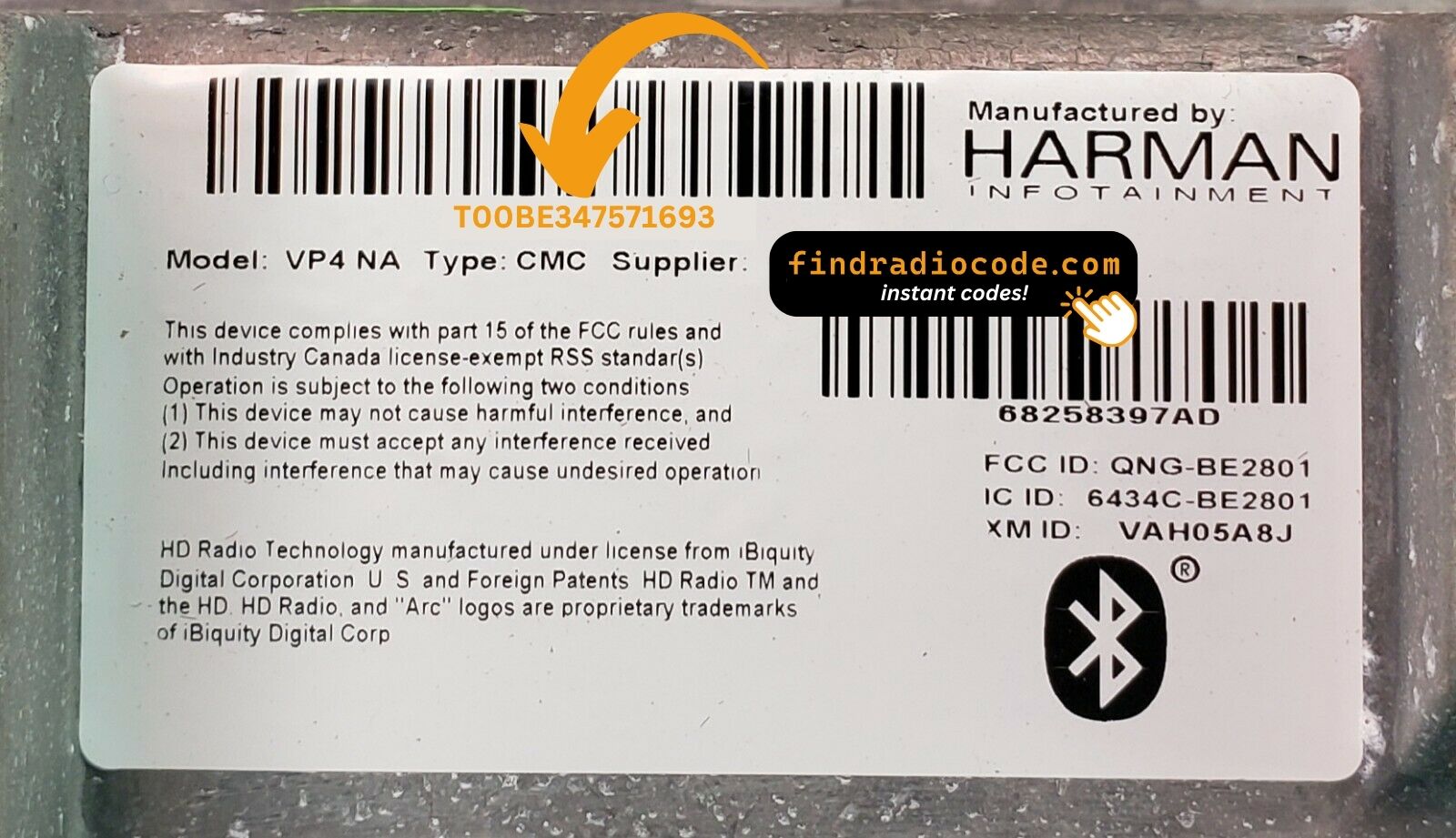
Example: Jeep Gladiator serial number label location
Common Jeep Gladiator Serial Formats
To unlock your radio, find the serial starting with T00AM, TM9, or A2C. Important: do NOT use serials ending in W, J, L, or S — those are screen/DVD/amplifier modules, not the main radio brain.
Entering the Radio Code on Jeep Gladiator
Once you have the Jeep's unlock code, you can type it in using the infotainment controls.
Most radios display a "CODE", "ENTER CODE", or "----" message when they are locked.
You typically use the number keys to select each digit.
After entering the full code, the radio will unlock automatically.
To enter the unlock code on your Uconnect radio:
- When the radio is locked, the screen will display "ENTER CODE" or show four dashes (----).
- Use the on-screen keypad (touchscreen models) or the preset buttons (non-touchscreen models) to enter each digit of your 4-digit code.
- After entering all 4 digits, the radio unlocks automatically – no need to press a confirm button.
Tip: Make sure you enter the code carefully. Three incorrect attempts will trigger a temporary lockout.
Jeep Gladiator Radio Code - Common Questions
Many factory radios use a radio unlock code, but not every model year require one.
Whether a code is needed varies by the factory stereo and the vehicle generation.
Yes. Each head unit has its own unique code.
If you install a different radio, you'll need the code for that individual radio.
Free radio codes are uncommon.
Some dealers may help, but most codes require a serial number lookup.
The only free way would be to check your vehicle and its manual to see if you already have the code.
Uconnect is the infotainment system developed by Stellantis (formerly Fiat Chrysler Automobiles) and used across Chrysler, Dodge, Jeep, Ram, Fiat, and Alfa Romeo vehicles. Most Uconnect radios feature an anti-theft protection system that activates whenever the radio loses power – for example after a battery replacement, a dead battery, or electrical work.
When triggered, the radio displays "ENTER CODE" and won't work until the correct 4-digit unlock code is entered. The code is permanently tied to the radio's serial number, not the vehicle's VIN, which is why finding the serial number is the first step to unlocking.
Yes, for most vehicles. Uconnect systems from 2013 onwards include a hidden Dealer Mode (or Engineering Mode) diagnostic menu that displays the serial number right on the display. You can access it by holding specific button combinations – without any tools or removal.
However, some 2020+ models may have had Dealer Mode restricted via software updates. If you cannot access the on-screen menu, the radio must be physically removed to read the serial number label on the unit. See our full Dealer Mode guide for step-by-step instructions with video tutorials.
Yes. The Wrangler JK (2007–2018) uses older Uconnect models (430/430N/730N) with physical preset buttons, while the Wrangler JL (2018+) uses the newer Uconnect 4C with an 8.4" or 7" touchscreen. Both generations need a radio code after power loss, but the method for accessing Dealer Mode is different.
For the JK, use the climate control button method. For the JL, try the screen bezel edge method (8.4") or the temperature button method (7"). See our Uconnect Dealer Mode guide for specific instructions.