
Where do I get my Jeep Grand Cherokee radio code?
The radio code for a 2011-2022 Jeep Grand Cherokee is a 4-digit anti-theft code that comes from the radio serial number rather than the VIN. Find the serial number in Dealer Mode on most Uconnect touchscreens or on the label of the radio unit, type it into the form on this page and the code usually appears within seconds, from $19.99.
Which head unit could your Jeep Grand Cherokee have?
These factory radios shipped in the Jeep Grand Cherokee across its model years. Open yours to see how to identify it and how the code is retrieved.
| Years | Factory radio | Serial starts with |
|---|---|---|
| 2011-2013 | MyGIG NTG4 RHW Harman |
T00AM, T00BE, T0012
|
| 2013-2018 | Uconnect 8.4 RA3 VP3 CA Harman |
T00AM, T00BE, T0012
|
| 2014-2017 | Uconnect 5.0 RA2 VP2H NA Harman |
T00AM, T00BE, T0012
|
| 2015-2018 | Uconnect 8.4 RJ4 VP4 ROW Harman |
T00AM, T00BE, T0012
|
| 2017-2019 | Chrysler Uconnect 8.4 RB6 Panasonic |
T00AM, T00BE
|
| 2017-2020 | Chrysler Uconnect 8.4 UGV Panasonic |
TM9
|
| 2017-2020 | Chrysler Uconnect 8.4 UJQ Panasonic |
TM9
|
| 2018-2022 | 521 REFRESH ROW 8.4 VP2RFP Continental |
TQN, TVPQN, A2C, A3C
|
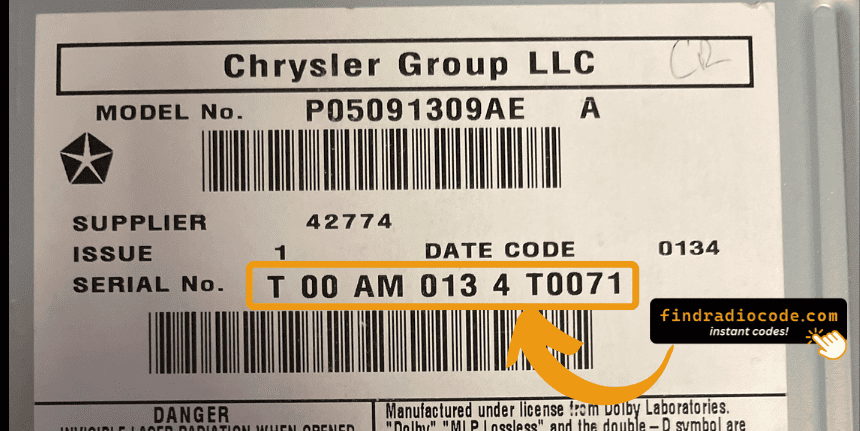
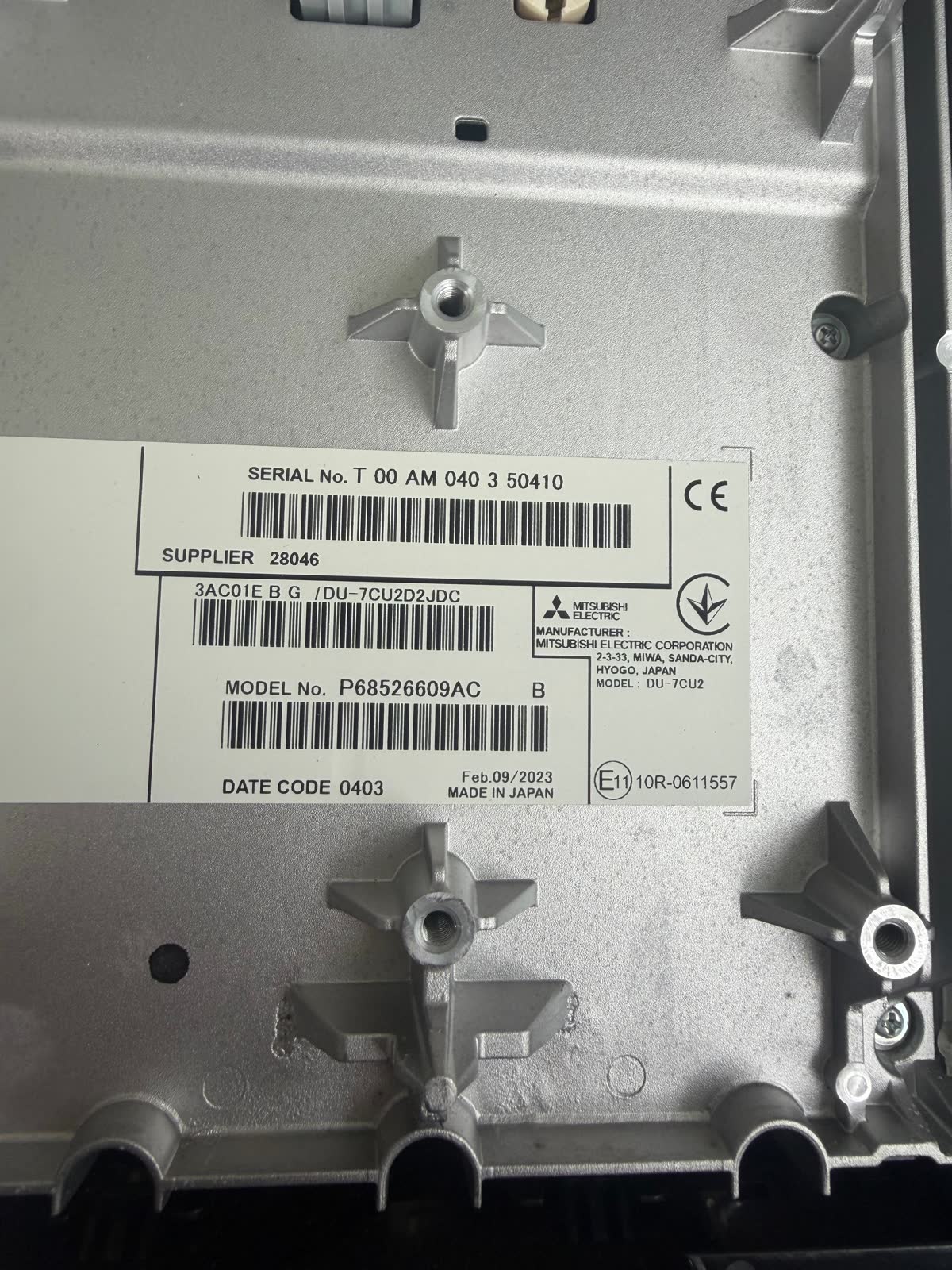
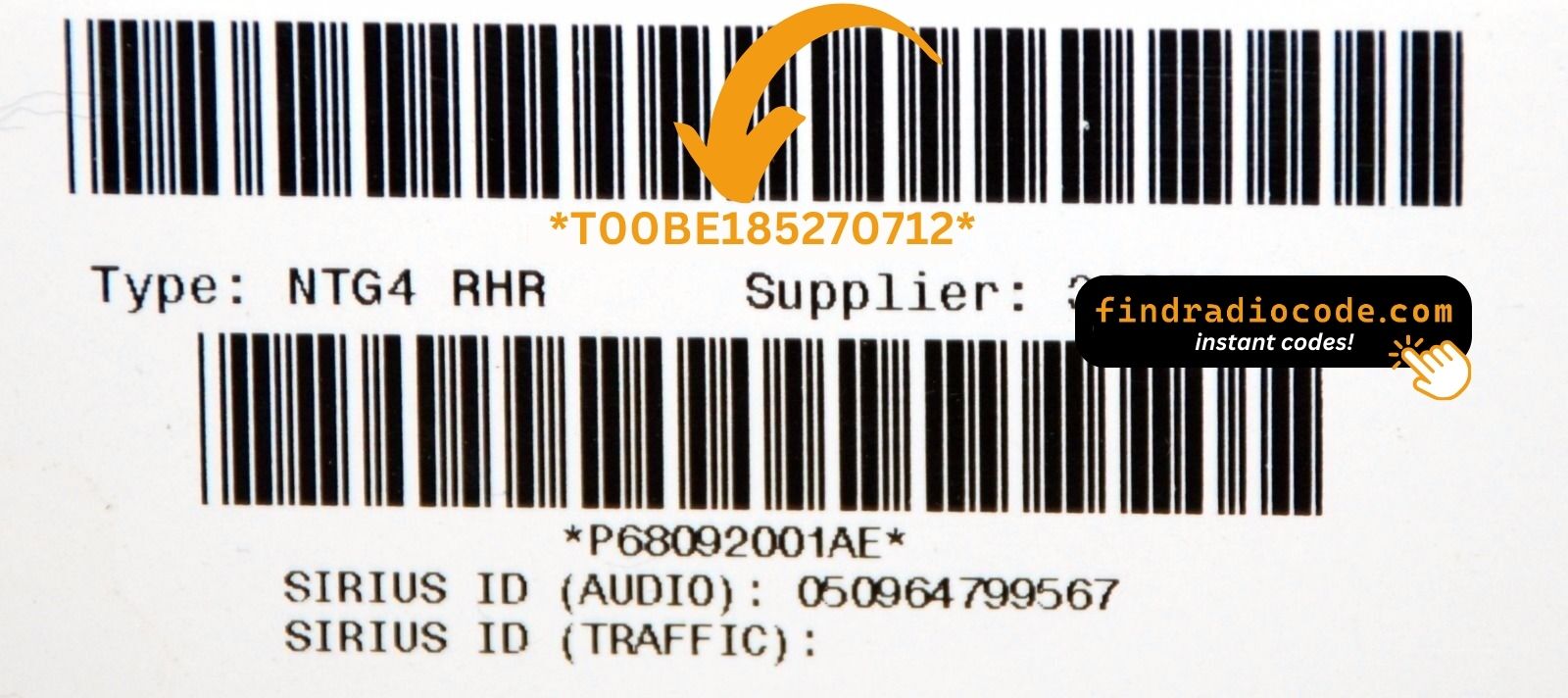
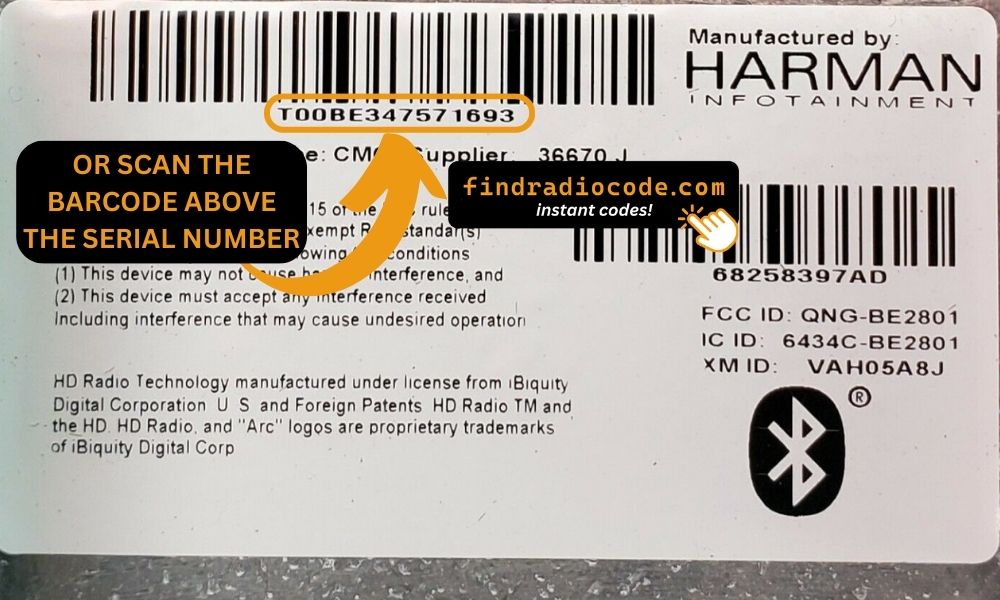
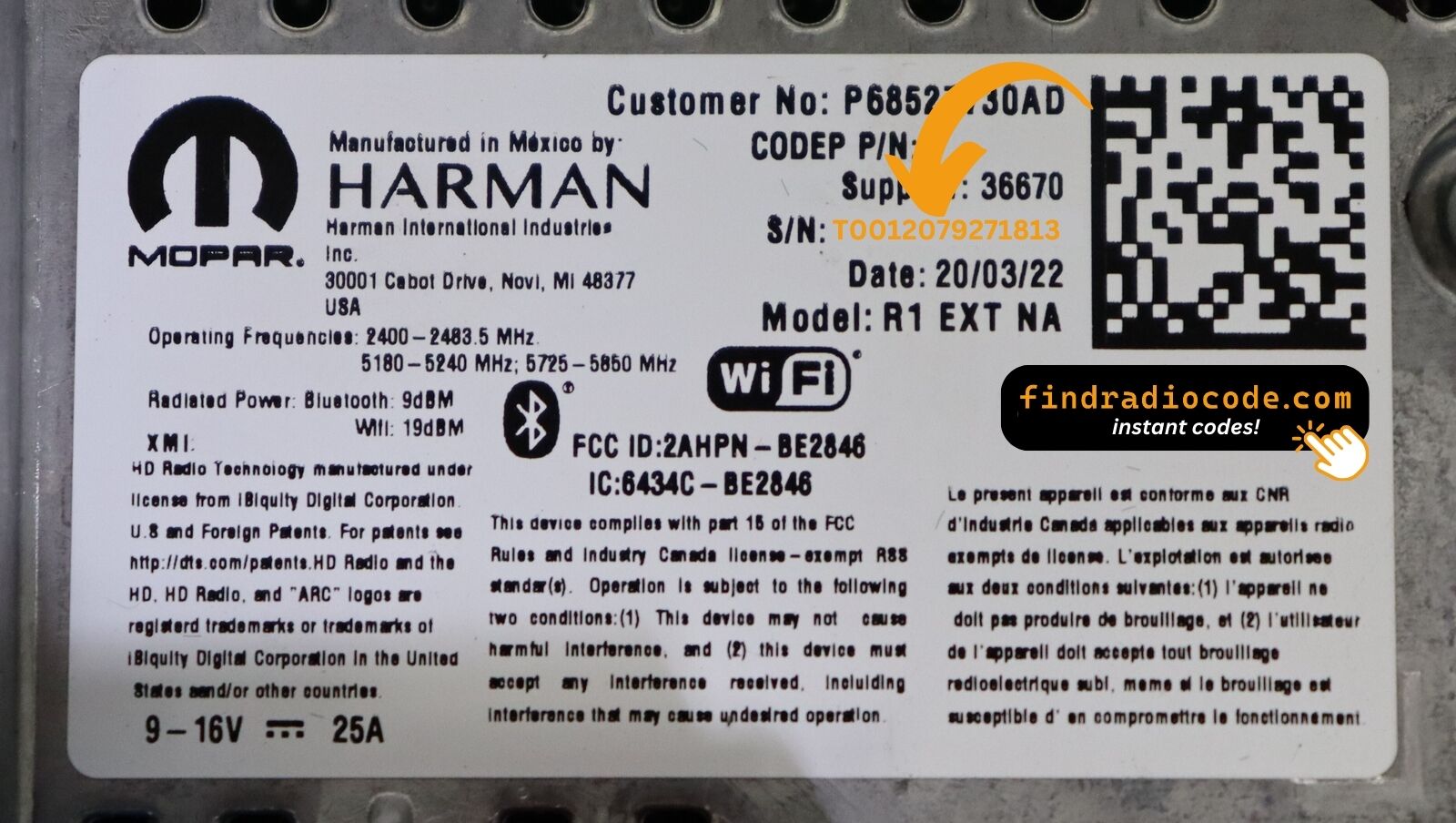
What the serial label looks like
Real labels from these radio families. The serial is the code marked on each photo - not the part number. Tap a photo to see it full size.
Common Jeep Grand Cherokee Radio Code Problems
Many owners encounter security code prompts on their Grand Cherokee after power loss.
Below are the most common situations when this can occur.
After a Battery Change
A replaced battery is the most common reason a Jeep Grand Cherokee radio asks for a code.
Even a momentary power loss is enough to activate the built-in security system.
Additional Scenarios
- After an ECU reset, software update, or electrical repair, some Jeep Grand Cherokee radios ask for a code.
- After a boost start, the radio may lose power and request a security code.
- When the head unit is removed, it usually requires the original code.
- If a fuse blows, the radio can enter anti-theft mode.
Jeep Grand Cherokee Radio Security Code Explained
A radio code, also known as an anti-theft code is a unique numeric unlock key that reactivates your car audio system after it has been disabled.
This anti-theft code is triggered when the radio detects a power interruption.
Car manufacturers use this security system to prevent stolen radios from being reused.
If power is cut, the radio locks automatically and asks for the CODE before it can function normally.
Once the valid numbers combination is entered, the stereo is unlocked.
Before Paying for Help
Looking for a free Jeep Grand Cherokee Radio Code? Actually, you may find it.
In few cases, the code may already be available in the vehicle itself or in the documentation.
Check these places to save time and money before using an online generator.
Below are the simplest places to look.
Check Inside the Vehicle
- In your service book from the previous owner.
- In the vehicle handbook, often on a sticker page.
- Inside the glovebox, sometimes on a label.
- On the head unit itself, if it was serviced earlier.
- In the boot compartment, on a service sticker.
Can You Get a Jeep Grand Cherokee Radio Code from the Dealer?
Dealerships can generate your radio code by checking the VIN in their system.
They typically ask for registration and ID before sharing the security PIN.
This is the official way to restore access to the factory radio.
Things to Consider:
- The lookup is often not instant and may require waiting.
- Dealers frequently bill for the code (sometimes more than 100$).
- You may need to contact service support during business hours.
- Some imported or older radios may not be in their database.
Where to Search for the Serial Number
To generate the right unlock code, you first need the radio's serial.
Depending on your model, you can display it on the radio screen or locate it on the unit.
Common abbreviations are: Serial Num. / S/N / Serial Number etc.
These are the typical ways to get it:
1. Find the S/N on Jeep Grand Cherokee's Screen
Every generation of the Jeep Grand Cherokee with a touchscreen gives you direct access to the serial number via Dealer Mode — no removal, no tools. Whether you drive a WK2 Laredo, a Summit, an Overland, or a Trackhawk, the same approach works across the board.
Follow the generation timeline below to find your method:
WK2 — 2011–2018 (Uconnect 8.4" Classic): Two options. Option A: Hold Fan Up + Fan Down + Front Defrost for 5 seconds → Dealer Mode opens. Option B: Hold Temp Up + Temp Down for 5 seconds → Engineering Menu. Both lead to: System Info → Radio Part Info → Serial Number.
WK2 — 2019–2021 (Uconnect 8.4" NEW): Press the bottom-left + bottom-right plastic bezel edges simultaneously and hold until Dealer Mode opens. Navigate to the serial via the same path.
WL — 2022+ Grand Cherokee L and 4xe (Uconnect 5): Uconnect 5 uses the same bezel-edge press to reach Dealer Mode, then the same navigation. If that fails on newer firmware, check Settings → System → About in the infotainment menu.
Serial format: 14 characters, e.g. T00AM1801T0282. Physical removal is only needed if all on-screen methods are blocked.
2. The Serial Number on the Radio Housing
The serial number is usually found on a sticker attached to the head unit.
Step 1: Turn off the car.
Step 2: After that, take off the surrounding panel.
Step 3: Then unscrew the radio brackets.
Step 4: Carefully slide the unit out partially (Be careful not to damage the connections).
Step 5: Search for the serial on the rear of the unit.
Step 6: Write down the full number carefully and come back to our website so that we can generate the code.
Important: Don't mix the Serial Number for the Part Number!
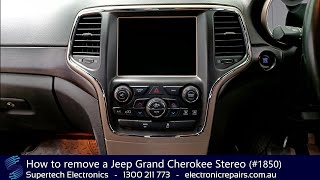
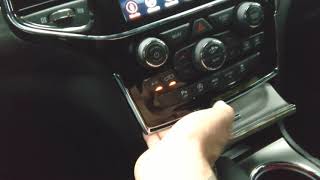
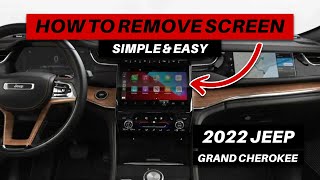
📹 Video Guide: Jeep Grand Cherokee Radio Removal
Watch step-by-step tutorials for removing your Jeep Grand Cherokee radio:
General Grand Cherokee
2021 Model
2022 Model
Need a different Grand Cherokee year? Search YouTube for more Grand Cherokee tutorials
Written Instructions
Physical Radio Removal (if Dealer Mode is unavailable)
If the on-screen method does not work on your vehicle, the radio can be physically removed to read the serial number label on the top or side of the unit:
- Remove the trim bezel – Carefully pry off the dashboard trim surrounding the radio using a plastic trim removal tool. The bezel is held by friction clips.
- Unscrew the mounting bolts – Remove the 4 mounting screws (usually Torx or Phillips) securing the radio to the dash frame.
- Slide the unit forward – Gently pull the radio out far enough to see the label. Do not disconnect the wiring harness unless necessary.
- Locate the serial number label – Look for a white or silver sticker with a barcode on the top or side of the unit. The serial number is a 14-character alphanumeric code (e.g.
T00AM1801T0282).
For step-by-step guidance with video tutorials for specific vehicles, see our Uconnect radio removal guide.

Example: Jeep Grand Cherokee serial number label location
Serial Number Prefixes You'll See on Jeep Grand Cherokee
To unlock your radio, find the serial starting with T00AM, TM9, or A2C. Important: do NOT use serials ending in W, J, L, or S — those are screen/DVD/amplifier modules, not the main radio brain.
How to Enter the Radio Code on Your Vehicle
You need to type in the code into the system to unlock your Jeep's radio.
In the locked unit, the screen usually shows a code prompt.
You should use control knob, touchscreen, or radio presets to set each digit, then confirm the code to reactivate the audio system.
📹 Video Guide: Entering Your Unlock Code
Watch this tutorial demonstrating how to enter the 4-digit unlock code on your Jeep Uconnect radio:
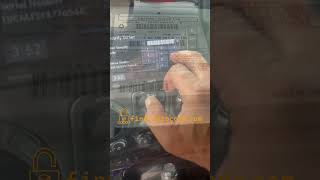
Search YouTube for more code entry videos
Step-by-Step Code Entry Instructions
To enter the unlock code on your Jeep Uconnect radio:
- Turn the ignition to the ON or ACC position (engine off is fine).
- The radio screen will display "ENTER CODE" or show four dashes (----).
- For touchscreen models (Uconnect 8.4" or 7" with touchscreen):
- Use the on-screen keypad to tap each digit of your 4-digit code.
- The code will appear on screen as you enter it.
- For button models (older Uconnect 430/730 systems):
- Use the preset buttons (1-4) to enter the code.
- Press button 1 repeatedly for the first digit (e.g., press 5 times for digit "5").
- Press button 2 repeatedly for the second digit.
- Press button 3 repeatedly for the third digit.
- Press button 4 repeatedly for the fourth digit.
- Press and hold the Enter button (usually the round center button) for several seconds to confirm.
- After entering all 4 digits correctly, the radio will unlock and should function normally.
Important Tip: Ensure you enter the code carefully. Three incorrect attempts will trigger a temporary lockout (see warning below).