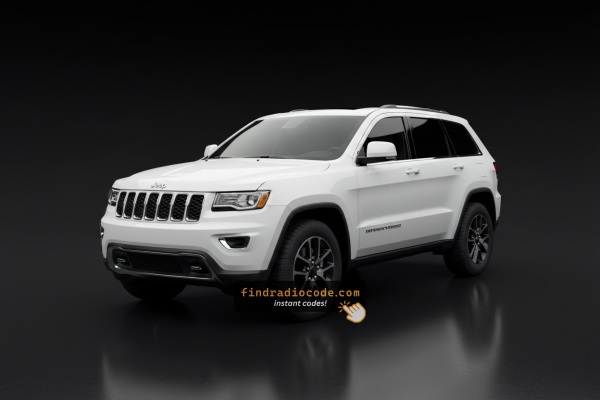
2015 Jeep Grand Cherokee Head Units and Suppliers
Every card below is a head unit fitted at the factory to the 2015 Jeep Grand Cherokee. Compare the display and buttons to pick the right one, then check the serial prefix.
| Years | Factory radio | Serial starts with |
|---|---|---|
| 2013-2018 | Uconnect 8.4 RA3 VP3 NA Harman |
T00AM, T00BE, T0012
|
| 2013-2018 | Uconnect 8.4 RA3 VP3 ROW Harman |
T00AM, T00BE, T0012
|
| 2014-2018 | Uconnect 5.0 RA2 VP2 Continental |
TQN, TVPQN, A2C, A3C
|
| 2014-2017 | Uconnect 5.0 RA2 VP2H NA Harman |
T00AM, T00BE, T0012
|
| 2014-2018 | Uconnect 8.4 RA4 VP4 CA Harman |
T00AM, T00BE, T0012
|
| 2015-2018 | Uconnect 8.4 RG4 VP4 EU Harman |
T00AM, T00BE, T0012
|
| 2015-2018 | Uconnect 8.4 RJ4 VP4 ROW Harman |
T00AM, T00BE, T0012
|
| 2015-2018 | Uconnect 8.4 RM4 VP4 JP Harman |
T00AM, T00BE, T0012
|
Locate the Serial Number Needed to Generate Jeep Grand Cherokee 2015 Radio Code
The starting step is finding the radio serial number.
Most drivers assume the code depends on the Jeep model or year, but in reality, the unlock process relies on the unique radio's serial number.
Each radio has its own serial tied to the security system.
This is even better, because if you have an aftermarket radio, the VIN or other vehicle-specific data wouldn't help.
Depending on the radio version used, you can see the serial directly from the display or by looking at the label on the radio chassis.
2015 Grand Cherokee - Which Radio Did You Get?
The 2015 Grand Cherokee carries forward the WK2 Uconnect lineup that arrived with the 2014 facelift. Three head units were offered, all easy to tell apart by screen size and the presence of a Nav tile on the home screen.
- Uconnect 5.0 / RA2 - standard on Laredo and base trims. A 5-inch color touchscreen sitting in a wider bezel with capacitive function keys on either side. No CD slot, no NAV button.
- Uconnect 8.4A / RA3 - optional on Laredo, standard or optional on Limited. An 8.4-inch landscape touchscreen with the capacitive Radio/Media/Controls/Climate/Phone/Apps row along the bottom. No Nav tile on the home screen.
- Uconnect 8.4AN / RA4 - same 8.4-inch hardware as the RA3 but with built-in Garmin navigation, HD Radio and SiriusXM Traffic/Travel Link. Standard on Overland, Summit and SRT, optional elsewhere. A Nav tile is visible on the home screen.
Quick tell: 5-inch screen = RA2; 8.4-inch with no Nav tile = RA3; 8.4-inch with a Nav tile/map = RA4. The sales code is printed on the label on top of the radio chassis.
Screen-Based Serial Lookup Method
Try the following for your 2015 Jeep Grand Cherokee:
The 2015 Jeep Grand Cherokee uses the Uconnect 8.4" (RA3) touchscreen. You can find the serial number using Dealer Mode directly from the display:
Climate Button Method:
- Turn ignition to ACC or ON (engine off).
- Hold down the Climate Up, Climate Down, and Front Defrost buttons for about 5 seconds.
- Dealer Mode opens on the 8.4" screen.
- Select: System Info → Radio Part Info → Serial Number.
Alternative: On the 2015 Grand Cherokee, you can also use holding the Temp Up (red) + Temp Down (blue) buttons for 5 seconds to access Engineering Mode if the first method doesn't work.
Display-Based Serial Number Retrieval
The 2015 Grand Cherokee continues the WK2 facelift radio lineup, and on cars fitted with the 8.4-inch Uconnect you can usually read the radio's serial number from a hidden dealer/diagnostic menu without removing anything.
Uconnect 8.4A (RA3) and Uconnect 8.4AN (RA4)
- Place the ignition in the RUN position so the 8.4-inch screen is fully booted.
- Press and hold the driver's temperature UP, temperature DOWN and front DEFROST buttons at the same time for roughly 7 seconds.
- When the dealer/diagnostic menu opens, choose the radio-information entries (the first options on the list typically display serial numbers and revision data).
- Record the serial number exactly as it appears, including any letters at the start such as
T00AMorTM9. - Press Done or cycle the ignition off and back on to leave the menu.
Uconnect 5.0 (RA2)
- On the small 5-inch screen, an equivalent on-screen serial readout is not reliably documented for the 2015 Grand Cherokee.
- If the hidden menu does not show one on the RA2, fall back to physically removing the unit and reading the chassis label.
Pulling Out the Radio to View the S/N on the Tag
If the serial number cannot be accessed via display, use the hardware method.
Most Jeep Grand Cherokee factory radios include a sticker with the serial number printed on the casing.
The process:
- Ensure the ignition is off.
- Carefully remove surrounding panel pieces.
- Loosen screws holding the radio.
- Slide outward to inspect the label.
If Dealer Mode is unavailable on your 2015 Jeep Grand Cherokee, follow these steps to take out the radio:
- Detach the center trim – Carefully use a trim tool to pop off the dashboard trim surrounding the 8.4" screen. Jeep trim pieces use strong friction clips.
- Unscrew 4 mounting bolts – Usually Torx T20 or Phillips head screws.
- Ease the unit out – Pull gently to reveal the serial label on the side or top of the chassis.
Cables at the back can remain plugged in while you photograph the serial number.
Locate Serial on Grand Cherokee's Radio Chassis
If the dealer menu is not available, or you cannot reach it because the radio is locked at the CODE screen, pulling the head unit out is the most dependable way to confirm the serial number on a 2015 Grand Cherokee.
Safety preparation
- Turn the ignition fully off and remove the key fob from the cabin.
- Disconnect the negative battery cable and wait several minutes before working near the dash.
- Keep clear of yellow airbag wiring and connectors while moving panels around.
Suggested tools
- Plastic trim/panel pry tools to avoid scratches on the dash plastics.
- A 7 mm socket with a small ratchet or driver for the four radio retaining screws.
- A camera/phone to capture the rear label clearly.
Removal overview
- Begin at the lower edge of the center bezel by the climate controls and pry it gently outward; this lower section is held by retaining clips.
- With the lower bezel free, undo the two exposed screws that hold the upper bezel surrounding the radio, then ease the upper bezel off.
- Disconnect any small switch or HVAC connectors on the back of the bezel before fully removing it.
- Undo the four 7 mm screws now visible at the corners of the radio chassis.
- Slide the head unit out and unplug the main harness, antenna and any USB/AUX leads.
Locating the serial
- The serial sits on a printed label on the metal housing - usually on the top or one side of the chassis.
- Copy the long alphanumeric string next to the barcode and double-check letters that look similar (O vs 0, I vs 1).
Tips
- Photograph the label before reinstalling so you have a permanent reference.
- Reassembly is the reverse: harnesses on, four screws back in, snap the bezel pieces into place, then reconnect the battery.

Example: Jeep Grand Cherokee serial number label location
Serial Number Format Guide for 2015 Jeep Grand Cherokee
The 2015 Jeep Grand Cherokee Uconnect 8.4" is made by Harman or Continental. Standard serial number prefixes:
T00AM– Most common Harman prefix (VP2/RA3)T00BE– Continental versionTM9– Earlier Harman production
Radio designations: RA3 (base 8.4"), VP2 (8.4" with Alpine or Harman Kardon audio). Serial: 14 characters, alphanumeric (e.g., T00AM1801T0282).
Note Don't use the part number (starts with P or 68). Only the serial generates the code.
Common S/N Formats Used on 2015 Grand Cherokee Units
The 2015 Grand Cherokee could come with several different head units, each from a different supplier, so the serial-number style depends on which radio is in your car. The patterns below are the ones most often reported by owners and unlock services for this generation.
Continental-supplied Uconnect 8.4 (RA3 / RA4)
- Often shown with a
T00AMprefix and a numeric tail, for example a string resemblingT00AM1234567. - The prefix is printed inline with the rest of the serial on the chassis label.
Panasonic-supplied Uconnect units
- Frequently start with
TM9followed by additional digits/letters. - This pattern has been widely associated with Panasonic Mopar radios of this era.
Uconnect 5.0 (RA2) base radio
- Also carries a printed serial label on the chassis, but the prefix can vary - read the full string from the label rather than guessing.
If the alphanumeric you read does not match any of these patterns, double-check that you have the serial line and not the part number. The serial is usually the longest string and the one tied to the barcode on the label.
How 2015 Jeep Grand Cherokee Radio Code Lookup Works
Vehicle radios use anti-theft codes dependent on the radio unit itself instead of the vehicle model or production year.
- Our lookup service works by matching your Jeep Grand Cherokee radio's serial number.
- After entering the serial into the form above, the system identifies the radio unit and retrieves the corresponding code.
- Simply input the digits into the Grand Cherokee stereo.
- The online process is quicker and more accessible than visiting the Jeep dealer.
Entering the Radio Security Code
Once the system gives you 2015 Jeep Grand Cherokee radio code from the serial number, you're ready to reactivate the radio.
Some drivers hesitate at this stage because input process can look different across radio versions, but it's usually quick.
When the radio shows CODE, it means the unit is waiting for the correct numbers.
Step-by-Step - The Correct Way to Enter It
To input the code on the 2015 Jeep Grand Cherokee's Uconnect 8.4":
- Ignition ON. The screen displays "ENTER CODE" or ----.
- Tap the touchscreen number pad for each digit of the 4-digit code.
- Radio auto-confirms after the 4th digit – no confirm button needed.
Lockout: 3 wrong entries = 60-minute lockout. Keep ignition ON for the entire period. Do not turn off – it resets the timer.
Correct Entering Process
Once you have the correct anti-theft code for your 2015 Grand Cherokee radio, entering it is quick - but the radio will lock itself if you keep guessing, so take it slowly.
Limited Attempt Warning
Only three attempts are allowed before lockout. Three wrong codes in a row send the radio into a WAIT state and the display reads WAIT. To clear it, you must leave the ignition in RUN with the radio powered for a continuous 30 minutes. Cycling the key off does not shortcut this timer.
Entering the code
- Turn the ignition to RUN or ACC until the radio powers up and the CODE / Anti-Theft prompt appears.
- On Uconnect 8.4 (RA3/RA4) radios, tap each digit on the touchscreen number pad.
- On Uconnect 5.0 (RA2), enter the code using the preset (1-6) buttons in sequence.
- Confirm with OK/Enter when prompted.
- If correct, the radio returns to the normal home screen and audio is restored.
If it does not unlock
- Stop after the second wrong try and re-verify the serial you used.
- Make sure you copied the full serial without dropping leading letters or trailing digits.
- If
WAITappears, leave the radio powered with ignition in RUN for the full 30 minutes before trying again.
Why Did the Radio Lock and Ask for a Code?
The 2014–2018 Jeep lineup, radio lockouts are common because of:
- Battery disconnect or replacement — the most common trigger on all Uconnect 8.4" vehicles. Each battery event locks the radio.
- Dead or drained battery — vehicles that are worked hard have higher electrical loads, increasing the chance the battery dies and triggers the lock.
- Blown fuse — fuse replacement or failure also triggers code entry.
- Used vehicle purchase — these are common in the used market, and the code is frequently not passed on.
The unlock code is tied to the serial number and remains valid regardless of how many times the battery is disconnected.
Troubleshooting Common Radio Problems - Grand Cherokee 2015
The Uconnect 8.4" (RA3/VP2) on the 2015 Jeep Grand Cherokee uses a touchscreen number pad exclusively — no physical preset buttons are involved in code entry. When the locked screen appears:
- Tap each digit on the touchscreen.
- The radio accepts the code after the 4th digit — no confirm step is required.
If the touchscreen is unresponsive, restart by turning the ignition off and back on for 20–30 seconds.
After 3 wrong attempts, the Uconnect 8.4" triggers a 60-minute lockout and shows "WAIT" or "LOCKED". To clear it correctly:
- Leave the key in the ON position for the entire 60 minutes.
- Turning off the ignition restarts the 60-minute timer.
These 2014–2018 Jeep radios, the lockout timing is consistent across all model variants. Once the wait ends, re-enter the code carefully.
Should the radio not show a code prompt after a power interruption on the 2015 Jeep Grand Cherokee:
- Check that the ignition is in the ON position — not ACC — and wait 15–20 seconds for the system to boot.
- Check the radio fuse — a failed fuse will prevent the radio from showing any display.
- Some Uconnect 8.4" units may require a touchscreen interaction to wake the code entry prompt after startup.
Should nothing appear, a blown fuse is the first thing to inspect.
When the code is rejected on the Uconnect 8.4" usually means a serial number error. On the Jeep Uconnect radio label, there are two key identifiers: the serial number (T00AM, T00BE, or TM9, 14 characters) and the part number (P... or 68...). Only the serial is used for code generation.
A reliable approach to verify the serial on this 2015 Grand Cherokee is through the on-screen Dealer Mode rather than physical removal. Reach out for a free re-check if the code was rejected.
The recommended way to find the serial on the 2015 Jeep Grand Cherokee's Uconnect 8.4" is Dealer Mode: hold Climate Up + Climate Down + Front Defrost for 5 seconds, then navigate to System Info → Serial Number.
- Serial number — 14 characters, starting with
T00AM,T00BE, orTM9. This is the one to submit. - Part number — begins with
P05or68. Do not use this.
Dealer Mode displays the serial clearly and avoids the chance of confusing similar-looking characters on a physical label.