Barcode scanner for radio serial numbers

Drop a photo of your car radio label and read the serial number straight from its barcode, QR code or Data Matrix, so you enter the right one before you pay for a radio code. The photo is decoded in your browser and never leaves your device.

  • Photo never leaves your device
  • Free, no account
  • 17 barcode and QR types

How to get a 100% correct radio serial number

Photograph the label and let the barcode be read by machine instead of by eye. The barcode holds the same serial number the label prints, so scanning it removes the character mix-ups that cause most wrong radio codes: 0 and O, 1 and I, 2 and Z, B and 8, 5 and S, U and V.

Three steps to a serial number you can trust

  1. Photograph the whole label, straight on and in focus, with no flash reflection across the bars.

  2. Drop the photo here. Every barcode in the picture is read at once and each result is listed.

  3. Take the row marked as a serial number. Labels also carry a part number, and the part number never produces a code.

Why scan instead of typing?

Most wrong radio codes come from a misread serial number. On a small printed label 0 and O, 1 and I, 2 and Z, B and 8, 5 and S all look alike. The barcode holds the same serial in a form a machine cannot misread, so scanning it removes the guesswork before you pay.

The six mix-ups a scan removes

  • 0O
  • 1I
  • 2Z
  • B8
  • 5S
  • UV

On a small printed label these pairs look the same. Most wrong radio codes come from one of them.

Real labels, read by this scanner

These are photographs of radios we have decoded. Each one shows what the scanner reads and which of the codes on the label is the serial number.

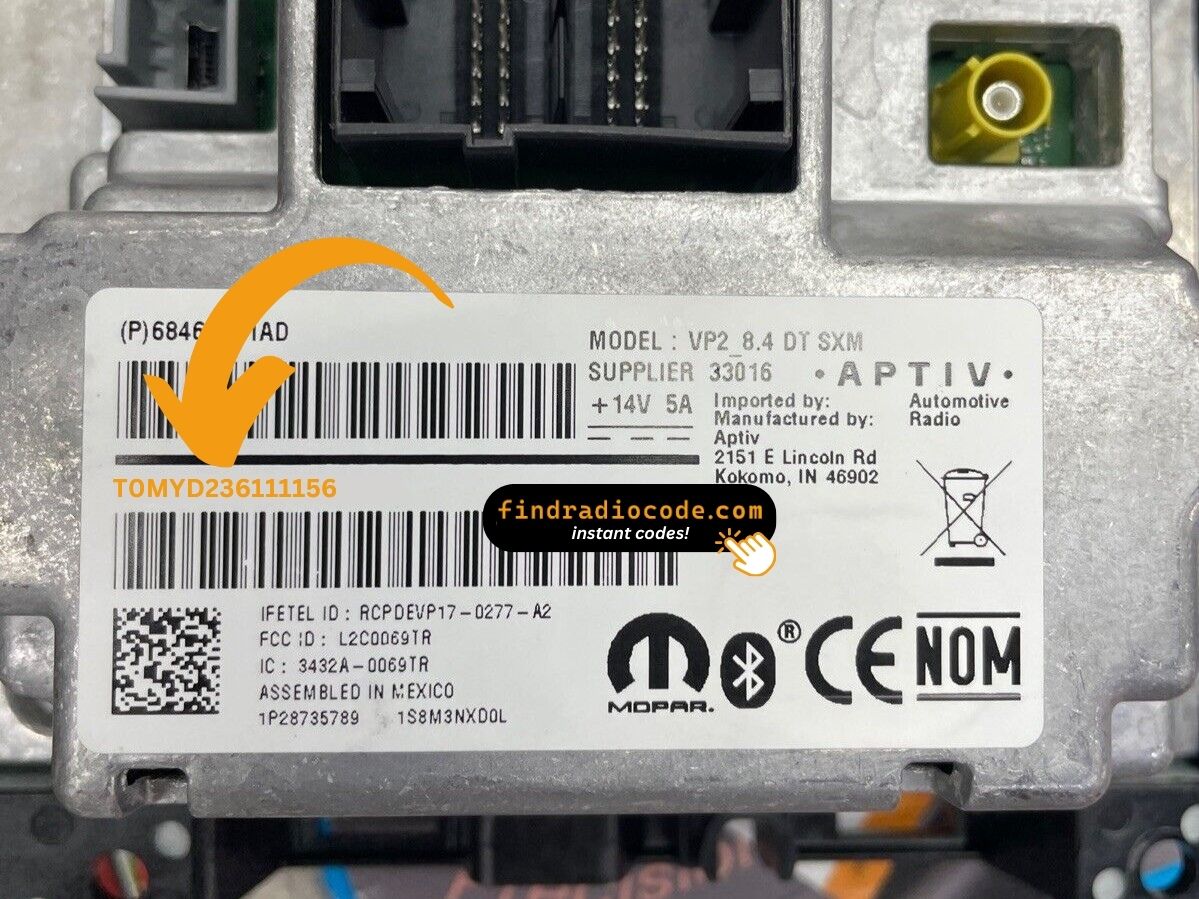
Aptiv Uconnect 8.4 inch VP2 radio label showing the serial number barcode and Data Matrix

Serial number T0MYD236111156

What the scanner reads
Code 39 T0MYD236111156 Serial number
Data Matrix 1P28735789 T0MYD236111156 1S8M3NXD0L part number and serial together

The Data Matrix holds the part number and the serial number together. The scanner picks out the serial.
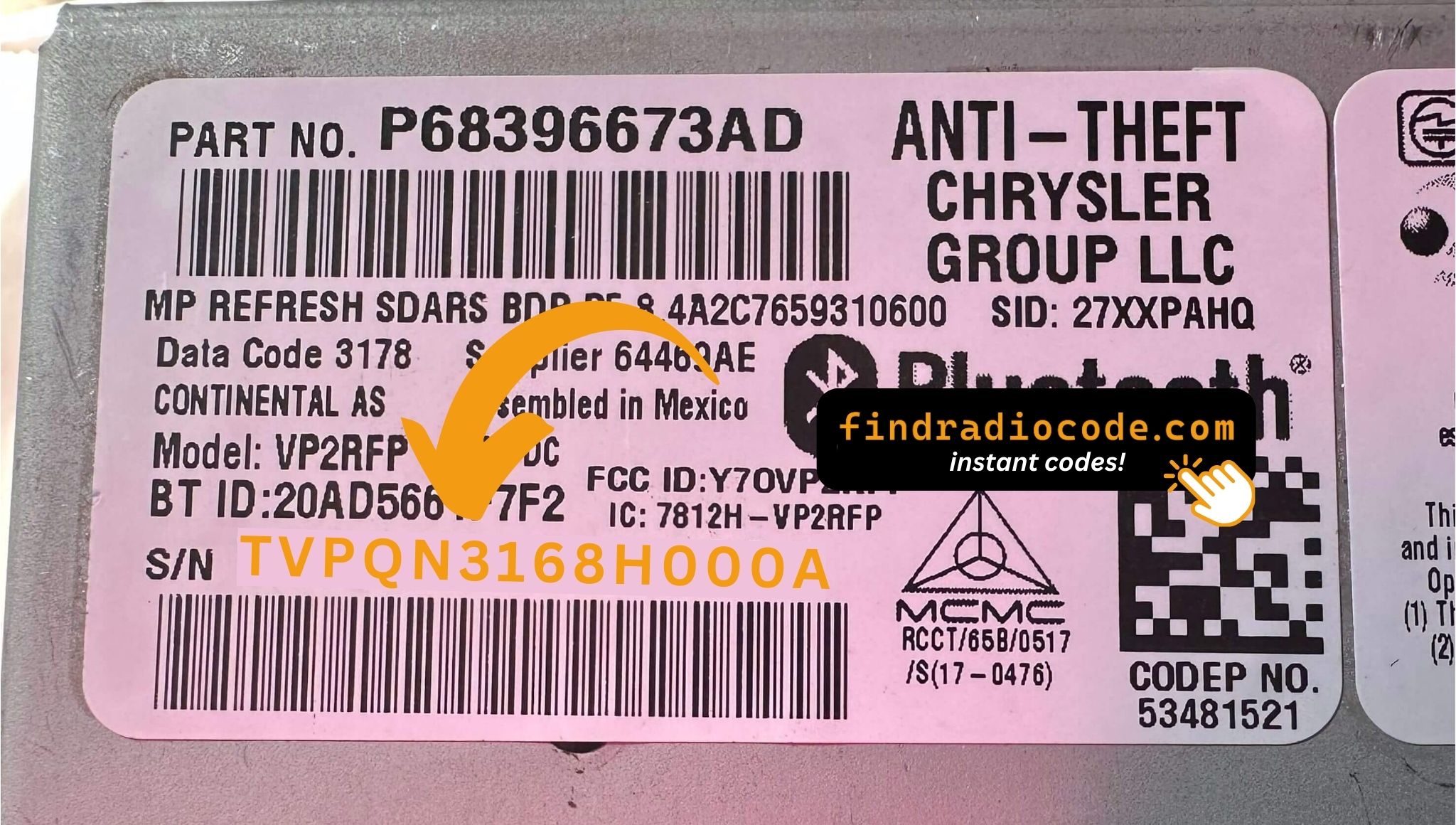
Continental Uconnect 8.4 inch VP2RFR radio label with a part number barcode above the serial number barcode

Serial number TVPQN3168H000A

What the scanner reads
Code 39 P68396673AD part number, not a serial
Code 39 TVPQN3168H000A Serial number

Two barcodes that look alike. The one starting with P is the part number and produces no code.

QR code printed on a Continental radio motherboard holding the TF039 serial number

Serial number TF039155100177

What the scanner reads
Data Matrix TF039155100177 Serial number

Some Continental units carry the serial on the motherboard rather than the outer label.

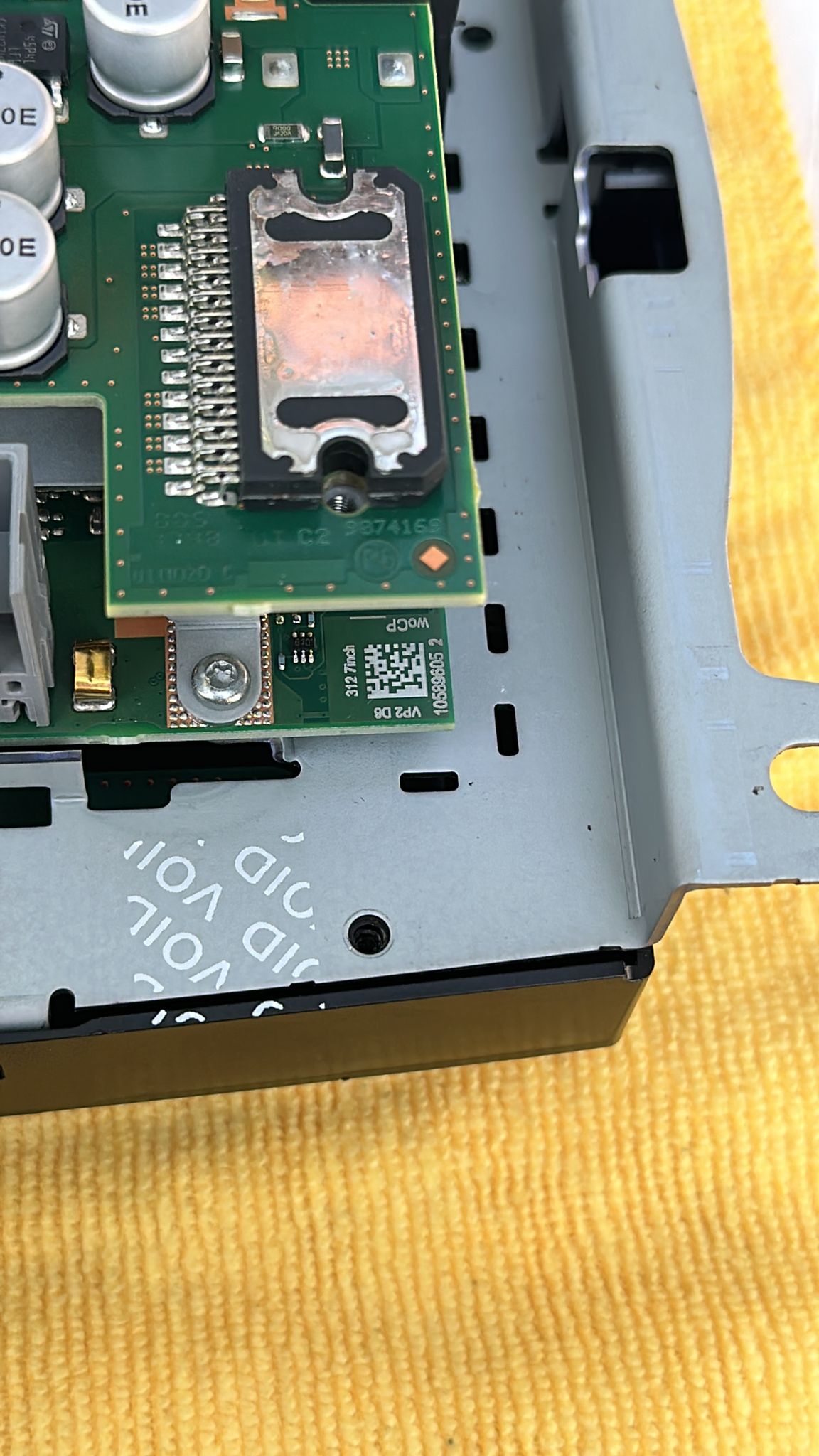
Continental VP2 312 7 inch radio with the cover off, showing the Data Matrix code printed on the motherboard

Serial number 1058960520004810

What the scanner reads
Data Matrix 1058960520004810 Serial number

The code is printed on the circuit board, next to the VP2 D6 marking. The case has to come off to see it.

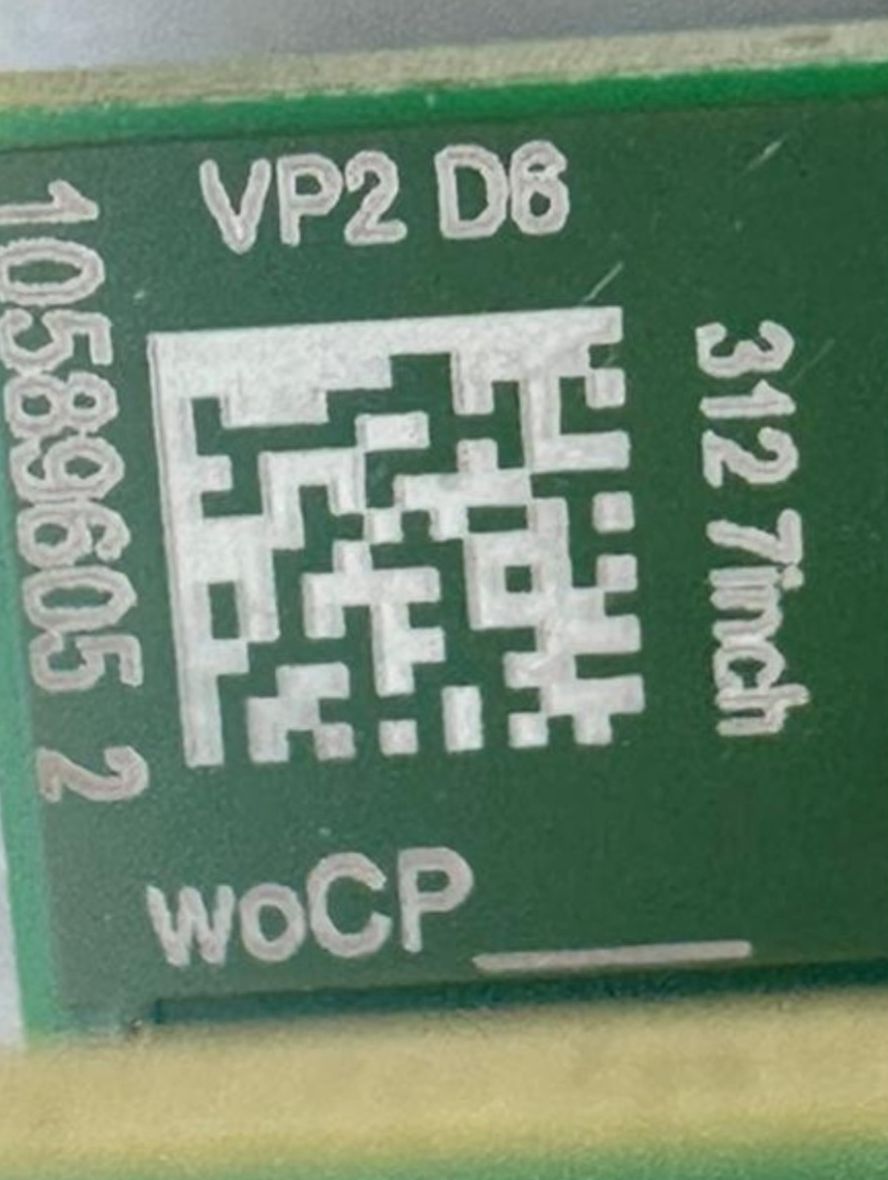
Close-up of the Data Matrix code on a Continental VP2 312 motherboard, marked VP2 D6 and 312 7inch

Serial number 1058960520004810

What the scanner reads
Data Matrix 1058960520004810 Serial number

Close-up of the same code. The digits printed beside it are only part of the number, so scan the code rather than copying them.

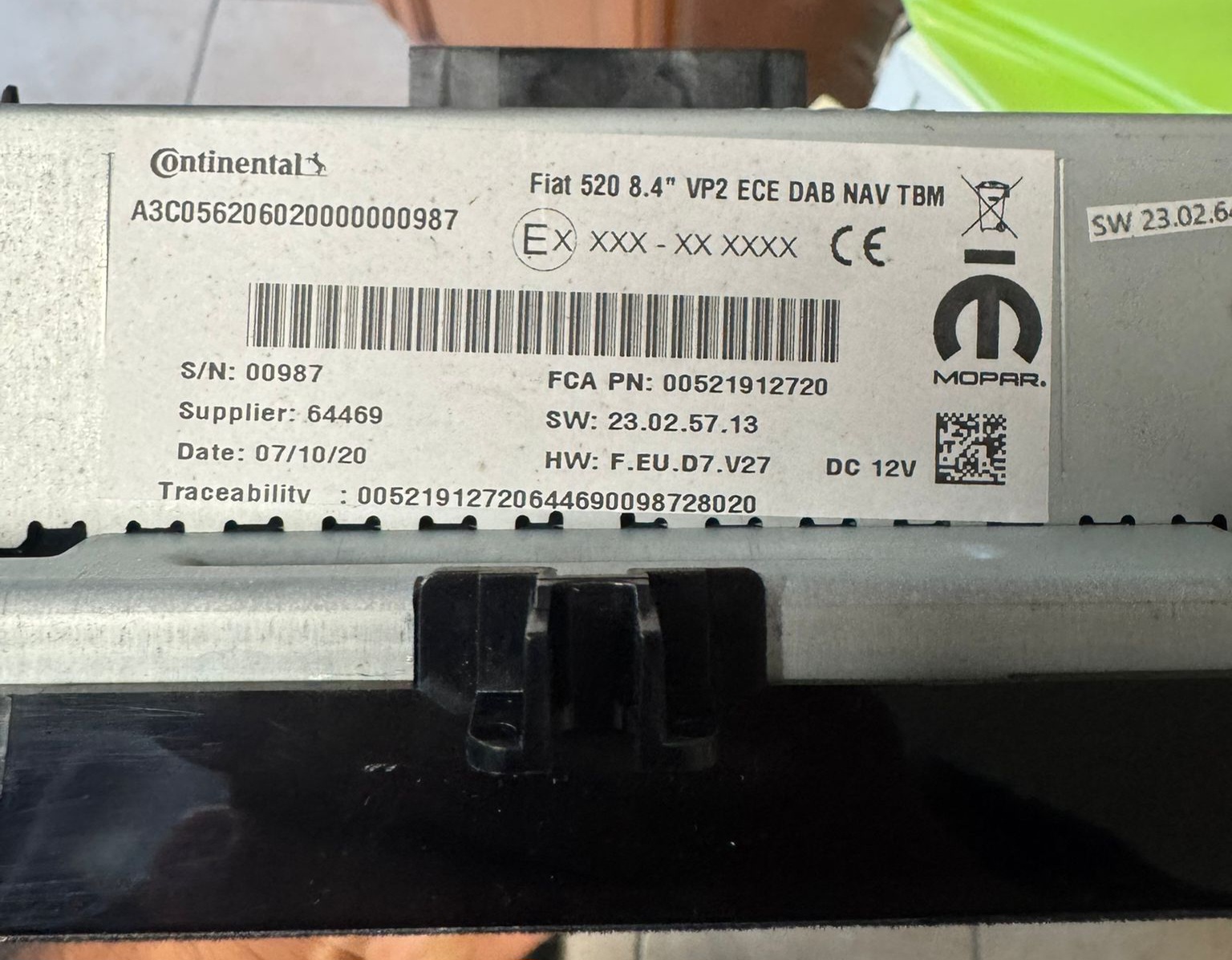
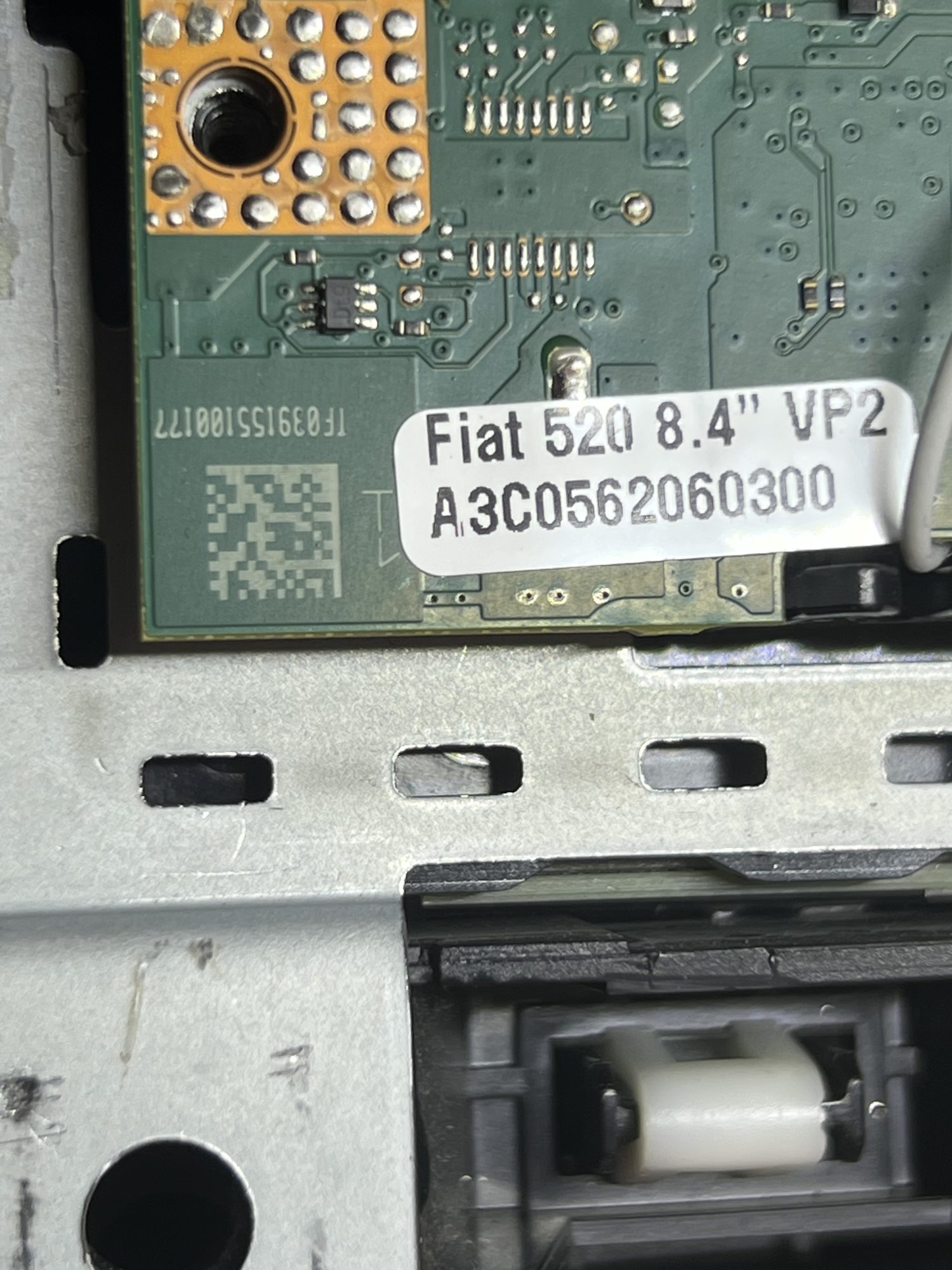
Continental radio label with the A3C serial number barcode

Serial number A3C056206020000000987

What the scanner reads
Code 39 A3C056206020000000987 Serial number
Data Matrix 00521912720644690098728020 part number, not a serial

The long all-digit code beside it is packaging data, not a serial number.

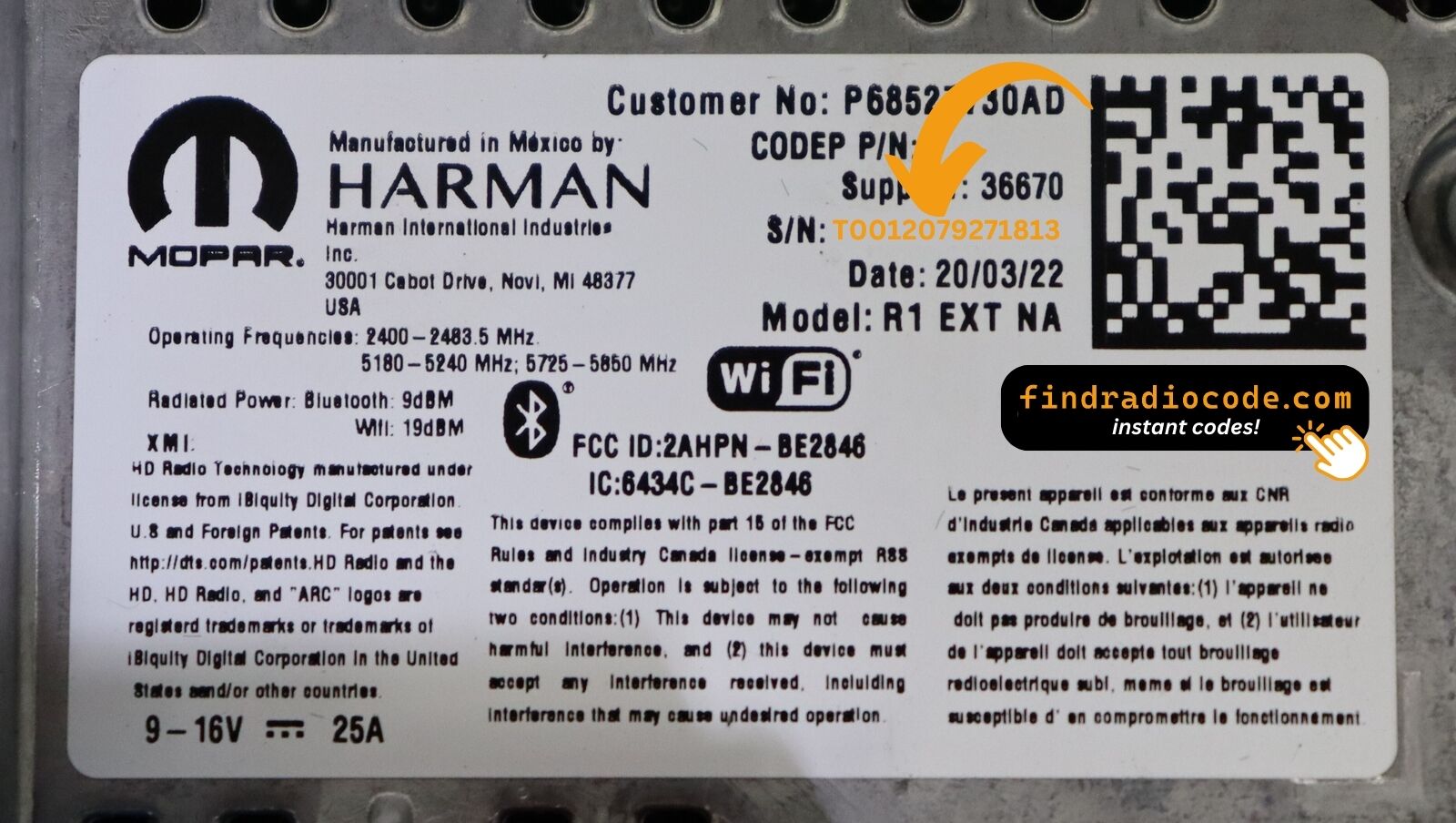
Harman radio label whose Data Matrix joins the part number and the serial number with a hyphen

Serial number T0012079271813

What the scanner reads
Data Matrix P68527730AD-T0012079271813 part number and serial together

One code holding both numbers. The half after the hyphen is the serial.

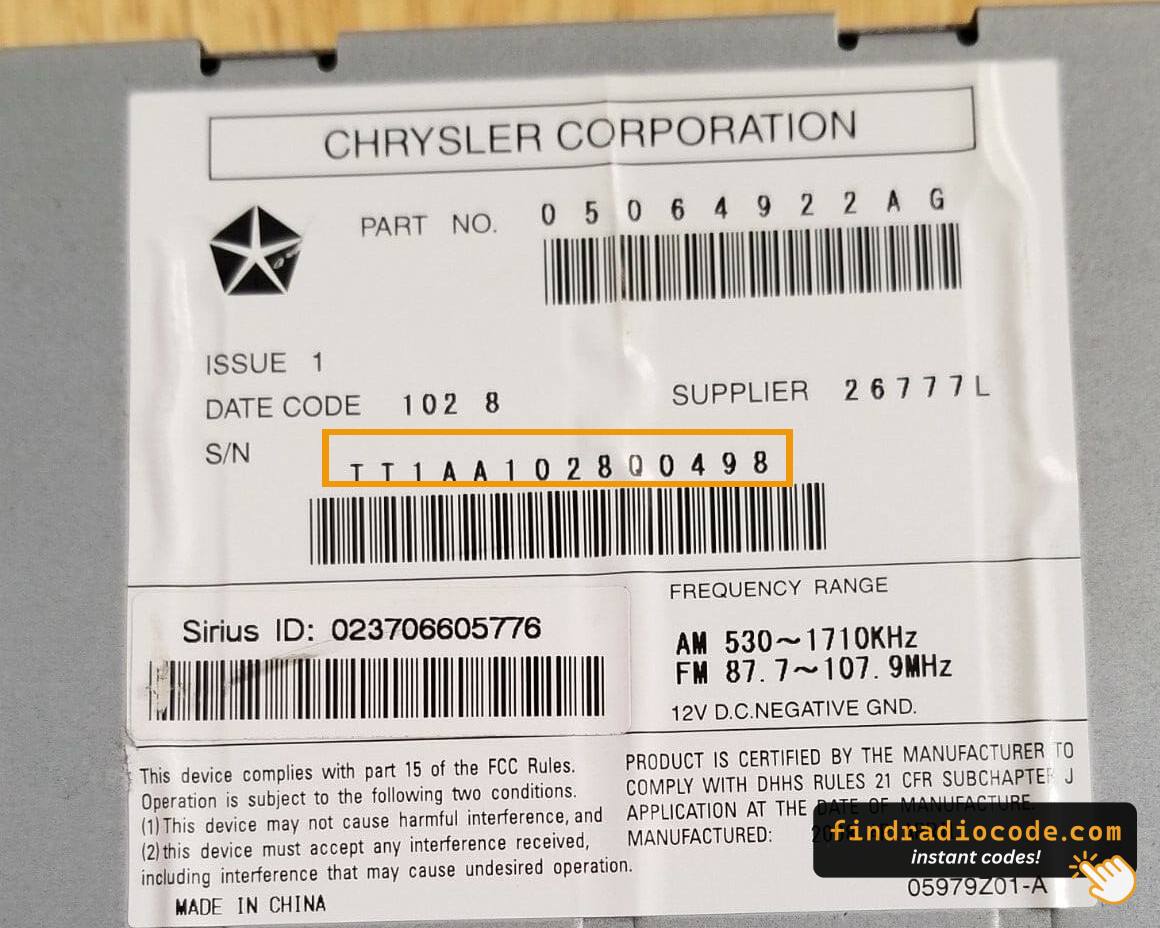
Chrysler Alpine MyGIG REQ radio label with three barcodes, one of them the TT1AA serial number

Serial number TT1AA1028Q0498

What the scanner reads
Code 39 P05064922AG part number, not a serial
Code 39 TT1AA1028Q0498 Serial number
Code 39 023706605776 part number, not a serial

Three barcodes on one label. Only the middle one is the serial number.

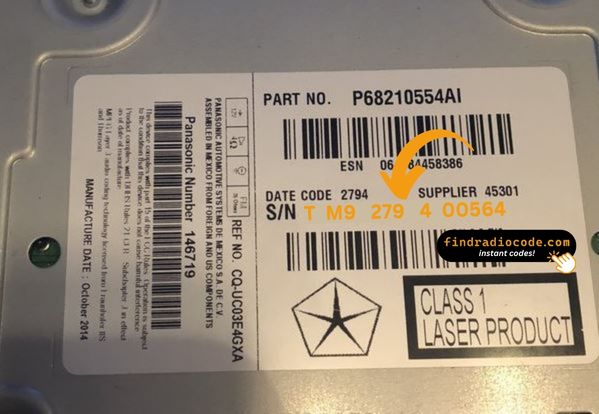
Panasonic Media Center 640 RE2 radio label showing the TM9 serial number

Serial number TM9279400564

What the scanner reads
Code 128 TM9279400564 Serial number

A TM9 serial is all digits after the prefix, so a typed O instead of a zero is a common mistake.

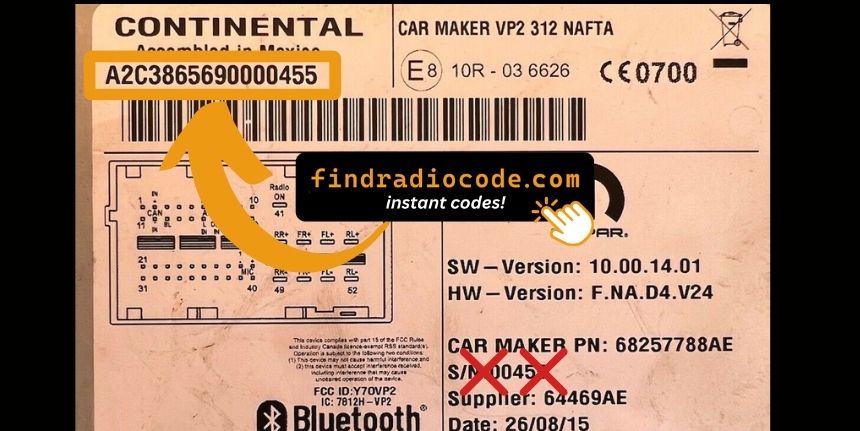
Continental radio label with a short A2C serial number

Serial number A2C3865690000455

What the scanner reads
Code 39 A2C3865690000455 Serial number

The shorter A2C format used on Continental units built in Mexico.

A label usually carries two or three barcodes. The part number describes the model, the serial number identifies your unit, and only the serial number produces a radio code.

What it reads

Barcodes

Code 128, Code 39, Code 93, EAN 8 and EAN 13, UPC A and UPC E, Interleaved 2 of 5, Codabar, DataBar.

Matrix and QR codes

QR Code, Micro QR, rMQR, Data Matrix, PDF417, Aztec, MaxiCode.

Every code in the photo is read at once, in any rotation, and on inverted or low contrast labels.

Your photo stays on your device

The scanner runs entirely inside your browser using WebAssembly. No photo, no barcode value and no serial number is sent to a server. You can disconnect from the internet after the page loads and it still works.

Cannot find the label?

The serial number is printed on a sticker on the top, side or back of the radio, and on many cars it can also be shown on the screen without removing anything. These guides cover both routes.

Found your serial number?

Enter it on the home page and get your radio unlock code. From $9.99, delivered by email.

Get my radio code

FAQ

Scan the barcode on the radio label instead of copying the printed text by eye. The barcode encodes the same serial number, so a scan cannot confuse 0 with O, 1 with I, 2 with Z, B with 8, 5 with S or U with V. Photograph the whole label straight on, drop the photo into the scanner on this page, and take the value marked as a serial number. If you have no barcode, type the serial and check each character against those pairs before you pay.

Enter it exactly as it appears, with no spaces and no dashes. Some radios need a typed prefix that the label does not print, such as HONDA: for Honda and Acura, QR: for a Continental QR code, or FORD: for a Ford serial. The form tells you which prefix is needed, and the scanner adds it for you. Serial numbers are not case sensitive here, and a lowercase entry is uppercased automatically.

The part number describes the model of radio and is shared by thousands of units, usually printed after a P and often starting 68 or 05 on Chrysler, Dodge, Jeep and RAM radios. The serial number identifies your individual unit and is what a radio code is calculated from. A label normally carries both as separate barcodes. Only the serial number produces a working code, which is why this scanner marks which of the codes it read is the serial.

Yes. Some Continental units carry a QR or Data Matrix code on the motherboard itself rather than on the outer label, for example a TF039 code on a VP2RFP unit or an A3C code on a Fiat 520. This scanner reads both and shows the serial number they contain.

Yes. Scanning is completely free and you do not need an account. You only pay if you order a radio unlock code, which starts at $9.99.

No. The decoder runs inside your browser as WebAssembly, so the image is processed on your own device. Nothing is uploaded, stored or logged.

Code 128, Code 39, Code 93, EAN 8, EAN 13, UPC A, UPC E, Interleaved 2 of 5, Codabar and DataBar, plus the 2D symbologies QR Code, Micro QR, rMQR, Data Matrix, PDF417, Aztec and MaxiCode. It reads every code in the photo at once and handles rotated or inverted labels.

Radio labels often carry several barcodes: a part number, a manufacturing date and the serial. We mark the one that matches a serial number format we support. If none is marked, check that the whole label is in the photo and try again.

Fill the frame with the label, hold the camera straight above it and make sure the photo is sharp and evenly lit. A flash reflection across the barcode is the most common reason a scan fails. A photo taken from a screen or a printed copy also works as long as the bars are crisp.

Take a photo with the camera app and drop it in here. On a phone the file picker offers the camera directly, so you can shoot the label and scan it in one step.

The scanner only reads the label. Once you have the serial, enter it on the home page: most radios get an instant code, and a few families are ordered from the manufacturer and delivered within 24 hours.