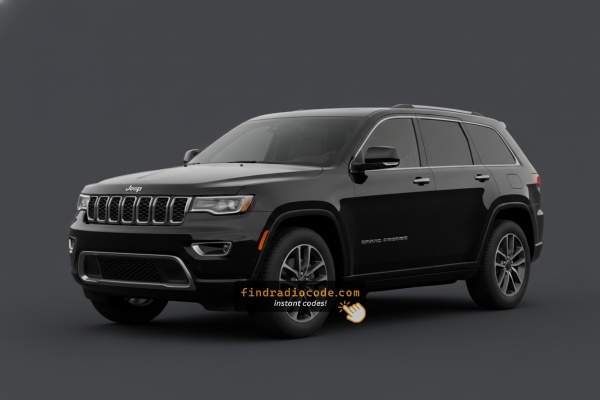
Factory Radios Used in the 2021 Jeep Grand Cherokee
Every link below is a head unit that shipped in the 2021 Jeep Grand Cherokee. Compare the screen size and faceplate to find yours, then check the serial prefix.
| Years | Factory radio | Serial starts with |
|---|---|---|
| 2017-2021 | Delphi Uconnect 7.0 VP2_7 WK CHN Delphi |
T0MYD
|
| 2017-2021 | Uconnect 8.4 VP2RFP UAM UCM Continental |
TQN, TVPQN, A2C, A3C
|
| 2017-2021 | Uconnect 8.4 VP2RFP UJM Continental |
TQN, TVPQN, A2C, A3C
|
| 2018-2022 | 521 REFRESH ROW 8.4 VP2RFP Continental |
TQN, TVPQN, A2C, A3C
|
| 2018-2022 | R1 INT NA Harman |
T0012, T00BE
|
Finding the Radio S/N for Jeep
The first step is to find and write down the radio's serial number.
Based on the head unit type fitted in your 2021 Grand Cherokee, the serial can be found either through the screen menu or by pulling the unit out and checking the label on the radio itself.
Below are the most common methods to identify your S/N the right way.
Identify Your 2021 Grand Cherokee's Factory Radio
2021 was the final model year for the WK2-platform Grand Cherokee with the Uconnect 4C line-up before the all-new WL launched alongside it as a 2021/2022 carry-over. There are two factory head units to identify across the trim ladder, both with Apple CarPlay and Android Auto.
- Uconnect 4 (
UAG) - 7-inch non-NAV touchscreen. Standard on 2021 Laredo. Visual ID: smaller 7-inch display centred in the dash opening with bezel filling the surround; CarPlay and Android Auto are supported, but there is no built-in NAV app or Map tile on the home screen. - Uconnect 4C NAV (
UAV) - 8.4-inch touchscreen with built-in GPS. Standard on Limited, 80th Anniversary, Trailhawk, Overland, Summit, SRT and Trackhawk; optional on Laredo. Visual ID: large 8.4-inch screen filling the dash bezel, with a dedicated NAV/Map tile on the home screen and 3D map imagery; on SRT/Trackhawk the home screen also unlocks Performance Pages. The UAV uses a disassociated screen architecture - the display sits in a separate module from the radio receiver, which is the key hardware change versus the older UAQ used on pre-2019 WK2s.
- Field test: 7-inch with no Map tile = UAG.
- 8.4-inch with a Map tile = UAV.
View Your Serial Number on the Radio Screen
Try the following for your 2021 Jeep Grand Cherokee:
The 2021 Jeep Grand Cherokee features the Uconnect 4C (RA4) 8.4" touchscreen. The Grand Cherokee's wide center stack gives easy access to the large 8.4" screen. Access the serial via Dealer Mode:
- Turn ignition to ACC or ON.
- Press the bottom-left and bottom-right corners of the physical screen bezel (plastic frame, not glass) at the same time for 5 seconds.
- Dealer Mode opens on the display.
- Select: System Info → Radio Part Info → Serial Number.
Note Press the physical bezel frame, not the glass touchscreen. If Dealer Mode is restricted after a software update, physical removal is the alternative.
Fast Serial Lookup Using Radio Controls
2021 Grand Cherokees continue with the WK2 Uconnect 4 line-up - 7-inch UAG and 8.4-inch UAV NAV. The radio serial number can normally be read on screen through a hidden dealer/diagnostic menu, although some 2021 builds with newer Uconnect software may have dealer-mode access tightened.
Uconnect 4C 8.4 (UAV NAV)
- Switch the ignition to RUN/ACC and wait for the Uconnect interface to finish booting.
- Press and hold the driver-side temperature UP, the driver-side temperature DOWN, and the front DEFROST buttons together for roughly 7 seconds.
- If the climate-button method does nothing on a software-updated unit, press and hold the bottom-left and bottom-right corners of the screen at the same time for about 5-10 seconds.
- Browse to the radio/system info section to read the serial number on screen.
- Photograph the screen so each character can be transcribed without typos.
Uconnect 4 7-inch (UAG)
- Place the ignition in RUN/ACC and let the screen finish loading.
- Press and hold both temperature UP and temperature DOWN buttons together for around 7 seconds to enter the engineering menu.
- Open System Info / Target Main Data to view the serial number on screen.
- Snap a photo of the display so the digits can be copied accurately. If the menu refuses to appear on the 7-inch UAG, fall back to the chassis-label method.
Access it by Pulling Out the Radio
If the serial number cannot be accessed on-screen, use the removal method.
Most Jeep Grand Cherokee original radios include a label with the serial number printed on the housing.
Step-by-Step Approach:
- Turn off the vehicle.
- Lift the bezel surrounding the radio.
- Unscrew the clips.
- Move the unit outward to access the label.
The serial number is usually located near the barcode.
If Dealer Mode is blocked on your 2021 Grand Cherokee, remove the radio to read the serial label:
- Turn off the vehicle.
- Pry off the center stack trim around the 8.4" screen. The Grand Cherokee's wide trim has friction clips – start at the bottom.
- Remove the 4 Torx T20 or Phillips mounting bolts.
- Slide the unit out. The Grand Cherokee provides good clearance behind the dash.
Cables can remain connected while you photograph the serial.
Grand Cherokee's Hardware Label Method
If dealer mode has been restricted on a 2021 Grand Cherokee by a Uconnect software update, the printed chassis label still carries the radio serial. The Uconnect 4 head unit on the WK2 is closely integrated with the climate cluster and the centre console bezel, so methodical removal is essential.
- Safety first: switch the ignition off, take out the key, disconnect the negative battery terminal, and wait a few minutes before touching wiring; never disturb the yellow airbag/SRS connectors and use plastic trim tools so nothing shorts or breaks.
- Tools you will need: plastic trim removal kit, Phillips and small Torx bit set, 7mm/10mm socket set, flashlight.
- Open the dash storage door if fitted, then pry the receiver/centre stack bezel free with a plastic trim tool starting at the bottom edge - on the WK2 this bezel typically releases through around fourteen retaining clips, so keep pressure even.
- Unplug the hazard switch and HVAC connectors at the rear of the bezel before laying it on a clean cloth.
- Remove the screws (typically four 7mm screws, two upper and two lower) holding the radio cage to the support bracket.
- Slide the radio rearward and disconnect the antenna lead and the multi-pin power/data harness on the back. On UAV cars the 8.4-inch display is a separate module from the receiver, so the receiver is the unit carrying the serial-number label.
- The serial number sits on a printed barcode/sticker label on the top or side of the radio chassis, alongside the part number and supplier markings.
- Photograph the label and double-check ambiguous characters such as 0/O, 1/I and B/8 before submitting the serial. A depth-restricting module sits behind the factory radio on many WK2s - if the unit resists, stop and check for that bracket rather than pulling harder. If working around the airbag wiring or the deeply integrated climate cluster is uncomfortable, have a professional installer take the unit out for you.

Example: Jeep Grand Cherokee serial number label location
Typical Serial Number Examples for 2021 Grand Cherokee
The 2021 Grand Cherokee Uconnect 4C (RA4) serial formats:
T00AM– Primary Harman prefix (RA4)T00BE– Continental variantT0MYD– Updated Harman production (2020+)
Serial: 14 characters, alphanumeric. Avoid the part number (P... or 68...) from the same label.
Standard Serial Number Patterns on This Radio
The factory radios on the 2021 Grand Cherokee follow the standard Mopar/Uconnect serial style, with the prefix depending on the Uconnect tier and the supplier (Continental, Harman or Panasonic) that built the unit. Current-generation 4C UAV head units are commonly Panasonic-built.
Uconnect 4C 8.4 (UAV NAV)
- Typically printed as a 14-character alphanumeric string on the chassis label.
- Commonly begins with
T- frequent prefixes includeT00AM,TM9andTQ1- or withA2Con Continental-built variants. - Usually a continuous run of letters and digits with no dashes or spaces.
Uconnect 4 7-inch (UAG)
- Usually carries a Mopar/Harman or Panasonic-style serial on the chassis sticker, so the label on the unit itself is the authoritative reference.
- Always copy the serial exactly as printed and avoid guessing characters that look unclear.
Inputting the Security Code
After generating the correct unlock code based on the serial number, you can restore default functionality by entering it into the unit.
The code entry process depends on the radio interface, but most 2021 Grand Cherokee systems follow a similar structure using preset buttons, touch controls, or rotary knobs - depending on if it's a factory or an aftermarket unit.
You will typically see SAFE displayed on screen.
Correct Entering Process
To enter the code on the 2021 Grand Cherokee's Uconnect 4C:
- Ignition ON. Screen displays "ENTER CODE".
- Enter via the touchscreen keypad for each digit of the 4-digit code.
- The radio auto-unlocks after the 4th digit.
Lockout: 3 wrong attempts = 60-minute lockout. Keep ignition ON. Turning off the ignition resets the timer.
In-depth Entering Instructions for Grand Cherokee 2021
Once the unlock code is in hand, the 2021 Grand Cherokee Uconnect head unit can be unlocked directly at the dash - no scan tool or dealer visit required. The Uconnect 4 family uses manual 4-digit entry tied to the radio serial number; it is not VIN-only auto-paired.
- Limited attempts: Mopar/Uconnect head units only accept three incorrect tries before the radio drops into a
WAITstate, so verify every digit before pressing it. - Place the ignition in RUN/ACC so the radio powers up but the engine stays off.
- Wait for the display to show
CODE,Please enter Anti-Theft Code, or a similar prompt. - On the Uconnect 4C 8.4 (UAV), tap the on-screen number pad and confirm with the OK/Enter touch button.
- On the Uconnect 4 7-inch (UAG), press the numbered preset buttons in sequence - or use the on-screen keypad when the unit prompts for it.
- If
WAITappears after incorrect attempts, leave the radio powered with the ignition in RUN for the documented cool-down period (about 30 minutes; the vehicle may be driven during this time) before trying the correct code again.
How 2021 Jeep Grand Cherokee Radio Code Lookup Works
Getting your radio code takes only a few easy steps.
- Locate your radio's serial - this is the only info required by our side.
The difference with the dealership lookup is that no VIN or paperwork is needed. - When you've found the S/N, type it into the form above.
Our system checks it against a database of supported factory radios and automatically finds the matching anti-theft code. - In most cases, the code will appear instantly on the screen after payment and is also sent to your email for backup.
If manual verification is required (rare situations), you'll be notified before checkout. - Once you receive it, simply enter it into your radio to restore the functionality.
Why Did the Radio Lock and Ask for a Code?
The Grand Cherokee sees radio lockouts primarily from:
- Battery disconnect or replacement — the primary trigger on all Uconnect 4C platforms.
- Complex electrical service — the Grand Cherokee is a feature-rich SUV and any service involving battery disconnects activates the anti-theft.
- Used purchase — widely traded second-hand, and the unlock code is rarely documented at resale.
The code is linked to the radio serial and never expires.
Understanding Unlock Issues with Your Grand Cherokee
If no code prompt appears after a battery event: ensure ignition is ON and allow the system to boot. Check the radio fuse — fuse failure stops the radio from powering on.
The recommended method to get the serial on the Grand Cherokee RA4 is Dealer Mode: press the bottom-left and bottom-right bezel corners for 5 seconds, then go to System Info → Serial Number.
- Serial — 14 characters, starting with
T00AM,T00BE, orT0MYD. - Part number — begins with
Por68. Ignore.
After 3 wrong attempts, the Grand Cherokee's Uconnect 4C triggers a 60-minute lockout. The screen shows "WAIT". Leave the ignition ON for the full 60 minutes. Cycling the ignition restarts the wait.
The Grand Cherokee's Uconnect 4C uses touchscreen-only code entry. Enter each number on the on-screen keypad. The radio auto-confirms after the 4th digit — no separate "Enter" required.
A rejected code on the Grand Cherokee's Uconnect 4C usually means the wrong serial was submitted. The RA4 label shows the serial (T00AM, T00BE, or T0MYD, 14 chars) and the part number (P... or 68...). Only the serial produces the code.
Use Dealer Mode to confirm the serial before resubmitting. Contact support for a free re-check.