Recover Your Harman R1 INT NA Radio Code
Harman | Chrysler | Instant Retrieval
How the guarantee works.
Serial Number Prefixes for the R1 INT NA
| Serial Prefix | Status |
|---|---|
T0012 |
Supported |
T00BE |
Supported |
If your serial starts with one of these, we can retrieve your code.
What you have to do
One number, three steps, a couple of minutes.
- 1 Read the number on the label On the factory sticker on the radio housing, next to the barcode. Most units have to come out of the dash - release keys cost a few dollars.
- 2 Key in the serial Exactly as printed, without spaces or dashes. The format is checked before any payment.
- 3 Get your code You get the digits immediately, with an email copy for safe keeping. Type them into the radio and it plays again.
Covered by a full refund if the code turns out not to fit your unit.
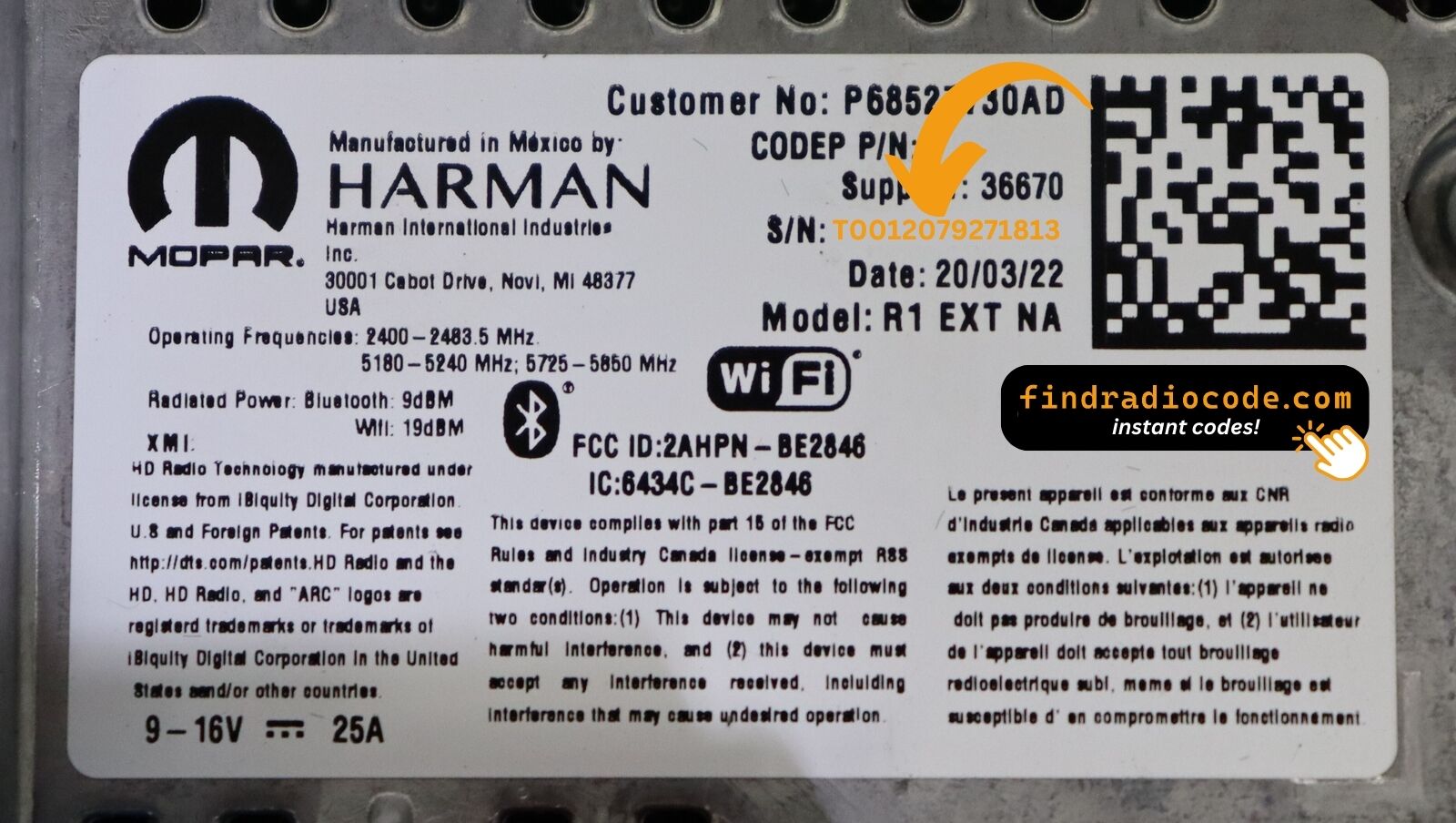
This is an example label - the one in your car sits in the same place and looks much like it.
What a valid serial looks like
Typical Chrysler serial numbers look like this:
T00BE351823197
(prefix: T00BE)
T0012566327123
(prefix: T0012)
T00BE104477269
(prefix: T00BE)
Prefixes we see most: T0012, T00BE
Identify Your Factory Radio
Not sure if your vehicle is equipped with the R1 INT NA? Check the design, controls, display and features listed below against your factory radio.
How to spot it:
- 8.4" touchscreen in the centre of the dash
- A North America-market build
- The chassis label carries the NA sales code
- A serial that begins with T0012, T00BE
This is probably your radio if:
- NA appears as the sales code on the label
- the label serial begins with T0012, T00BE
- the car left the factory between 2018-2022
- the 8.4" touchscreen is the one the R1 INT family uses
Internal-mount means the screen is flush in the dash, not on a stalk. If your screen sits proud of the dash, you have R1 EXT NA instead.
About the R1 INT NA
Fitted as factory equipment in selected Chrysler models, the R1 INT NA handles audio playback and vehicle integration out of the box. Depending on the version, it can also add Bluetooth, touchscreen operation, CD/DVD playback, navigation or wider multimedia support.
R1 INT NA is the internally-mounted Uconnect 4C NAV 8.4 head unit for North America - 8.4-inch touchscreen flush-mounted in the dash centre stack (not on a stalk). Uconnect 4C UI, Apple CarPlay, Android Auto, SiriusXM, built-in NA maps.
Look for the R1 INT NA in Chrysler vehicles from 2018-2022. It shared the Harman multimedia platform and is still found in many cars from that period.
Features you may find on the R1 INT NA:
8.4" touchscreen
AM/FM radio
SiriusXM satellite radio*
Smartphone mirroring: CarPlay / Android Auto*
CD playback
AUX and USB input*
Steering wheel control support
Anti-theft security code
*Availability varies with the vehicle configuration.
Like many factory-installed radios, the R1 INT NA is secured with an anti-theft system. If power is interrupted after replacing or disconnecting the vehicle battery, the unit may demand the original radio code before it can be used again.
Platform details and official documentation are available from the official Uconnect site.
Where to Find Your R1 INT NA Serial Number
Every R1 INT NA has a unique serial number, and the unlock code is worked out from it. You will find that number on the unit's own label - it is not in the service book and not on the dashboard.
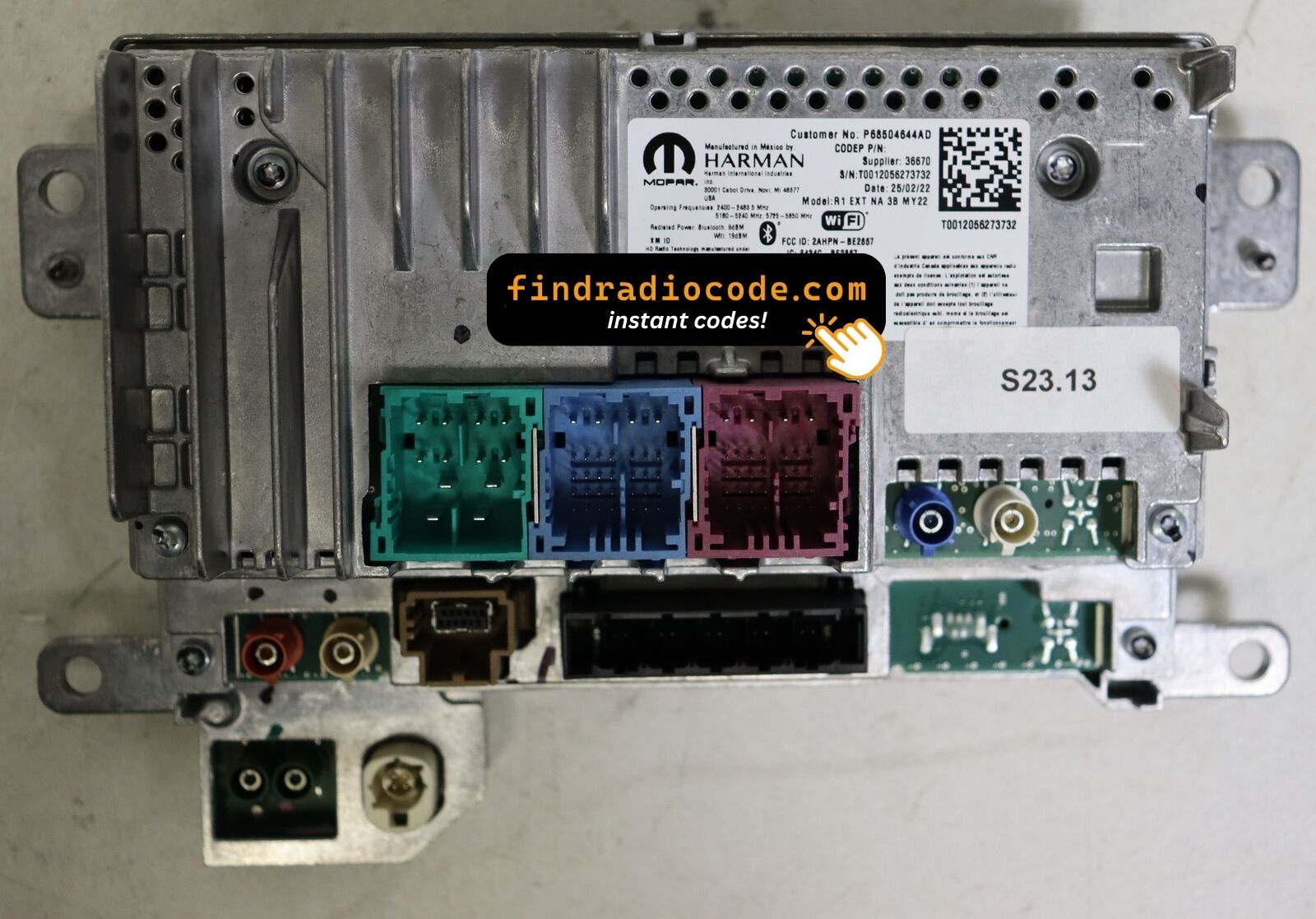
On the R1 INT NA: Top of the chassis on a white label, accessible after removing the dash bezel and pulling the unit forward. No on-screen serial display while in lock state.
Getting to the label:
- Bring the radio out of its slot; release keys do it in seconds and nothing needs disconnecting.
- Find the white label on the housing and read the serial off it - it sits near the barcode.
- Type it into the form exactly as printed, with no spaces or dashes.
Your serial lives on a label like this
What Usually Triggers the Code Screen
A locked R1 INT NA is nearly always the result of one of four everyday situations, none of which mean anything is broken.
A repair cut the power
Alternator, starter or fuse-box work usually means disconnecting the battery - and the radio arms its anti-theft as a side effect of the repair.
A replacement radio
The code does not transfer between radios: the swapped-in unit has a different serial, and that serial is what the code is based on.
You bought the car second-hand
No handbook, no code card, seller long gone - none of it matters. The radio's own serial number carries everything needed to calculate the code.
The battery was disconnected
A replacement battery - or a flat one after the car sat for a while - cuts power to the radio, and the anti-theft system arms itself the moment power returns.
The route back to a working radio is the same in every case: serial number in, original code out, within seconds.
R1 INT NA Specifications
| Specification | Value |
|---|---|
| Manufacturer | Harman |
| Radio Family | R1 INT |
| Variant | NA |
| Market | North America |
| Vehicle Brand | Chrysler / Dodge / Jeep |
| Production Years | 2018-2022 |
| Display | 8.4" touchscreen |
| Serial Prefixes | T0012, T00BE |
Not every R1 INT NA offers the same set of features. Bluetooth connectivity, navigation, USB support or multimedia playback may vary depending on the vehicle specification, production year and factory equipment package.
Supported Factory Identifiers 3
These are the OEM references this page covers. If the number on your radio's label is in the list, we can recover your code.
P68426027AA P68426027AB P68426027AC The part number is printed on the sticker on top of or on the side of the radio chassis, usually next to the serial number. If yours appears above, the R1 INT NA is the right page.
Models Featuring the R1 INT NA
| Vehicle Model | Typical Production Years | Notes |
|---|---|---|
| Chrysler 300, Pacifica (nav trims) | 2018-2022 | |
| Dodge Charger, Challenger, Durango (nav trims) | 2018-2022 | |
| Jeep Grand Cherokee WK2 refresh (nav trims) | 2018-2022 |
Vehicle compatibility can vary between trims, model years and regional versions. Because the same car could leave the factory with different radios, identify your unit before placing an order.
Once the code arrives
Nothing to install and no tools needed - just the four digits.
- Turn the ignition on so the radio powers up and shows the locked screen.
- A keypad for the code fills the middle of the screen.
- Tap the four digits of your code in order.
- There is no separate OK button - the radio checks the code on the last tap.
- A correct code clears the lock screen and the audio comes straight back.
Troubleshooting the R1 INT NA
The screen shows a wait timer
The timer is the radio guarding itself after failed entries - power on, patience, then try again. Three wrong codes triggers a 60-minute PLEASE WAIT countdown. Keep power applied while the timer runs down.
Where the number actually is
The serial is on the unit itself, not in the vehicle papers or on the dashboard. Top of the chassis on a white label, accessible after removing the dash bezel and pulling the unit forward. No on-screen serial display while in lock state.
The radio locked itself again
Expected behaviour: the security system trips again whenever power is cut. Loss of 12V supply - dead battery, replacement, alternator service, or unit removal.
Making sure it is the right unit
The differences are easy to miss, so check this before ordering. Internal-mount means the screen is flush in the dash, not on a stalk. If your screen sits proud of the dash, you have R1 EXT NA instead.
Write the code down - the same four digits work for the life of the unit.
Frequently Asked Questions
From Drivers Who Unlocked Their Radio
Left by customers after entering their code. See the reviews page for all of them.
"I was afraid this was a scam, but I took a chance and it worked perfectly. I bought the radio from a junkyard on ebay and of course it was locked. The unlock process was very easy and I received the code within seconds."
Fantastic: only to took 5seconds to receive code ..was skeptic at first..will fully recommend there services..Thanks saved alot of money : compared to taking it to the dealership..Very happy customer:
Jason - Chrysler
100% Legit It Works
Chris - Chrysler
What You Get
The original code on screen seconds after you pay, emailed to you as well.
Full money-back guarantee if the code does not unlock your radio.
Available 24/7 - no appointment, no dealer visit, no towing.
The code never changes - keep it and future battery changes cost nothing.
Looking for another Harman radios? Go to the Harman radio code page.