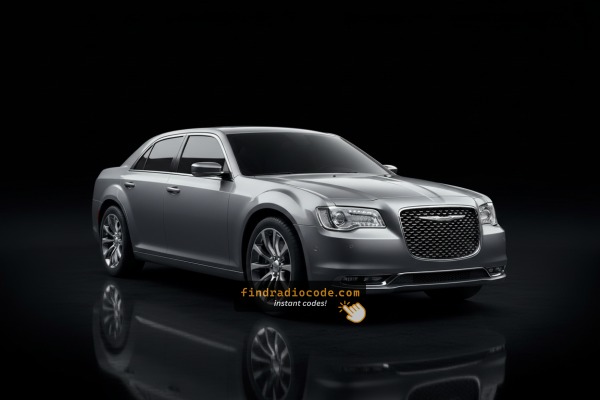
How to get a Chrysler 300 radio code
For a locked Chrysler 300 radio (2011-2023), you need the 4-digit code that matches its serial number. The VIN does not carry the radio code, so skip the dealer paperwork. On many Uconnect units the serial shows in Dealer Mode; on older radios it is on the label of the unit. Enter it above to get the code from $19.99.
Which factory radio could your Chrysler 300 use?
These head units were fitted to the Chrysler 300 over the years. Open yours to check where its serial number is and how the code is retrieved.
| Years | Factory radio | Serial starts with |
|---|---|---|
| 2008-2013 | Chrysler REL Alpine Alpine |
TQ1AA, TT1AA, TH1AA, THAAA, TCAAA
|
| 2011-2014 | MyGIG NTG4 RHP Harman |
T00AM, T00BE, T0012
|
| 2013-2015 | Chrysler Uconnect 8.4 RE2 Panasonic |
T00AM, T00BE
|
| 2013-2018 | Uconnect 8.4 RA3 VP3 CA Harman |
T00AM, T00BE, T0012
|
| 2014-2018 | Uconnect 8.4 RA4 VP4 NA Harman |
T00AM, T00BE, T0012
|
| 2017-2019 | Chrysler Uconnect 8.4 RE6 Panasonic |
T00AM, T00BE
|
| 2017-2020 | Chrysler Uconnect 8.4 UAR Panasonic |
TM9
|
| 2017-2020 | Chrysler Uconnect 8.4 UAV Panasonic |
TM9
|
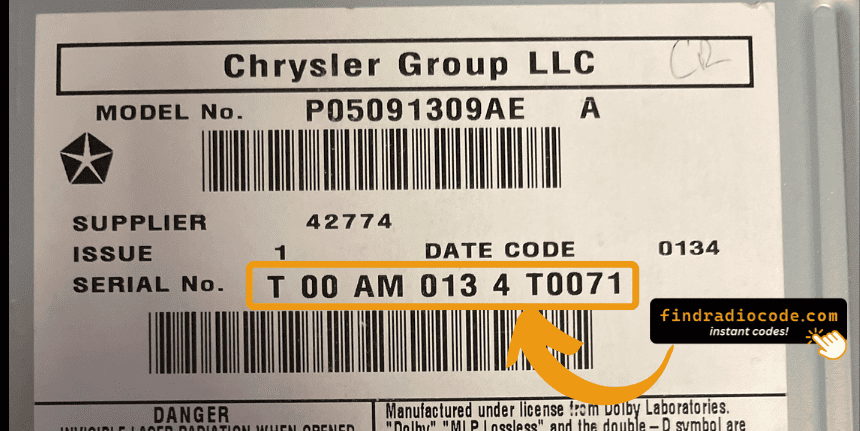
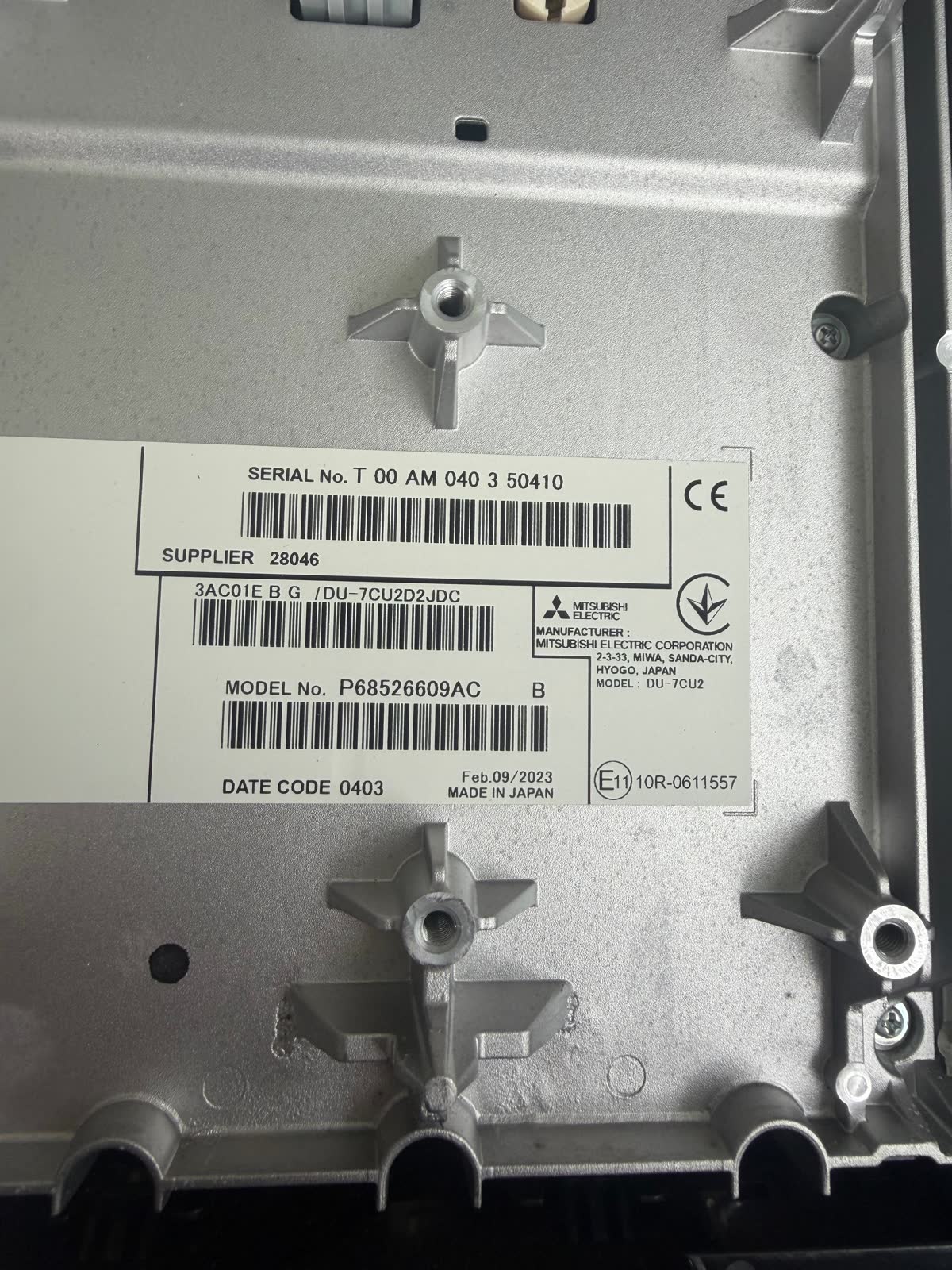
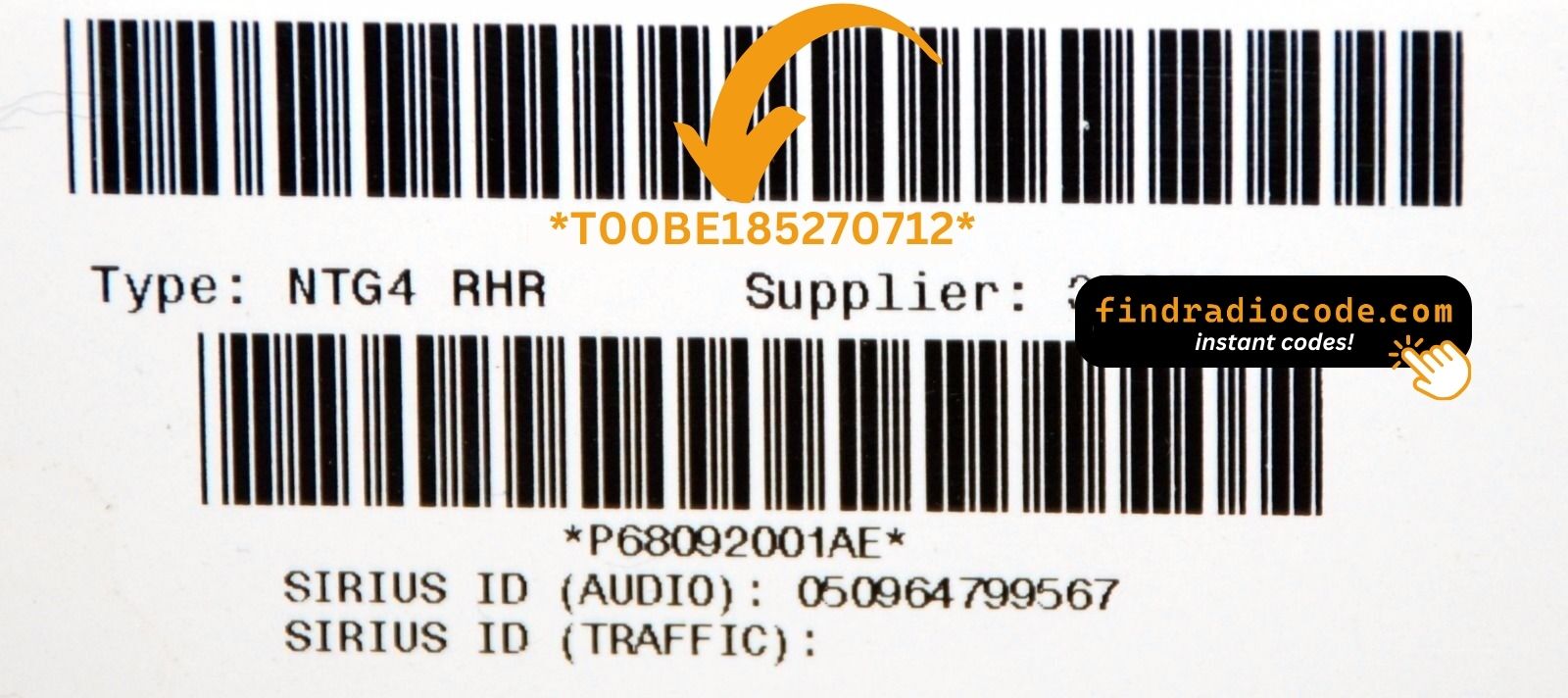
What the serial label looks like
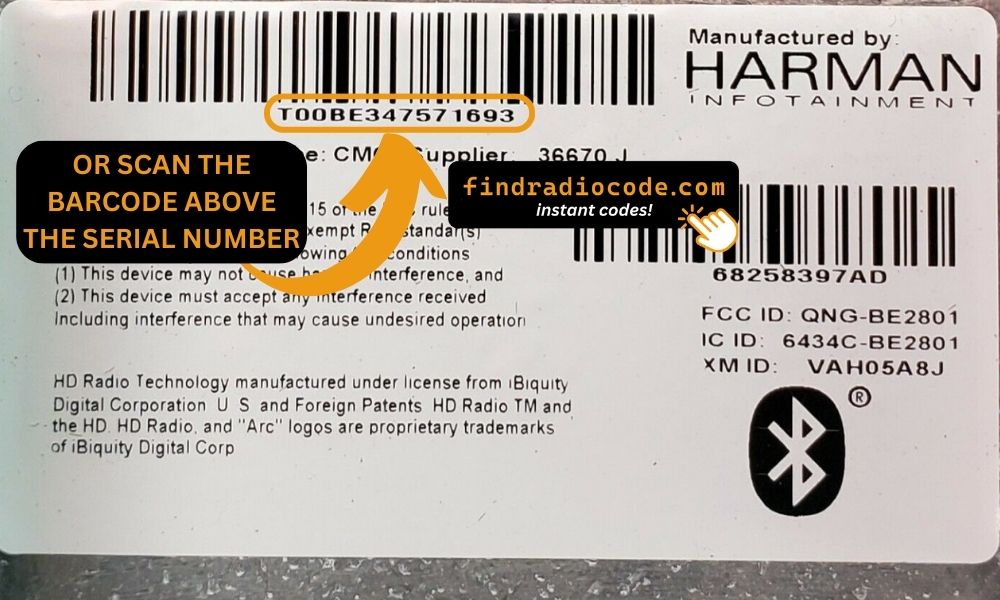
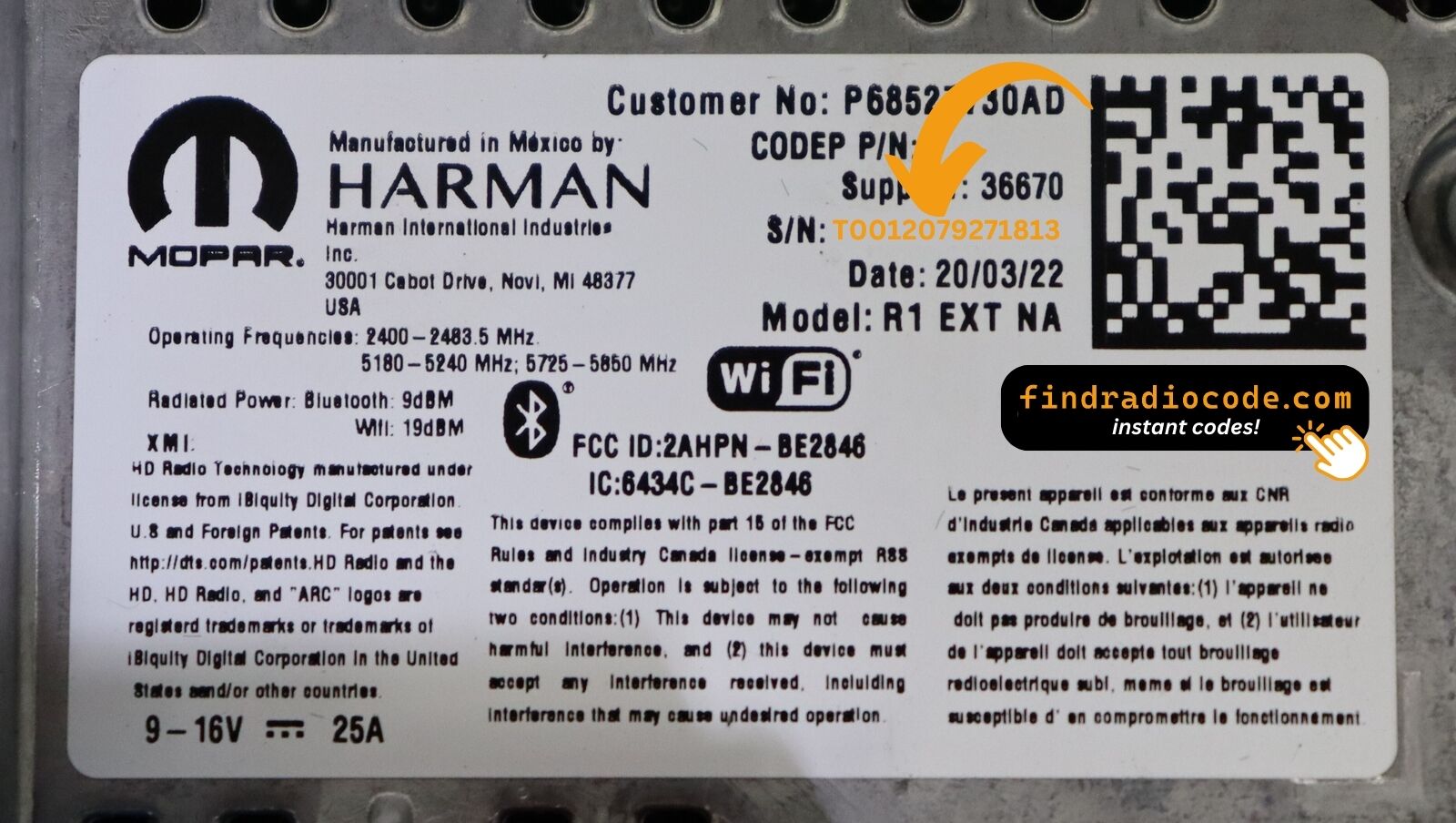
Real labels from these radio families. The serial is the code marked on each photo - not the part number. Tap a photo to see it full size.
The Radio Code - What is It and Why It's Important for Chrysler 300?
The security code is a factory-set numeric code that keeps your stereo secure.
It is stored within the radio at the factory and triggers automatically whenever the unit loses power.
Without this code, the radio remains disabled and cannot be operated.
Entering the code tells the radio that the owner is present, unlocking all audio functions immediately.
Chrysler 300's Most Common Anti-Theft Code Triggers
Dealing with a locked Chrysler 300 radio? In most cases, it was caused by one of these well-known situations.
Radio Locked After Battery Change
When the battery is disconnected, the Chrysler 300 radio locks automatically.
This security feature is designed to prevent theft by disabling the radio after power loss.
Other Possible Causes
- A blown fuse can interrupt the radio and prompt for a code.
- Electrical repairs may reset the radio memory on some Chrysler 300 units.
- Replacing the head unit with a second-hand one requires the code for that specific unit.
- Even a quick battery boost can activate the anti-theft system.
Check These Places First
There is a chance your Chrysler 300 radio code is written down in your documents.
Before spending money, quickly check the places below - you might be surprised.
Look Inside the Car Papers
- Inside the glovebox, sometimes on a small card.
- On the head unit itself, if it was removed before.
- In the boot compartment, on a radio label.
- In your service book from the previous owner.
- In the vehicle handbook, often on a code card.
Dealer Retrieval Option
Dealerships can retrieve your radio code by checking the vehicle records in their system.
They typically require proof of ownership before sharing the security PIN.
This is the official way to restore access to the factory radio.
Things to Consider:
- The lookup is often not instant and may require waiting.
- Some imported or older radios may not be in their database.
- You may need to contact service support during business hours.
- Dealers frequently charge a service fee (sometimes more than 100$).
How to Find the Serial N. on a 300's Radio
To retrieve the correct radio code, you first need the radio serial number.
Depending on your model, you can find it shown on the display or check the radio hardware.
It's often written as: Serial Num. / S/N / Serial Number etc.
These are the easiest ways to get it:
1. Viewing 300's S/N on the Display
The Chrysler 300 has spanned three distinct radio generations since 2005. Which method you use varies entirely on your model year — here's how to identify yours and find the serial quickly.
| Year range | Radio type | Method |
|---|---|---|
| 2005–2010 | MyGig / base AM–FM | Physical removal required |
| 2011–2018 | Uconnect 8.4" Classic | Climate or Temp buttons (on-screen) |
| 2019+ | Uconnect 8.4" NEW | Screen bezel edge press (on-screen) |
2005–2010: These luxury sedans used MyGig or a base radio without any Dealer Mode. The serial label is on the radio chassis itself — you'll need to remove the unit. Because the 300 has premium interior trim, take extra care prying the centre stack bezel to avoid scratching it. See the removal guide below.
2011–2018 — Uconnect 8.4" Classic: Hold Fan Up + Fan Down + Front Defrost for 5 seconds → Dealer Mode opens. Navigate System Info → Radio Part Info → Serial Number. Alternatively hold Temp Up (red) + Temp Down (blue) for 5 seconds to reach the same menu via the Engineering Menu.
2019+ — Uconnect 8.4" NEW: Press the bottom-left and bottom-right edges of the physical bezel frame simultaneously (not the glass). Hold until Dealer Mode appears, then navigate System Info → Radio Part Info → Serial Number. The serial is a 14-character code, e.g. T00AM1801T0282.
2. How to Find the S/N on the Radio Body
The serial number is usually found on a label attached to the head unit.
Step 1: Turn off the vehicle.
Step 2: After that, remove the dashboard trim.
Step 3: Then unscrew the radio brackets.
Step 4: Carefully pull the radio forward partially (Be careful not to damage the connections).
Step 5: Search for the serial on the rear of the unit.
Step 6: Write down the full Serial Number carefully and come back here so that we can generate the code.
Important: Be careful not to mix the Serial Number for the Part Number!
Physical Radio Removal for Chrysler 300
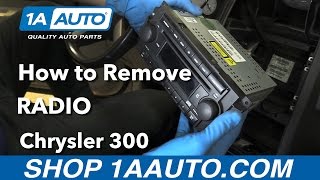
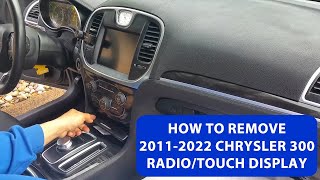
If the on-screen method is not available on your Chrysler 300, the radio can be physically removed:
- Remove the trim bezel – Gently remove the dashboard trim surrounding the radio using a plastic trim removal tool.
- Unscrew the mounting bolts – Remove the 4 mounting screws securing the radio to the dash frame.
- Slide the unit forward – Gently pull the radio out far enough to see the label.
- Locate the serial number – Look for a white or silver sticker on the top or side of the unit.
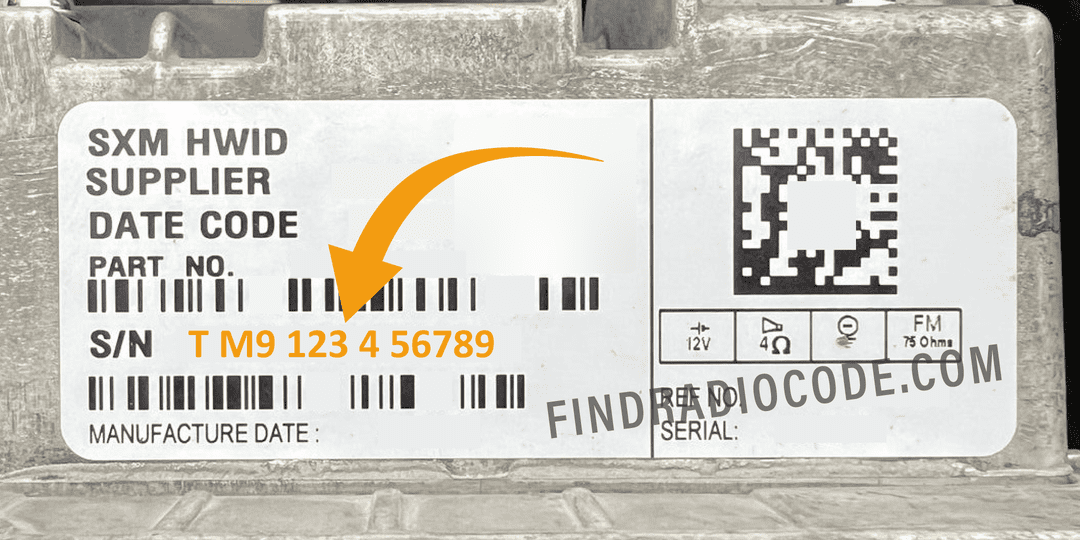
Example: Chrysler 300 serial number label location
Common Chrysler 300 S/N Formats
Your Chrysler 300 radio serial may be in T00AM format (14 characters, e.g. T00AM1801T0282), TM9 format (e.g. TM9123456789), or A2C format on newer Uconnect systems. The serial is printed on a label on the radio housing.
How to Enter the Security Code on the Vehicle
You need to input the anti-theft code into the system to unlock your Chrysler's radio.
In the locked unit, the screen usually shows a security message.
You should use radio presets, control knob, or touchscreen to set each digit, then submit the code to restore radio functionality.
On Chrysler 300 with Uconnect touchscreen (2011-2024):
- When locked, the screen displays "ENTER CODE" or shows four dashes (----).
- Use the on-screen touchscreen keypad to enter each digit of your 4-digit code.
- After entering all 4 digits, the radio unlocks automatically.
Lockout Warning: After 3 incorrect attempts, the radio locks for 60 minutes. Keep ignition ON during the wait.
Frequent Questions about Chrysler 300 Unlock Code
Not all of them require a radio code, but many factory radios use it as an anti-theft feature.
Some series may not require a code depending on the head unit.
Free codes are not usually available.
You might already possess the code in the paperwork or from a service center, but most require a database lookup.
Yes. Each head unit has its own unlock code.
A second-hand radio will need its own code to work.
Uconnect is the infotainment system manufactured by Stellantis (formerly Fiat Chrysler Automobiles) and used across Chrysler, Dodge, Jeep, Ram, Fiat, and Alfa Romeo vehicles. Most Uconnect radios include an anti-theft protection system that activates whenever the radio loses power – for example after a battery replacement, a dead battery, or electrical work.
When triggered, the radio displays "ENTER CODE" and won't work until the correct 4-digit unlock code is entered. The code is linked to the radio's serial number, not the vehicle's VIN, which is why finding the serial number is the first step to unlocking.
Yes, for most vehicles. Uconnect systems from 2013 onwards feature a hidden Dealer Mode (or Engineering Mode) diagnostic menu that displays the serial number right on the display. You can access it by holding specific button combinations – no tools or radio removal required.
However, some 2020+ models may have had Dealer Mode disabled via software updates. If you can't reach the on-screen menu, the radio must be physically removed to read the serial number label on the unit. See our full Dealer Mode guide for step-by-step instructions with video tutorials.