Recover Your Panasonic Chrysler Uconnect 8.4 UAV Radio Code
Panasonic | Chrysler | Instant Retrieval
See the full guarantee terms.
Compatible Serial Number Prefixes
| Serial Prefix | Status |
|---|---|
TM9 |
Supported |
If your serial starts with one of these, we can recover your code.
Three steps to your code
The entire thing needs one piece of information and a few minutes.
- 1 Find the number on the unit Pull the radio a few centimetres forward and copy the number off its sticker - nothing has to be unplugged.
- 2 Put it in the form on the left Letters and digits exactly as printed - the form validates them before payment.
- 3 Your code arrives in seconds The code is on screen straight away and in your inbox. It never expires and works after every battery disconnect.
If it does not work, you are refunded in full.
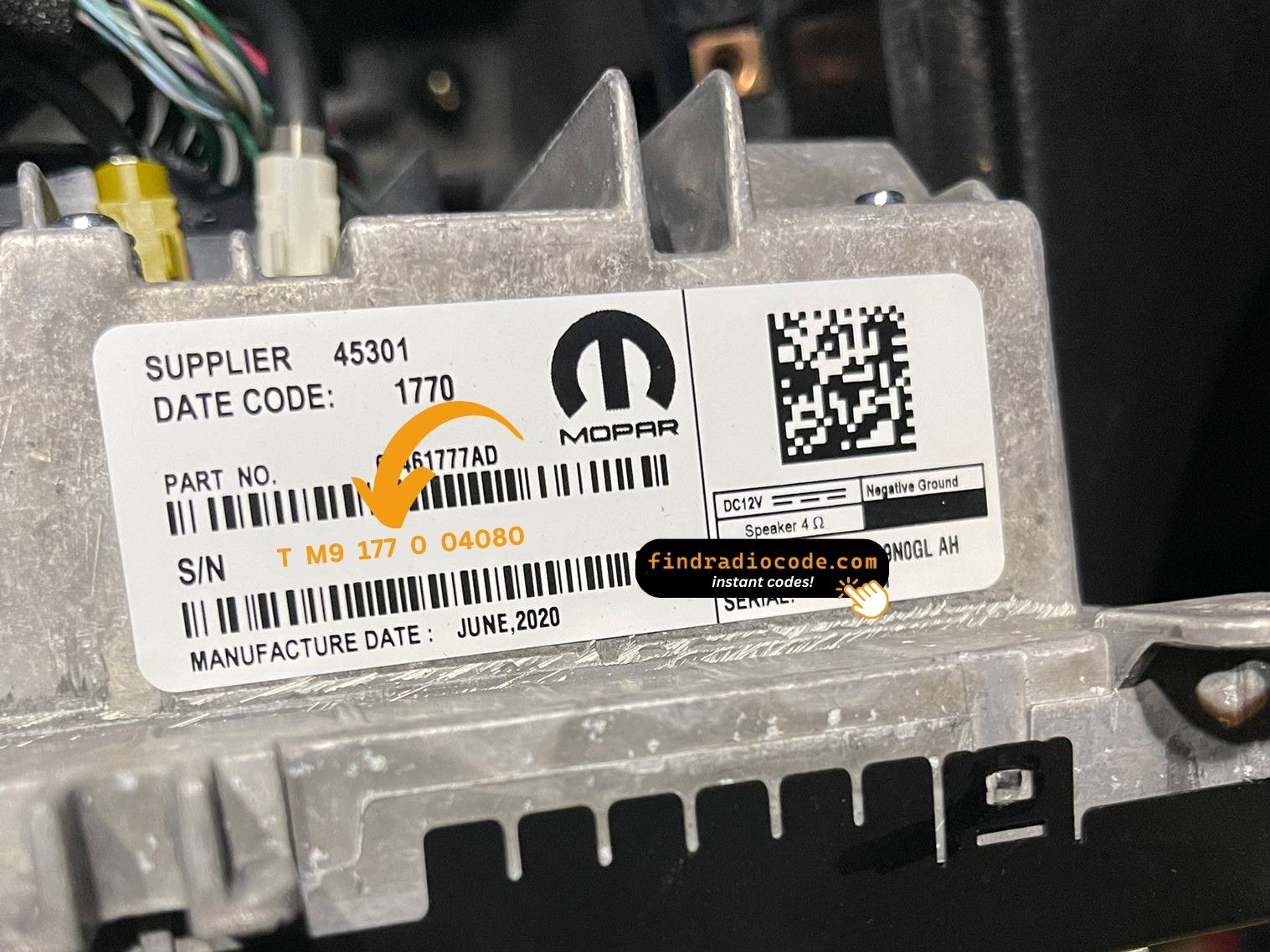
The photo is a stand-in: your radio wears the same kind of label.
Example serial numbers
Real Chrysler serials, so you know what to look for:
TM9341100221
(prefix: TM9)
TM9128455907
(prefix: TM9)
TM9067230144
(prefix: TM9)
Common prefixes: TM9
Do You Have the Chrysler Uconnect 8.4 UAV?
Not sure if your vehicle is equipped with the Chrysler Uconnect 8.4 UAV? Check the design, controls, display and features listed below against your factory radio.
What the Chrysler Uconnect 8.4 UAV looks like:
- Centre-stack 8.4" touchscreen
- A navigation unit - maps installed from the factory
- Built for the North America market
- The chassis label carries the UAV sales code
- Label serial opening with TM9
It is the Chrysler Uconnect 8.4 UAV when:
- the factory label reads UAV
- the label serial begins with TM9
- the build year falls inside 2017-2020
- the display matches the Uconnect 8.4 8.4" touchscreen
UAV has the NAV tile on the home screen and draws maps. If tapping NAV returns "Feature not available" you have UAQ (non-nav), not UAV.
About the Chrysler Uconnect 8.4 UAV
The Chrysler Uconnect 8.4 UAV is an original factory-installed head unit developed for selected Chrysler vehicles. Designed to provide reliable audio playback and vehicle integration, this unit may also offer Bluetooth connectivity, touchscreen controls, CD/DVD playback, navigation or multimedia support, depending on the specific version.
Uconnect 8.4 UAV is the North American Panasonic 8.4-inch navigation head unit (the "V" suffix denotes nav). 8.4-inch touchscreen, built-in NA maps, SiriusXM Travel Link, Apple CarPlay and Android Auto on later firmware.
Between 2017-2020 the Chrysler Uconnect 8.4 UAV appeared across a number of Chrysler models, usually on vehicles using the Panasonic multimedia platform. It stayed in production long enough to become a familiar sight in that generation of cars.
Typical features include:
8.4" touchscreen
AM/FM radio
Built-in navigation with factory maps
SiriusXM satellite radio*
Smartphone mirroring: CarPlay / Android Auto*
Steering wheel control support
Anti-theft security code
*Availability varies with the vehicle configuration.
Like many factory-installed radios, the Chrysler Uconnect 8.4 UAV is protected by an anti-theft system. If power is interrupted after replacing or disconnecting the vehicle battery, the unit may request the original radio code before it can be used again.
Platform details and official documentation are available from the official Uconnect site.
How to Get the Serial Number From Your Radio
Every Chrysler Uconnect 8.4 UAV has a unique serial number, and the unlock code is worked out from it. You will find that number on the unit's own label - it is not in the service book and not on the dashboard.
On the Chrysler Uconnect 8.4 UAV: Top of the chassis on a printed white sticker. Three 7mm bolts release the unit. No on-screen serial display in lock mode.
Three steps to the serial number:
- Bring the radio out of its slot; release keys do it in a minute and nothing needs disconnecting.
- Find the white label on the housing and read the serial off it - it sits near the barcode.
- Type it into the form exactly as printed, with no spaces or dashes.
Serial number location on this unit
See it done on video

Our own clip of the process - more videos are on the channel.
When Does the Chrysler Uconnect 8.4 UAV Ask for Its Code?
The lock screen rarely appears out of nowhere - one of these four situations is behind almost every locked Chrysler Uconnect 8.4 UAV we see.
A battery swap
A new battery - or a flat one after the car sat for a while - cuts power to the radio, and the anti-theft system arms itself the moment power returns.
A repair cut the power
Alternator, starter or fuse-box work usually means disconnecting the battery - and the radio locks itself as a side effect of the repair.
A second-hand radio
Replacement radios are the classic case: every unit has its own code tied to its own serial. Read the serial off the newly fitted radio and order for that one.
You bought the car used
No handbook, no code card, seller unreachable - none of it matters. The radio's own serial number carries everything needed to calculate the code.
Whichever of these happened to you, the fix is identical: the serial number off the radio, the form at the top of this page, and the code arrives in seconds.
Chrysler Uconnect 8.4 UAV Specifications
| Specification | Value |
|---|---|
| Manufacturer | Panasonic |
| Radio Family | Uconnect 8.4 |
| Variant | UAV |
| Market | North America |
| Vehicle Brand | Chrysler / Dodge / Jeep / Ram |
| Production Years | 2017-2020 |
| Display | 8.4" touchscreen |
| Navigation | Yes |
| Serial Prefixes | TM9 |
Treat the list above as the usual spec - individual Chrysler Uconnect 8.4 UAV units can have more or fewer features, depending on the equipment package chosen for the car.
Supported Part Numbers 70
Check your radio's label against this list - any matching number means the code for your unit can be recovered here.
Behind the 70 references sit 14 base part numbers; suffix letters like AA or ZD distinguish factory revisions of the same hardware, all of them covered here.
68307655AC 68307655AD 68307655AE 68307655AF 68307655AG 68307655AH 68307655AI 68307655AJ 68307655ZA 68307655ZC 68307655ZD 68307655ZE 68307655ZF 68351931AA 68351931AB 68351931AC 68351931AD 68351931AE 68351931AF 68351931AG 68351931AH 68351931AI 68351931ZA 68351931ZB 68351931ZC 68351931ZD 68351931ZE 68351931ZF 68351931ZG 68351931ZH All 70 supported references
68351931ZI 68381424AA 68381424AC 68381424AD 68381424AE 68381424AF 68401447AA 68401447AB 68403065AA 68403065AB 68403065AD 68403065AE 68403070AA 68403070AD 68403070AE 68422051AA 68422051AC 68422051AD 68422051AE 68429166AB 68429166AD 68429166AE 68429167AB 68429167AD 68429167AE 68429204AB 68429204AC 68429214AA 68429214AB 68461750AA 68461750AD 68461768AA 68461768AD 68461768AE 68461768AF 68520192AA 68520192AB 68520192AC 68520192AE 68520192AF Look for the part number on the radio's factory label, typically beside the serial number. Any reference listed here is covered by this service.
Compatible Vehicles
| Vehicle Model | Typical Production Years | Notes |
|---|---|---|
| Chrysler 300 (Limited, S, C with nav) | 2017-2020 | |
| Dodge Charger, Challenger, Durango (R/T and SRT with nav) | 2017-2020 | |
| Jeep Grand Cherokee WK2 (Limited/Overland with nav) | 2017-2020 | |
| Ram 1500/2500/3500 (Laramie, Limited with nav) | 2017-2020 |
Some vehicle models were available with more than one factory radio depending on trim level, production year or regional market. Always verify your radio model before ordering a code.
Putting the code into the radio
The code goes into the unit itself, not into the car's menus.
- Switch the ignition on and let the radio boot to its security screen.
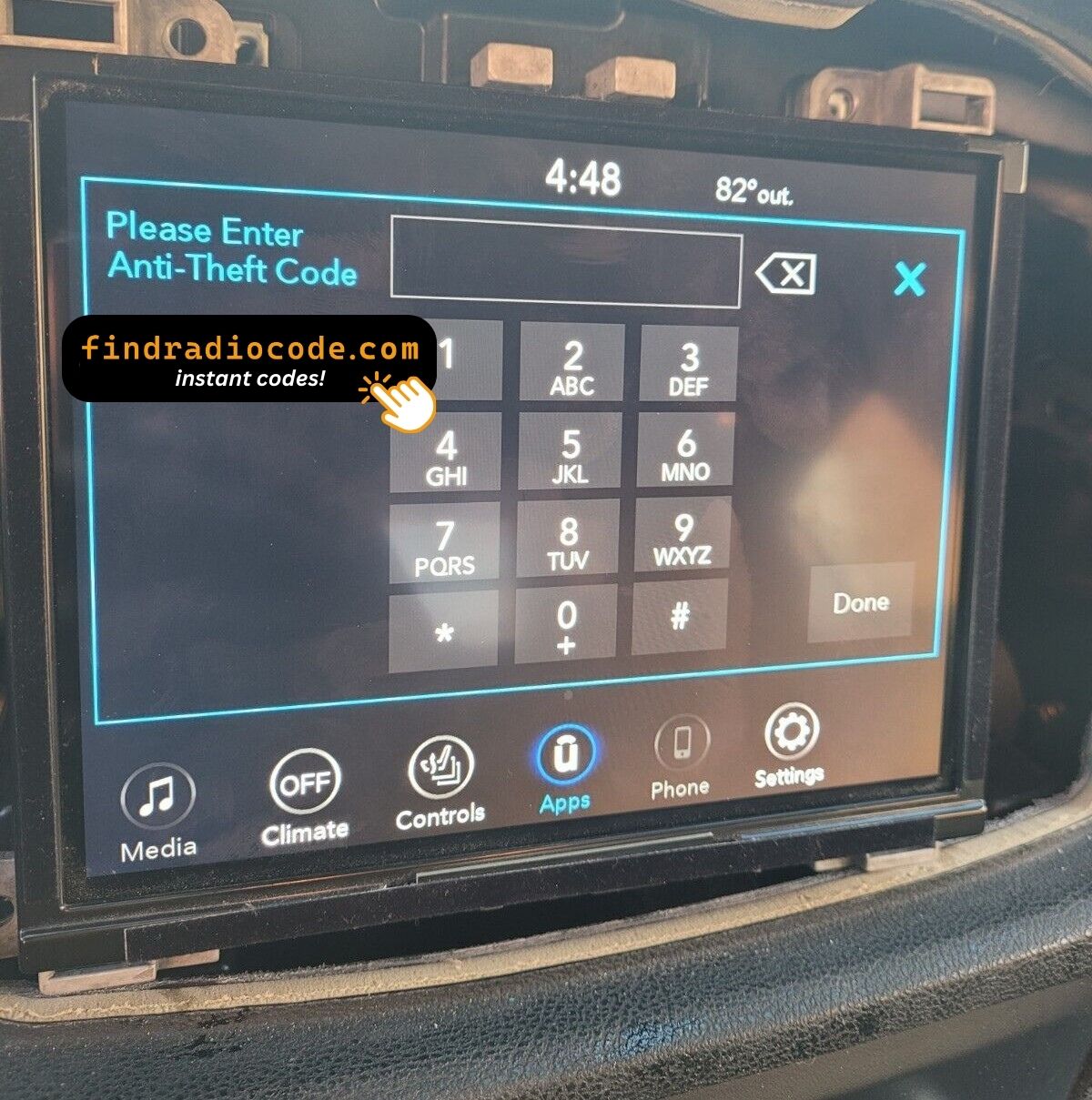
- The code prompt comes up with its own keypad.
- Enter the four digits in the order you received them.
- As soon as the last digit lands, the radio verifies on its own.
- On a correct code the radio leaves security mode and plays again.
Common problems
Too many wrong attempts
After a few wrong entries the radio stops accepting codes for a while - cutting power only restarts the clock. Three wrong codes triggers "INCORRECT CODE - WAIT" with a 30-minute countdown. Keep ignition on so the timer runs down.
The serial is hiding from you
Nothing on the car's menus shows it - the number lives on the radio's own label. Top of the chassis on a printed white sticker. Three 7mm bolts release the unit. No on-screen serial display in lock mode.
It is asking for the code a second time
By design, every loss of power re-arms the anti-theft lock. Loss of 12V power for more than about a minute - dead battery, battery replacement, jump-start failure, or removal of the radio.
Same face, different radio
One glance at the label removes the doubt - worth doing before the order. UAV has the NAV tile on the home screen and draws maps. If tapping NAV returns "Feature not available" you have UAQ (non-nav), not UAV.
The code belongs to the radio and never changes, so keep it somewhere safe once you have it.
Everything Else You Might Ask
Verified Customer Experiences
Left by customers after their radio came back to life. See the reviews page for all of them.
"Screen on our chrysler was cracked so i found a good used one from the local scrap yard. I was EXTREMELY skeptical of this after the other site I tried was flagged as suspicious activity. I did a little more investigating with findradiocode.com and everything I was reading was legit so I took t..."
Thank you for the code, you saved me a 140.00 and a trip to the dealer.
Matt Diekmann - Chrysler
Nice the code worked great now I can use my radio thanks for your help
John flores - Chrysler
What Is Included
The original code on screen within seconds of payment, emailed to you as well.
Does not work? Every cent back - no questions beyond a short video.
Runs day and night, so a locked radio never waits for opening hours.
One code, for good: the same digits unlock the unit after every power cut.
Similar Radio Models
These units are easily confused with the Chrysler Uconnect 8.4 UAV. If the details above do not match your radio, open one of these instead.
The Chrysler Uconnect 8.4 UAV is one of many Panasonic radios we cover - the Panasonic radio codes page lists the rest.