Get Your Panasonic Chrysler Uconnect 8.4 Radio Code in 3 Simple Steps
Panasonic | Chrysler | Instant Retrieval
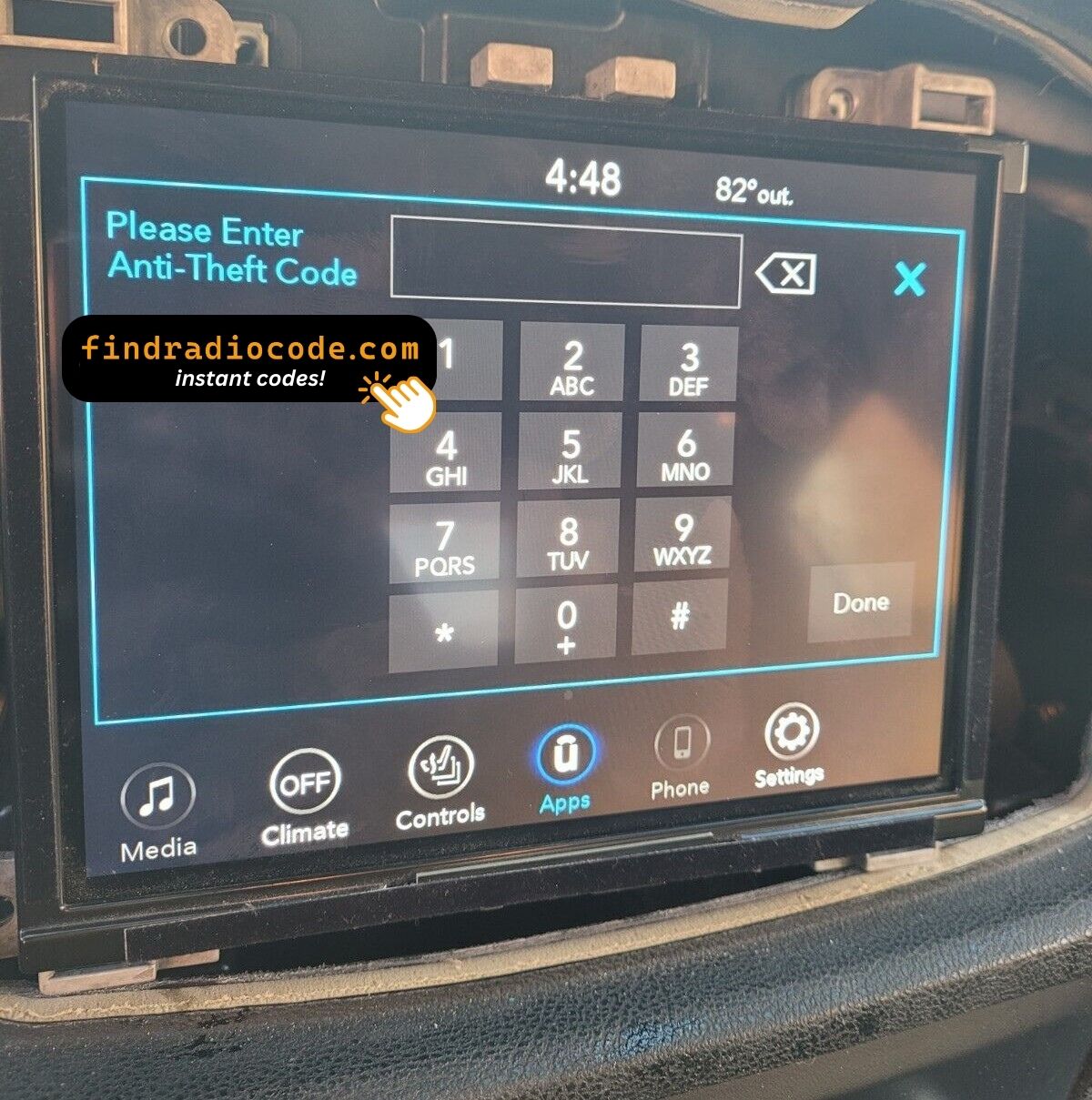
Read the full refund policy.
Compatible Serial Number Prefixes
| Serial Prefix | Status |
|---|---|
TM9 |
Supported |
If your serial starts with one of these, we can recover your code.
Your code in three steps
No VIN, no paperwork, no appointment - the serial number off the radio is all we need.
- 1 Locate the serial number Look for it on the sticker on the housing. The radio normally has to come forward a little - the wiring can stay plugged in.
- 2 Put it in the form on the left Copy it character for character. We check the format up front, so a typo never costs you anything.
- 3 Your code lands in seconds You get the digits at once, with an email copy to keep. Type them into the radio and it plays again.
Covered by a full refund if the code turns out not to fit your unit.
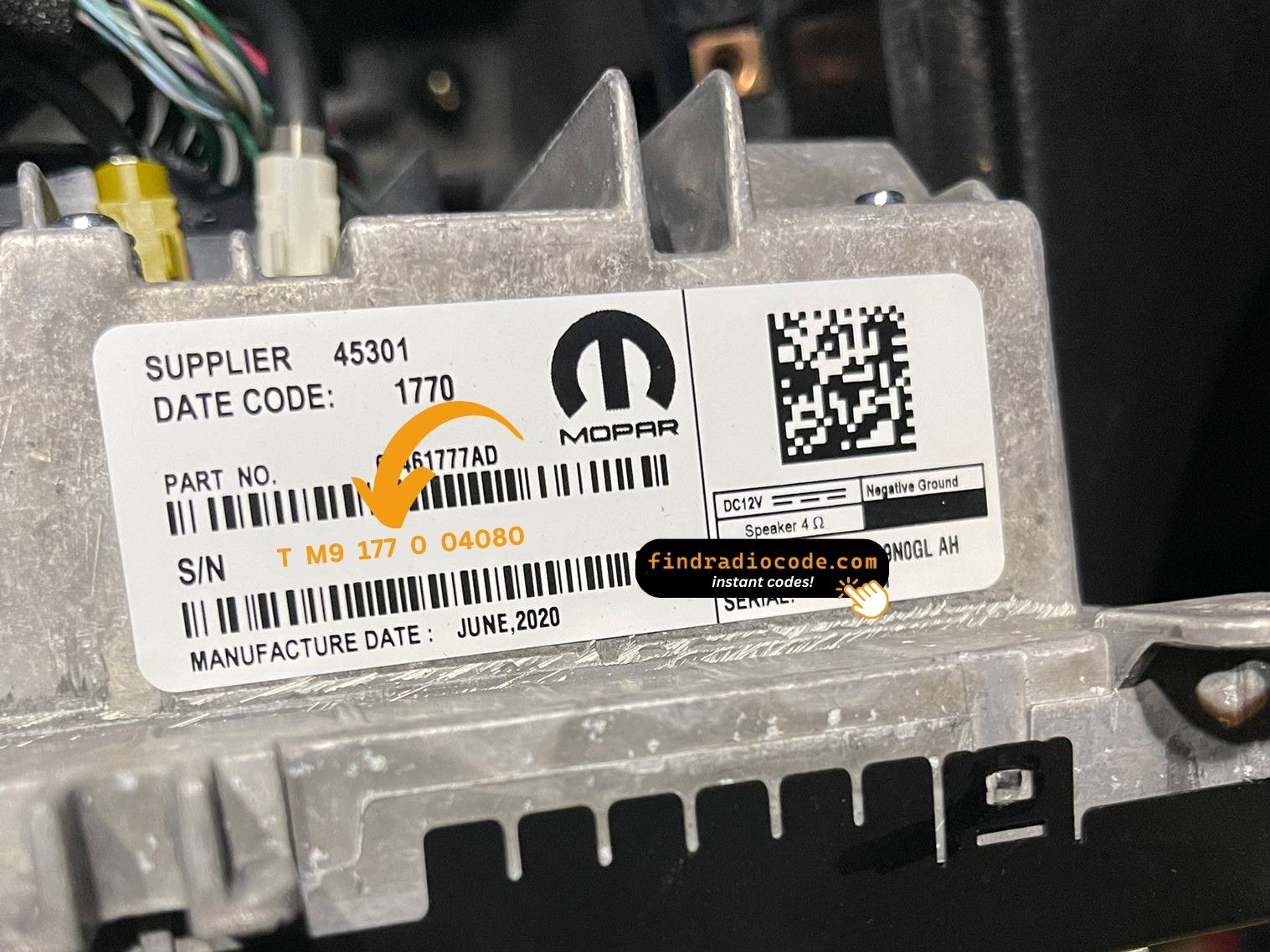
The sticker on your unit will look similar. Read the serial straight off it.
Sample serials we handle
Real Chrysler serials, so you know what you are looking for:
TM9341100221
(prefix: TM9)
TM9128455907
(prefix: TM9)
TM9067230144
(prefix: TM9)
Common prefixes: TM9
Do You Have the Chrysler Uconnect 8.4?
Before requesting a radio code it is important to confirm the exact model. Match the design, controls, display and features below with the unit in your dashboard.
How to recognise it:
- Centre-stack 8.4" touchscreen
- A serial that begins with TM9
You most likely have the Chrysler Uconnect 8.4 if:
- the printed serial opens with TM9
- the build year falls inside 2013-2018
- the display matches the Uconnect 8.4 8.4" touchscreen
This is the generic 8.4 listing - if you can identify a more specific suffix (RB4, RB5, RB6, RE2, RE3, RE6, UAQ, UAV, UCQ, UCV, UDQ, UDV, UGQ, UGV, UJQ, UJV, etc.) on your dealer sheet or part-number sticker, use that page for a more accurate match.
Chrysler Uconnect 8.4 Overview
The Chrysler Uconnect 8.4 is a dealer-installed Chrysler audio and multimedia unit. Alongside everyday radio and audio playback it may include touchscreen controls, Bluetooth, CD/DVD playback or factory navigation, depending on how the vehicle was specified.
Uconnect 8.4 is the generic Panasonic-built 8.4-inch touchscreen head unit fitted across the FCA range from 2013 onward. Recognisable by the large 8.4-inch screen that dominates the centre stack, with climate controls integrated into the lower portion of the display on most vehicles.
Look for the Chrysler Uconnect 8.4 in Chrysler vehicles from 2013-2018. It shared the Panasonic multimedia platform and is still widely fitted from that period.
Common features on this unit:
8.4" touchscreen
AM/FM radio
Bluetooth hands-free and audio streaming
Media playback over USB
SiriusXM satellite radio*
Steering wheel control support
Anti-theft security code
*Availability depends on the vehicle specification.
The Chrysler Uconnect 8.4 carries the same anti-theft protection as most factory units. Once power is cut - a flat battery, a battery swap, or the radio being removed - it will ask for the original code before it plays again.
For the manufacturer's own documentation of this platform, see the official Uconnect site.
Your Chrysler Uconnect 8.4 Serial Number - Where to Look
Your unlock code is bound to the radio's serial number, so it is the one detail the form asks for. The number lives on the label stuck to the chassis of the radio itself.
On this unit: Top of the chassis on a white printed label. The dash trim bezel pops off with clips; three 7mm bolts hold the radio in place. There is no on-screen menu that exposes the serial while the unit is in lock mode.
How to reach the number:
- Pull the unit forward with release keys (a few dollars online) - the wiring can stay connected.
- Read the serial from the printed label on the housing, beside the barcode.
- Type it into the form exactly as printed, without spaces.
Your serial lives on a label like this
Two minutes of video beats a page of text

Our own clip of the process - more videos are on the channel.
How Owners End Up on This Page
A locked Chrysler Uconnect 8.4 is nearly always the result of one of four everyday situations, none of which mean anything is broken.
The battery was replaced
Whether the battery was changed or just ran flat, the radio sees a power loss and asks for the code the next time it starts.
The seller had no code
Used cars very often arrive with a locked radio and no code card in the glovebox. The serial number on the unit is all that is needed to recover it.
After electrical work
The repair worked - the locked radio is just the side effect of the battery being off the car for a while.
A different unit is in the dash now
Replacement radios are the textbook case: every unit has its own code tied to its own serial. Read the serial off the newly fitted radio and order for that one.
All four roads lead to the same solution - read the serial off the unit, enter it above, and the original code comes back instantly.
Technical Overview
| Specification | Value |
|---|---|
| Manufacturer | Panasonic |
| Radio Family | Uconnect 8.4 |
| Vehicle Brand | Chrysler / Dodge / Jeep / Ram |
| Production Years | 2013-2018 |
| Display | 8.4" touchscreen |
| Serial Prefixes | TM9 |
Not every Chrysler Uconnect 8.4 offers the same set of features. Bluetooth connectivity, navigation, USB support or multimedia playback may differ depending on the vehicle specification, production year and factory equipment package.
Compatible Vehicles
| Vehicle Model | Typical Production Years | Notes |
|---|---|---|
| Chrysler 200, 300, Pacifica | 2013-2018 | |
| Dodge Charger, Challenger, Durango, Grand Caravan, Journey | 2013-2018 | |
| Jeep Cherokee KL, Grand Cherokee WK2, Wrangler JK | 2013-2018 | |
| Ram 1500/2500/3500/4500/5500, ProMaster | 2013-2018 |
Some vehicle models were available with several different factory radio depending on trim level, production year or regional market. Always confirm your radio model before ordering a code.
Supported Part Numbers 18
Check your radio's label against this list - any matching number means the code for your unit can be recovered here.
The 18 references boil down to 11 base numbers - the trailing letters (AA, AB, ZC and so on) are factory revisions of the same unit, and every revision is supported.
68274235AA 68274764AA 68297276AA 68297907AA 68297907AB 68297907AC 68297907AD 68297907AE 68297907AF 68306402AA 68308781ZA 68429174AB 68429174AC 68429174AD 68461698AA 68497060AA 68615139AB 68615159AB Look for the part number on the radio's factory label, typically beside the serial number. Any reference listed here is covered by this service.
Typing the code into your Chrysler Uconnect 8.4
The code goes straight into the radio, not into the car's menus.
- Switch the ignition on and let the radio boot to its security screen.
- The code prompt comes up with its own keypad.
- Enter the four digits in the order you received them.
- As soon as the last digit lands, the radio verifies on its own.
- On a correct code the radio leaves security mode and plays again.
When it does not go to plan
Too many wrong attempts
After a few wrong entries the radio stops accepting codes for a while - cutting power only restarts the clock. Three wrong codes triggers "INCORRECT CODE - WAIT" with a 30-minute countdown. The ignition must stay in RUN or ACC for the timer to run down; cutting power restarts it. The radio never permanently locks - the correct code always works after the timer expires.
The serial is hiding from you
Nothing on the car's menus shows it - the number lives on the radio's own label. Top of the chassis on a white printed label. The dash trim bezel pops off with clips; three 7mm bolts hold the radio in place. There is no on-screen menu that exposes the serial while the unit is in lock mode.
It is asking for the code a second time
By design, every loss of power re-arms the anti-theft lock. Loss of 12V supply for more than about a minute - dead battery, battery replacement, alternator service, jump-start failure, or removal of the radio from the dash during repair.
Same face, different radio
One glance at the label removes the doubt - worth doing before the order. This is the generic 8.4 listing - if you can identify a more specific suffix (RB4, RB5, RB6, RE2, RE3, RE6, UAQ, UAV, UCQ, UCV, UDQ, UDV, UGQ, UGV, UJQ, UJV, etc.) on your dealer sheet or part-number sticker, use that page for a more accurate match.
The code belongs to the radio and never changes, so keep it somewhere safe once you have it.
Everything Else You Might Ask
After the Code Arrived
Left by customers after their radio came back to life. See the reviews page for all of them.
"It's definitely legit. My code came less the 3 minutes and I'm a car dealer and don't have time for scam websites. You guys are now my go to. Thanks"
Had to replace the head unit and bought one on eBay but the anti theft code wasn’t provided. This option to get it worked out well
Bill wagner - Chrysler
Thank you!!!!
Darius - Chrysler
What Is Included
Your original code arrives the moment you pay, with an email copy for safe keeping.
Does not work? Every cent back - no questions beyond a short video.
Available 24/7 - no appointment, no dealer visit, no towing.
One code, forever: the same digits unlock the unit after every power cut.
Looking for a Different Radio Model?
Still unsure? These neighbouring units share much of the same hardware as the Chrysler Uconnect 8.4 and may be what you actually have.
Check the Chrysler Uconnect 8.4 with the rest of the Panasonic head units on the Panasonic radio codes page.