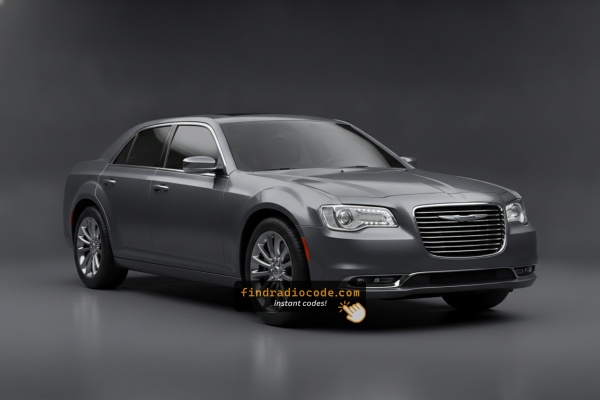
2016 Chrysler 300 Factory Radios We Support
Even within one model year, the 2016 Chrysler 300 was built with more than one radios. Start with the one that matches your dash.
| Years | Factory radio | Serial starts with |
|---|---|---|
| 2013-2018 | Uconnect 3.0 RA1 VP1 Continental |
TQN, TVPQN, A2C, A3C
|
| 2013-2017 | Uconnect 4.3 REB Continental |
TQN, TVPQN, A2C, A3C
|
| 2013-2018 | Uconnect 8.4 RA3 VP3 NA Harman |
T00AM, T00BE, T0012
|
| 2014-2018 | Uconnect 5.0 RA2 VP2 Continental |
TQN, TVPQN, A2C, A3C
|
| 2014-2017 | Uconnect 5.0 RA2 VP2H NA Harman |
T00AM, T00BE, T0012
|
| 2014-2018 | Uconnect 8.4 RA4 VP4 CA Harman |
T00AM, T00BE, T0012
|
| 2014-2018 | Uconnect 8.4 RA4 VP4 NA Harman |
T00AM, T00BE, T0012
|
| 2015-2017 | Chrysler Uconnect 8.4 RB5 Panasonic |
T00AM, T00BE
|
Why Did the Radio Lock and Ask for a Code?
The 2016 Chrysler 300 Uconnect RA3 locks automatically whenever power is cut. A removed radio is worthless to a thief.
Typical cause: battery replacement or disconnect. Other causes:
- Blown radio fuse after electrical work or shorts
- Buying the 300 used without a known code
- Battery disconnect for service or repair
- Battery drained from not driving for weeks
The code is unique to the radio serial number — not the VIN. Valid in any car the unit is installed in.
Step-by-Step Chrysler 300 2016 Radio Code Retrieval Guide
Car radios use anti-theft codes tied to the radio unit itself rather than the vehicle model or production year.
- The generator identifies your Chrysler radio via serial-based verification.
- After entering the serial into the form above, the system identifies the radio unit and generates the code that you need.
- You can then enter the code directly into your Chrysler radio.
- Compared to Chrysler dealer retrieval, this method is faster and more convenient.
Finding the Radio S/N for Chrysler
The starting step is writing down the radio serial.
Most people assume the code depends on the Chrysler model or year, but actually, the whole process depends on the unique radio's serial number.
This number identifies the exact head unit installed in your Chrysler 300.
This is actually better, because if you have a used radio, the VIN or other vehicle-specific data wouldn't be of much use.
Depending on the radio version used, you can retrieve the serial directly from the display or by checking the label on the radio chassis.
Factory Radios on the 2016 Chrysler 300
The 2016 model year carries the LD facelift lineup forward unchanged - same three Uconnect head units, same sales codes, same visual cues. Software builds are slightly newer but the radio identification process is identical to 2015.
- Uconnect 5.0 / RA2 - the small 5-inch base radio fitted to lower 300 Limited specs where the bigger screen was not optioned. No CD slot, no NAV button, hard buttons flank the screen.
- Uconnect 8.4 / RA3 - the 8.4-inch landscape touchscreen without factory navigation. Capacitive shortcut keys run along the bottom of the screen and there is no Nav tile on the home page.
- Uconnect 8.4 NAV / RA4 - the same 8.4-inch hardware as the RA3 plus the Garmin navigation database. Standard on 300C / 300C Platinum and SRT-derived trims that received the upgrade option, optional on lower trims. Look for a Nav tile on the home screen and a SiriusXM Traffic / Travel Link splash at startup.
Quick tell: screen size first (5 inch vs 8.4 inch), then look for the Nav tile to separate RA3 from RA4. None of the 2016 head units offer factory Apple CarPlay or Android Auto - that arrives later with the Uconnect 4C generation.
Find the Serial Number on the Radio Display
Try the following for your 2016 Chrysler 300:
The 2016 Chrysler 300 full-size sedan is equipped with the Uconnect 8.4" Classic (RA3), which includes a hidden Dealer Mode to show the serial number on the 8.4" display.
On the 300, the Climate Up, Climate Down, and Front Defrost buttons sit directly below the 8.4" screen on the center stack. Hold all three simultaneously for 5 seconds with the ignition in ACC or ON. Dealer Mode opens. Navigate to: System Info → Radio Part Info → Serial Number.
Read the Serial Number Through the Screen
For the 2016 Chrysler 300 fitted with an 8.4-inch Uconnect, the head unit supports a hidden dealer / diagnostic menu that displays the radio's internal serial number. Reading it on screen avoids any disassembly of the dash.
Uconnect 8.4 (RA3) and Uconnect 8.4 NAV (RA4)
- Start the engine or place the ignition in RUN so the touchscreen is fully booted.
- Press and hold the driver's temperature UP, temperature DOWN and front DEFROST buttons at the same time for around 7 seconds.
- When the dealer / diagnostic menu opens, choose the radio-information entries near the top of the list - they list serial numbers, hardware and software revisions and similar identifiers.
- Note the full serial exactly as printed, including any leading letters such as
T00AMorTM9. - Press Done or cycle the ignition off and back on to leave the menu.
Uconnect 5.0 (RA2)
For the small 5-inch RA2 base radio, an equivalent on-screen serial-number readout is not consistently documented on the 2016 300. If the dealer-mode shortcut does not bring up a serial entry on the RA2, the chassis-label method covered in the radio-removal block is the dependable fallback.
Manufacturer Label Inspection
If the serial does not appear on screen, the next step is checking the radio itself.
Many Chrysler radios require physical access to the serial sticker attached to the unit.
Typical approach:
- Start by completely shutting off the engine - pull the key out.
- Then lift the dashboard bezel.
- Next, unscrew the mounting points and move the radio forward.
- Look for a factory sticker showing the serial number.
If Dealer Mode is unavailable on the 2016 Chrysler 300, remove the RA3 unit from the 300's center stack. The 300's tall vertical center console gives good clearance once the bezel is off.
- Remove the trim panel with a plastic trim tool — held by.
- Remove the four Phillips mounting screws.
- Pull the unit forward to read the serial label on the side or back of the chassis.
Pull the Head Unit to Read the Chassis Label
If the on-screen method is unavailable - for example because the radio is locked at the CODE prompt and the touchscreen is unresponsive - the chassis label is the most reliable source for the serial number on a 2016 Chrysler 300.
Safety preparation
- Turn the ignition fully off and remove the key fob from the cabin.
- Disconnect the negative terminal of the 12V battery.
- Wait several minutes before working near the dash so any airbag-related circuits can fully discharge.
- Avoid pulling on yellow airbag wiring while moving trim.
Tools you will want ready
- Plastic trim / panel pry tools to release the bezel clips without marking the dash.
- A driver that matches the four radio retaining screws (typically Phillips or 7 mm).
- A phone / camera to photograph the chassis label clearly.
Removal overview
- Begin at a lower edge of the centre dash bezel that surrounds the radio and HVAC controls and pry it gently outward. On the 2016 LD 300 the bezel is held by retaining clips rather than bolts.
- Walk the pry tool around the perimeter until each clip releases.
- Pull the bezel forward and unplug the small connectors on its back (hazard switch, clock and climate controls).
- Undo the four retaining screws now visible at the corners of the radio chassis.
- Slide the head unit out and disconnect the main wiring harness and the antenna lead.
Where the serial label sits
- Look for a thermal-printed label on the metal chassis - usually on the top or one side of the housing.
- Copy the long alphanumeric string next to the barcode, double-checking ambiguous characters (O vs 0, I vs 1).
Tips
- Photograph the label before refitting so the serial is preserved as a reference.
- Reassembly is the reverse - harness back on, four screws home, bezel pressed in until each clip seats, then reconnect the battery.

Example: Chrysler 300 serial number label location
Common Serial Number Structures
The 2016 Chrysler 300 RA3 radio serial formats:
T00AM– Harman VP2 RA3 (most common on the 300)T00BE– Continental versionTM9– Earlier Harman production
Serial is 14 alphanumeric chars. The part number (starts with P05064 or 68) is on the same label — ignore it.
Common Serial Number Patterns on 2016 Chrysler 300 Radios
The 2016 Chrysler 300 could leave the factory with one of several Uconnect head units, each built by a different supplier, so the serial-number style depends on which radio is in your car. The patterns below are the ones most often reported by owners and unlock services for this generation - treat them as a guide rather than a guarantee.
Continental-supplied Uconnect 8.4 (RA3 / RA4)
- Often start with a
T00AMprefix followed by a numeric tail, for example a string resemblingT00AM1234567. - The prefix sits inline with the rest of the serial on the chassis label.
Panasonic-supplied Uconnect units
- Frequently start with
TM9followed by additional digits or letters. - This pattern has been widely associated with Panasonic-built Mopar radios from the Uconnect 8.4 era.
Uconnect 5.0 (RA2) base radio
- Also carries a printed serial label on the chassis, but the prefix can vary by supplier batch.
- It is safer to read the full string off the label rather than assume a fixed format.
If the alphanumeric you read does not fit any of these examples, double-check that you have the serial line and not the part number. The serial is normally the longest string on the label and is the one tied to the barcode.
How Code Entry Works on Your Chrysler Radio
Now that you've found the radio serial and received the unlock code, the next step is entering it into your radio.
Chrysler factory radios display a ENTER CODE message when ready for input.
The process is straightforward, but button layouts and confirmation methods may change depending on the radio version installed in your 300.
Step-by-Step - The Correct Way to Enter It
Entering the code on the 2016 Chrysler 300 Uconnect 8.4":
- Turn ignition to ON. Screen shows "ENTER CODE" or ----.
- Tap each digit of your 4-digit code on the on-screen keypad.
- Radio auto-confirms after the 4th digit — no confirm button needed.
Lockout: 3 wrong attempts cause a 60-minute lockout. Keep ignition ON for the full 60 minutes. Turning off restarts the timer.
Step-by-Step Code Input Guide
Once you have the correct anti-theft code for your 2016 Chrysler 300 radio, the entry itself is fast - but the radio will lock you out for half an hour if you keep entering wrong codes, so confirm the code before you start.
Limited Attempt Warning
You only get three attempts. Three wrong codes in a row place the radio in a WAIT state and the screen reads WAIT. To clear it, the radio must remain powered with the ignition in RUN for a continuous 30 minutes. The vehicle may be driven during that time, but switching the key off does not shortcut the timer.
Entering the code
- Turn the ignition to RUN or ACC so the radio powers up and shows the CODE / Anti-Theft prompt.
- On the 8.4-inch Uconnect (RA3 / RA4), tap each digit on the touchscreen number pad.
- On the 5-inch Uconnect 5.0 (RA2), enter the digits using the preset (1-6) buttons in sequence.
- Confirm with the OK / Enter on-screen control or the equivalent hardware button.
- When accepted, the radio returns to the normal home screen and audio resumes.
If it does not unlock
- Stop after the second wrong attempt and recheck the serial you used to obtain the code.
- Make sure no leading letters or trailing digits were dropped.
- If
WAITappears, leave the radio powered with ignition in RUN for the full 30 minutes before retrying.
Troubleshooting Common Radio Problems - 300 2016
If no code prompt appears, the anti-theft isn't active. It only fires after a power disconnection.
Force the lock: briefly pull the radio fuse, reconnect, turn ignition to ON. Code screen appears at boot.
The 300's RA3 label shows both part number (P05064... or 68...) and serial. Use only the 14-character serial starting with T00AM, T00BE, or TM9. Watch out for 0 vs. O on the label.
Contact support for a free re-check if the code was rejected after a careful read.
3 wrong entries lock the 300's Uconnect RA3 for 60 minutes. The screen still shows "ENTER CODE" but won't accept input.
Keep ignition in ON or ACC for the full 60 minutes without turning off. Cutting power restarts the countdown.
The radio chassis label: serial = 14 alphanumeric chars starting with T00AM, T00BE, or TM9. Part number = starts with P05064 or 68 — not the one you need.
The 300 Uconnect RA3 uses touchscreen-only code entry. Touch each digit on the on-screen keypad. No physical buttons needed. Auto-unlocks after the 4th digit.