How to Restore a Lost Seat Radio Code?
When a Seat radio asks for a security PIN, there are multiple ways to retrieve it.
Official Dealer Method (VIN Required)
Vehicle manufacturers store security codes in their databases. To get it through them, you often need to contact a dealer.
Before providing the code, the dealer will typically request the Vehicle Identification Number, proof of ownership, and supporting vehicle documents. This verification process confirms that the radio belongs to your vehicle.
Because the request is handled manually, response times vary. Some dealerships can provide the code in a few hours, while others may take a few days.
In addition, certain dealers charge a service fee for retrieving the code, which can make this option quite costly.
Unlock Your Radio Online - Quick and Affordable
Instead of visiting a dealership, you can retrieve your Seat radio code instantly using our system.
The only requirements are the radio's serial number, which can be found on the unit, retrieved from the display, or located on the sticker.
There's zero paperwork involved. Once the payment is completed, your PIN code is displayed instantly and sent to your email.
The database includes thousands of supported Seat radio units.
Find Radio Code handles everything automatically. If the code doesn't work, you're protected by a 100% refund.
How to Locate the S/N on a Seat
Before generating the radio code, you need to locate the serial number on the unit.
Radio Extraction Method
In most cases, the serial number is printed on a label on the top, back or side of the radio unit. To access it, you'll need to gently pull the radio from the dash using VAG radio extraction keys.
- Look for a white or yellow barcode sticker marked "Serial" or "S/N".
- The serial number is typically 8–14 characters long.
- SEAT radios use the prefix SEZ (e.g.
SEZ6Z7J1234567). Some units shared with VW or Audi may use VWZ or AUZ.
- Do not confuse it with the part number, which is longer and not used for code generation.
This method applies to most SEAT radios including Media System, Media System Plus, Navi System, and Full Link systems.
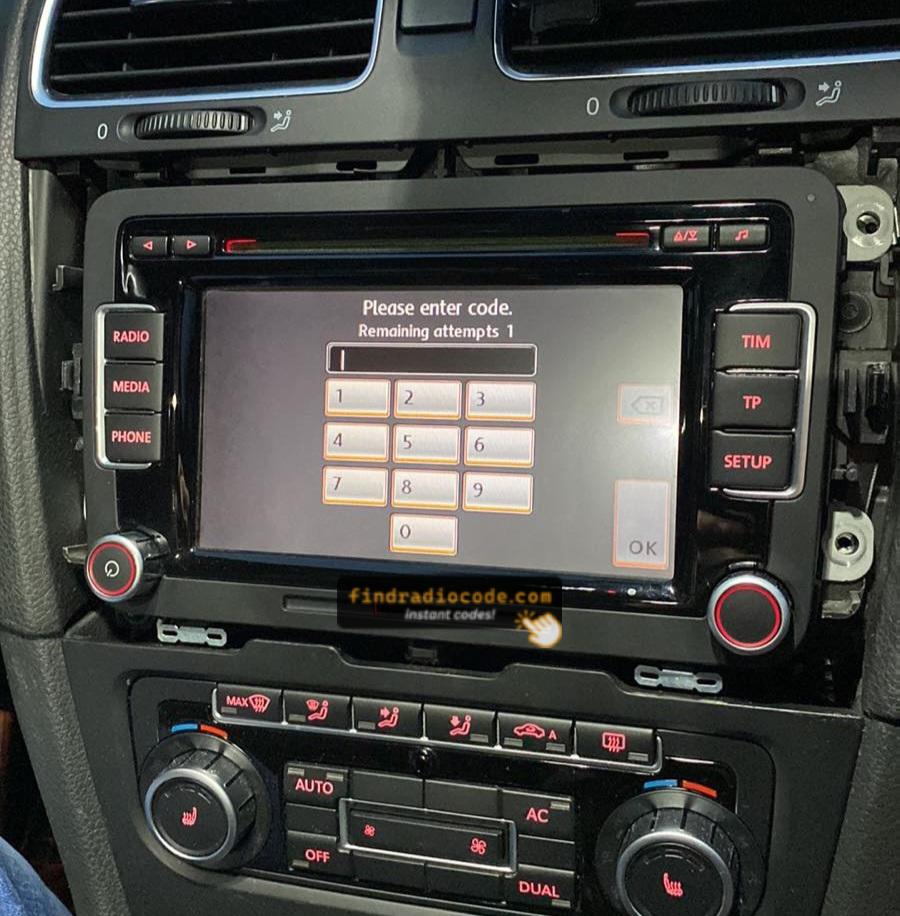
RCD510 SAFE Mode Screen
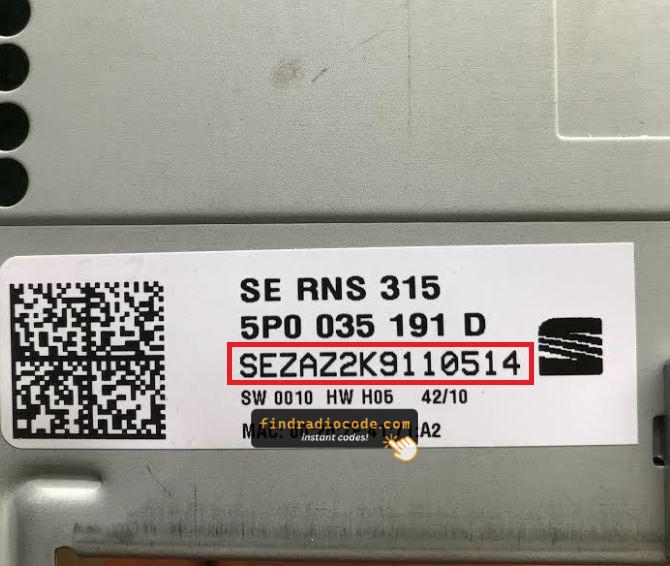
SEAT RNS-315 Label (SEZ)
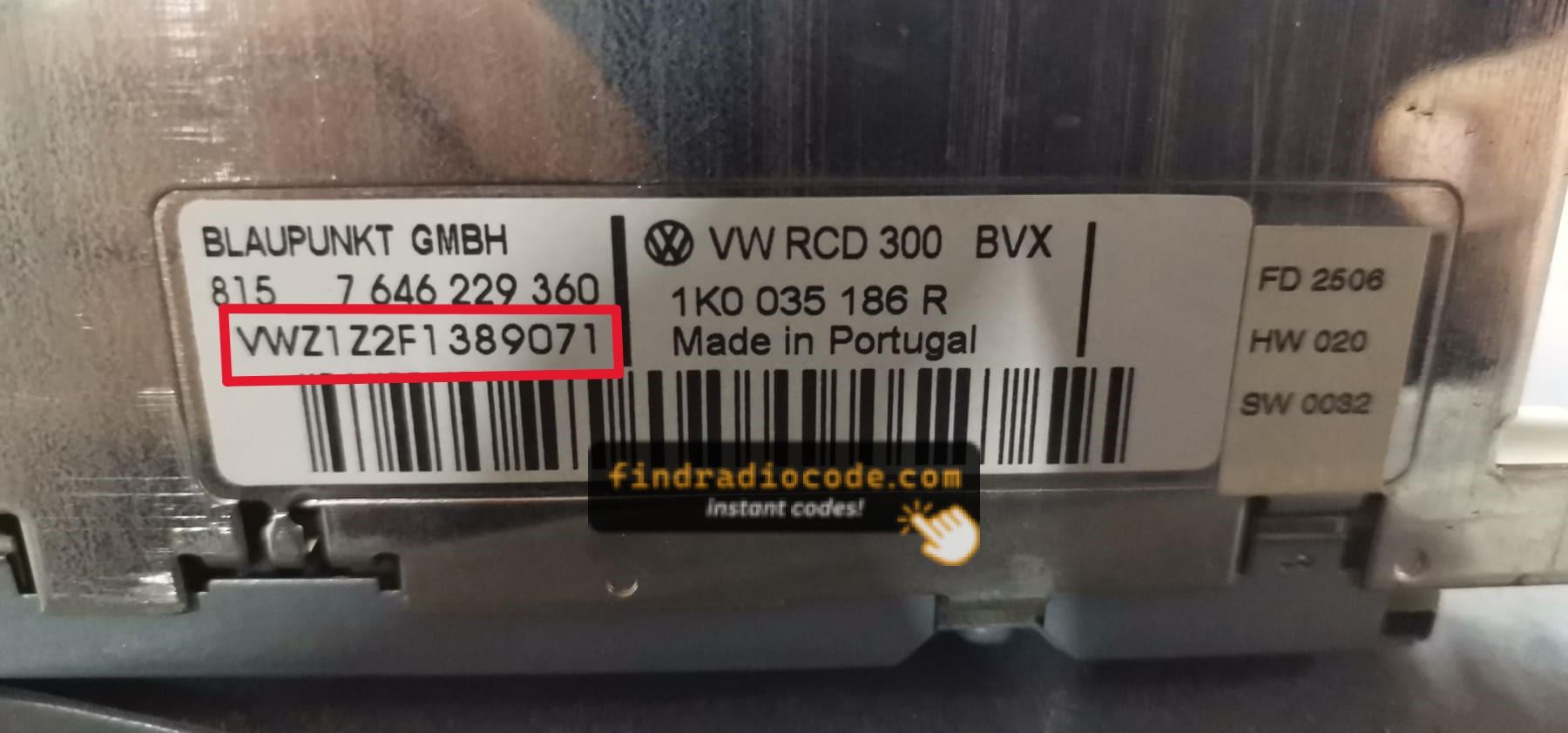
RCD300 Serial Label (VWZ)
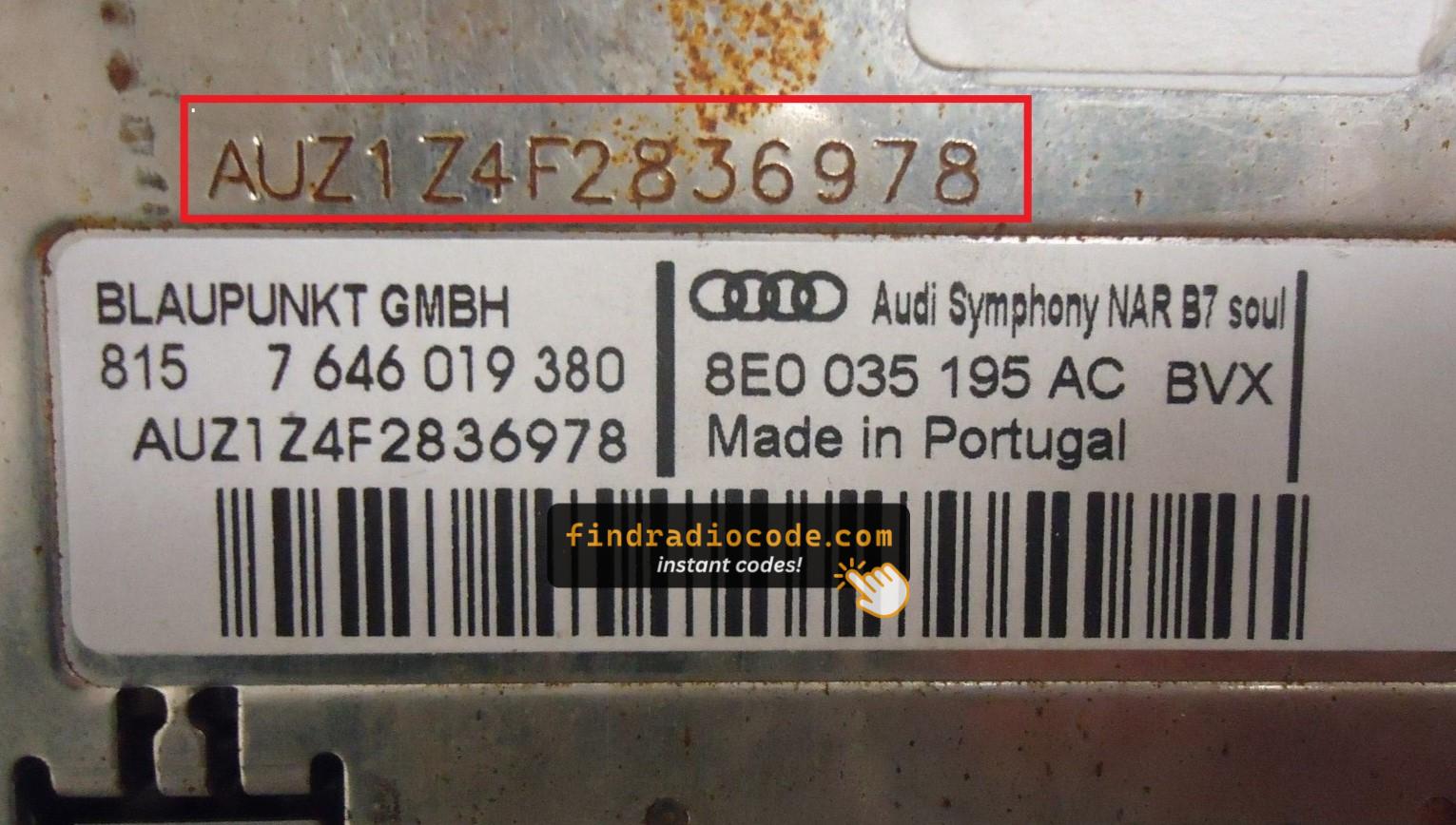
Symphony Serial Label (AUZ)
Note: SEAT radios manufactured by Blaupunkt, Becker, Bosch, and Clarion share serial number formats with other VAG group brands (VW, Audi, Skoda). Serial numbers typically start with SEZ, VWZ, or AUZ, with formats like SEZ6Z7J1234567, VWZ6Z7J1234567, or AUZBZ7G1234567. Check your glovebox for a radio code card before removing the unit.
Finding the Serial Number on the Display
On-screen serial retrieval is only available on some older SEAT models. If your unit supports it:
- With the radio in SAFE mode, try pressing and holding preset buttons 1 & 6 simultaneously while powering on.
- The serial number may appear briefly on the display.
Most SEAT radios (Media System, Media System Plus, Navi System, Full Link) do not support this method — the unit must be physically removed to read the serial label.
Entering Seat Radio Code
After getting the unlock code, the input process is quick.
Most radios display "ENTER CODE" when powered on.
Use the preset keys to type the digits.
Some models unlock after entering the last number - such as pressing 5, Enter or OK to confirm or holding preset key, Seek or Tune.
Be careful not to enter incorrect codes multiple times.
Too many incorrect tries the radio may display WAIT mode.
Lockout time varies by brand, from a few minutes to several hours.
If the radio remains locked, consult our help guides for the correct procedure.
Common Questions
A radio unlock code, sometimes also known as an anti-theft code is a security PIN that unlocks your factory radio after it has been locked.
This factory security PIN is triggered when the radio loses power.
Automakers include this feature to protect factory stereos from theft.
If power is lost, the radio stops functioning and asks for the CODE before it can be used again.
Once the valid numbers combination is entered, the stereo is restored to normal operation.
- A blown fuse caused the radio to reset
- Someone entered incorrect codes too many times
- A reset cleared the saved code
- Vehicle was serviced or scanned
- You jump-started the vehicle
- You changed your car stereo or moved it between vehicles
- Radio asks for the code after sitting unused for a long time
- A previous owner didn't supply the radio code
- Your vehicle battery died or was replaced
Yes, all SEAT vehicles with factory-installed radios require a radio code after battery disconnection or radio replacement. This applies to all models including Ibiza, Leon, Arona, Ateca, Tarraco, Mii, Toledo, and Alhambra.
The anti-theft feature is standard on all SEAT radios including Media System, Media System Plus, Navi System, and Full Link systems manufactured by Blaupunkt, Becker, and other VAG suppliers. Your 4-digit code is permanently linked to your radio's unique serial number. SEAT shares radio systems with VW, Audi, and Skoda brands.
Start by inspecting the user guide. The code is often found on a small card or written directly on a page.
You can also check the glovebox or trunk, where dealers or previous owners may have stuck a sticker with the code. Some also check behind trim pieces or inside the fuse box.
If you have the original factory-issued code slip, that's the simplest place to find the code - it usually includes both the serial number and unlock key.
There are a few options - but they aren't guaranteed.
- Contact your dealership - some offer free code retrieval if you're the original owner and can provide registration papers.
- Try DIY forums or online databases, but you risk using incorrect or locked codes.
- Look inside the glovebox or vehicle documents - some vehicles came with the code printed at delivery.
- For most users, our system is the easiest way to retrieve the correct code instantly.
Get Your SEAT Radio Code Now
Guaranteed refund if the code is invalid