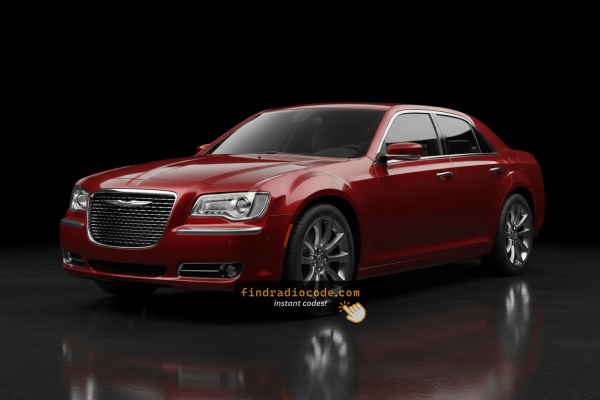
Fast Chrysler 300C Radio Unlock Process Explained
To get the code, you'll take only a few simple steps.
- Find the radio's serial - this is the only information required to generate the correct unlock code.
Unlike when contacting the dealer, no VIN is needed. - When you've found the S/N, type it into the form above.
The system checks it against a database of supported units and automatically finds the matching security code. - In most cases, the code appears instantly on the screen after you pay and is also sent to your email for backup.
If manual verification is required (rare situations), you'll be informed before checkout. - When you receive it, just enter it into your radio to restore the functionality.
Can't Locate Your Radio S/N? Follow These Steps for Chrysler 300C 2012
The initial step is locating the radio serial.
Many drivers assume the code depends on the Chrysler model or year, but in reality, the unlock process relies on the unique radio unit's serial number.
The serial is the key used to calculate the correct unlock code.
This is even better, because if you have an aftermarket radio, the VIN or other vehicle-specific data wouldn't help.
Depending on the radio used, you can retrieve the serial directly from the screen or by checking the label on the radio chassis.
2012 Chrysler 300C - Which Radio Did You Get?
For 2012 the Chrysler 300C carried over the same head-unit lineup, with anti-theft codes now mandatory across the higher-end units. The 300C ships with the 8.4-inch touchscreen as standard equipment, so the question is mostly whether you have the navigation variant or not.
- Uconnect Touch 8.4 (sales code RBZ / RE2) - Standard on the base 300C. Large 8.4-inch color touchscreen with very few physical buttons, dominating the center stack. The home screen shows app-style tiles for Radio, Media, Controls, Climate, and Phone, but no Nav tile. Adds Bluetooth, USB, voice command, and SiriusXM. Starting with 2012 builds, this unit requires a factory anti-theft code after a battery disconnect.
- Uconnect Touch 8.4N with Garmin Nav (sales code RHR / RB5) - Optional on 300C and standard on 300C with the navigation package and on the SRT8. Same 8.4-inch screen and bezel as the non-nav 8.4, so the easiest way to tell them apart is to look at the home screen: a Nav tile on the home page (and Garmin splash at boot) means you have the 8.4N. Adds GPS navigation, SiriusXM Travel Link, and on SRT8 cars a 19-speaker Harman Kardon system.
- Base AM/FM/CD (sales code RES / RE6 family) - rare on 300C - The non-touchscreen RES/RE6 CD receiver was the base option across the 300 lineup, but uncommon on 300C cars, since 300C left the factory with the Uconnect Touch 8.4 as standard. If you encounter one, look for a small monochrome display, a single CD slot, and physical hard buttons.
Tip: if the screen is touch and a Nav icon is visible on the home page, you have the 8.4N (RHR/RB5). If the screen is touch but Nav is missing, you have the 8.4 (RBZ/RE2). If there is no touchscreen at all, you have the base RES.
Quick Method: Find the Serial Number on the Screen
Try the following for your 2012 Chrysler 300C:
The 2012 Chrysler 300C could feature the MyGIG RER 730N navigation radio. Regrettably, this system does not include a built-in Dealer Mode for displaying the serial number on the display. The serial number is not accessible through the touchscreen menu on MyGIG units.
Your best option to retrieve the serial number is to take the radio out of the dash and read the label on the side or back of the unit. Some owners have found the serial number on documentation from the original purchase or in the vehicle's maintenance history, but the label on the radio itself is your most dependable option.
Access it by Pulling Out the Unit
If the serial does not appear on screen, the next step is checking the radio itself.
Many Chrysler radios require physical access to the ID label attached to the unit.
Common approach:
- Start by completely turning off the engine - pull the key out.
- Then detach the radio surround.
- Next, loosen the mounting points and pull the radio forward.
- Look for a barcode label showing the serial number.
In the 2012 Chrysler 300C with the MyGIG navigation unit, the radio is installed in the center of the dashboard and is fastened by 4 mounting bolts.
- Begin by carefully prying off the trim bezel around the head unit. Use a plastic trim tool to prevent scratches.
- Unscrew the four Phillips screws securing the unit.
- Slide the radio forward carefully – be mindful of the wiring harness connected to the back.
- The serial number is on a silver sticker on the chassis, often near the barcode.
Tip: Take a photo the label before reinstalling the radio for future reference.
Releasing the Unit to Access the S/N on the Tag
- Prepare the vehicle and yourself. Turn the ignition fully off and remove the key. Disconnect the negative battery terminal and wait at least a few minutes before working in the dash so any SRS/airbag capacitors can discharge. Keep clear of yellow airbag wiring and never pull on connectors without releasing their lock tabs.
- Gather your tools. Have plastic pry/trim tools ready (or a flat-blade screwdriver wrapped in tape), a #2 Phillips screwdriver, and a small tray for the four chassis screws. A clean shop towel laid over the steering column protects the dash from accidental scrapes.
- Pop the center bezel. The radio/HVAC trim bezel on the 2012 300C is held by perimeter spring clips. Start in a lower corner, slide the trim tool behind the panel, and work outward around all four sides until each clip releases. If a metal clip stays behind in the dash hole, fish it out and re-seat it on the bezel before reinstallation.
- Disconnect bezel-mounted controls. Tilt the loose bezel toward you and unplug the hazard switch connector at the top, then the connectors behind the climate controls. Set the bezel aside on a soft surface.
- Unbolt the radio chassis. Remove the four Phillips screws (usually one in each corner of the chassis bracket) holding the radio to the dash subframe. Slide the unit straight out toward you.
- Disconnect the rear connectors. Release the locking antenna connector and pull it free, then unplug the multi-pin electrical harness(es) at the back of the unit. Pulling the antenna cable straight out without releasing the lock can damage the connector.
- Read and record the S/N. The 14-character serial number is on a label (typically a white or silver sticker, often with a small Pentastar logo) on the chassis - top, side, or rear depending on the unit - alongside the Chrysler part number and barcode. Photograph it and transcribe it carefully, mind the zero-vs-letter-O distinction.
- Tidy up. If you are leaving the radio out, support it on a foam pad, label any disconnected harnesses, and avoid pulling on the antenna cable.
Tips: for stubborn clips, work the trim tool in small increments rather than levering hard at one spot; warm weather makes the plastic more forgiving than a cold morning in the garage; and keep the four chassis screws together with the bezel screws so you do not mix lengths during reinstall.

Example: Chrysler 300C serial number label location
These are the Common Serial Formats
The 2012 Chrysler 300C with a MyGIG RER 730N nav radio usually features serial numbers in these formats:
TM9prefix – Typical for Harman-manufactured MyGIG head unitsT00AMprefix – Seen on some Continental-manufactured versions
The S/N is usually 14 characters long , alphanumeric. Be sure you write down the serial number, not the part number (which begins with P05064 or similar). The part number describes the radio model, while the serial is unique to your particular unit.
Common S/N Formats Used on 2012 Chrysler 300C Units
- RBZ / RE2 (Uconnect Touch 8.4, no nav): commonly begins with
T00-style prefixes such asT00AMorT00BE, with the remainder being numeric digits to total 14 characters. - RHR / RB5 (Uconnect Touch 8.4N with Navigation): commonly begins with
TM9followed by a numeric sequence to fill out the 14-character serial. Typically encountered on 300C with the nav package and on the SRT8 for 2012. - RES (Base AM/FM/CD, rare on 300C): typically a 14-character alphanumeric string commonly beginning with
T, followed by a family identifier and a production sequence printed on the chassis label. - General notes: ignore any
S/NorSERprefix printed on the label, as well as spaces, dashes, or barcodes - the value you submit is the contiguous 14-character alphanumeric code. Capitalisation matters, and prefixes can vary slightly between production runs and supplier batches, so always verify against the printed label.
Entering the Radio Security Code
After locating the serial number and generated the unlock code, the last part is entering it into your radio.
Chrysler OEM units display a CODE prompt when ready for input.
The process is usually quick, but button layouts and confirmation methods may differ slightly depending on the radio version installed in your 300C.
Step-by-Step - The Correct Way to Enter It
To type in the unlock code on your 2012 Chrysler 300C's MyGIG RER navigation radio:
- Turn the ignition to ON or ACC. The display will show "ENTER CODE" or four dashes (----).
- Use the touchscreen number pad to input each digit of your four-digit unlock code.
- When you've typed all 4 digits, the radio will unlock automatically.
Warning: Typing the wrong code 3 times will trigger a temporary lockout. Leave the ignition ON for roughly 60 minutes to reset the code input.
Step-by-Step Correct Entering Process
- Read the limited-attempt warning first. Mopar Uconnect units (and the RES base receiver) for the 2012 300C typically allow up to three attempts to enter a valid 4-digit anti-theft code. After three successive invalid entries the radio drops into a WAIT (LOCK) state and the display will show
WAIT. To clear it, leave the ignition in RUN with the radio powered for a continuous 30 minutes; only then will theCODEprompt return for another set of attempts. Do not cycle power during the wait - it generally resets the timer. - Power up. Turn the ignition to RUN (or ACC if the cluster supports it) and wait for the radio to finish booting and display
CODEorENTER CODE. - Enter the code on a Uconnect 8.4 (RBZ/RE2 or RHR/RB5). Use the on-screen numeric keypad to tap each of the four digits of your code in order. After the fourth digit is shown, an
OK/GObutton becomes active on screen. - Confirm on the touchscreen. Tap the
OK/GObutton to submit. A correct code clears the prompt and the radio returns to normal operation; an incorrect code is counted as one of your three attempts. - Enter the code on the base RES (single-CD) radio, if fitted. With the ignition in RUN and the display showing
CODE, use the station preset buttons (1-4) to dial each of the four digits, then press the labelled enter/OK button to submit (or briefly hold the assigned preset, depending on the unit's labelling). - If the code is rejected. Stop, double-check the code against your paperwork, and start a fresh entry from the first digit on the next attempt. Never burn the third attempt on a guess - it is far cheaper to wait 30 minutes for the lockout to clear than to risk additional escalations.
Fixing Common Code Entry Problems for 2012 300C
The label on the back of the MyGIG unit shows multiple codes. You need the 14-character alphanumeric serial, which starts with TM9 or T00AM.
- Part number (do NOT use): starts with
P05064,P05150, or68... - Serial number (use this): 14 chars, e.g.
TM94881234567AA
It is usually printed underneath the barcode on the label. Avoid confusing the part number with the serial — they look similar but serve different purposes.
MyGIG enters a timed lockout after 3 wrong code attempts. The display returns to "ENTER CODE" but won't accept all digit input until the timer expires.
To clear the lockout:
- Keep the ignition in ON or ACC — do not turn it off.
- Sit and wait the full 60 minutes without pressing anything.
- After 60 minutes, input is accepted again.
Turning the ignition off at any point restarts the 60-minute wait.
The most common reason for a rejected code is reading the wrong number from the label. On MyGIG units the label carries two different numbers — the part number (starts with P05064... or P05150...) and the serial number (14-char alphanumeric, begins with TM9 or T00AM). Just the serial generates the unlock code.
Double-check each character on the label, paying attention to similar-looking characters. If the serial looks correct, contact support for a free re-check — we verify before re-generating.
The MyGIG RER uses a touchscreen number pad for code entry — no numbered buttons are used. Just touch each digit directly on the touchscreen display.
If the keypad feels unresponsive, try a firm direct press. Avoid fingernails, gloves, or anything that doesn't conduct a touch signal.
If the MyGIG screen shows the normal home screen without showing a code, the lock probably hasn't triggered yet. The system locks only when it senses a disconnection.
To force the code request: pull the radio fuse and reinsert it, then reconnect and turn the ignition to ON. The screen ought to present "ENTER CODE" within seconds of booting.
Also worth noting that some MyGIG units need a moment — wait at least 30 seconds after turning the ignition ON before assuming the prompt won't appear.
Why Did the Radio Lock and Ask for a Code?
The MyGIG radio lock activates on its own whenever the unit loses power. It's a factory theft deterrent — a removed radio becomes non-functional to anyone without the correct code.
The typical cause is a battery replacement or disconnect. Pulling the battery cuts power to the radio, and on reconnection the anti-theft system engages.
Other common causes:
- A blown radio fuse — replaced fuse triggers the lock
- Pre-owned purchase without the original radio code
- Workshop service that required a battery disconnect
- A completely dead battery from sitting unused
The unlock code is generated from the radio's serial number, not the vehicle VIN. It's valid even if the radio was swapped to a different vehicle.