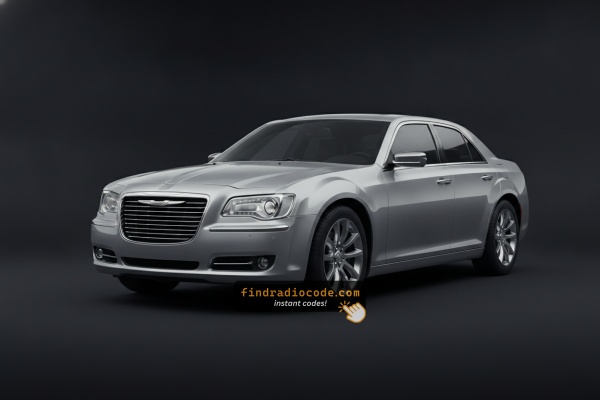
2013 Chrysler 300C Head Units and Suppliers
Even within one model year, the 2013 Chrysler 300C could leave the factory with different radios. Start with the one that matches your dash.
| Years | Factory radio | Serial starts with |
|---|---|---|
| 2009-2013 | Chrysler RET Alpine Alpine |
TQ1AA, TT1AA, TH1AA, THAAA, TCAAA
|
| 2011-2013 | MyGIG NTG4 RHW Harman |
T00AM, T00BE, T0012
|
Where to Find the Serial Number on your 300C
The initial step is to locate the radio's S/N.
Based on the head unit type installed in your 2013 300C, the S/N can usually be accessed either through the screen menu or by pulling the unit out and checking the label on the radio itself.
Follow the steps below to identify your S/N quickly.
Identify Your 2013 Chrysler 300C's Factory Radio
For 2013 the Chrysler 300C transitioned to the next-generation Uconnect 3C platform with new sales codes (RA3/RA4) replacing the older RBZ/RHR codes. The 300C luxury trim continues to ship with the 8.4-inch touchscreen as standard, so the question is whether you have the nav variant or not.
Uconnect Touch 8.4A (sales code RA3 / VP3) - Standard on base 300C. Large 8.4-inch color touchscreen with the new Uconnect 3C interface, refined home-screen tile graphics, and improved processor speed compared to the 2011-2012 RBZ. No Nav tile on the home screen and no HD Radio logo. Includes Bluetooth, USB, voice command, and SiriusXM. The back of the radio is stamped VP3.
Uconnect Touch 8.4AN with Nav (sales code RA4 / VP4) - Optional on 300C and standard on 300C with nav package and on the SRT8. Same 8.4-inch bezel as the RA3, so the visual giveaway is on the screen itself: a Nav tile on the home page, an HD Radio logo, and a navigation splash at boot. Adds factory GPS navigation, HD Radio, SiriusXM Travel Link, and on SRT8 cars the 19-speaker Harman Kardon premium audio. The back of the radio is stamped VP4.
Base AM/FM/CD (sales code RES / RE6 family) - rare on 300C - The non-touchscreen base CD radio was the entry-300 option but was uncommon on 300C cars, since 300C ships with the 8.4-inch touchscreen as standard. If you encounter one, look for a small monochrome display, a single CD slot, and physical hard buttons.
Bottom line: big 8.4-inch touchscreen without a Nav icon = RA3 (8.4A); big 8.4-inch touchscreen with a Nav icon and HD Radio badge = RA4 (8.4AN); small non-touch display with a CD slot = RE6/RES base.
Screen-Based Serial Lookup Method
These are the steps you need to follow for 2013 Chrysler 300C:
The 2013 Chrysler 300C may be equipped with the MyGIG RER 730N navigation radio. Regrettably, this system lacks a built-in Dealer Mode for displaying the serial number on screen. The serial number is not accessible through the touchscreen menu on MyGIG units.
The only reliable method to find the serial number is to physically remove the radio and locate the label on the side or back of the unit. Some drivers have reported the serial number on documentation from the original purchase or in the vehicle's service records, but the label on the radio itself is your most dependable option.
Taking Out the Radio to Access the S/N on the Tag
If the serial number cannot be accessed on-screen, use the pull-out method.
Most Chrysler 300C OEM radios include a tag with the serial number printed on the casing.
Step-by-Step:
- Turn off the vehicle.
- Remove the trim surrounding the radio.
- Loosen the fasteners.
- Slide the unit forward to access the label.
The serial number is usually located near the barcode.
In the 2013 Chrysler 300C with the MyGIG navigation unit, the radio is installed in the center of the dashboard and is held in place by four screws.
- Start by gently removing the dashboard trim surrounding the radio. A plastic pry tool works best to prevent scratches.
- Take out the four Phillips screws holding the radio in place.
- Slide the radio out carefully – watch for the wiring harness behind the unit.
- The serial number is on a silver label on the chassis, typically near the manufacturer info.
Tip: Photograph the label before reinstalling the radio so you have it on hand.
Taking Out the Radio to View the S/N on the Tag
On the 2013 Chrysler 300C (still LX platform, transitioning to Uconnect 3C), the radio serial number is printed on a manufacturer label on the chassis itself. Pulling the unit and reading the label is the reliable way to capture the exact 14-character string - regardless of whether the car has the Uconnect Touch 8.4A (RA3/VP3) or the navigation-equipped 8.4AN (RA4/VP4).
Safety first. Turn the ignition fully off and remove the key. Disconnect the negative battery terminal and wait several minutes for SRS/airbag capacitors to discharge before working in the dash. Avoid yellow airbag wiring and release every connector by its lock tab rather than tugging.
Tools to have on hand. Plastic pry/trim tools (or a tape-wrapped flat-blade screwdriver), a #2 Phillips screwdriver, a small parts tray, and ideally a soft cloth to lay across the steering column.
Free the center bezel. The radio/HVAC trim bezel is retained by perimeter spring clips. Begin in a lower corner with the trim tool, and work the panel outward in small steps around its perimeter until each clip releases. Recover any metal clips that stay behind in the dash holes and re-seat them on the bezel.
Unplug the bezel-mounted switches. Tilt the loose bezel toward you and disconnect the hazard switch connector at the top edge, plus the climate-control connector(s) behind it. Set the bezel aside on a soft surface so the painted/textured face is not scuffed.
Remove the four chassis screws. The radio is secured to the dash subframe by four Phillips-head screws, typically one near each corner of the mounting cage. Remove all four and keep them together so they are not mixed with the bezel hardware.
Slide the radio out and disconnect. Pull the unit straight forward, then release the locking antenna connector and unplug the multi-pin electrical harness(es) at the back. Do not pull the antenna cable straight without releasing the lock - this can damage the connector.
Locate the S/N label. Look on the top, side, and rear of the chassis for the manufacturer sticker (white or silver, often with a small Pentastar logo) showing a 14-character serial number commonly starting with T, accompanied by a Chrysler/Mopar part number and barcode. On RA3/RA4 units note the VP3 or VP4 stamping on the rear that confirms which variant you have.
Reinstallation tips. Reconnect harnesses before sliding the unit back in; route the antenna cable so it does not get pinched; tighten the four Phillips screws snug but not over-torqued; align the bezel and press around its perimeter until you feel each clip seat.

Example: Chrysler 300C serial number label location
What a Valid Serial Number Looks Like
The 2013 Chrysler 300C with a MyGIG RER 730N navigation radio usually features serial numbers in these formats:
TM9prefix – Found on Harman-manufactured MyGIG unitsT00AMprefix – Seen on some Continental-manufactured variants
The S/N is normally 14 characters long , alphanumeric. Make sure you write down the serial number, not the part number (which begins with P05064 or similar). The part number describes the radio model, while the serial is tied to your individual unit.
Typical Serial Number Examples for 2013 Chrysler 300C
Serial numbers on the 2013 Chrysler 300C's factory radios are typically 14 characters long and commonly begin with the letter T, printed on the chassis label together with a Chrysler/Mopar part number. The exact prefix usually depends on which sales-code radio is installed.
RA3 / VP3 (Uconnect Touch 8.4A, no nav): commonly begins with T00-style prefixes such as T00AM or T00BE, then numeric digits to make up the 14-character total. These T00-family serials carried over from the earlier RBZ unit into the new RA3 hardware.
RA4 / VP4 (Uconnect Touch 8.4AN with Navigation): commonly begins with TM9, followed by a numeric sequence to fill the 14-character format. Typically found on 300C with the nav package and on the SRT8 for 2013.
RES (Base AM/FM/CD, rare on 300C): typically a 14-character alphanumeric serial that commonly starts with T, followed by a family identifier and a production sequence on the chassis label.
What to ignore on the label: any S/N or SER prefix, dashes, spaces, and the barcode are formatting only - the value to submit is the contiguous 14-character alphanumeric serial. Prefixes and exact patterns can vary between production runs and supplier batches, so always verify the value as printed on the label rather than assuming a fixed prefix from another car.
How to Enter the Radio Code
After locating the S/N and retrieved the unlock code, the next step is entering it into your radio.
Chrysler OEM units display a CODE prompt when ready for input.
The process is usually straightforward, but button layouts and confirmation methods may vary depending on the radio version installed in your 300C.
Entering Process
To enter the unlock code on your 2013 Chrysler 300C's MyGIG RER navigation radio:
- Turn the ignition to ON or ACC. The display will show "ENTER CODE" or four dashes (----).
- Use the touchscreen number pad to input each digit of your 4-digit unlock code.
- When you've typed all 4 digits, the radio auto-confirms and unlocks.
Warning: Entering the wrong code 3 times activates a temporary lockout. Do not turn off the ignition for about 60 minutes to restore the code input.
Detailed Input Instructions for Chrysler 300C 2013
Once you have the correct 4-digit anti-theft code for your 2013 300C's radio, entering it is straightforward, but you only get a limited number of attempts before the unit forces a cooldown.
Limited Attempt Warning (read first): Mopar Uconnect units (and the base RES) for the 2013 300C typically allow up to three attempts to enter a valid 4-digit anti-theft code. After three successive invalid entries the radio enters a WAIT (LOCK) state and shows WAIT on the display. The recovery procedure is to leave the ignition in RUN with the radio powered for a continuous 30 minutes, after which the CODE prompt returns. Power-cycling during the wait generally resets the timer, so leave it alone.
Power up. Turn the ignition to RUN or ACC and wait for the radio to finish booting and display the CODE / ENTER CODE prompt.
Entry on a Uconnect 8.4 touchscreen (RA3/VP3 or RA4/VP4): use the on-screen numeric keypad to tap each of the four digits of your code in order. Once the fourth digit is in place, an OK / GO button becomes active. Tap OK / GO to submit. A correct code clears the prompt and the radio resumes normal operation; an incorrect code is counted as one of your three attempts.
Entry on the base RES (single-CD) radio, if fitted: with the ignition in RUN and the display showing CODE, use the station preset buttons (1-4) to dial each of the four digits, then press the labelled enter/OK button to submit. The display returns to play mode when the code is accepted.
If the code is rejected: stop after the second failed attempt, re-verify the digits against your paperwork, and start a fresh entry from the first digit. It is much cheaper to take the 30-minute wait than to risk further escalation. Tap each digit deliberately - rapid double-taps on the touchscreen can register an extra digit and inadvertently submit an incorrect entry.
Unlock Your 2013 Chrysler 300C Radio in Minutes - How It Works
- Rather than relying on Chrysler dealership lookup or online threads you can generate the code online with the radio serial number.
- Identify the serial number. The best place to search is on the unit itself, and sometimes you can see it on the 300C's display.
- Enter it into the generator above, and our system will calculate the correct 2013 300C unlock code.
- When you receive the code, type it in using 300C's radio buttons to unlock the system successfully.
- The entire process takes only a few minutes and requires no VIN, documents, or technical knowledge.
Troubleshooting Common Radio Problems - 300C 2013
The typical cause for a rejected code is a misread serial. On MyGIG units the label carries two different numbers — the part number (starts with P05064... or P05150...) and the serial number (14-char alphanumeric, begins with TM9 or T00AM). Only the serial generates the unlock code.
Go back and verify each character you copied, paying attention to zeros vs. the letter O. If the serial looks correct, contact support for a free re-check — we verify before re-generating.
The label on the back of the MyGIG unit shows several numbers. You need the 14-character alphanumeric serial, which starts with TM9 or T00AM.
- Part number (do NOT use): starts with
P05064,P05150, or68... - Serial number (use this): 14 chars, e.g.
TM94881234567AA
It is usually printed directly below the barcode on the label. Don't mistake the part number with the serial — they look similar but serve different purposes.
MyGIG enters a timed lockout after 3 wrong code entries. The touchscreen shows "ENTER CODE" but won't accept all digit input until the timer resets.
How to exit the lockout:
- Keep the ignition in ON or ACC — do not turn it off.
- Wait the full 60 minutes without pressing anything.
- After 60 minutes, you get 3 fresh attempts.
Turning the ignition off at any point resets the timer to zero.
The MyGIG RER uses a touchscreen number pad for code entry — no physical preset buttons are used. Simply tap each digit directly on the touchscreen display.
If digits don't respond, try a firm direct press. Don't use fingernails, gloved fingers, or anything that blocks touch.
If the MyGIG screen plays audio without asking for a code, the lock may not have activated. The system only prompts when it senses a disconnection.
To force the code request: pull the radio fuse and reinsert it, then restore power and turn the ignition to ON. The screen will display "ENTER CODE" within seconds of booting.
Also worth noting that some MyGIG units need a moment — wait at least 30 seconds after turning the ignition ON before concluding the prompt isn't coming.
Why Did the Radio Lock and Ask for a Code?
The MyGIG security system engages automatically whenever the unit loses power. This is intentional — a removed radio becomes non-functional to anyone without the correct code.
The usual reason is a battery replacement or disconnect. Pulling the battery cuts power to the radio, and on reconnection the anti-theft system engages.
Other common causes:
- A dead radio fuse — restoring fuse power triggers the lock
- Buying a used vehicle without a known radio code
- Workshop service that required a battery disconnect
- A fully drained battery from prolonged storage
The unlock code is generated from the radio's serial number, not the vehicle VIN. It's valid even if the radio has been moved to a another vehicle.