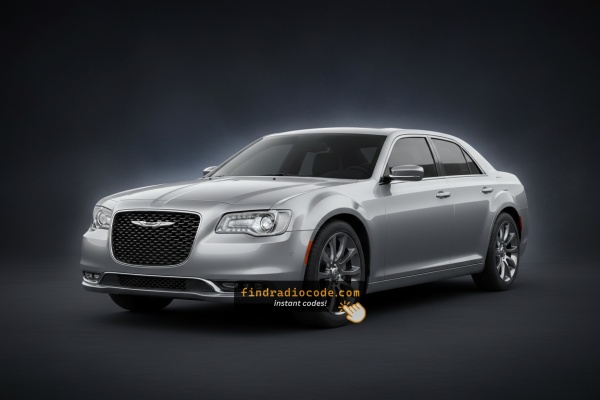
Unlock Your 2019 Chrysler 300C Radio in Minutes - How It Works
Getting your radio code takes only a few simple steps.
- Find the radio's serial number - this is the only information required to generate the correct unlock code.
Unlike dealership lookup, no VIN or paperwork is needed. - When you've found the S/N, type it into the form above.
The system checks it against a database of supported factory radios and automatically catches the matching security code. - In most cases, the code appears instantly on the screen after you pay and is also sent to your email , just in case.
If manual verification is required (rare situations), you'll be informed before checkout. - When you get it, simply enter it into your radio to restore full functionality.
Serial Number Location Guide for Chrysler 300C 2019
The important thing to know is that factory radios use a unique S/N to identify each unitindividually.
Your anti-theft system links the code directly to the serial.
Unlike car-specific data such as VIN or registration information, it is not determined by the model or production year, so you'll be able to retrieve it even if you have a radio that you bought afterwards.
Depending on the maker and radio installed in your Chrysler 300C, the access method varies.
Here are the most reliable ways to find it.
Radio Range on the 2019 Chrysler 300C
The 2019 Chrysler 300C is the top trim of the four-trim 300 line-up (Touring, 300S, Limited, 300C) and ships with the Uconnect 4 family. Because 300C is the flagship, the standard fit is the 8.4-inch UAQ NAV unit; a UAS or UAG could be present after a service swap.
Uconnect 4C NAV (UAQ) is the 8.4-inch touchscreen with built-in GPS, standard on the 2019 300C. Visual ID: large 8.4-inch screen filling the dash bezel opening, dedicated NAV/Map tile on the home screen, on-board maps work without a phone, plus Apple CarPlay and Android Auto support.
Uconnect 4C (UAS) is the 8.4-inch non-NAV touchscreen. Not factory equipment on 300C but possible after a service replacement. Same 8.4-inch glass as UAQ but with no Map/NAV tile.
Uconnect 4 (UAG) is the 7-inch non-NAV touchscreen. Standard on Touring, not on 300C; only relevant on a 2019 300C if a smaller screen has been retrofitted.
Field check: 8.4-inch screen with a Map tile = UAQ (factory on 300C). 8.4-inch with no Map tile = UAS. Smaller 7-inch screen = UAG.
View the Serial on the Radio Display
These are the steps you need to follow for 2019 Chrysler 300C:
The 2019 Chrysler 300C — the HEMI V8 top-trim final-generation 300 — features the Uconnect 4C (RA4). Press the bottom-left and bottom-right corners of the physical bezel frame simultaneously for 5 seconds (ignition ACC or ON) to open Dealer Mode. Go to: System Info → Radio Part Info → Serial Number.
Important Press the plastic bezel frame, not the touchscreen surface itself.
Display-Based Serial Number Retrieval
The 2019 Chrysler 300C ships with Uconnect 4C 8.4 hardware - typically the UAQ NAV unit on this top trim. On these units the head-unit serial number can normally be read on screen via the hidden dealer/diagnostic menu, although later Uconnect software builds may have tightened dealer-mode access on some cars.
Uconnect 4C 8.4 (UAQ - factory standard on 300C). Switch the ignition to RUN/ACC and wait for the Uconnect interface to finish booting. Press and hold the driver-side temperature UP, the driver-side temperature DOWN, and the front DEFROST buttons together for roughly 5-10 seconds. If the climate-button shortcut does nothing on a software-updated unit, press and hold the bottom-left and bottom-right corners of the screen at the same time for about 5-10 seconds. Browse to the radio/system info section to view the 14-character serial number printed on screen, then photograph the screen before transcribing the characters.
If a 7-inch UAG has been fitted instead. Place the ignition in RUN/ACC and let the screen finish loading. Press and hold the temperature UP and temperature DOWN buttons together for around 5-10 seconds to open the engineering menu. Open System Info / Target Main Data and read the serial number on screen. Take a photo of the display so each character can be copied accurately.
Locate Serial on 300C's Radio Chassis
If the serial number cannot be accessed on-screen, use the pull-out method.
Most Chrysler 300C OEM radios include a label with the serial number printed on the chassis.
Steps:
- Turn off the vehicle.
- Detach the bezel surrounding the radio.
- Loosen the fasteners.
- Pull the unit outward to access the label.
The serial number is usually located near the barcode.
If Dealer Mode is unavailable on the 2019 Chrysler 300C 300C, remove the RA4 from the luxury cabin center console.
- Remove the center bezel with a plastic trim tool — avoid scratching the upscale trim.
- Remove the four Torx T20 mounting screws.
- Slide the unit out to access the serial label on the top or side of the chassis.
View Serial by Pulling Out the Radio Unit
If dealer mode has been disabled on a 2019 Chrysler 300C by a Uconnect software update, the printed chassis label remains the next reliable source. The Uconnect 4C head unit on the LD-platform 300C sits in a centre stack closely tied to the climate cluster, so work slowly and methodically.
Safety first. Turn the ignition off, remove the key, disconnect the negative battery terminal, and wait a few minutes before touching wiring. Never disturb the yellow airbag/SRS connectors and use plastic trim tools to avoid shorts and broken clips.
Tools you will need. Plastic trim removal kit (a Mopar C-4755 trim stick or equivalent), Phillips and small Torx bit set, 7mm/10mm socket set, flashlight.
Removal overview. Pop the centre instrument panel bezel free using a plastic pry tool, starting at the lower edge and working up the sides; on the LD 300C this bezel also carries the A/C-heater control and clock connectors, so keep finger pressure even. Unclip those harnesses at the rear of the bezel before setting the trim aside on a clean cloth. Remove the mounting fasteners (typically four screws, two upper and two lower) holding the radio cage to the dash support bracket. Slide the radio rearward and disconnect the antenna lead and the multi-pin power/data harness.
Where the serial sits. On a printed barcode/sticker label on the top or side of the radio chassis, next to the part number and supplier markings.
Tips. Photograph the label and double-check ambiguous characters such as 0/O, 1/I and B/8 before submitting the serial. If you are not comfortable working around airbag wiring or the integrated climate cluster, have a professional installer remove the unit for you.

Example: Chrysler 300C serial number label location
Serial Number Format Guide for 2019 Chrysler 300C
Year Chrysler 300C RA4 serial patterns:
T00AM– Harman RA4 Uconnect 4C (typical on the 300C)T00BE– Continental version
Serial is 14 alphanumeric characters. Part number (starts with P or 68) is on the same label — skip it.
Common S/N Formats Used on 2019 Chrysler 300C Units
The factory radio on the 2019 Chrysler 300C is the Uconnect 4C 8.4 NAV (UAQ). It uses the standard Mopar/Uconnect serial style, with the exact prefix depending on which supplier (Visteon, Continental, Harman or Panasonic) built the unit.
Uconnect 4C 8.4 (UAQ). Typically printed as a 14-character alphanumeric string on the chassis label. Commonly begins with T - frequent prefixes include T00AM, TM9 and TQ1 - or with A2C on Continental-built variants. Usually a continuous run of letters and digits with no spaces or dashes.
If a UAS or UAG has been fitted as a service replacement. The 8.4-inch UAS shares the prefix family with UAQ. The 7-inch UAG usually carries a Mopar/Harman or Panasonic-style serial on the chassis sticker; the printed sticker on the unit itself is the authoritative reference. Copy the serial exactly as printed and avoid guessing characters that look unclear.
Radio Code Input Guide
Once the system gives you 2019 Chrysler 300C unlock code from the serial, you're ready to reactivate the radio.
Many drivers get stuck at this stage because input process can look different across radio versions, but it's usually simple.
When the radio shows ENTER CODE, it means the unit is waiting for the correct numbers.
Detailed Input Instructions for 300C 2019
To unlock the 2019 Chrysler 300C Uconnect 4C:
- Turn ignition to ON. Screen displays "ENTER CODE".
- Tap each digit of your 4-digit code on the touchscreen keypad.
- Radio auto-confirms after the 4th digit. No confirm button needed.
3 wrong attempts cause a 60-minute lockout. Keep ignition ON for the full wait. Turning off restarts the timer.
Correct Entering Process
Once the unlock code has been retrieved for a 2019 Chrysler 300C Uconnect head unit, it can be entered straight at the dash - no scan tool or dealer visit required.
Limited attempts. Mopar/Uconnect head units only accept three incorrect tries before the radio enters a WAIT state, so confirm every digit before pressing it.
Entering the code. Turn the ignition to RUN/ACC so the radio powers up while the engine stays off. Wait for the display to show CODE, Please enter Anti-Theft Code, or a similar prompt. On the Uconnect 4C 8.4 (UAQ/UAS), key the digits using the on-screen number pad and confirm with the OK/Enter touch button. If a 7-inch UAG is fitted, press the numbered preset buttons in sequence (preset 1 for the first digit, preset 2 for the second, and so on) - or use the on-screen keypad if the unit prompts for it.
If a wrong code was entered. If WAIT appears after wrong attempts, leave the ignition in RUN with the radio powered for a continuous 30 minutes (the vehicle may be driven during this time) before trying the correct code again.
Understanding Unlock Issues with Your 300C
If the 300C screen boots normally, anti-theft is inactive. Trigger the prompt: briefly disconnect the battery, reconnect, turn to ON.
The 300C RA4 label has both serial and part number. Serial: 14 chars starting with T00AM or T00BE. Part number (skip): starts with P or 68.
Re-read the label carefully. Contact support for a free re-check if needed.
On the 300C RA4 label: serial = 14 alphanumeric chars starting with T00AM or T00BE. Part number starts with P or 68 — not the serial.
3 wrong entries lock the 300C RA4 for 60 minutes. Keep ignition in ON or ACC. Turning off restarts the timer.
The 300C Uconnect 4C uses touchscreen-only code entry. Tap each digit on the on-screen keypad. Auto-unlocks after the 4th digit. No physical buttons needed.
Why Is the Radio Asking for a Code?
The 2019 Chrysler 300C RA4 activates anti-theft after power is cut. The HEMI-spec 300C uses the same lock system as all Uconnect RA4 radios.
Typical cause: battery replacement or disconnect. Other causes:
- Blown fuse after electrical work
- Buying the 300C pre-owned without a code
- Battery disconnect for service
- Battery dead from sitting
Code comes from the radio serial number — not the VIN.