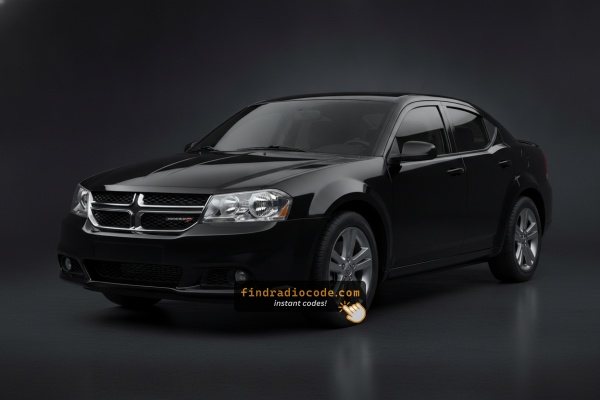
2014 Dodge Avenger Stereos and Their Makers
The following head units were installed in the 2014 Dodge Avenger. Choose the one that matches your dash to see its serial format and how to get the code.
Where to Find the Serial Number on your Avenger
The important fact to know is that factory radios use a specific serial number to identify each unit.
Your anti-theft system matches the code directly to this serial.
Unlike car-specific data such as VIN or registration information, it is not determined by the model or production year, so you'll be able to generate it even if you have an aftermarket radio.
Depending on the manufacturer and radio installed in your Dodge Avenger, the access method varies.
These are the best ways to locate it.
Which Head Unit Is in Your 2014 Avenger?
2014 was the final model year for the Avenger, and the factory radio menu was carried over essentially unchanged from 2013. There are still three sales codes to recognise, and the visual cues haven't moved.
RES (Media Center 130) - base AM/FM/CD with AUX. Standard on 2014 SE and SE V6 Avengers. Visual ID: small monochrome segmented display, single CD slot, hard preset buttons across the face, rotary volume and tune knobs, 3.5 mm AUX jack on the faceplate, no touchscreen and no USB on most builds. The simplest of the three head units and the most common factory radio on entry-trim 2014 cars.
RBZ (Media Center 430) - MyGIG touchscreen, no navigation. The most common factory MyGIG on 2014 SXT and R/T cars. Visual ID: 6.5-inch full-color touchscreen, MyGIG splash on boot, hard side buttons for MEDIA / NAV / MORE flanking the screen, a USB port on the faceplate, and a CD/DVD slot. Tapping NAV produces a placeholder screen because the GPS hardware is absent. Plug-form factor and harness are the same as the 2013 unit, which is why 2013 and 2014 RBZ radios are routinely cross-shopped.
RHB (Media Center 430N) - MyGIG 6.5-inch with Garmin navigation. The premium factory option, ordered as part of the Sun and Sound Group with one-year SiriusXM Travel Link on 2014 cars. Visual ID: identical 6.5-inch touchscreen bezel as RBZ, but power-up shows a Garmin logo and the NAV button opens a real Garmin moving map. Some 2014 faceplates carry a small NAV legend silk-screened next to the screen.
Quick rule of thumb for 2014: no touchscreen, just knobs and a small monochrome display = RES; touchscreen with MyGIG splash and a 'no nav available' message = RBZ; touchscreen with a Garmin boot logo and full moving map = RHB. The sales code is also printed on the chassis label after the unit is pulled, alongside the 14-character serial number.
Find the Serial Number via the Radio Display
Try the following for your 2014 Dodge Avenger:
The 2014 Dodge Avenger mid-size sedan of this generation uses a MyGIG radio (RBZ 430) or an first-generation Uconnect system fitted in the sedan's center stack. These older head units lack on-screen serial display.
The serial number must be found by physically removing the radio from the Avenger's dashboard and locating the barcode label on the unit casing.
Avenger's Hardware Label Method
If the serial does not appear in menu, the next step is checking the radio itself.
Many Dodge radios require physical access to the serial sticker attached to the unit.
Typical approach:
- Start by completely turning off the engine - pull the key out.
- Then remove the trim panel.
- Next, unscrew the mounting points and slide the radio forward.
- Look for a factory sticker showing the serial number.
To find the serial on the 2014 Avenger's radio, you must remove it from the dash:
- Turn off the vehicle.
- Carefully pry off the center stack bezel around the radio. The Avenger's center stack bezel is held by friction clips – work from the lower edge.
- Unscrew the 4 Phillips mounting screws holding the radio.
- Pull the unit forward and read the serial label on the top, side, or back of the radio.
Take care with the wiring harness. No need to disconnect it unless more space is required.
Taking Out the Radio to View the S/N on the Tag
The 2014 Avenger is the final model year of the JS platform sedan and continues with the Uconnect/RES 130S base CD radio and the optional RBZ 430 MyGIG 6.5-inch touchscreen. The serial number is printed on a white chassis label on the radio itself - the dash screen does not expose it on these units, so pulling the radio is the reliable way to read it.
Safety Notice
- Switch the ignition fully off and remove the key before opening the centre stack.
- Disconnect the negative battery terminal and wait several minutes so the SRS/airbag system fully discharges.
- Avoid all yellow-jacketed wiring and yellow connectors behind the dash - those carry airbag signals and must not be probed.
- Use plastic trim tools rather than metal screwdrivers so you do not gouge the soft-touch dash trim or short anything on the chassis.
Tools You Will Need
- T20 Torx bit and a short-handled driver or 1/4-inch ratchet for the four radio mounting screws.
- Plastic dash trim removal kit or a wide nylon pry wedge for the bezel clips.
- Small Phillips screwdriver in case any sub-trim screws are revealed under the climate panel.
- Soft cloth or microfibre to protect the centre console while you work.
Removal Sequence
- Pop the HVAC/climate-control panel out first by prying gently along its lower edge with the trim tool, then unplug the harness on its back.
- If silver screws are revealed under the climate panel, remove them, then unclip the upper trim above the radio.
- Work the trim tool around the radio bezel and release the spring clips a section at a time until the bezel lifts away.
- Remove the four T20 Torx screws (two upper, two lower) holding the radio chassis to the dash cage.
- Pull the unit straight back, disconnect the antenna lead and the multi-pin connectors at the rear, and lift the radio clear.
Reading the Serial Label
- Inspect the top, side, and rear faces of the chassis until you find a white printed sticker bearing a barcode.
- The serial number is the longer alphanumeric line near or directly below the barcode - the part number, which usually starts with
P05, is a separate field. - Photograph the label up close so every character is captured before you reinstall.
Reassembly Tips
- Reconnect each plug fully so it audibly clicks home and route the wiring so nothing is pinched against the dash cage.
- Slide the radio back into its opening, start all four T20 screws by hand to avoid cross-threading, then tighten.
- Reseat the radio bezel and HVAC panel until every clip clicks audibly, reconnect the battery, and cycle the ignition.

Example: Dodge Avenger serial number label location
How Serial Numbers Usually Look on These Avenger Radios
Typical radio models in the 2014 Dodge Avenger and their serial formats:
- MyGIG REP 430 (non-nav touchscreen) – Serial prefix:
TM9 - MyGIG RBZ 430 (6.5" touchscreen) – Serial prefix:
TM9orT00AM - MyGIG RER 730N (navigation) – Serial prefix:
TM9 - RES 130 (base CD/MP3) – Serial prefix:
TM9orT00AM
All serials are 14 characters. Ensure to use the serial number, not the part number (P05064... or 68...).
Serial Number Format Guide for 2014 Dodge Avenger
Serial numbers on the 2014 Avenger factory radios are alphanumeric strings printed on a white chassis label alongside a barcode. They typically begin with the letter T and span roughly 12 to 14 characters in total, with small variations between production batches and supplier runs.
RBZ 430 MyGIG (Touchscreen)
- RBZ units are Mitsubishi-built and most often carry serials beginning with
T00AMorT00BE. - A typical string looks similar to
T00AM4123T0789in length and structure. - The Mopar part number printed beside the serial commonly opens with
P05and is a separate field.
Uconnect/RES 130S (Base CD)
- The 130S RES base radio carries a Mopar/Harman-style serial on its chassis sticker, typically beginning with
Tand printed beside or below the barcode. - Treat the longer alphanumeric line as the serial; ignore the shorter part-number block that begins with
P.
Reading the Label Correctly
- Anything starting with
Pis a part number, not the serial. - Watch out for the digit
0versus the letterO- they look similar in this print but produce different unlock codes. - Capture every character including leading zeros to avoid a wrong-code lockout.
From Serial Number to Unlock Code for your Dodge Avenger - Explained
- Skip long troubleshooting discussions or service visits - you can retrieve the code online with the radio S/N.
- First locate the serial number. You will always find it on the unit itself, and sometimes you can see it on the Avenger's display.
- Enter it into the generator above, and the system will generate the correct 2014 Avenger unlock code.
- When you receive the code, type it in using Avenger's radio buttons to unlock the system fully.
- The entire process takes only a few minutes and requires minimal effort.
Code Entry Process for 2014 Avenger
After locating the radio serial and retrieved the unlock code, the last part is entering it into your radio.
Dodge OEM units display a CODE prompt when ready for input.
The process is quick, but button layouts and confirmation methods may differ slightly depending on the radio version installed in your Avenger.
Detailed Input Instructions for Avenger 2014
Entering the unlock code on the 2014 Avenger's radio:
- Turn ignition to ON. The radio displays "CODE" or "ENTER CODE".
- Touchscreen models (REP/RBZ/RER): Use the on-screen keypad to enter each digit.
- Non-touchscreen models (RES/REF): Press preset button 1 repeatedly for the first digit, button 2 for the second, 3 for the third, 4 for the fourth. Hold Enter/OK to confirm.
Warning: 3+ wrong attempts cause a lockout. Keep the Avenger's radio powered for about 60 minutes to clear it.
Detailed Input Instructions for Avenger 2014
The 2014 Avenger ships with anti-theft active on its factory radios, so a battery disconnect, radio swap, or any extended power loss will trigger the CODE prompt on the next ignition cycle. Enter the code carefully - the unit limits how many tries you have before it goes into a timed lock-out state.
Limited Attempt Warning
- The radio allows only three consecutive wrong attempts before it enters a
WAITstate. - Do not guess - verify each digit on the screen against your written code before submitting.
- Once in
WAIT, the ignition must remain in RUN for around 30 continuous minutes before the radio will accept another attempt (the vehicle may be driven during this period).
Code Entry Steps
- Turn the ignition to ACC or RUN so the radio powers up and shows the
CODEscreen. - On the base RES 130S, press preset button 1 the required number of times to set the first digit of the four-digit code.
- Use preset button 2 for the second digit, 3 for the third, and 4 for the fourth.
- On the RBZ 430 MyGIG touchscreen, tap each digit on the on-screen number pad in turn.
- Confirm the displayed digits match your code exactly before pressing and holding the OK/ENTER control (or the rightmost preset on touchscreen RBZ variants) for two to five seconds to validate.
Behaviour on Incorrect Entry
- If
WAITappears, leave the ignition in RUN for the full 30-minute cool-down before retrying. - Do not unplug the battery during the wait - it does not reset the lockout.
- If repeated correct entries still fail after the wait clears, stop and re-verify the serial and code with your provider rather than continuing to guess.
Why Is the Radio Asking for a Code?
2011–2014 Avenger owners face this most often because of:
- Battery disconnect or replacement — the primary cause on pre-2014 Avengers.
- Aging battery failure — older Dodge sedans are prone to battery failure which cut power without warning.
- Blown fuse — a blown radio fuse also counts as a power loss.
- Used purchase — buying these used leaves buyers without the code.
The unlock code is tied to the radio serial and does not expire.
Understanding Unlock Issues with Your Avenger
After three wrong codes on the Avenger's early Uconnect, a 60-minute lockout activates. The display will show "WAIT":
- Leave the radio powered — key must stay in ON, engine off is fine.
- Wait the full 60 minutes.
- Cycling the ignition resets the timer.
Once clear, try the verified code again.
When no "CODE" screen appears after a battery event:
- Ensure the ignition is in ON (not ACC) and wait 15–20 seconds to power up.
- Inspect the radio fuse — fuse failure stops the radio.
- On some older units, pressing the power button on the radio face can wake the code prompt.
Should nothing appear, power issue is the first thing to check.
A rejected code on the Avenger's early Uconnect almost always means a serial number mismatch. The label shows a serial number (TM9 or T00AM, 14 characters) and a part number (P05064... or 68...) — submit only the serial.
Look at the sticker again and contact support for a free re-check if needed.
The Avenger's early Uconnect radio requires physical removal to access the serial label. On the label:
- Serial number — 14 characters, starts with
TM9orT00AM. Submit this. - Part number — prefixed by
P05064or68. Not needed.
Transcribe all 14 characters carefully — similar-looking characters are easy to mix up on older stickers.
The entry method on the Avenger varies with which radio is fitted:
- Touchscreen models (MyGIG REP 430, RBZ, RER 730N) — Tap digits on the touchscreen. The display accepts each digit.
- Non-touchscreen models (RES 130, REF) — Press preset button 1 repeatedly to reach the first digit, button 2 for the second, 3 for the third, 4 for the fourth. Hold Enter/OK to confirm.
Not sure of your radio: a touchscreen means touchscreen entry; a black physical display means preset buttons.