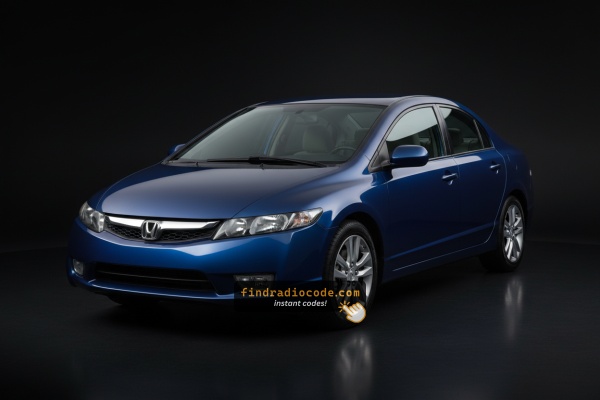
Steps to Unlock Your 2008 Honda Civic Radio
Getting your radio code takes only a few easy steps.
- Find the radio's serial - this is the only info required to generate the correct unlock code.
Unlike dealership lookup, no VIN is needed. - When you've found the S/N, type it into the form above.
The system checks it against a database of supported factory radios and automatically retrieves the matching anti-theft code. - In most cases, the code appears instantly on the screen after payment and is also sent to your email , just in case.
If we need to check it manually, you'll be notified before checkout. - When you receive the code, simply enter it into your radio to restore full functionality.
Entering the Radio Security Code
After locating the serial number and generated the unlock code, the last part is entering it into your radio.
Honda original head units display a ENTER CODE message when ready for input.
The process is usually straightforward, but button layouts and confirmation methods may vary depending on the radio version installed in your Civic.
Detailed Entering Instructions for Civic 2008
To type in the code on the 2008 Honda Civic's radio:
- Ignition ON. Radio shows "CODE".
- Press preset buttons 1-5 to enter each digit of the 5-digit unlock code. Each button rotates through digits 0-9.
- Hold button 6 for 2-3 seconds to confirm.
Lockout: 3 incorrect attempts = 60-minute lockout. Keep ignition ON the entire time. Turning off the ignition restarts the lockout timer.
Code-Entry Walkthrough for the 2008 Civic
Once you have the correct 5-digit anti-theft code for your 2008 Civic's radio, entering it is straightforward on every 8th-gen variant - LX, DX-G (Canada), EX, EX-L, Si, and Hybrid - because they share the same code-entry interface. The unit only allows a limited number of tries before locking, so verify the code before you start.
- Limited Attempt Warning (read first). Honda Civic head units of this era allow up to 10 attempts to enter a valid 5-digit code. After 10 successive invalid entries the radio drops into a 1-hour cooldown - the display generally shows
CODEwith a wait indicator, and the recovery is to leave the ignition in RUN (II) with the radio powered for a continuous 1 hour. Power-cycling during the wait restarts the timer, so leave the unit on. (On certain builds the unit instead permanently locks after 10 strikes and requires a dealer / professional reset, so do not gamble guesses on attempt 9 or 10.) - Step 1 - Power up. Turn the ignition to ACC (II) and wait for the head unit to finish booting until the display reads
CODEorEnter Code. If a wait indicator is showing, sit through the cooldown before doing anything else. - Step 2 - Enter each digit with presets 1-6. Press the preset matching the first digit of the code once, then the preset matching the second digit, and so on to the fifth; a digit that repeats means pressing the same preset again (33512 = 3, 3, 5, 1, 2). The display fills in each digit as you press.
- Step 3 - Count digits, not presses. Five digits means five presses in total. If the display shows fewer digits than you pressed, a preset did not register.
- Step 4 - Result. After the fifth press the radio decides on its own whether the code is right; there is no separate enter step. A correct code clears the prompt; an incorrect code redraws
CODEand decrements the remaining-attempts counter. - If the code is rejected. Stop after the second failed attempt, re-verify the digits against your paperwork and any glove-box owner's card, and double-check the serial you used to look up the code. Restart cleanly from the first digit on the next try - never burn a retry on a guess.
- Tip. Avoid double-tapping a preset, because each press enters a digit of its own. After a mis-press, keep going to the fifth digit and then enter the correct code from the start.
Finding the Radio S/N for Honda
Very important thing to know is that factory radios use a unique S/N to identify each unitindividually.
Your anti-theft system links the code directly to the serial.
Different from car-specific data such as VIN or registration information, it is not determined by the model or production year, so you'll be able to retrieve it even if you have a radio that you bought afterwards.
Depending on the maker and radio installed in your Honda Civic, the retrieval method varies.
Here are the best ways to locate it.
Identify Your 2008 Honda Civic Factory Radio
The 2008 model year continued the 8th-generation Civic's head-unit catalogue (FA/FG sedan, FG coupe, FD Hybrid) with the same trim split as 2006-2007 plus broader rollout of the AUX input on LX trims and full availability of the Si sedan from launch.
- DX (US, no factory audio). The US 2008 Civic DX sedan and coupe again shipped without a factory head unit, with only speakers and antenna pre-wiring fitted from the factory. A DX with a radio installed typically has a dealer- or owner-fitted unit and is not bound by the Honda anti-theft code system. The Canadian DX/DX-G is the exception and shipped with the same 160 W single-CD MP3/WMA unit as the LX.
- DX-G / LX 160 W AM/FM/CD with MP3/WMA and AUX. The mainstream 2008 head unit on the LX sedan, LX coupe, and Canadian DX-G. Single-CD slot reading CD-R/CD-RW with MP3 and WMA, monochrome two-line display, presets 1-6, dual rotary knobs, 4 speakers at 160 W, and the now-standard front-panel 3.5 mm AUX jack on most LX builds.
- EX 160 W (sedan) / 350 W premium (coupe) AM/FM/6-disc CD/MP3/WMA. EX trims fit the in-dash 6-disc CD changer with MP3/WMA support behind the same monochrome two-line display family. The EX coupe runs the 350 W 7-speaker premium amplifier including subwoofer; the EX sedan keeps the 160 W 4-speaker layout with the changer. EX-L sedans add leather and the upgraded amp where ordered.
- Si 350 W premium AM/FM/6-disc CD/MP3/WMA. The 2008 Si coupe (FG2) and Si sedan (FA5) carry the 350 W 7-speaker premium audio with the 6-disc in-dash CD changer plus MP3/WMA and Si-specific trim treatment.
- Hybrid (FD3) 160 W AM/FM/CD/MP3/WMA. The 2008 Civic Hybrid uses the same single-CD MP3/WMA head unit family as the LX, sat in the dual-tier dash with the IMA-ringed digital speedometer.
Quickest visual check: single-CD slot with the smaller two-line display = LX/DX-G/Hybrid; the same display with a 6-disc magazine slot = EX/EX-L (sedan or coupe) or Si (sedan or coupe); no head unit in a US Civic = DX (factory).
Access Your Serial via the Radio Display
The method for 2008 Honda Civic is this:
The 2008 Honda Civic features a double-DIN head unit featuring a small LCD display. The serial number can be displayed using the preset button method:
- Turn ignition to ON or ACC. The radio shows "CODE" or "ENTER CODE".
- Press and hold buttons 1 and 6 together for approximately 3 seconds.
- The display cycles through the serial number in two segments: first half (e.g.,
U3210) then second half (e.g.,L0482).
Note: On some 2008 Civic radios with nav screens, the serial may show up in the Settings → System Information menu. Try this first if your model has a touchscreen unit.
Show the 2008 Civic Radio Serial via Honda Dealer Mode
The 2008 Civic's factory head units expose their 8-character serial on the display via the Honda dealer-mode shortcut. The procedure is identical across the LX, DX-G (Canada), EX, EX-L, Si, and Hybrid head units, so you can usually read the S/N without pulling the radio.
- Step 1 - Radio OFF, key in ACC (II). Power the head unit off (display dark, no station shown) and turn the ignition to the accessory position so the unit's wake line has 12 V.
- Step 2 - Press and hold presets 1 and 6 together. Keep both held down for roughly two seconds until the unit wakes into its dealer/diagnostic display.
- Step 3 - Read the U / L two-screen serial. The display alternates between a
U-prefixed first half (for exampleU2200) and anL-prefixed second half (for exampleL0055). Combine them in order -U2200+L0055- to get the contiguous 8-character value22000055. Some 2008 units flashS/N 22000055on a single line instead. - Step 4 - Photograph and transcribe. Snap a photo of each half so you can verify later, then write the contiguous 8 characters down. The
UandLletters are labels for the upper and lower halves and are not part of the value you submit. - Tip - Stubborn dealer mode. If presets 1 + 6 do not respond on the first try, power the unit off and re-attempt the hold a few times - this is a common quirk on the base LX/DX-G. If the screen shows
ERR,ERR5, orERR7, the radio is in cooldown - disconnect the battery for 30-45 minutes, reconnect, and try the 1 + 6 hold again.
Civic's Hardware Label Method
If the serial number cannot be accessed via display, use the hardware method.
Most Honda Civic factory radios include a tag with the serial number printed on the housing.
Basic process:
- Ensure the ignition is off.
- Lift away surrounding panel pieces.
- Remove fasteners holding the radio.
- Pull forward to inspect the label.
If the 1+6 method is unavailable on your 2008 Honda Civic:
- Power down the vehicle.
- Pry off the center stack trim with a plastic pry tool. The 2008 Civic's double-DIN radio is surrounded by a trim panel attached by snap clips.
- Remove the four Phillips-head screws securing the radio in the bracket.
- Ease the unit out to access the serial label on the metal casing.
Note: The 2008 Civic's larger radio weighs more than single-DIN units. Support it with both hands when sliding it out.
Remove the 2008 Civic Head Unit and Read the Chassis Label
If the 1 + 6 dealer-mode shortcut does not respond on your 2008 Civic, the fallback is to release the head unit from the centre stack and read the manufacturer's chassis label - the procedure is the same for the LX/DX-G single-CD unit, the EX/EX-L/Si 6-disc changer, and the Hybrid head unit on the FA/FG/FD platform.
- Safety first. Turn the ignition fully off and remove the key. Disconnect the negative battery terminal and wait at least three minutes for the SRS / airbag capacitors to fully discharge before reaching into the dash. Avoid the yellow airbag wiring near the steering column, and release each connector by its locking tab rather than tugging on the wires.
- Tools to have ready. Plastic pry/trim tools (or a flat-blade screwdriver wrapped in painter's tape), a #2 Phillips screwdriver for the radio cage screws, an 8 mm socket on a short ratchet for the lower bracket screws, and a small parts tray.
- Step 1 - Pop the lower storage panel. Open the small storage cubby to the left of the steering wheel and pry off the internal storage panel next to the power module. Behind it are two 8 mm Phillips-style screws securing the lower edge of the centre trim - back them out and set them aside.
- Step 2 - Release the centre climate/audio bezel. The 2008 Civic's centre bezel surrounds both the climate controls and the head unit and is held by snap clips around its perimeter. Starting at the bottom corner, work a plastic trim tool behind the bezel and walk it around the perimeter, releasing each clip with a small outward pull. The bezel hinges out as a single assembly.
- Step 3 - Disconnect the bezel-mounted harness. Tilt the bezel toward you, find the harness on the back of the climate-control panel, squeeze its lock tab, and disconnect. Set the bezel face-up on a soft cloth.
- Step 4 - Remove the four radio mounting screws. The head unit is anchored to the dash sub-frame by four Phillips screws (some 2008 builds use Torx-style heads), typically one near each corner of the cage. Remove all four and keep them together.
- Step 5 - Slide the unit out and disconnect. Pull the radio straight forward out of its opening, then release the locking antenna connector (Honda uses a non-standard antenna plug on this generation - back the locking ring off rather than levering on the cable) and unplug the multi-pin electrical harness(es) at the back.
- Step 6 - Read and record the S/N. The 8-character serial number is printed on a white or silver manufacturer label on the top or side of the chassis, typically beside an
S/Ntag and a barcode. Photograph the label and transcribe the value carefully - the digit zero is easy to confuse with the letter O, and the dealer-modeU/Llabels are not part of the value you submit. - Reinstallation tips. Reconnect harnesses before sliding the unit back in; route the antenna cable so it is not pinched; tighten the four screws snug but not over-torqued; align the bezel and press around its perimeter until each clip seats; and re-fit the two 8 mm screws inside the storage tray last.

Example: Honda Civic serial number label location
These are the Common Serial Formats
The 2008 Honda Civic radio serial number uses the standard Honda OEM format:
U1234L5678– Primary Honda factory format – two halves displayed separately (U####thenL####), combined into a 10-character serial
Radio manufacturers for the 2008 Civic: Alpine (most common) or Panasonic. Navigation models could use a separate module but typically use the same U/L two-part serial format.
Reminder Write down the complete serial exactly – a single wrong digit will generate an incorrect code.
Serial Number Format Guide for 2008 Civic Radios
Serial numbers on the 2008 Civic's factory head units are typically 8 alphanumeric characters printed on the chassis label and shown in two halves on the dealer-mode display, with a U-prefix labelling the first 4 characters and an L-prefix labelling the last 4 (for example U2200 + L0055 for the contiguous serial 22000055). Prefix patterns can vary between production runs and supplier batches.
LX / DX-G / Hybrid Single-CD Head Units
- Typically an 8-character alphanumeric string starting with one or two leading digits, printed beside an
S/Ntag on the chassis label. On the dealer-mode display the same value is splitU####+L####. Treat any whitespace, dashes, or theS/N/U/Lprefix labels as formatting only - they are not part of the serial value you submit.
EX / EX-L (Sedan) / EX (Coupe) / Si Coupe / Si Sedan 6-Disc CD Head Units
- Also 8-character alphanumeric serials on the same
U/Ldealer-mode pattern. Honda 6-disc head units of this era commonly carry anMfamily identifier within the contiguous 8-character string alongside the dealer-modeU/Lsplit, but the value you need is still the 8 contiguous characters from the chassis label or the combined two-screen display.
Important caveat: capitalisation matters, and prefixes and exact patterns can vary between production runs and supplier batches - always verify the value as printed on the label or shown on the dealer-mode screen rather than assuming a fixed prefix from another car.
What Caused the Radio to Lock?
Mid-era Honda radios retain the same anti-theft system as earlier models: any break in battery power causes the code prompt on the next startup. Typical triggers include:
- Battery replacement or disconnect — the most frequent cause.
- Battery drain — a fully dead battery also activates the lock.
- Fuse replacement — swapping the radio fuse block can briefly interrupt power and trigger the lock.
- Workshop electrical work — any service that involves disconnecting the battery will cause this.
Entering the correct code removes the lock and the radio resumes normal operation immediately. The lock only re-activates if power is cut once more.
Fixing Common Code Entry Problems for 2008 Civic
When the head unit powers on but skips the "CODE" screen, consider these possibilities:
- The unit might be unlocked — attempt normal operation to confirm.
- Some 2008 Civic radios show "ENTER CODE" rather than just "CODE" — either message means the same thing.
- With navigation models: the navigation display may appear before the code screen. Give it a few seconds for the audio system to boot separately.
If no prompt appears at all, verify the radio fuse — a blown radio fuse will stop the unit from powering on.
A rejected code on the double-DIN Honda is very often traced back to a misread serial. The serial label on the unit chassis shows both the serial and the part number — make sure you submitted the serial (U####L####) and not the part number.
After a rejected attempt, avoid entering more guesses — there are only 3 tries before a 60-minute lockout. Reach out to us with the serial for a no-charge reverification before retrying.
The double-DIN Honda radio uses the same button layout as the older single-DIN platform:
- Preset buttons 1–5 — each press cycles through digits 0–9 to select that digit of the code.
- Button 6 — hold for 2–3 seconds to confirm the full code.
For some 2008 Civic navigation-equipped radios, the preset buttons may be arranged slightly differently or supplemented by soft keys. If that applies, the confirmation button is still the rightmost preset or a dedicated ENTER button.
Following three wrong entries, the mid-era Honda radio enters lockout mode and displays an error or goes silent. To recover it:
- Leave the ignition in the ON position — don't switch it off.
- Wait the full 60 minutes to elapse. Turning the key to OFF at any point resets the waiting period.
- After the hour, the radio should show "CODE" again.
Navigation-equipped 2008 Civic units use the same 60-minute lockout procedure. If the unit still won't accept codes after waiting, the unit may need a dealer diagnostic.
The serial number format for the mid-generation Honda radio follows one of:
U####L####— the standard two-part Honda serial (first half starts with U, second with L).HBM####— used on navigation and certain premium configurations.913A####— used by Alpine-manufactured modules.
The part number on the same label begin with 39100 or 39101 — never submit those. If uncertain, use the 1+6 button method to retrieve the serial on the screen itself.