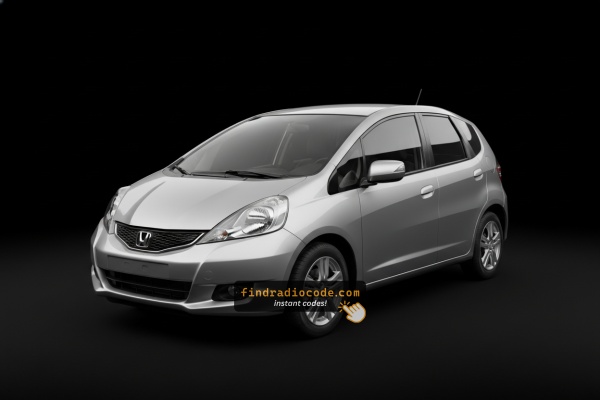
Where to Find the Serial Number on your Fit
The first step is locating the radio S/N.
Many drivers assume the code depends on the Honda model or year, but in reality, the whole process depends on the unique radio unit's serial number.
This number identifies the exact head unit installed in your Honda Fit.
This is even better, because if you have a used radio, the VIN or other Honda-specific data wouldn't be of much use.
Depending on the radio used, you may be able to see the serial directly from the screen or by checking the label on the radio chassis.
Factory Radios on the 2013 Honda Fit
The 2013 model year is the second-to-last year of the 2nd-generation GE Fit in North America and uses the same factory audio family as the rest of the GE generation. The car was sold as Base Manual, Base Automatic, Sport Manual, Sport Automatic and Sport Automatic with Navigation, and the head unit fitted depends on whether you got the Sport Navigation package.
- Fit (Base) - 4-speaker AM/FM/CD receiver with an aux input jack and a USB input in the upper part of the glove box; basic monochrome display, no factory Bluetooth.
- Fit Sport - the same single-disc CD receiver but with two additional dash tweeters (6 speakers total) and AM/FM/CD/MP3/WMA decoding; aux + glove-box USB carry over.
- Fit Sport with Navigation - the optional Alpine-supplied AVN-DVD touchscreen navigation receiver (Honda part number
39540-TK6-.) replacing the standard CD head unit on Sport Automatic only.
Quick visual ID
- Single-DIN CD slot with a small monochrome display - that is the Base or Sport non-nav radio.
- Wider colour touchscreen with an integrated DVD-based map disc - that is the Sport with Navigation unit.
- Glove-box USB jack and front aux jack - present on all 2013 Fit factory radios from new.
All three units use the standard Honda anti-theft system and will display CODE (or Err after a wrong attempt) once they have lost 12V power. The navigation unit additionally has a separate NAV CODE tied to the same chassis serial.
View Your S/N on the Radio Display
These are the steps you should follow for 2013 Honda Fit:
The 2013 Honda Fit is equipped with a double-DIN head unit featuring a dot-matrix screen. The serial number can be displayed using the preset button method:
- Turn ignition to ON or ACC. The radio shows "CODE" or "ENTER CODE".
- Hold down buttons 1 and 6 together for 3-5 seconds.
- The display reveals the serial number in two segments: first half (e.g.,
U3210) then second half (e.g.,L0482).
Tip: On certain 2013 Fit radios with navigation, the serial may be visible in the Settings → System Information menu. Try this before using buttons if your vehicle has a touchscreen unit.
Reading the Serial on the 2013 Fit Without Removing the Radio
The 2nd-gen GE Fit head units fitted to the 2013 Fit support Honda's dealer-mode preset shortcut, so in most cases you can read the radio's 8-character serial number directly from the dash without pulling the unit.
Step-by-step
- Sit in the driver's seat with the doors closed and turn the ignition to the ON/II position (engine does not need to be running).
- Make sure the radio is off.
- Press and hold preset buttons 1 and 6 at the same time.
- While still holding 1 and 6, press the power/volume knob to switch the radio on.
- The display alternates between a
Uscreen showing the first 4 characters of the serial (for exampleU2200) and anLscreen showing the last 4 (for exampleL0055). - Ignore the U and L letters - the actual serial is the 8 characters that follow them combined (for example
22000055).
If the shortcut does not work
- Confirm you held 1+6 before pressing power, not after.
- If the unit is already in lockout (
Erron screen), the dealer-mode display can be unavailable until the lockout clears. - On the Sport with Navigation unit, the same 1+6 trick still applies to the head unit's audio side; the chassis serial it returns is what Honda's portal expects.
If the 1+6 method does not give a clean serial, the next step is the physical removal procedure to read the serial from the chassis label.
Find the Serial by Pulling Out the Radio
If the serial number cannot be accessed on-screen, use the pull-out method.
Most Honda Fit OEM radios include a sticker with the serial number printed on the housing.
Process details:
- Shut down the car.
- Carefully remove surrounding mounting frame.
- Remove fasteners holding the radio.
- Slide outward to inspect the label.
If the 1+6 method is unavailable on your 2013 Honda Fit:
- Power down the vehicle.
- Carefully detach the radio bezel with a plastic pry tool. The 2013 Fit's double-DIN radio is surrounded by a trim panel held by snap clips.
- Remove the 4 Phillips screws holding the radio in the bracket.
- Ease the unit out to read the serial label on the metal casing.
Note: The 2013 Fit's double-DIN radio weighs more than single-DIN units. Hold it with both hands when sliding it out.
Removing the Factory Radio on the 2013 Fit
If the dealer-mode 1+6 shortcut does not give a clean serial and the wallet card and glove box sticker are missing, the most reliable way to read the serial on a 2013 Fit is to pull the head unit out and copy the chassis label directly. The 2nd-gen GE centre stack is held by retaining clips with a small number of screws, so the work is straightforward but should be done with care because of the SRS airbag wiring near the dash.
Safety first
- Turn the ignition fully off and remove the key from the cylinder.
- Disconnect the negative terminal of the 12V battery.
- Wait at least three minutes before working near the dash so the SRS capacitor can fully discharge.
- Stay clear of any yellow airbag connectors while the trim is loose.
Tools you will need
- Phillips screwdriver for the radio retaining screws.
- Plastic trim/panel pry tool to release the dash bezel clips without scratching the surface.
- An 8mm socket or short driver for any nutted fasteners hidden behind the cup-holder panel.
- A phone or camera for a clear photo of the chassis label.
Removal overview
- Pop out the small panel above the cup-holders in the centre console - it is clipped, not screwed - and look in the access holes; the one on the far right reveals a hidden Phillips screw.
- Gently pry off the centre dash bezel that surrounds the radio and HVAC controls. Walk the plastic pry tool around each clip until the bezel comes free.
- Disconnect any wiring (hazard switch, etc.) from the back of the bezel before setting it aside.
- Remove the visible Phillips screws securing the radio to the dash frame.
- Slide the head unit forward and unplug the wiring harness and antenna lead from the rear.
Where the serial is printed
- Look on the top, side or rear face of the metal chassis for a white or silver thermal-printed label.
- The label carries a Honda part number (for example
39100-TK6-A01on non-nav units,39540-TK6-..on the Alpine navigation unit) and a separate serial line. - Copy the longest alphanumeric string next to the barcode - that is the serial, not the part number.
Tips
- Photograph the label rather than copying by hand, so characters such as O vs 0 and I vs 1 can be re-checked later.
- Reassembly is the reverse of removal: connectors back on, screws home, bezel pressed in until each clip seats, then reconnect the battery and enter the radio code to bring the unit back online.

Example: Honda Fit serial number label location
Typical Radio Serial Prefixes and Formats
The 2013 Honda Fit radio serial number uses the standard Honda OEM format:
U1234L5678– Confirmed Honda factory format – two halves displayed separately (U####thenL####), combined into a 10-character serial
Radio manufacturers for the 2013 Fit: Alpine (most common) or Panasonic. Nav models could use a separate module but typically use the same U/L two-part serial format.
Reminder Copy the complete serial exactly – even one wrong character will generate an incorrect code.
Common Serial Number Formats on 2013 Fit Radios
Factory Honda head units in the 2013 Fit carry a printed serial number on the chassis label and also expose it via the 1+6 dealer-mode shortcut. Both methods give the same 8-character alphanumeric string, which is what Honda's online code portal and any third-party Honda code service expect.
What the serial typically looks like
- The serial is an alphanumeric string of 8 characters printed next to the barcode on the chassis label.
- On the dash, the dealer-mode display splits the same 8 characters into two screens:
U+ first 4 (for exampleU2200) andL+ last 4 (for exampleL0055). - The label also lists a Honda part number -
39100-TK6-A01on the non-nav single-CD head unit, or39540-TK6-..on the Alpine touchscreen navigation unit. These are part numbers, not serials.
What to copy
- Combine the U and L digits with no leading letter and no separator - for example,
U2200+L0055becomes22000055. - Double-check ambiguous characters such as O vs 0 and I vs 1 by comparing the dash readout with the printed label.
If your string does not look like an 8-character alphanumeric serial, confirm that you copied the serial line and not the Honda part number, which sits separately on the same label.
How to Enter the Radio Code
Once you have the S/N and generated the unlock code, the next step is entering it into your radio.
Honda OEM units display a CODE prompt when ready for input.
The process is usually simple, but button layouts and confirmation methods may change depending on the radio version installed in your Fit.
In-depth Input Instructions for Fit 2013
To enter the code on the 2013 Honda Fit's radio:
- Ignition ON. Radio displays "CODE".
- Use preset buttons 1-5 to enter each digit of the 5-digit unlock code. Each button rotates through digits 0-9.
- Hold button 6 for 2 seconds to submit.
Lockout: Three wrong attempts = 60-minute lockout. Keep ignition ON for the full hour. Switching off the ignition resets the lockout timer.
Entering the 5-Digit Code on the 2013 Fit
Once you have the correct 5-digit anti-theft code for your 2013 Fit radio, the entry process is fast, but you have a strict attempt limit before the radio locks itself out, so verify the code and the serial it came from before you start.
Limited attempt warning
- You only get around 10 attempts. After roughly ten consecutive wrong codes, the factory Honda radio enters a lockout state and the display shows
ErrorE. - To clear the lockout, leave the ignition in the ACC/ON position with the radio powered up for one continuous hour, then try the correct code again.
- Cycling the key off does not always shortcut the timer, so do not hammer guesses at the unit.
Entering the code by presets
- Turn the ignition to ACC or ON so the radio powers up and shows the CODE prompt.
- Tap the preset whose number equals the first digit of your code - one tap per digit (code
35142starts with a single tap of preset 3). - Tap the preset for the second digit.
- Tap the preset for the third digit.
- Tap the preset for the fourth digit.
- Tap the preset for the fifth digit - the radio normally accepts the code automatically.
Entering the code with the tuning knob
- The 2013 Fit non-nav head unit also accepts the code via the tuning knob: rotate to set each digit, then press SCAN, TUNE or the power button to confirm.
- On the Sport with Navigation, the on-screen keypad is the primary method - tap each digit on the touchscreen, then confirm.
If it does not unlock
- Stop after the second wrong attempt and re-verify the 8-character serial number used to obtain the code.
- Make sure no leading letter or trailing digit was dropped from the serial.
- If
Errappears, leave the ignition in ACC/ON for the full one-hour cooldown before trying again.
Step-by-Step Honda Fit 2013 Radio Code Retrieval Guide
Getting your radio code takes only 4 simple steps.
- Locate the radio's serial number - this is the only info required to generate the correct unlock code.
The difference with the dealership lookup is that no VIN or paperwork is needed. - When you've found the S/N, type it into the form above.
Our system checks it against a database of supported radios and automatically finds the matching radio code. - In most cases, the code will appear instantly on the screen after you pay and is also sent to your email , just in case.
If manual verification is required (rare situations), you'll be informed before checkout. - When you get it, simply enter it into the radio to restore the functionality.
What Caused the Radio to Lock?
Double-DIN Honda radios have the same anti-theft logic as earlier models: any loss in battery power causes the code prompt on the next startup. Frequent reasons include:
- Battery replacement or disconnect — the most frequent cause.
- Battery drain — a fully dead battery has the same effect.
- Fuse replacement — swapping the radio fuse can briefly interrupt power and activate the lock.
- Workshop electrical work — any service that involves disconnecting the battery will produce this.
Supplying the correct code removes the lock and the radio resumes normal operation immediately. The lock only comes back if power is disconnected again.
Understanding Unlock Issues with Your Fit
An incorrect code result on the double-DIN Honda is usually traced back to a misread serial. The serial label on the back of the radio carries both the serial and the part number — verify you copied the serial (U####L####) and not the part number.
After a rejected attempt, avoid entering more guesses — you only have 3 tries before a 60-minute lockout. Reach out to us with the serial for a free recheck before retrying.
The serial number pattern for the mid-generation Honda radio follows one of:
U####L####— the standard two-part Honda serial (first half starts with U, second with L).HBM####— used on navigation and some premium configurations.913A####— used by Alpine-manufactured modules.
Honda part numbers printed alongside start with 39100 or 39101 — never submit those. When in doubt, use the 1+6 button method to display the serial on the screen itself.
After three wrong codes, the double-DIN Honda radio enters lockout mode and shows an error or refuses input. To exit it:
- Leave the ignition in the ON position — do not switch it off.
- Wait the full 60 minutes to elapse. Switching off at any point resets the waiting period.
- After the hour, the radio should show "CODE" again.
Navigation-equipped 2013 Fit units use the same 60-minute lockout process. Should it remains locked after waiting, the unit may need a dealer diagnostic.
When the head unit powers on but skips the "CODE" prompt, consider these causes:
- The unit might be unlocked — try normal operation first.
- Certain 2013 Fit radios display "ENTER CODE" rather than just "CODE" — both message means the same thing.
- With navigation models: the navigation display may come up first the code screen. Wait a few seconds for the audio system to initialize separately.
Should no code screen ever show, verify the radio has power — a failed radio fuse will stop the unit from showing any display.
The mid-generation Honda radio uses an identical button layout as the older single-DIN platform:
- Preset buttons 1–5 — press each cycles through digits 0–9 to select that digit of the code.
- Button 6 — hold for several seconds to confirm the full code.
For some 2013 Fit navigation-equipped radios, the preset buttons may be arranged slightly differently or supplemented by soft keys. If that applies, the confirmation button is still the rightmost preset or a dedicated ENTER key.