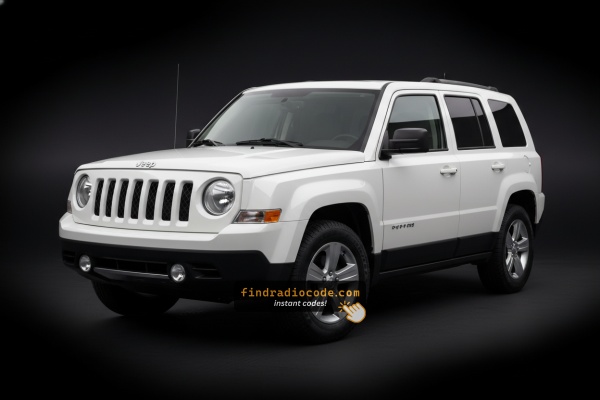
2015 Jeep Patriot Radio Models We Support
Not sure which radio you have? Compare your screen and faceplate against the 2015 Jeep Patriot head units below. Each guide lists the serial format and identification tips.
| Years | Factory radio | Serial starts with |
|---|---|---|
| 2013-2018 | Uconnect 3.0 RA1 VP1 Continental |
TQN, TVPQN, A2C, A3C
|
| 2013-2017 | Uconnect 4.3 REB Continental |
TQN, TVPQN, A2C, A3C
|
| 2013-2018 | Uconnect 8.4 RA3 VP3 NA Harman |
T00AM, T00BE, T0012
|
| 2014-2018 | Uconnect 5.0 RA2 VP2 Continental |
TQN, TVPQN, A2C, A3C
|
| 2014-2017 | Uconnect 5.0 RA2 VP2H NA Harman |
T00AM, T00BE, T0012
|
Why Did the Radio Lock and Ask for a Code?
Jeep Patriot owners frequently encounter radio lockouts because of:
- Battery disconnect or replacement — the number one cause on all MyGIG-era vehicles.
- Aging battery failure — Patriots from this era have aging electrical systems, which triggers the anti-theft every time.
- Used purchase — Patriots were popular budget used SUVs, and the code is rarely passed on.
The unlock code is linked to the radio serial and never expires.
How to Get Your 2015 Jeep Patriot Radio Code
- Instead of contacting Jeep dealer or searching forums you can generate the code online using the radio S/N.
- First locate your radio's serial. The best place to search is on the unit itself, and sometimes you can see it on the Patriot's display.
- Type it into the field above, and the system will calculate the correct 2015 Patriot unlock code.
- After receiving your code, input it using Patriot's radio controls to release the blockade successfully.
- The entire process takes less than a minute for most users and requires no VIN, documents, or technical knowledge.
Inputting the Security Code
Once you have the S/N and generated the unlock code, the final part is entering it into your radio.
Jeep original head units display a CODE prompt when ready for input.
The process is usually straightforward, but button layouts and confirmation methods may change depending on the radio version installed in your Patriot.
In-depth Input Instructions for Patriot 2015
To input the code on the 2015 Patriot's radio:
- Turn ignition to ON. The screen shows "CODE".
- Touchscreen (MyGIG 430): Tap the on-screen keypad to enter each digit.
- Non-touchscreen (RES 130): Press preset button 1 repeatedly to set the first digit, button 2 for the second, etc. Hold Enter/OK to confirm.
Lockout: Three wrong attempts = lockout. Leave the radio on for ~60 minutes to clear.
In-depth Entering Instructions for Patriot 2015
- Limited Attempt Warning (read first): Mopar MyGIG units (and the RES base receiver) for the 2015 Patriot typically allow up to three attempts to enter a valid 4-digit anti-theft code. After three successive invalid entries the radio enters a WAIT (LOCK) state and shows
WAITon the display. Recovery: leave the ignition in RUN with the radio powered for a continuous 30 minutes (you may drive the vehicle during this time); only then will theCODEprompt return for another set of attempts. Pulling the radio fuse or disconnecting the battery will not shortcut the cooldown. - Power up. Turn the ignition to RUN (or ACC if your trim allows it) and wait for the radio to finish booting and display the
CODE/ENTER CODEprompt. - Entry on a MyGIG touchscreen (RBZ / RHB): tap each of the four digits of your code in order on the on-screen numeric keypad. After the fourth digit is in place, an
OK/GObutton becomes active. - Confirm on the MyGIG. Tap
OK/GOto submit. A correct code clears the prompt and the radio returns to normal operation; an incorrect code is counted as one of your three attempts. - Entry on the base RES (single-CD) radio: with the ignition in RUN and the display showing
CODE, use the station preset buttons (1-4) to dial each of the four digits, then press the labelled enter/OK button to submit (or briefly hold the assigned preset, depending on the unit's labelling). - If the code is rejected: stop after the second failed attempt, re-verify the digits against your paperwork, and start a fresh entry from the first digit. It is much cheaper to take the 30-minute wait than to risk further escalation.
- Tip: tap each touchscreen digit deliberately - rapid double-taps can register an extra digit and inadvertently submit an incorrect entry.
Locate the Serial Number Needed to Generate Jeep Patriot 2015 Radio Code
The important fact to know is that factory radios use a unique S/N to identify each unitindividually.
The security system matches the code directly to the serial.
Unlike car-specific data such as VIN or registration info, it is not determined by the model or production year, so you'll be able to get it even if you have a radio that you installed afterwards.
Depending on the maker and radio installed in your Jeep Patriot, the retrieval method varies.
These are the most reliable ways to find it.
Which Head Unit Is in Your 2015 Patriot?
The 2015 Jeep Patriot (MK74) continued with the same Mopar radio line-up that had been in place since the 2011 refresh. Identifying which unit is in your dash makes the rest of the code-retrieval process much easier.
- RES (Media Center 130, base AM/FM/CD/MP3): the standard non-touchscreen receiver fitted to entry-trim Sport models. Single-DIN style face, dot-matrix display, hard buttons for source and presets, and a CD/MP3 slot.
- RBZ - MyGIG 430 (6.5" touchscreen, no nav): the mid-tier factory MyGIG receiver. 6.5-inch colour touchscreen, AM/FM/CD/DVD, optional SiriusXM, Bluetooth and USB.
- RHB - MyGIG 430N with Garmin navigation (6.5" touchscreen): the navigation-equipped MyGIG. Same 6.5-inch touchscreen as the RBZ plus the Garmin-based navigation engine and a hard drive for media storage. A relatively rare option on the Patriot.
- Anti-theft note: all 2015 Patriot factory radios ship with the Mopar anti-theft feature active by default, so a code prompt at first power-up after a battery disconnect or radio swap is normal.
- How to identify yours: the Mopar sales code (RES, RBZ, RHB) is typically printed on the lower-right corner of the radio face near the AUX jack; the Monroney sticker, build sheet and a VIN report will also list the radio sales code.
Access the S/N via the Radio Screen
Try the following for your 2015 Jeep Patriot:
The 2015 Jeep Patriot (XK) came with a MyGIG or base Uconnect radio. The Patriot's rugged center stack houses the head unit in a straightforward single-DIN or double-DIN location. These units do not support on-screen serial display.
Your radio's S/N is on a label on the rear or side of the radio unit — only readable after pulling out the radio.
Releasing the Radio to See the S/N on the Tag
If the serial number cannot be accessed on-screen, use the removal method.
Most Jeep Patriot factory radios include a sticker with the serial number printed on the chassis.
Step-by-Step:
- Turn off the vehicle.
- Detach the bezel surrounding the radio.
- Unscrew the mounting bolts.
- Pull the unit forward to access the label.
The serial number is usually located near the manufacturer sticker.
To remove the radio from the 2015 Patriot (XK):
- Turn off the vehicle.
- Remove the center stack bezel around the radio. The Patriot's upright center trim has plastic snap clips – begin at the top or bottom and pry along the perimeter.
- Unscrew the four Torx T20 mounting screws.
- Pull the radio forward and locate the serial label on the side or back of the chassis.
Patriot Note: The XK Patriot uses similar center stack construction with the Compass MK49. Radio removal is nearly identical between the two.
Manufacturer Label Inspection
- Why removal is the trustworthy method. On the 2015 Jeep Patriot (MK74), the radio's 14-character serial number is printed on a manufacturer label on the chassis itself. Pulling the unit and reading the label is the dependable way to capture the exact value, regardless of whether the car has the base RES receiver, the RBZ MyGIG 430 or the RHB MyGIG 430N with Garmin navigation.
- Safety first. Turn the ignition fully off and remove the key. Disconnect the negative battery terminal and wait at least 10-15 minutes so SRS / airbag capacitors can discharge. Stay clear of yellow airbag wiring, and release every connector by its lock tab rather than tugging on the wires.
- Tools to have on hand. A 7 mm socket or nut driver for the dash bezel and chassis screws, a #2 Phillips screwdriver, a set of plastic pry/trim tools (or a tape-wrapped flat-blade screwdriver), a small parts tray and a soft cloth to protect the dash pad.
- Pull the shift knob. Pull straight up firmly on the manual or automatic shift knob to release it from its threaded shaft, then lift off the shift bezel collar around its base.
- Remove the lower bezel screws. A small number of fasteners around the shifter base secure the lower edge of the center bezel - take those out and keep them grouped.
- Free the center radio bezel. The bezel is also clip-retained around its perimeter. Slip a plastic trim tool behind the bottom edge and pry forward, moving side to side and bottom to top until the clips release.
- Tilt the bezel forward and unplug. Disconnect the switch connectors and HVAC control connectors behind the bezel.
- Unbolt the radio chassis. The radio is held by four 7 mm screws (one near each corner of the mounting cage). Remove all four and keep them separate from the bezel hardware.
- Slide the radio out and disconnect. Pull the unit straight forward, then release the locking antenna connector and unplug the multi-pin electrical harness(es) at the back.
- Locate the S/N label. Inspect the top, side and rear of the chassis for the manufacturer sticker showing a 14-character serial number commonly starting with
T, alongside a Mopar/Chrysler part number and barcode. Photograph it for clarity and transcribe it carefully (zero vs letter O). - Reinstall tips. Reconnect the antenna and harness before sliding the unit back in; avoid pinching the antenna cable; tighten the four screws snug but not over-torqued; align the bezel and press around its perimeter until you feel each clip seat.

Example: Jeep Patriot serial number label location
Typical Radio Serial Prefixes and Formats
Common radios in the 2015 Patriot:
- MyGIG RES 130 (base) – Serial prefix:
TM9orT00AM - MyGIG REP 430 (mid) – Serial prefix:
TM9 - Uconnect 4.3" (if equipped) – Serial prefix:
T00AM
All serials are 14 characters, alphanumeric. Avoid submitting the part number (P... or 68...) as the serial.
S/N Patterns and Prefixes
- RES (Media Center 130, base AM/FM/CD/MP3): typically a 14-character alphanumeric serial that commonly begins with the letter
T, followed by a family identifier and a production sequence on the chassis label. - RBZ - MyGIG 430 (no nav): commonly begins with a
T00-style prefix such asT00AMorT00BE, with the remainder being additional characters to total 14. - RHB - MyGIG 430N (Garmin navigation): commonly begins with
TM9, followed by a numeric sequence (a pattern resemblingTM9XXXXXXXXXXX) to fill out the 14-character format. - What to ignore on the label: any
S/NorSERprefix, dashes, spaces and the barcode are formatting only - the value to submit is the contiguous 14-character alphanumeric serial. - Important caveat: prefixes and exact patterns can vary between production runs and supplier batches, so always verify the value as printed on the label rather than assuming a fixed prefix from another vehicle. There is no factory display menu on this generation that exposes a different internal serial.
Understanding Unlock Issues with Your Patriot
When no code screen appears after reconnecting the battery: confirm the ignition is ON and allow a moment for the radio to initialize. Inspect the radio fuse — a blown fuse stops the radio from showing.
A rejected code on the Patriot radio almost always means a serial mismatch. The label shows both the serial (TM9 or T00AM, 14 chars) and the part number (P05064... or 68...). Only the serial produces the code.
Re-check the label carefully. Contact support for a free re-check if the code fails.
After 3 failed attempts on the Patriot radio trigger a ~60-minute lockout. The display shows "WAIT" or stops responding. To clear it: leave the ignition ON for a full 60 minutes. Turning off the ignition resets the timer.
The Patriot may have either touchscreen (MyGIG 430) or non-touchscreen (RES 130) radio. Touchscreen: tap each digit. Non-touchscreen: press preset buttons 1–4 to cycle each digit, then press and hold Enter/OK.
Since Patriot radios don't support on-screen serial retrieval, physical removal is required to read the label:
- Serial — 14 characters, starting with
TM9orT00AM. Submit this. - Part number — starts with
Por68. Ignore.