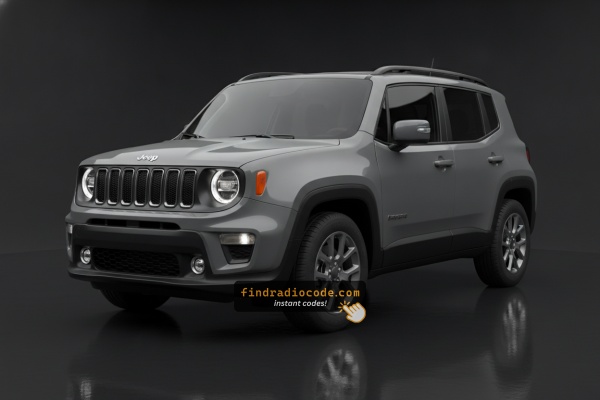
2020 Jeep Renegade Head Units and Their Makers
Not sure which radio you have? Match your screen and faceplate against the 2020 Jeep Renegade radios below. Each guide lists the serial format and how to tell it apart.
| Years | Factory radio | Serial starts with |
|---|---|---|
| 2015-2020 | CAR MAKER FIAT VP2 NAFTA Continental |
TQN, TVPQN, A2C, A3C
|
| 2017-2020 | Chrysler Uconnect 8.4 UGV Panasonic |
TM9
|
| 2017-2020 | Uconnect 5.0 UCA UDA VP2RFP Continental |
TQN, TVPQN, A2C, A3C
|
| 2017-2020 | Uconnect 5.0 UGA UJA VP2RFP Continental |
TQN, TVPQN, A2C, A3C
|
| 2017-2021 | Uconnect 7.0 UAG UCG VP2RFP Continental |
TQN, TVPQN, A2C, A3C
|
| 2017-2021 | Uconnect 7.0 UJG VP2RFP Continental |
TQN, TVPQN, A2C, A3C
|
| 2017-2021 | Uconnect 7.0 ULG VP2RFP Continental |
TQN, TVPQN, A2C, A3C
|
| 2018-2022 | 521 REFRESH ROW 8.4 VP2RFP Continental |
TQN, TVPQN, A2C, A3C
|
Can't Locate Your Unit's S/N? Follow The Steps Below for Jeep Renegade 2020
The initial step is locating the radio S/N.
Many drivers assume the code depends on the Jeep model or year, but in reality, the unlock process relies on the unique radio unit's serial number.
This number identifies the exact head unit installed in your Jeep Renegade.
This is even better, because if you have bought a used radio, the VIN or other vehicle-specific data wouldn't be of much use.
Depending on the radio used, you can see the serial directly from the display or by checking the label on the radio chassis.
2020 Renegade - Which Radio Did You Get?
For 2020 the BU Renegade carries the Uconnect 4 family forward unchanged from 2019. There are three head units split across the trim ladder, separated by screen size and built-in navigation, and as with all Italian-built Renegades the supplier mix is broader than on US Mopar cars.
- Base 5-inch radio - small 5-inch non-touch or basic touchscreen unit. Standard on the Sport trim. Visual ID: compact 5-inch display flanked by hard buttons; no Apple CarPlay or Android Auto on the base 5-inch fitment.
- Uconnect 4 7-inch - 7-inch touchscreen, non-NAV. Standard on Latitude, Altitude, Upland and most Limited trims by volume. Visual ID: 7-inch display centred in the dash bezel; Apple CarPlay and Android Auto present, but no Map/NAV tile on the home screen because navigation is not built in.
- Uconnect 4C NAV 8.4-inch (
UAQ-style) - 8.4-inch touchscreen with built-in GPS. Optional on Limited and Trailhawk, often bundled with the BeatsAudio package on the High Altitude trim. Visual ID: large 8.4-inch screen filling the dash opening, with a NAV/Map tile on the home screen and on-board maps bundled.
Field test: small 5-inch screen = base unit, 7-inch screen with no Map tile = 7-inch Uconnect 4, 8.4-inch with a Map tile = Uconnect 4C NAV.
Quick Method: Find the Serial Number on the Screen
The method for 2020 Jeep Renegade is this:
The 2020 Jeep Renegade is equipped with the Uconnect 7.0" touchscreen (RA2.1). The 7" Uconnect includes a Dealer Mode for serial number access:
- Turn ignition to ACC or ON.
- Hold down the Temperature Up and Temperature Down buttons at the same time for approximately 5 seconds.
- The Engineering Menu appears on the 7" screen.
- Go to: System Info → Target Main Data → Serial Number.
Note: On the 7" Uconnect, the menu navigation is slightly different from the 8.4" version. Look for "Target Main Data" instead of "Radio Part Info".
Serial Number on the Unit
If the serial number cannot be accessed via display, use the hardware method.
Most Jeep Renegade factory radios include a sticker with the serial number printed on the housing.
Steps:
- Power down the vehicle.
- Detach the bezel surrounding the radio.
- Release the mounting bolts.
- Move the unit slightly out to access the label.
The serial number is usually located near the printed code.
If Engineering Mode doesn't work on your 2020 Jeep Renegade, extract the radio to access the serial label:
- Power down the vehicle.
- Remove the center stack trim surrounding the 7" display. Use a plastic trim tool to avoid scratching.
- Unscrew the 4 mounting bolts (Torx T20).
- Pull the radio out to read the serial label on the chassis.
The 2020 Renegade's dashboard is compact. Take your time when prying off the trim so you don't breaking the fasteners.
Locate Serial on Renegade's Radio Chassis
Because the 2020 Renegade is Italian-built and the supplier mix differs from US Mopar cars, the printed chassis sticker is consistently the authoritative source for the serial. The BU centre stack carries the radio above the climate cluster, so removal needs to be careful and methodical.
- Safety first: turn the ignition off, remove the key, disconnect the negative battery terminal, and wait a few minutes before touching wiring; never disturb the yellow airbag/SRS connectors and use plastic trim tools to avoid shorts and broken clips.
- Tools you will need: plastic trim removal kit, Phillips and small Torx bit set, 7mm/10mm socket set, flashlight; for the base 5-inch radio a pair of DIN radio release keys may be required to release the chassis from its sleeve.
- Pop the centre stack bezel free using a plastic pry tool starting at the lower edge and working up the sides; on the BU Renegade the bezel sits adjacent to the climate vents, so keep pressure even.
- Unclip any switch/HVAC connectors at the rear of the bezel before laying the trim aside on a clean cloth.
- Remove the screws (typically four, two upper and two lower) holding the radio cage to the dash support bracket.
- Slide the radio rearward and disconnect the antenna lead and the multi-pin power/data harness on the back.
- The serial number sits on a printed barcode/sticker label on the top or side of the radio chassis, alongside the part number and supplier markings (Continental, Magneti Marelli, Visteon or Harman).
- Photograph the label up close and double-check ambiguous characters such as 0/O, 1/I and B/8 before submitting the serial. If working around airbag wiring is uncomfortable, have a professional installer take the unit out for you.

Example: Jeep Renegade serial number label location
Common Serial Number Structures
The 2020 Jeep Renegade with Uconnect 7.0" uses:
T00AM– Most common Harman prefixT00BE– Continental variant
Radio designation: RA2.1 (Uconnect 7.0" touchscreen). The Renegade uses an identical radio platform with the Fiat 500X. Serial: 14 characters, alphanumeric.
Serial number pattern is identical across all Uconnect screen sizes – only the Dealer Mode button combo differs.
Common S/N Formats Used on 2020 Renegade Units
The factory radios on the 2020 Renegade follow a few different serial styles because the Italian-built BU uses a different supplier mix to the US-built Mopar/Uconnect cars. The exact prefix depends on which Uconnect tier shipped with the car and the supplier (Continental, Magneti Marelli, Visteon or Harman) that built the unit, so the printed sticker on the chassis is the authoritative reference.
Uconnect 4 7-inch and Uconnect 4C 8.4 (NAV)
- Often a 14-character alphanumeric string printed on the chassis label.
- Continental-built variants are commonly seen with an
A2Cprefix, while Mopar-style units may begin withT(frequent prefixes includeT00AM,TM9andTQ1). - Usually a continuous run of letters and digits with no dashes or spaces.
Base 5-inch radio
- Owner reports describe shorter 5-digit numeric serials or A3C-style codes printed on the back of the chassis.
- The label on the unit itself is the authoritative reference; copy the serial exactly as printed and avoid guessing characters that look unclear.
Code Entry Process for 2020 Renegade
Once you receive the correct unlock code based on the S/N, you can restore normal functionality by entering it into the unit.
The code entry process depends on the control layout, but most 2020 Renegade systems follow a similar structure using preset buttons, touch controls, or rotary knobs - depending on if it's a factory or an aftermarket unit.
You will typically see SAFE displayed on screen.
Entering Process Explained
To enter the code on your 2020 Jeep Renegade's Uconnect 7.0":
- Ignition ON. Screen displays "ENTER CODE" or ----.
- Use the touchscreen keypad to enter each digit of the 4-digit code.
- The radio auto-confirms after entering the 4th digit.
Lockout: 3 wrong attempts = 60-minute lockout. Keep ignition ON. Avoid turning off the ignition within the lockout period.
Entering Process Explained
Once the unlock code has been retrieved for a 2020 Renegade Uconnect head unit, it can be entered straight at the dash - no scan tool or dealer visit required. As on earlier BU Renegades, the original 4-digit code is sometimes printed on a small sticker inside the glovebox (labelled "Anti-theft radio code"), so that location is worth checking first.
- Limited attempts: Mopar/Uconnect head units only accept three incorrect tries before the radio enters a
WAITstate, so confirm every digit before pressing it. - Turn the ignition to RUN/ACC so the radio powers up while the engine stays off.
- Wait for the display to show
CODE,Please enter Anti-Theft Code, or a similar prompt. - On the 8.4-inch Uconnect 4C NAV, key the four digits using the on-screen number pad and confirm with the OK/Enter touch button.
- On the 7-inch Uconnect 4, use the on-screen keypad - or, on the base 5-inch radio, the numbered preset buttons (1-6) on the fascia - to enter the code as the unit prompts.
- If
WAITappears after incorrect attempts, leave the radio powered with the ignition in RUN for the documented cool-down period (about 30 minutes; the vehicle may be driven during this time) before trying the correct code again.
How Serial-Based Jeep Renegade Radio Unlock Works
Vehicle radios use security codes dependent on the radio unit itself instead of the vehicle model or production year.
- Our lookup service works by matching your Jeep Renegade radio's serial number.
- Once the serial number is submitted, the system identifies the radio unit and generates the code that you need.
- You can then enter the code directly into your Jeep radio.
- Compared to Jeep dealer retrieval, this method is faster and more convenient.
Understanding Unlock Issues with Your Renegade
The RA2.1 system on the 2020 Jeep Renegade includes on-screen serial retrieval via the Engineering Menu: hold Temperature Up + Temperature Down for 5 seconds, then go to System Info → Target Main Data → Serial Number.
- Serial number — 14 characters, prefixed by
T00AMorT00BE. This is what to use. - Part number — starts with
Por68. Not the serial.
On this system, the menu path says "Target Main Data" rather than "Radio Part Info" — that is normal for this system, not an error.
After 3 wrong attempts on the 7" Uconnect activate a 60-minute lockout. The screen shows "WAIT" or ceases accepting input. To get through the wait:
- Keep the ignition ON for the full 60 minutes.
- Turning off the ignition at any point restarts the 60-minute wait.
The 7" Uconnect lockout is identical to the 8.4" Uconnect. Be patient — the timer only counts while ignition is ON.
If the 7" Uconnect does not show after a power reconnection:
- Make sure the ignition is fully ON and give a moment for the Uconnect 7" to boot.
- Check the fuse panel — fuse failure prevents the radio from powering up.
- On the Renegade and Compass, the button press for Engineering Mode does not affect the code prompt — it shows when the radio starts normally after a power loss.
Should the screen remain dark, inspect the fuse box first.
The Uconnect 7.0" (RA2.1) uses the touchscreen exclusively for code entry — no hardware number buttons are involved in the process. When the code entry prompt is on screen:
- Tap each digit on the 7" touchscreen.
- The radio unlocks after the 4th digit — no confirm button is required.
Note that the Engineering Menu (Temperature Up + Temperature Down hold) is only used to find the serial — it is not how you enter the code.
When a code is rejected on the Uconnect 7.0" typically indicates a serial number mismatch. The 7" (RA2.1) serial is 14 characters, starting with T00AM or T00BE. The part number (P... or 68...) also appears on the label but generates no code.
The on-screen Engineering Menu is the cleanest way to confirm the serial on these models before placing your order. Reach out for a free re-check if the code fails.
Why Is the Radio Asking for a Code?
The 2020 Renegade sees radio lockouts primarily from:
- Battery disconnect or replacement — the most frequent reason on all Uconnect platforms, including the 7" system.
- Dead battery from urban use — Renegades used as city and commuter vehicles may see battery issues from short-trip driving patterns, triggering the lock.
- Blown fuse — fuse failure cuts the radio supply and causes the code request.
- Used purchase — the Renegade is a popular budget-friendly used crossover, and the code is often missing at resale.
The unlock code is permanently linked to the radio serial and does not expire.