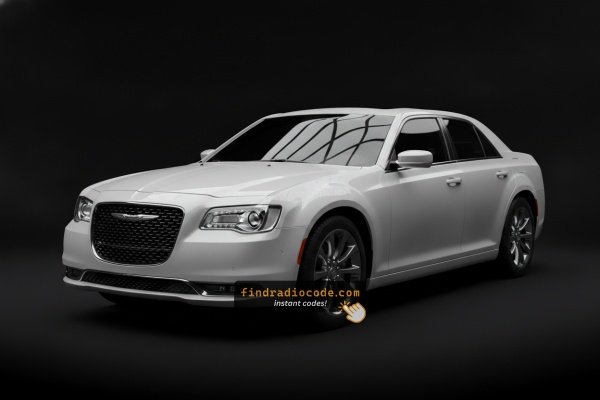
Locked 300 Radio? Here's Exactly How to Get the Code
Vehicle radios use security codes tied to the radio unit itself instead of the vehicle model or production year.
- The generator identifies your Chrysler radio via serial-based verification.
- After entering the serial into the form above, the system identifies the radio unit and retrieves the corresponding code.
- You can then enter the code directly into your Chrysler radio.
- Compared to Chrysler dealer retrieval, this method is faster and more convenient.
Code Entry Process for 2024 300
Once you receive the correct unlock code based on the serial number, you can restore normal functionality by entering it into the unit.
The code entry process depends on the control layout, but most 2024 300 systems follow a similar structure using preset buttons, touch controls, or rotary knobs - depending on if it's a factory or an aftermarket unit.
You will typically see SAFE displayed on screen.
Entering Process
To unlock the 2024 Chrysler 300 Uconnect 4C:
- Turn ignition to ON. Screen shows "ENTER CODE".
- Enter each digit of your 4-digit code on the touchscreen keypad.
- Radio unlocks after the 4th digit. No confirm button needed.
3 wrong attempts trigger a 60-minute lockout. Keep ignition ON. Switching off restarts the timer.
How to Find the Serial Number on Your 2024 Chrysler 300 Radio?
The first step is to find the radio's S/N.
Based on the head unit type fitted in your 2024 300, the serial can usually be found either through the display menu or by checking the label on the radio itself.
Follow the steps below to identify your S/N quickly.
Screen-Based Serial Lookup Method
These are the steps you need to follow for 2024 Chrysler 300:
The 2024 Chrysler 300 — the final generation of Chrysler's full-size rear-wheel-drive sedan — features the Uconnect 4C (RA4) with an 8.4" touchscreen. Dealer Mode uses a different method from older RA3 models: press the bottom-left and bottom-right corners of the physical screen bezel frame simultaneously for 5 seconds (ignition ACC or ON). Dealer Mode opens. Go to: System Info → Radio Part Info → Serial Number.
Find it by Pulling Out the Radio Unit
If the serial number cannot be accessed on-screen, use the removal method.
Most Chrysler 300 original radios include a label with the serial number printed on the housing.
Steps:
- Switch off the vehicle.
- Detach the bezel surrounding the radio.
- Unscrew the mounting bolts.
- Move the unit outward to access the label.
The serial number is usually located near the printed code.
If Dealer Mode is unavailable on the 2024 Chrysler 300, remove the RA4 unit from the 300's center stack. The bezel corner press sometimes fails after OTA firmware updates.
- Pry off the center stack trim with a plastic trim tool.
- Remove the 4 Phillips mounting screws.
- Slide the unit forward to access the serial label on the top or side of the chassis.

Example: Chrysler 300 serial number label location
These are the Common Serial Formats
Year Chrysler 300 RA4 serial formats:
T00AM– Harman RA4 Uconnect 4C (primary format on the 300)T00BE– Continental version
Serial is 14 alphanumeric characters. Skip the part number (starts with P or 68).
What Caused the Radio to Lock?
The 2024 Chrysler 300 RA4 self-locks after power is cut. It's a factory theft deterrent — a disconnected radio won't work without the code.
Most common trigger: battery replacement or disconnect. Other causes:
- Failed fuse after electrical work
- Buying the 300 used without a known code
- Battery disconnect for service
- Battery dead from not driving
Code is derived from the radio serial number — not the VIN.
Fixing Common Code Entry Problems for 2024 300
The 300 Uconnect 4C uses touchscreen-only code entry. Press each digit directly on the on-screen keypad. No physical buttons needed. Confirms after the 4th digit.
3 wrong entries lock the 300 RA4 for 60 minutes. Keep ignition in ON or ACC. Cutting power restarts the timer from zero.
On the 300 RA4 label: serial = 14 alphanumeric chars starting with T00AM or T00BE. Part number starts with P or 68 — skip this.
The 300 RA4 label carries both serial and part number. Serial: 14 chars starting with T00AM or T00BE. Part number (skip): starts with P or 68.
If Dealer Mode was used, cross-check against the physical label. Screen glare on the 8.4" can cause misreads. Contact support for a free re-check if needed.
If the 300 screen boots normally, anti-theft is inactive. Trigger it: briefly disconnect the battery, reconnect, turn ignition to ON.