Get Your Original Panasonic Chrysler Uconnect 8.4 ULV Radio Code
Panasonic | Chrysler | Instant Retrieval
Our refund policy in full.
Accepted Serial Number Formats
| Serial Prefix | Status |
|---|---|
TM9 |
Supported |
If your serial starts with one of these, we can retrieve your code.
Getting your Chrysler Uconnect 8.4 ULV code
Everything runs from the serial number on the radio's own label.
- 1 Read the number on the label It is printed on the unit's own label, usually near the barcode. Release keys slide the radio out far enough to read it.
- 2 Type it in the form Exactly as printed, no spaces. The format is checked before any payment.
- 3 Your code lands in seconds The code appears the moment the payment clears, and a copy goes to your email. Keep it - the same four digits work for the life of the radio.
If it does not work, you are refunded in full.
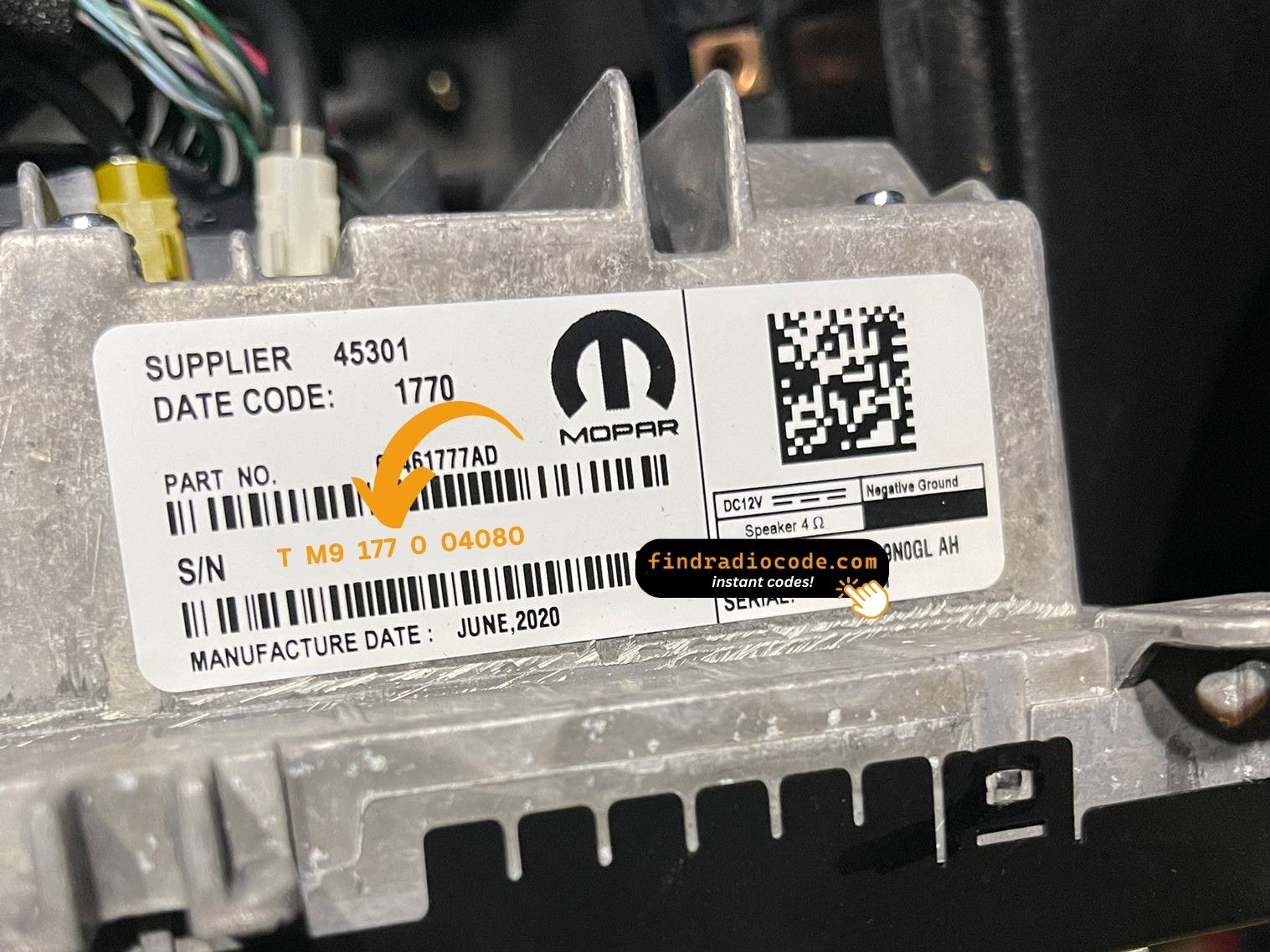
Your radio carries a label like this one. The serial is the code printed on it.
What a valid serial looks like
Examples of serial numbers we see on Chrysler vehicles:
TM9341100221
(prefix: TM9)
TM9128455907
(prefix: TM9)
TM9067230144
(prefix: TM9)
Usual starting characters: TM9
How to Recognize the Chrysler Uconnect 8.4 ULV
Not sure if your vehicle is equipped with the Chrysler Uconnect 8.4 ULV? Compare the design, controls, display and features listed below against your factory radio.
Typical identification features:
- 8.4" touchscreen set into the middle of the dash
- Built-in navigation with factory map data
- Shipped for the Brazil / LATAM market
- The chassis label carries the ULV sales code
- Serial number starting with TM9
This is probably your radio if:
- the factory label reads ULV
- the label serial begins with TM9
- the vehicle was built between 2017-2020
- the 8.4" touchscreen is the one the Uconnect 8.4 family uses
ULV has nav with LATAM region map data. ULQ is the non-nav sibling.
Learn More About the Chrysler Uconnect 8.4 ULV
The Chrysler Uconnect 8.4 ULV is a dealer-installed Chrysler audio and multimedia unit. Alongside everyday radio and audio playback it may include touchscreen controls, Bluetooth, CD/DVD playback or factory navigation, depending on how the vehicle was specified.
Uconnect 8.4 ULV is the Brazilian/LATAM-market Panasonic 8.4-inch navigation head unit - Portuguese and Spanish UI, built-in regional map data, NAV tile on the home screen.
Between 2017-2020 the Chrysler Uconnect 8.4 ULV appeared across a number of Chrysler models, usually on vehicles using the Panasonic multimedia platform. It stayed in production long enough to become a familiar sight in that generation of cars.
Typical features include:
8.4" touchscreen
AM/FM radio
Navigation built in, with factory map data
Bluetooth for hands-free calls and music streaming
Media playback over USB
SiriusXM satellite radio*
Steering wheel control support
Anti-theft security code
*Availability depends on the vehicle specification.
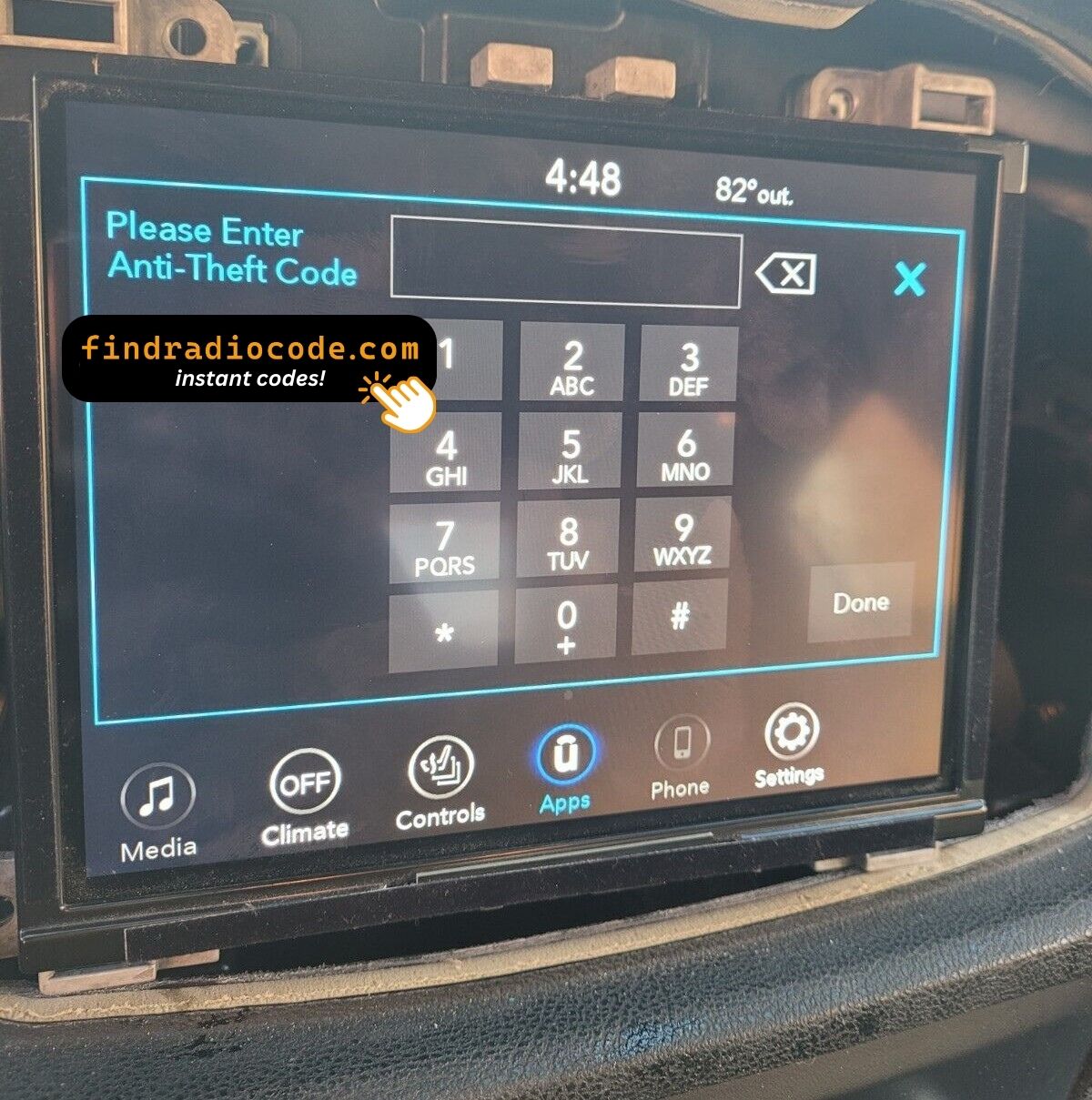
As with other Panasonic factory units, the Chrysler Uconnect 8.4 ULV locks itself when power is lost. After a battery disconnect or a workshop visit the screen will ask for the original security code before any audio returns.
For the manufacturer's own documentation of this platform, see the official Uconnect site.
Locating the Chrysler Uconnect 8.4 ULV Serial Number
Every Chrysler Uconnect 8.4 ULV has a unique serial number, and the unlock code is worked out from it. You will find that number on the unit's own label - it is not in the service book and not on the dashboard.
On the Chrysler Uconnect 8.4 ULV: Chassis top sticker. Removal required.
How to reach the number:
- Pull the unit forward with release keys (cheap online) - the wiring can stay plugged in.
- The serial is on the chassis sticker, usually right by the barcode - copy it down.
- Enter it character for character - no spaces, no dashes.
The sticker that carries the serial
Watch the whole process

Recorded on a radio from this family; your unit works the same way.
The Situations That Lock a Chrysler Uconnect 8.4 ULV
Nearly all of the Chrysler Uconnect 8.4 ULV codes we generate follow one of these four events.
The car was in the garage
Any repair that touches the 12V supply - even for a few minutes - is enough to bring up the code screen on the next start.
You swapped the radio itself
Replacement radios are the textbook case: every unit has its own code tied to its own serial. Read the serial off the newly fitted radio and order for that one.
The battery was replaced
Any battery work counts as a power cut to the radio. It re-arms automatically and waits for the original code before playing again.
The code card is long gone
The code card that shipped with the car disappeared an owner or two ago. That is not a problem - the code is recovered from the radio's serial, not from any paperwork.
The way out is the same in every case: serial number in, original code out, within seconds.
Factory Radio Specifications
| Specification | Value |
|---|---|
| Manufacturer | Panasonic |
| Radio Family | Uconnect 8.4 |
| Variant | ULV |
| Market | Brazil / LATAM |
| Vehicle Brand | Jeep / Fiat |
| Production Years | 2017-2020 |
| Display | 8.4" touchscreen |
| Navigation | Yes |
| Serial Prefixes | TM9 |
Depending on the vehicle configuration, the Chrysler Uconnect 8.4 ULV may include extra multimedia features such as Bluetooth hands-free calling, USB media playback or factory navigation. Equipment levels can vary between production years and trims.
OEM Radio References 14
These are the OEM references this page covers. If the number on your radio's label appears below, we can retrieve your code.
Do not worry about the trailing letters: the 14 numbers span 4 base references, and the letter suffixes only mark production revisions - the code works across all of them.
68403076AA
68403076AB
68403076AD
68403076AE
68429221AA
68429221AB
68461757AA
68461757AD
68461757AF
68520199AA
68520199AB
68520199AC
68520199AE
68520199AF
You will find the part number on the factory sticker of the unit, normally alongside the serial. A match in this list confirms you are on the right page for the Chrysler Uconnect 8.4 ULV.
Where Was the Chrysler Uconnect 8.4 ULV Installed?
| Vehicle Model | Typical Production Years | Notes |
|---|---|---|
| Jeep Renegade BU, Compass MP (Brazil/LATAM nav trims) | 2017-2020 | |
| Fiat Toro (Brazil, Uconnect 8.4 nav) | 2017-2020 |
Vehicle compatibility can vary between trims, model years and regional versions. Because the same car could leave the factory with different radios, identify your unit before placing an order.
Entering the code on the Chrysler Uconnect 8.4 ULV
The code goes into the unit itself, not into the car's menus.
- Turn the ignition on so the radio powers up and shows the locked screen.
- A keypad for the code fills the middle of the screen.
- Tap the four digits of your code in order.
- There is no separate OK button - the radio checks the code on the last tap.
- A correct code clears the lock screen and the audio comes straight back.
Things that can catch you out
The unit will not take more codes
Wrong codes put the unit into a lockout, and the only fix is to leave it powered and wait. 30-minute WAIT timer after three wrong codes.
The label is not where I expected
Only the radio itself carries it - bring the unit out and the label is right there. Chassis top sticker. Removal required.
Locked again after it was fine
Nothing is broken. Any interruption to the 12V supply brings the lock screen back. Battery service or radio removal.
Making sure it is the right unit
The differences are easy to miss, so check this before ordering. ULV has nav with LATAM region map data. ULQ is the non-nav sibling.
Write the code down - the same four digits work for the life of the unit.
Chrysler Uconnect 8.4 ULV Radio Code - Questions and Answers
After the Code Arrived
Left by customers after their radio came back to life. See the reviews page for all of them.
"Had to replace the head unit and bought one on eBay but the anti theft code wasn’t provided. This option to get it worked out well"
Dang I thought it was a scam but it’s not it’s true I paid for it the code came through and I put it in and it works thank you
Vandale - Chrysler
Doesn’t work scarm
john - Chrysler
What You Get
The original code on screen seconds after you pay, emailed to you as well.
Does not work? Full refund - no questions beyond a short video.
Runs day and night, so a locked radio never waits for opening hours.
The code never changes - keep it and future battery changes cost nothing.
Compare with Similar Models
Still unsure? These neighbouring units use much of the same hardware as the Chrysler Uconnect 8.4 ULV and may be what you actually have.