Get Your Continental Uconnect 3.0 RA1 VP1 Radio Code in 3 Easy Steps
Continental | Chrysler | Instant Retrieval
Refund terms in detail.
Compatible Serial Number Prefixes
| Serial Prefix | Status |
|---|---|
TQN |
Supported |
TVPQN |
Supported |
A2C |
Supported |
A3C |
Supported |
If your serial starts with any prefix above, we can recover your code.
How it works
Everything runs from the serial number printed on the radio itself.
- 1 Get the serial off the radio Look for it on the chassis label. The radio normally has to come forward a little - the wiring can stay plugged in.
- 2 Key in the serial Type the full serial with your email address. A format check catches mistakes before checkout.
- 3 Receive the unlock code The code appears the moment the payment clears, and a copy goes to your email. Save it - the same four digits work for the life of the radio.
If it does not work, you get your money back.
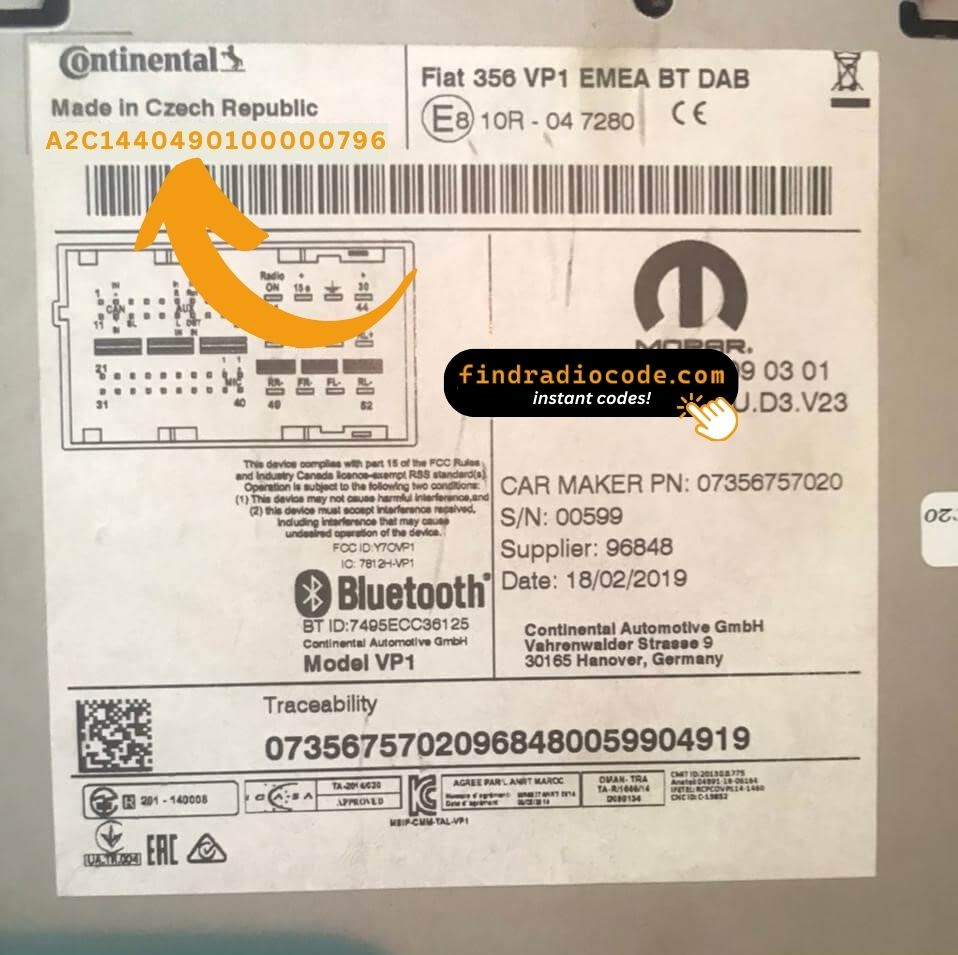
An example from the same family - find the matching sticker on your unit.
What a valid serial looks like
Examples of serial numbers we see on Chrysler vehicles:
TQN33227AGHF
(prefix: TQN)
TVPQN32427GRQA
(prefix: TVPQN)
A2C1453320420008333
(prefix: A2C)
A3C002546000020002320
(prefix: A3C)
Common prefixes: TQN, TVPQN, A2C, A3C
Identify Your Uconnect 3.0 RA1 VP1 Radio
Line up the design, controls, display and features listed below with your factory-installed radio - the Uconnect 3.0 RA1 VP1 is easy to identify once you know what to look for.
How to recognise it:
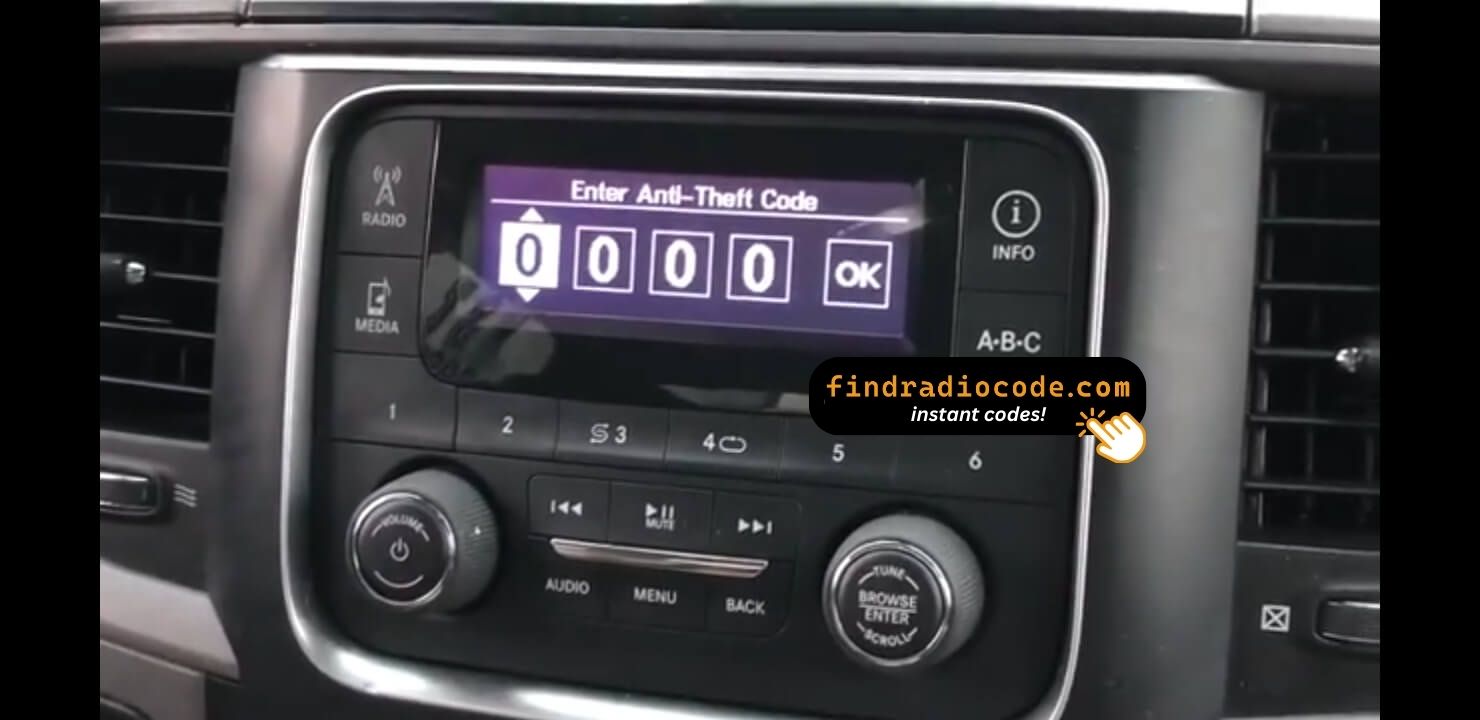
- 3.0" display (no touchscreen) set into the middle of the dash
- No navigation tile on the home screen - no maps installed
- The chassis label carries the RA1 VP1 sales code
- Label serial opening with TQN, TVPQN, A2C, A3C
This is probably your radio if:
- the chassis label carries the RA1 VP1 sales code
- the label serial begins with TQN, TVPQN, A2C, A3C
- the car left the factory between 2013-2018
- the display matches the Uconnect 3.0 3.0" display (no touchscreen)
No touchscreen. If your radio has a colour touchscreen of any size, you have Uconnect 4.3 or higher, not RA1 VP1.
Overview of the Uconnect 3.0 RA1 VP1
The Uconnect 3.0 RA1 VP1 is a dealer-installed Chrysler audio and multimedia unit. Alongside standard radio and audio playback it may include touchscreen controls, Bluetooth, CD/DVD playback or factory navigation, depending on how the vehicle left the factory.
Continental Uconnect 3.0 RA1 VP1 is the base non-touchscreen Uconnect with a small 3-inch monochrome display, hard buttons and rotary tune knob - the lowest Uconnect tier. AM/FM, SiriusXM, Bluetooth phone audio, USB, but no touchscreen and no built-in maps.
Between 2013-2018 the Uconnect 3.0 RA1 VP1 appeared across a number of Chrysler models, usually on vehicles using the Continental multimedia platform. It stayed in production long enough to become a familiar sight in that generation of cars.
Common features on this unit:
3.0" display (no touchscreen)
AM/FM radio
Bluetooth hands-free and audio streaming
USB media playback
SiriusXM satellite radio*
Steering wheel control support
Anti-theft security code
*Availability varies with the vehicle specification.
The Uconnect 3.0 RA1 VP1 carries the same anti-theft protection as most factory units. Once power is cut - a flat battery, a battery swap, or the radio being removed - it will ask for the original code before it comes back to life.
Background on the platform itself is published by the official Uconnect site.
Your Uconnect 3.0 RA1 VP1 Serial Number - Where to Look
Your unlock code is tied to the radio's serial number, so it is the one detail the form asks for. The number lives on the label printed on the housing of the radio itself.
Where exactly: Top of the chassis on a white sticker. Pull the radio - DIN release keys or two T20 Torx side rails depending on dash.
How to reach the number:
- Bring the radio out of its slot; release keys do it in seconds and nothing needs disconnecting.
- Read the serial from the printed label on the housing, next to or under the barcode.
- Copy it into the form precisely as printed; the checker catches any typo before payment.
Where the label sits on this radio
Two minutes of video instead of a page of text

Recorded on a radio from this family; your unit works the same way.
The Situations That Lock a Uconnect 3.0 RA1 VP1
Nearly all of the Uconnect 3.0 RA1 VP1 codes we generate follow one of these four events.
A battery change
Whether the battery was changed or just ran flat, the radio sees a power loss and asks for the code when it starts.
After electrical work
The repair went fine - the locked radio is just the side effect of the battery being off the car for a while.
The previous owner had no code
Used cars very often arrive with a locked radio and no code card in the glovebox. The serial number on the unit is all that is needed to recover it.
A different unit is in the dash now
A used unit from a donor car always arrives locked, and the code from your old radio will not fit - the code follows each radio's own serial number, so order it for the serial on the REPLACEMENT unit.
All four roads lead to the same fix - read the serial off the unit, enter it above, and the original code comes back instantly.
Uconnect 3.0 RA1 VP1 Technical Details
| Specification | Value |
|---|---|
| Manufacturer | Continental |
| Radio Family | Uconnect 3.0 |
| Variant | RA1 VP1 |
| Vehicle Brand | Chrysler / Dodge / Jeep / Ram / Fiat |
| Production Years | 2013-2018 |
| Display | 3.0" display (no touchscreen) |
| Navigation | No |
| Serial Prefixes | TQN, TVPQN, A2C, A3C |
The exact functionality of the Uconnect 3.0 RA1 VP1 depends on the vehicle it was installed in. Some versions include full multimedia features like navigation and Bluetooth, others ship in a simpler configuration. Features vary by production year, trim and regional specification.
Find Your Part Number 42
All of the part numbers listed here are covered. Match the one printed on your unit's label and you are in the right place.
The 42 references boil down to 15 base numbers - the trailing letters (AA, AB, ZC and so on) are hardware revisions of the same unit, and every revision is supported.
P05091393AC P05091393AD P05091394AA P05091394AB P05091394AC P05091394AD P5VV55DX9AA P68137111AA P68137111AB P68137111AC P68137113AB P68137113AC P68137113AD P68137113AE P68137113AF P68137113AG P68137114AB P68137114AC P68137114AD P68137114AE P68137114AF P68137114AG P68226683AA P68226684AA P68226684AB P68245816AB P68245816AC P68245816AD P68245816AE P68245817AA All 42 supported references
P68245817AB P68245817AC P68245817AD P68245817AE P68245817AF P68271374AA P68271374AB P68271375AA P68271375AB P68298084AA P6CA70LXHAA P6CV13LXHAA You will find the part number on the factory sticker of the unit, normally alongside the serial. A match in this list confirms you are on the right page for the Uconnect 3.0 RA1 VP1.
Vehicles Equipped with the Uconnect 3.0 RA1 VP1
| Vehicle Model | Typical Production Years | Notes |
|---|---|---|
| Chrysler 200, 300 (base trims) | 2013-2018 | |
| Dodge Dart, Journey, Grand Caravan (base trims) | 2013-2018 | |
| Jeep Cherokee KL, Compass, Patriot, Renegade BU, Wrangler JK (base trims) | 2013-2018 | |
| Ram 1500/2500/3500 (base trims) | 2013-2018 | |
| Fiat 500L (NAFTA base) | 2013-2018 |
Vehicle compatibility can differ between trims, model years and regional versions. Because the same car could leave the factory with different radios, confirm your unit before placing an order.
Entering the code on the Uconnect 3.0 RA1 VP1
Nothing to install and no tools needed - only the code itself.
- Switch the ignition on so the radio powers up and shows the code prompt.
- Use preset buttons 1-4 to enter the four digits, then press OK or the tuning knob. Some builds let you spin the tuning knob and press it to confirm each digit instead.
- On the correct code the lock clears and the radio plays again straight away.
Troubleshooting the Uconnect 3.0 RA1 VP1
The radio is counting down
A countdown means the anti-theft system is holding the unit. Leave the ignition on until it clears. Three wrong codes shows "WAIT" on the monochrome display with a 30-minute countdown. Keep ignition on for the timer to run.
Where the number actually is
The serial is on the unit itself, not in the vehicle papers or on the dashboard. Top of the chassis on a white sticker. Pull the radio - DIN release keys or two T20 Torx side rails depending on dash.
The radio locked itself again
Expected behaviour: the security system trips again whenever power is cut. Battery disconnect, dead battery, or radio removal.
This radio looks like several others
A few models in this family share the same face, so the label is what settles it. No touchscreen. If your radio has a colour touchscreen of any size, you have Uconnect 4.3 or higher, not RA1 VP1.
Save the code: it stays valid, so the next battery change costs you nothing.
Before You Order - Common Questions
Recent Customer Reviews
Left by customers after entering their code. See the reviews page for all of them.
"Replaced broke screen radio in a 2016 Chrysler 200. New radio needed code dealership wanted all kinds of information. This website gave me the code instantly! Very helpful!"
I paid the $20 with hesitation but this worked perfect, got my code immediately. Thanks!!!
Kevin Kennedy - Chrysler
Great job
Alvaro Ordonez - Chrysler
What Happens After You Order
Your original code arrives the moment you pay, with an email copy for safe keeping.
Does not work? Every cent back - no questions beyond a short video.
Available 24/7 - no booking, no dealer visit, no towing.
One code, for good: the same digits unlock the unit after every power cut.
The Uconnect 3.0 RA1 VP1 is one of many Continental head units we support - the Continental radio code overview shows the rest.