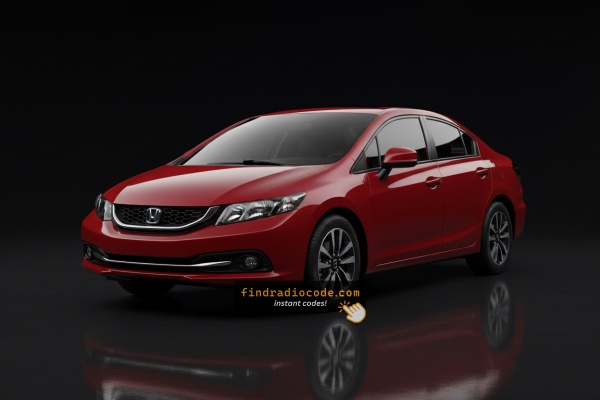
How to Find the Serial Number on Your 2014 Honda Civic Radio?
The starting step is writing down the radio serial.
Most drivers assume the code depends on the Honda model or year, but actually, the whole process depends on the unique radio unit's serial number.
The serial is the key used to calculate the correct unlock code.
This is actually better, because if you have bought an aftermarket radio, the VIN or other vehicle-specific data wouldn't help.
Depending on the radio version used, you may be able to see the serial directly from the screen or by checking the label on the radio chassis.
Factory radios fitted to the 2014 Honda Civic
- Base 160-watt AM/FM/CD head unit on LX, HF, Hybrid and Natural Gas trims, with single-line display and a 4 or 6-speaker layout depending on body style.
- EX and EX-L receiver with i-MID secondary display, USB and MP3/WMA playback and the 360-watt Premium Audio System driving 7 speakers including a subwoofer.
- Si coupe and Si sedan head unit, mechanically related to the EX/EX-L unit but with Si-specific graphics and the same 360-watt premium amplifier and speaker package.
- Optional Honda Satellite-Linked Navigation System on EX-L and Si, with an SD-card-based touchscreen, Bluetooth HandsFreeLink and voice recognition.
Check the Display First - Serial Retrieval Without Tools
These are the steps you should follow for 2014 Honda Civic:
The 2014 Honda Civic uses a double-DIN head unit with a dot-matrix screen. The serial number can be retrieved using the preset button method:
- Turn ignition to ON or ACC. The radio shows "CODE" or "ENTER CODE".
- Press and hold buttons 1 and 6 simultaneously for approximately 3 seconds.
- The display shows the serial number in two segments: first half (e.g.,
U3210) then second half (e.g.,L0482).
Note: On certain 2014 Civic radios with touchscreen nav, the serial may show up in the Settings → System Information menu. Check this first if your vehicle has a navigation unit.
Reading the serial on a 2014 Civic factory radio
- Turn the ignition switch to the ON position but leave the radio off, so the dash is awake without audio playing.
- Press and hold preset buttons 1 and 6 on the radio's preset row at the same time.
- While continuing to hold 1 and 6, press the radio power button so the unit boots into the service screen used to display the serial.
- Read and record the four digits shown after the letter U on the first screen.
- Wait for the display to switch to the L screen and record the next four digits shown after the letter L.
- Concatenate the two groups into one 8-character serial; the U and L are screen prefixes only and are not entered into Honda's lookup tools.
Releasing the Unit to See the S/N on the Tag
If the serial number cannot be accessed through menu, use the hardware method.
Most Honda Civic factory radios include a tag with the serial number printed on the chassis.
Basic process:
- Remove key from ignition.
- Gently detach surrounding panel pieces.
- Loosen screws holding the radio.
- Pull forward to inspect the label.
If the button method doesn't work on your 2014 Honda Civic:
- Switch off the vehicle.
- Carefully detach the radio bezel with a plastic pry tool. The 2014 Civic's larger radio sits within a bezel secured with snap clips.
- Unscrew the 4 Phillips-head screws holding the radio in the bracket.
- Pull the unit forward to access the serial label on the metal casing.
Note: The 2014 Civic's double-DIN radio weighs more than older units. Support it with both hands when extracting it.
Removing the radio on a 2014 Civic to read the serial label
- Disconnect the negative battery terminal first and wait several minutes for the SRS system to discharge before touching the dash.
- Lift the rubber mat ahead of the gear selector, take out the Phillips screw underneath and gently pry up the gear-shift trim panel from the rear edge to release the clips.
- Open the dash storage pocket above the radio, remove the two Phillips screws inside and pull the pocket toward you to release its four clips. Unplug the harnesses and set the pocket aside.
- Take out the two Phillips screws now exposed behind the pocket, then remove the two 8 mm bolts that hold the receiver to the lower dash bracket.
- Slide the head unit out evenly so the brackets clear the dash opening, supporting it by the chassis rather than the faceplate to avoid bending the front trim.
- Disconnect the antenna lead and the multi-pin harnesses on the back so the chassis label can be read or photographed; the 8-character serial printed there should match the value reported by the on-screen procedure.

Example: Honda Civic serial number label location
What a Valid Serial Number Looks Like
The 2014 Honda Civic radio serial number has the standard Honda OEM format:
U1234L5678– Standard Honda factory format – two halves displayed separately (U####thenL####), combined into a 10-character serial
Radio manufacturers for the 2014 Civic: Alpine (most common) or Panasonic. Navigation models could use a separate module but usually use the same U/L two-part serial format.
Reminder Copy the full serial exactly – a single wrong character will produce an incorrect code.
What the 2014 Civic radio serial usually looks like
- The serial reported by the on-screen procedure is 8 characters long. On most 9th gen Civic head units it is purely numeric, although some chassis labels include letters and additional manufacturer prefixes that should be ignored.
- The U on the first display screen and the L on the second are simply labels for the upper and lower halves of the serial and are not entered as part of the value.
- A typical example reads U2200 then L0055, which produces an 8-digit serial of 22000055 for the lookup.
- If the chassis label carries a longer alphanumeric string, the 8 characters that line up with the on-screen U and L pair are the ones the Honda lookup tools expect.
- When the printed and displayed serials differ, the on-screen value is generally the one accepted by the official Honda radio code portal.
Entering Your Unlock Code
Now that you've found the S/N and generated the unlock code, the last step is entering it into your radio.
Honda OEM units display a locked screen when ready for input.
The process is usually simple, but button layouts and confirmation methods may change depending on the radio version installed in your Civic.
Step-by-Step - The Correct Way to Enter It
To input the code on the 2014 Honda Civic's radio:
- Ignition ON. Radio displays "CODE".
- Use preset buttons 1-5 to enter each digit of the 5-digit unlock code. Each button rotates through digits 0-9.
- Hold button 6 for 2-3 seconds to accept.
Lockout: 3 failed attempts = 60-minute lockout. Keep ignition ON the entire time. Switching off the ignition restarts the lockout timer.
Entering the unlock code on a 2014 Civic radio
- Turn the ignition to ON and power the radio so that CODE or ENTER CODE appears on the display.
- Key in the code one digit at a time, giving the preset with the matching number a single press for each digit.
- On units with a tune or selector knob, each digit can also be set by rotating the knob and confirmed using the right-arrow soft key on the screen.
- On the preset-button radio the code is accepted automatically after the fifth digit; on touchscreen units, tap ENTER only if the keypad offers it.
- If the code is correct the radio resumes normal operation immediately; if it is wrong, the entry should be repeated carefully because each wrong attempt counts toward the lockout limit.
- After approximately ten incorrect entries, the radio enters a temporary lockout. Leave the ignition in the ON position for about one hour without further attempts, then re-enter the correct code once the CODE prompt returns.
How 2014 Honda Civic Radio Code Lookup Works
- Rather than relying on Honda dealership lookup or online threads you can find the code online using the radio serial number.
- Start by finding the serial number. You will always find it on the unit itself, and in some cases it can be visible on the Civic's display.
- Enter it into the generator above, and the software will generate the correct 2014 Civic unlock code.
- After getting it, input it using Civic's radio buttons to unlock the system fully.
- The entire process takes just a short moment and requires minimal effort.
Understanding Unlock Issues with Your Civic
If the radio comes on without displaying the "CODE" screen, consider these scenarios:
- It could still be unlocked — test normal operation to confirm.
- Some 2014 Civic radios show "ENTER CODE" rather than just "CODE" — either message means the same thing.
- With navigation models: the nav screen may come up first the code screen. Wait a few seconds for the audio system to boot separately.
If no prompt ever show, verify the radio has power — a failed radio fuse will stop the unit from powering on.
Following three wrong codes, the mid-era Honda radio enters lockout mode and shows an error or refuses input. To reset it:
- Keep the ignition in the ON position — do not switch it off.
- Wait the full 60 minutes to elapse. Turning the key to OFF at any point resets the waiting period.
- Once 60 minutes have passed, the radio should show "CODE" again.
Navigation-equipped 2014 Civic units follow the same 60-minute lockout process. If the unit remains locked after waiting, the unit may need a dealer diagnostic.
The mid-generation Honda radio uses an identical button layout as the older single-DIN platform:
- Preset buttons 1–5 — press each cycles through digits 0–9 to select that digit of the code.
- Button 6 — press and hold for several seconds to confirm the full code.
For some 2014 Civic navigation-equipped radios, the preset buttons may be arranged slightly differently or supplemented by menu buttons. If that applies, the confirmation button is still the rightmost preset or a dedicated ENTER button.
The serial number format for the double-DIN Honda radio is one of:
U####L####— the standard two-part Honda serial (first half starts with U, second with L).HBM####— used on navigation and some premium configurations.913A####— used by Alpine-manufactured units.
Honda part numbers on the same label begin with 39100 or 39101 — do not use those. When in doubt, use the 1+6 button method to display the serial on the screen itself.
An incorrect code result on the double-DIN Honda is usually traced back to the wrong serial number being submitted. The serial label on the radio housing carries both the serial and the part number — make sure you copied the serial (U####L####) and not the part number.
If the code was rejected after one attempt, avoid entering more guesses — you only have three tries before a 60-minute lockout. Contact support with the serial for a no-charge reverification before retrying.
Why Did the Radio Lock and Ask for a Code?
Mid-era Honda radios have the same anti-theft design as earlier models: any interruption in battery power triggers the code prompt on the next startup. Typical triggers include:
- Battery replacement or disconnect — by far the most common cause.
- Battery drain — a completely discharged battery has the same effect.
- Fuse replacement — replacing the radio fuse block can briefly interrupt power and activate the lock.
- Workshop electrical work — any service that involves disconnecting the battery will produce this.
Supplying the correct code disables the lock and normal function is restored immediately. The lock only returns if power is disconnected again.