Continental Media Center 240 RHA Radio Code - Immediate Online Recovery
Continental | Chrysler | Instant Retrieval
Refund terms in detail.
Supported Radio Serial Prefixes
| Serial Prefix | Status |
|---|---|
TQN |
Supported |
TVPQN |
Supported |
A2C |
Supported |
A3C |
Supported |
If your serial starts with one of these, we can retrieve your code.
Getting your Media Center 240 RHA code
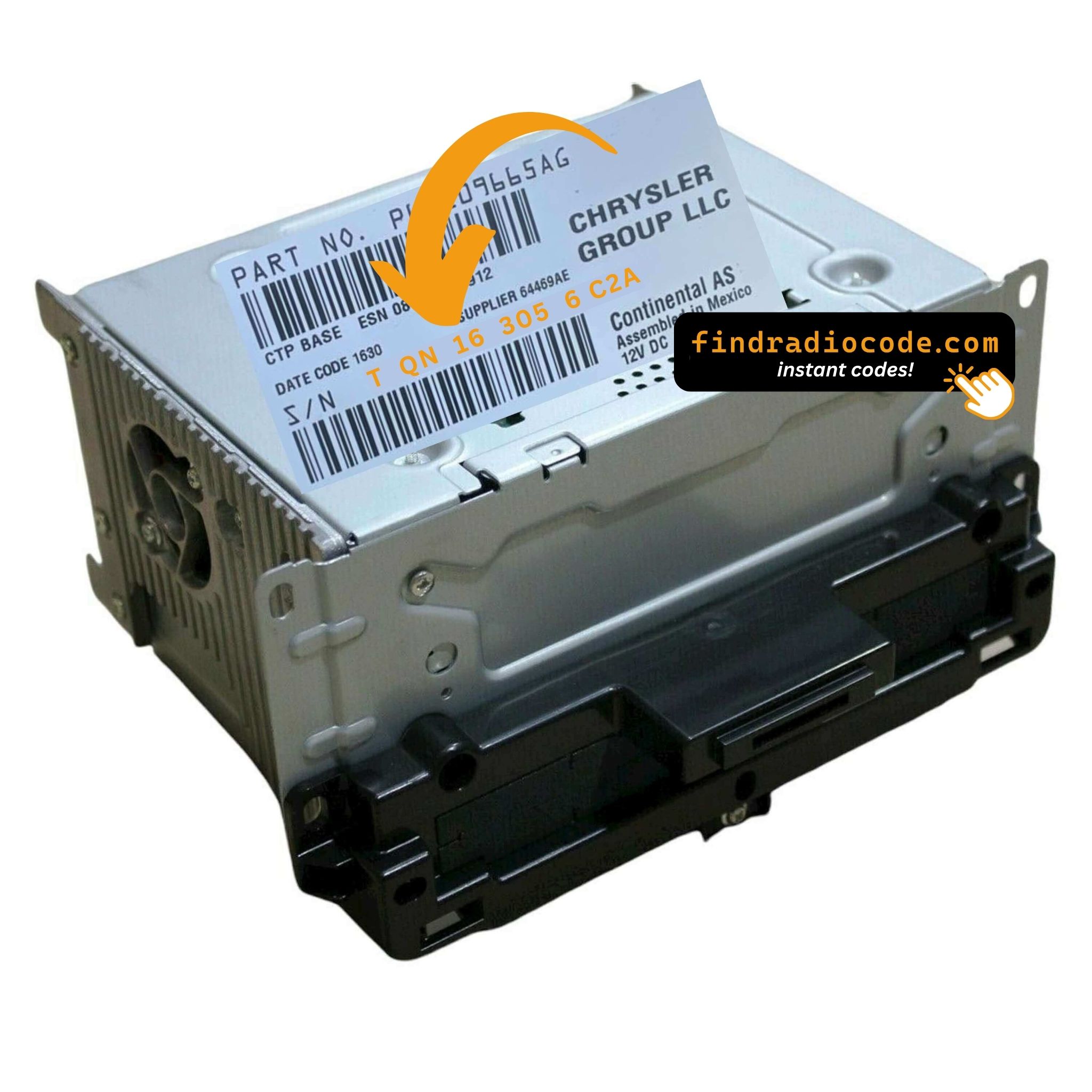
Everything runs from the serial number on the radio's own label.
- 1 Read the number on the label On the factory sticker on the radio housing, beside the barcode. Most units have to come out of the dash - release keys cost a few dollars.
- 2 Put it in the form on the left Copy it character for character. We check the format before checkout, so a typo never costs you anything.
- 3 Your code lands in seconds The code is delivered automatically, day or night. Enter it on the radio and the anti-theft screen clears.
If it does not work, you are refunded in full.
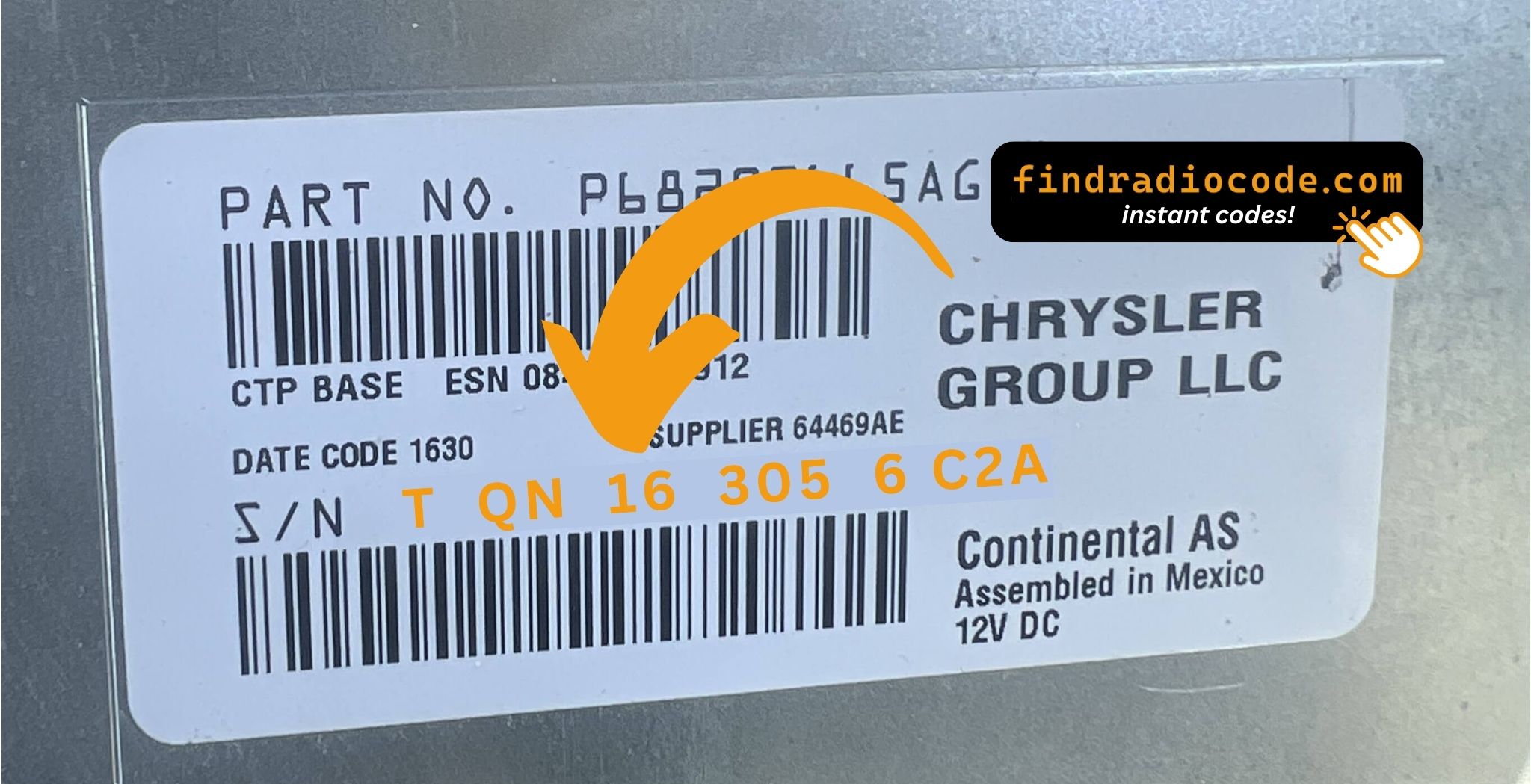
An example from the same family - find the matching sticker on your unit.
Serial number examples
Real Chrysler serials, so you know what you are looking for:
TQN33227AGHF
(prefix: TQN)
TVPQN32427GRQA
(prefix: TVPQN)
A2C1453320420008333
(prefix: A2C)
A3C002546000020002320
(prefix: A3C)
Common prefixes: TQN, TVPQN, A2C, A3C
Identify Your Factory Radio
Line up the design, controls, display and features listed below with your factory-installed radio - the Media Center 240 RHA is easy to tell apart once you know what to look for.
What the Media Center 240 RHA looks like:
- Small 3-line monochrome display - no touchscreen of any size
- Hard preset buttons below the display and a rotary tuning knob
- CD slot in the faceplate
- RHA printed on the factory label
- Serial number starting with TQN, TVPQN, A2C, A3C
It is the Media Center 240 RHA when:
- the chassis label carries the RHA sales code
- the label serial begins with TQN, TVPQN, A2C, A3C
- the build year falls inside 2011-2014
- the radio has buttons and a knob but no touchscreen - a colour touchscreen means a Uconnect 4.3 or higher
No touchscreen - if your radio has a coloured touchscreen of any size, you do not have a 240 RHA, you have a Uconnect 4.3 or higher.
Understanding the Media Center 240 RHA
The Media Center 240 RHA is an original factory-installed head unit developed for selected Chrysler vehicles. Designed to provide reliable audio playback and vehicle integration, this unit may also offer Bluetooth connectivity, touchscreen controls, CD/DVD playback, navigation or multimedia support, depending on the specific version.
Continental Media Center 240 RHA is a small non-touchscreen head unit with a 3-line monochrome display, hard buttons and rotary knob - the entry-level Continental head unit fitted to base FCA trims before Uconnect 3.0 rolled out. AM/FM, CD, USB, no touchscreen.
The Media Center 240 RHA was installed in various Chrysler models between 2011-2014. It was commonly fitted to vehicles built on the Continental multimedia platform and is still one of the more recognisable factory radios of that period.
Typical features include:
AM/FM radio
CD player
USB media playback
AUX input*
Steering wheel control support
Anti-theft security code
*Availability depends on the vehicle configuration.
The Media Center 240 RHA carries the same anti-theft protection as most factory units. Once power is cut - a flat battery, a battery swap, or the radio being removed - it will ask for the original code before it plays again.
Background on the platform itself is published by Continental Automotive.
How to Get the Serial Number From Your Radio
The code is generated from the radio's own serial number, so that number is the only thing you need before ordering. It is printed on the chassis label of the unit itself, not in the vehicle documents.
Where exactly: White sticker on the top of the chassis near the rear. The radio must come out of the dash with two DIN release keys.
Getting to the label:
- Bring the radio out of its slot; release keys do it in a minute and nothing needs disconnecting.
- Find the printed label on the housing and read the serial off it - it sits beside the barcode.
- Copy it into the form precisely as printed; the checker catches any typo before payment.
Your serial lives on a label like this
Four Ways a Media Center 240 RHA Ends Up Locked
A locked Media Center 240 RHA is almost always the result of one of four everyday situations, none of which mean anything is broken.
The code card is long gone
The code card that shipped with the car disappeared an owner or two ago. That is not a problem - the code is generated from the radio's serial, not from any paperwork.
The car was in the garage
Any repair that touches the 12V supply - even briefly - is enough to bring up the code screen on the next start.
You swapped the radio itself
The code does not transfer between radios: the swapped-in unit has a different serial, and that serial is what the code is based on.
The battery was disconnected
Any battery work counts as a power cut to the radio. It locks automatically and waits for the original code before playing again.
All four roads lead to the same solution - read the serial off the unit, enter it above, and the original code arrives instantly.
Factory Specifications
| Specification | Value |
|---|---|
| Manufacturer | Continental |
| Radio Family | Media Center 240 |
| Variant | RHA |
| Vehicle Brand | Fiat / Dodge |
| Production Years | 2011-2014 |
| Serial Prefixes | TQN, TVPQN, A2C, A3C |
Not every Media Center 240 RHA offers the same set of features. Bluetooth connectivity, navigation, USB support or multimedia playback may differ depending on the vehicle specification, production year and factory equipment package.
Models Featuring the Media Center 240 RHA
| Vehicle Model | Typical Production Years | Notes |
|---|---|---|
| Fiat 500, 500L, Doblo, Punto (base trims) | 2011-2014 | |
| Dodge Dart (base trims) | 2011-2014 |
Vehicle compatibility can vary between trims, model years and regional versions. Because the same car could leave the factory with different radios, confirm your unit before placing an order.
Compatible OEM Part Numbers 5
Every reference below is handled by this service. Find yours on the factory sticker of the radio to confirm you are on the right page.
P05091128AA P05091128AB P05091128AC P05091128AD P05091128AE Look for the part number on the radio's factory label, typically beside the serial number. Any reference listed here is covered by this service.
How to enter your Media Center 240 RHA code
The code goes straight into the radio, not into the car's menus.
- Turn the ignition to RUN or ACC and press the power button - the display shows CODE.
- Enter the first digit with preset button 1: press it as many times as the digit (or turn the tuning knob to dial the digit instead).
- Repeat with preset 2, 3 and 4 for the second, third and fourth digits.
- Press OK or push the tuning knob to confirm the code.
- A beep and the normal radio display mean the code was accepted - audio returns straight away.
If something goes wrong
The display shows CODE WAIT
Three wrong codes start a 30-minute lockout. Leave the ignition in ACC with the radio switched on until the countdown ends - if the power is cut the timer starts again - then enter the code once more, slowly.
The buttons do not seem to take the digits
Some RHA builds read the digits from the tuning knob rather than the preset presses, so try the other method. Press each button firmly and wait for the digit to change before the next press, and check that the serial you ordered with matches the label character for character.
There is no code card in the car
Many of these cars left the factory with a small anti-theft card in the owner's manual wallet or the glove box. On used cars it is usually gone - the serial from the chassis label is all that is needed to retrieve the same code.
Write the code down - the same four digits work for the life of the unit.
Frequently Asked Questions
Recent Customer Feedback
Left by customers after entering their code. See the reviews page for all of them.
"Amazing people amazing service everything amazing I got my code immediately thank God for these people"
Thank you for the code, you saved me a 140.00 and a trip to the dealer.
Matt Diekmann - Chrysler
Bueno
Ricardo Rodriguez - Chrysler
What You Get
Code delivered automatically once payment clears - on screen and by email.
Full money-back guarantee if the code does not open your radio.
Order at any hour - no dealership, no appointment, no towing.
The code never expires - keep it and future battery changes cost nothing.
Compare with Similar Models
These units are easily confused with the Media Center 240 RHA. If the details above do not match your radio, check one of these instead.
Compare the Media Center 240 RHA with other Continental radios on the Continental radio codes page.