Get Your Factory Delphi Uconnect 7.0 UAG VP2_7 WD NA Radio Code
Delphi | Chrysler | Instant Retrieval
Read the full refund policy.
Serial Number Prefixes for the Delphi Uconnect 7.0 UAG VP2_7 WD NA
| Serial Prefix | Status |
|---|---|
T0MYD |
Supported |
If your serial starts with one of these, we can retrieve your code.
From serial number to code
Everything runs from the serial number on the radio's own label.
- 1 Get the serial off the radio It is printed on the unit's own label, usually near the barcode. A pair of release keys slide the radio out far enough to read it.
- 2 Put it in the form on the left Just the serial and your email. The format check runs before the payment step.
- 3 Get the code You get the digits at once, with an email copy for safe keeping. Type them into the radio and it plays again.
If it does not work, you get your money back.
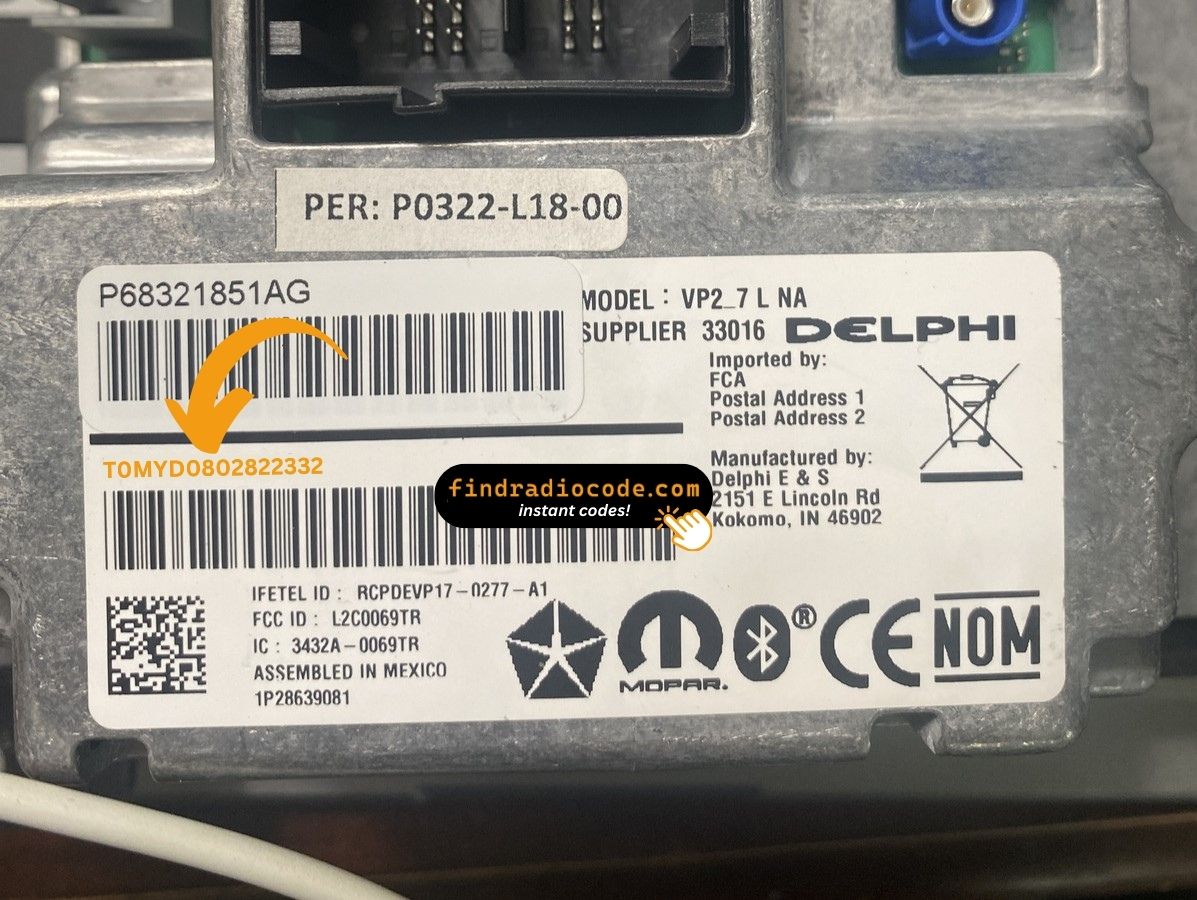
The sticker on your unit will look similar. Read the serial straight off it.
Serial number examples
Examples of serial numbers we see on Chrysler vehicles:
T0MYD164822563
(prefix: T0MYD)
T0MYD065910817
(prefix: T0MYD)
Common prefixes: T0MYD
How to Identify the Delphi Uconnect 7.0 UAG VP2_7 WD NA
Line up the design, controls, display and features listed below with your factory-installed radio - the Delphi Uconnect 7.0 UAG VP2_7 WD NA is easy to identify once you know what to look for.
Identifying details:
- Centre-stack 7.0" touchscreen
- A non-navigation unit: the menus never show a map
- Shipped for the North America market
- The chassis label carries the UAG VP2_7 WD NA sales code
- A serial that begins with T0MYD
Tick these off to be sure:
- the factory label reads UAG VP2_7 WD NA
- the printed serial opens with T0MYD
- the vehicle was built between 2017-2022
- the 7.0" touchscreen is the one the Uconnect 7.0 family uses
UAG denotes the Dodge Durango/Charger application of the 7-inch VP2 platform. If your vehicle is a Jeep Wrangler JL, you have UKG instead. The chassis part numbers for UAG start in the 68308869 range.
Step One: The Serial Number
Every Delphi Uconnect 7.0 UAG VP2_7 WD NA has a unique serial number, and the unlock code is derived from it. You will find that number on the unit's own label - it is not in the service book and not on the dashboard.
On the Delphi Uconnect 7.0 UAG VP2_7 WD NA: White label on the top of the chassis, rear-centre. The radio comes out as a single assembly with the climate panel underneath on Durango WD - four 7mm bolts plus the climate connector. Read the serial from above without disconnecting the radio harness.
Three steps to the serial number:
- Ease the radio out of the dash - most units need a pair of release keys, which cost very little online.
- Find the printed label on the housing and read the serial off it - it sits near the barcode.
- Type it into the form exactly as printed, with no spaces or dashes.
The sticker that carries the serial
Two minutes of video beats a page of text

Recorded on a radio from this family; your unit works the same way.
Overview of the Delphi Uconnect 7.0 UAG VP2_7 WD NA
The Delphi Uconnect 7.0 UAG VP2_7 WD NA is a factory-fitted Chrysler audio and multimedia unit. Alongside everyday radio and audio playback it may include touchscreen controls, Bluetooth, CD/DVD playback or factory navigation, depending on how the vehicle left the factory.
Uconnect 7.0 UAG VP2 7" WD NA is the Delphi-built 7-inch touchscreen Uconnect for North American Dodge Durango WD - mid-tier head unit between the base 5-inch and the 8.4-inch, with Apple CarPlay, Android Auto, SiriusXM, no built-in maps. Home screen shows rounded tile icons rather than the older Uconnect 8.4 flat tiles.
The Delphi Uconnect 7.0 UAG VP2_7 WD NA was installed in various Chrysler models between 2017-2022. It was commonly fitted to vehicles built on the Delphi multimedia platform and is still one of the more recognisable factory radios of that period.
Typical features include:
7.0" touchscreen
AM/FM radio
SiriusXM satellite radio*
Apple CarPlay and Android Auto*
Hands-free Bluetooth with audio streaming
Media playback over USB
Steering wheel control support
Anti-theft security code
*Availability varies with the vehicle specification.
As with other Delphi factory units, the Delphi Uconnect 7.0 UAG VP2_7 WD NA locks itself when power is lost. After a battery disconnect or a workshop visit the screen will ask for the original security code before any audio returns.
Platform details and official documentation are available from Aptiv (formerly Delphi Automotive), the unit's manufacturer.
Typical Ways a Delphi Uconnect 7.0 UAG VP2_7 WD NA Gets Locked
Almost all of the Delphi Uconnect 7.0 UAG VP2_7 WD NA codes we generate follow one of these four events.
The previous owner had no code
Used cars routinely arrive with a locked radio and no code card in the glovebox. The serial number on the unit is all that is needed to recover it.
After mechanical work
The repair worked - the locked radio is just the side effect of the battery being off the car for a while.
A different unit is in the dash now
Swapping in a refurbished radio means a new serial and therefore a new code - the one from the old unit cannot work.
The battery was replaced
Whether the battery was changed or just ran flat, the radio sees a power loss and asks for the code the next time it starts.
Whichever of these applies, the fix is identical: the serial number off the radio, the form at the top of this page, and the code is emailed in seconds.
Delphi Uconnect 7.0 UAG VP2_7 WD NA Technical Details
| Specification | Value |
|---|---|
| Manufacturer | Delphi |
| Radio Family | Uconnect 7.0 |
| Variant | UAG VP2_7 WD NA |
| Market | North America |
| Vehicle Brand | Dodge |
| Production Years | 2017-2022 |
| Display | 7.0" touchscreen |
| Navigation | No |
| Serial Prefixes | T0MYD |
The exact functionality of the Delphi Uconnect 7.0 UAG VP2_7 WD NA depends on the vehicle it was installed in. Some versions include full multimedia features like navigation and Bluetooth, others ship in a more basic configuration. Features vary by production year, trim and regional specification.
Compatible Radio Part Numbers 30
All of the part numbers listed here are supported. Match the one printed on your unit's label and you are in the right place.
Do not worry about the trailing letters: the 30 numbers span 6 base references, and the letter suffixes only mark factory revisions - the code works for every revision.
68308869AA 68308869AB 68308869AC 68308869AD 68308869AE 68308869AF 68308869AG 68308869AH P68399232AA P68399232AB P68399232AC 68308865AA 68308865AB 68308865AC 68308865AD 68308865AE 68308865AF 68308865AG 68308865AH 68308865AI 68420239AA 68420239AB 68420239AC 68420244AA 68420244AB 68420244AC 68428557AA 68428557AB 68428557AC 68428557AD You will find the part number on the factory sticker of the unit, normally alongside the serial. A match in this list confirms you are on the right page for the Delphi Uconnect 7.0 UAG VP2_7 WD NA.
Which Vehicles Use the Delphi Uconnect 7.0 UAG VP2_7 WD NA?
| Vehicle Model | Typical Production Years | Notes |
|---|---|---|
| Dodge Durango WD (USA, base SXT and GT trims) | 2018-2022 | |
| Dodge Charger, Challenger (USA, base trims with 7-inch screen) | 2017-2022 |
Some vehicle models were available with more than one factory radio depending on trim level, production year or regional market. Always verify your radio model before ordering a code.
Entering the code on the Delphi Uconnect 7.0 UAG VP2_7 WD NA
It takes under a minute once you have the four digits.
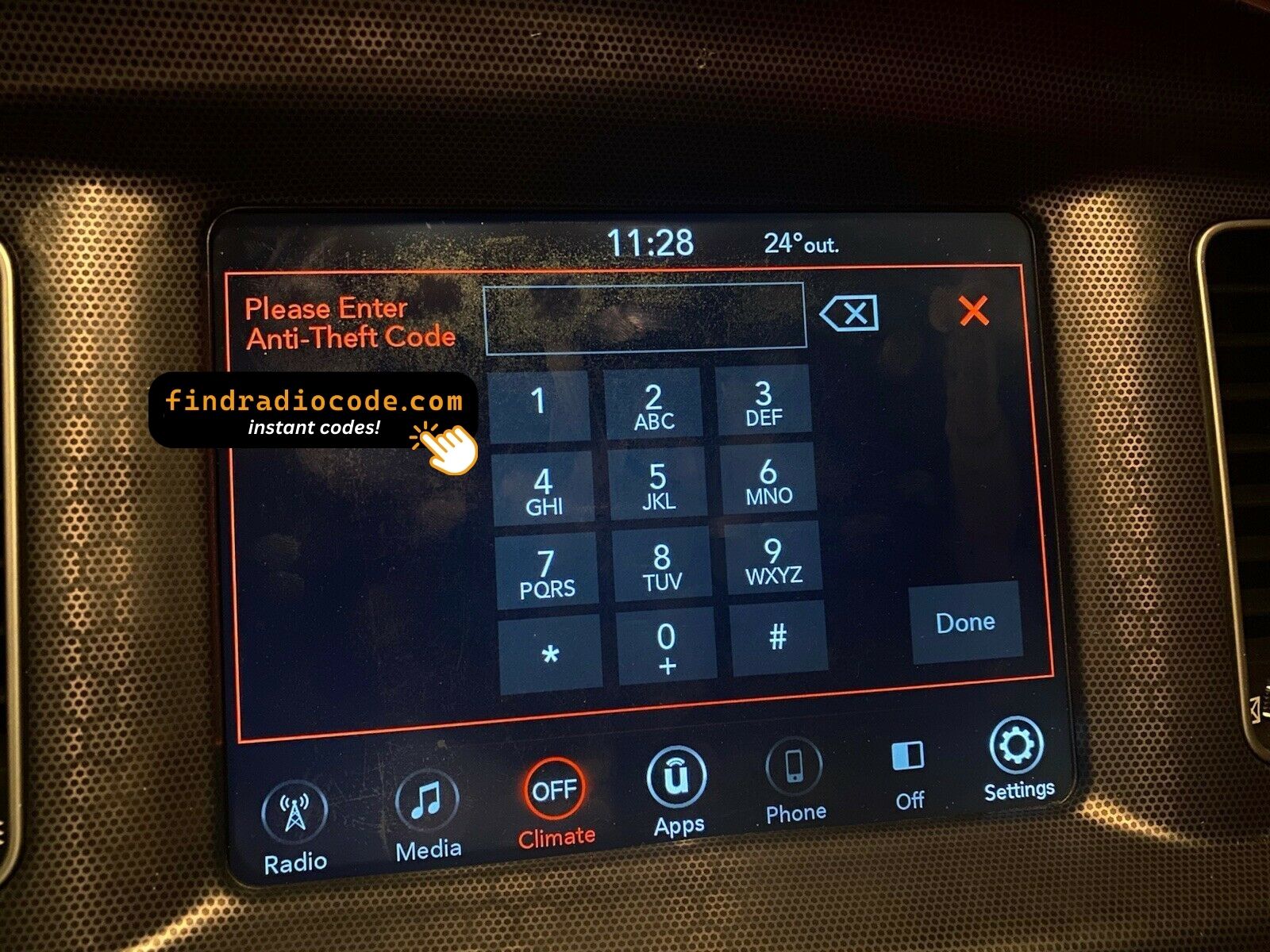
- Give the radio power - key to accessory is enough - and wait for the code prompt.
- The screen shows a numeric keypad for the four digits.
- Punch in all four digits, first to last.
- Verification happens by itself once the fourth digit is in.
- The security screen disappears and the unit returns to normal operation.
Troubleshooting the Delphi Uconnect 7.0 UAG VP2_7 WD NA
Too many wrong attempts
After a few wrong entries the radio stops accepting codes for a while - cutting power only restarts the clock. Three wrong codes shows "INCORRECT CODE - WAIT" with a 30-minute timer. Keep ignition in RUN or ACC for the timer to count down.
The label is not where I expected
Only the radio itself carries it - slide the unit forward and the label is right there. White label on the top of the chassis, rear-centre. The radio comes out as a single assembly with the climate panel underneath on Durango WD - four 7mm bolts plus the climate connector. Read the serial from above without disconnecting the radio harness.
Locked again after it was fine
Nothing is broken. Any interruption to the 12V supply brings the lock screen back. Loss of 12V supply - dead battery, replacement, or radio removal during repair work.
This radio looks like several others
A few models in this family share the same face, so the label is what settles it. UAG denotes the Dodge Durango/Charger application of the 7-inch VP2 platform. If your vehicle is a Jeep Wrangler JL, you have UKG instead. The chassis part numbers for UAG start in the 68308869 range.
Save the code: it stays valid, so the next battery change costs you nothing.
Delphi Uconnect 7.0 UAG VP2_7 WD NA FAQ
After the Code Arrived
What a few recent customers said after unlocking - every review is on the reviews page.
"Screen on our chrysler was cracked so i found a good used one from the local scrap yard. I was EXTREMELY skeptical of this after the other site I tried was flagged as suspicious activity. I did a little more investigating with findradiocode.com and everything I was reading was legit so I took t..."
I really thought it was a scam till I risked it and it was literally instant. Definitely trusted
Mavrick - Chrysler
Thank you for the code, you saved me a 140.00 and a trip to the dealer.
Matt Diekmann - Chrysler
What Happens After You Order
Code delivered instantly once payment clears - on screen and in your inbox.
Does not work? Every cent back - no questions beyond a short video.
Available 24/7 - no appointment, no dealer visit, no towing.
One code, forever: the same digits unlock the unit after every power cut.
Compare with Similar Models
These units are easily confused with the Delphi Uconnect 7.0 UAG VP2_7 WD NA. If the details above do not match your radio, open one of these instead.
Every Delphi radio range we cover, not just the Delphi Uconnect 7.0 UAG VP2_7 WD NA, is on the Delphi radio codes page.