Open Up Your Harman R1 EXT NA Radio
Harman | Chrysler | Instant Retrieval
Read the full refund policy.
Compatible Serial Number Prefixes
| Serial Prefix | Status |
|---|---|
T0012 |
Supported |
T00BE |
Supported |
If your serial starts with any prefix above, we can retrieve your code.
What you need to do
No VIN, no paperwork, no appointment - the serial number off the radio is the only thing we need.
- 1 Get the serial off the radio It is printed on the unit's own label, usually near the barcode. A pair of release keys slide the radio out far enough to read it.
- 2 Enter it in the form Copy it character for character. We check the format up front, so a typo never costs you anything.
- 3 Receive the radio code The code is delivered instantly, day or night. Enter it on the radio and the anti-theft screen goes away.
If it does not work, you get your money back.
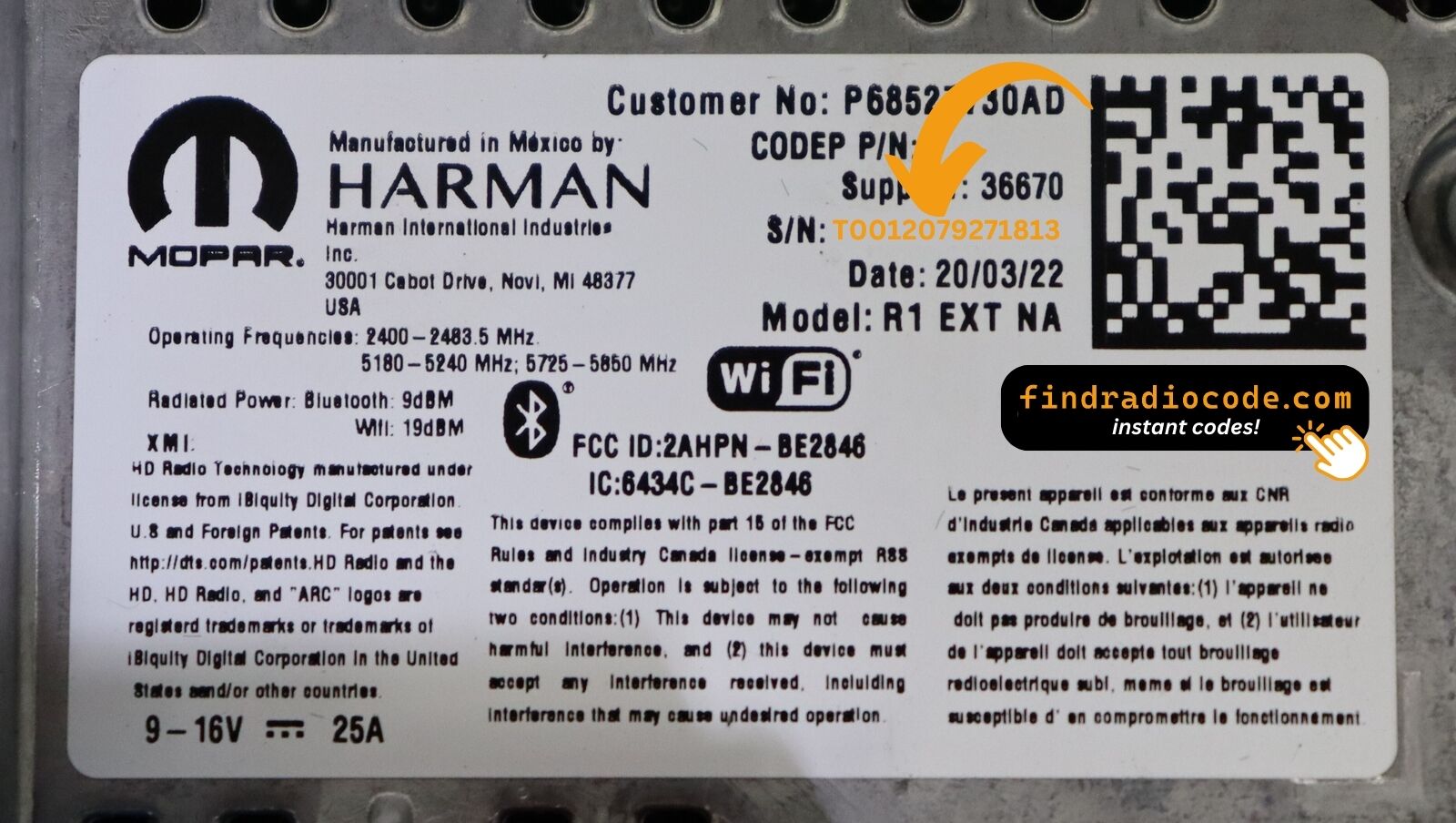
An example from the same family - find the matching sticker on your unit.
Example serial numbers
Real Chrysler serials, so you know what you are looking for:
T00BE351823197
(prefix: T00BE)
T0012566327123
(prefix: T0012)
T00BE104477269
(prefix: T00BE)
Prefixes we see most: T0012, T00BE
Is This Your R1 EXT NA?
Before requesting a radio code it is important to confirm the exact model. Match the design, controls, display and features below with the unit in your dashboard.
How to spot it:
- Centre-stack 8.4" touchscreen
- Built for the North America market
- NA printed on the factory label
- Serial number starting with T0012, T00BE
This is probably your radio if:
- the factory label reads NA
- the serial on the label starts with T0012, T00BE
- the model year sits within 2018-2022
- the 8.4" touchscreen is the one the R1 EXT family uses
External-mount = screen sits on top of the dash. If your screen is flush in the centre stack, you have R1 INT NA or an older RA4. Model year 2022 specifically uses the R1 EXT NA 3B variant - see the dedicated page if your vehicle is a 2022 build.
Learn More About the R1 EXT NA
The R1 EXT NA is a factory-fitted Chrysler audio and multimedia unit. Alongside standard radio and audio playback it may include touchscreen controls, Bluetooth, CD/DVD playback or factory navigation, depending on how the vehicle left the factory.
R1 EXT NA is the externally-mounted Uconnect 4C NAV 8.4 head unit for North American markets - 8.4-inch touchscreen on an above-dash bezel. Apple CarPlay, Android Auto, SiriusXM, built-in NA maps.
Production of the R1 EXT NA ran across 2018-2022, mainly in Chrysler models built around the Harman multimedia platform, so plenty of these units are still in daily use.
Common features on this unit:
8.4" touchscreen
AM/FM radio
SiriusXM satellite radio*
CarPlay and Android Auto support*
CD playback
AUX and USB input*
Steering wheel control support
Anti-theft security code
*Availability varies with the vehicle configuration.
The R1 EXT NA carries the same anti-theft protection as most factory units. Once power is cut - a flat battery, a battery swap, or the radio being removed - it will ask for the original code before it plays again.
For the manufacturer's own documentation of this platform, see the official Uconnect site.
How to Read the Serial Number Off Your R1 EXT NA
Every R1 EXT NA has a unique serial number, and the unlock code is derived from it. You will find that number on the unit's own label - it is not in the service book and not on the dashboard.
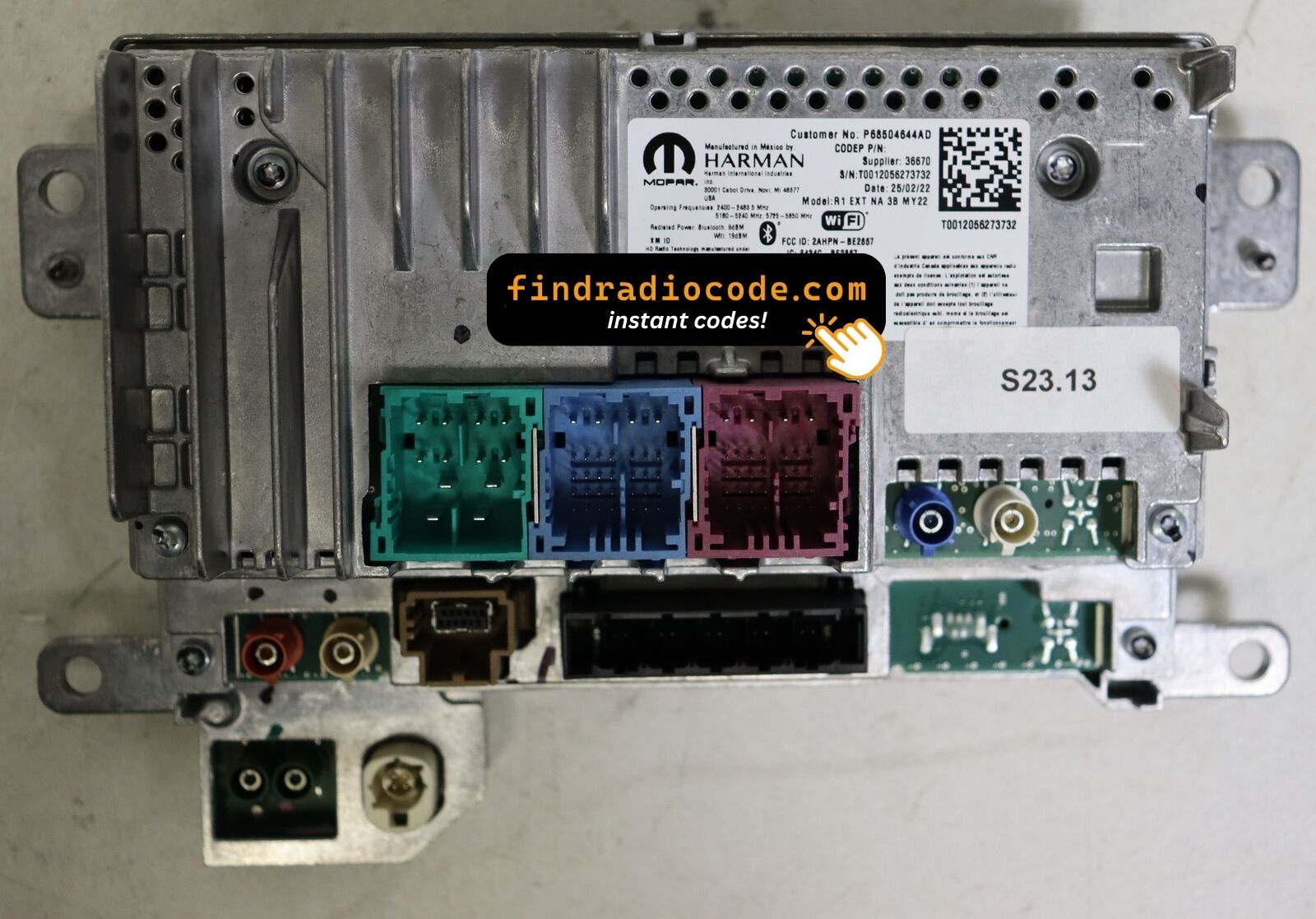
On this unit: Top of the chassis behind the screen module. R1 is removed as a single screen-plus-chassis assembly via four bolts on the dash bracket.
Getting to the label:
- Bring the radio out of its slot; release keys do it in seconds and nothing needs disconnecting.
- Find the white label on the housing and read the serial off it - it sits beside the barcode.
- Type it into the form exactly as printed, with no spaces or dashes.
The sticker that carries the serial
Four Ways a R1 EXT NA Ends Up Locked
The lock screen rarely appears out of nowhere - one of these four situations is behind nearly every locked R1 EXT NA we see.
New battery, locked radio
Any battery work counts as a power cut to the radio. It locks automatically and waits for the original code before playing again.
The car was in the garage
Any repair that touches the 12V supply - even for a few minutes - is enough to bring up the code screen on the next start.
The code card is long gone
The code card that shipped with the car went missing an owner or two ago. That is not a problem - the code is generated from the radio's serial, not from any paperwork.
You swapped the radio itself
The code does not transfer from one unit to another: the swapped-in unit has a different serial, and that serial is what the code is calculated from.
The way out is the same in every case: serial number in, original code out, in seconds.
Factory Radio Specifications
| Specification | Value |
|---|---|
| Manufacturer | Harman |
| Radio Family | R1 EXT |
| Variant | NA |
| Market | North America |
| Vehicle Brand | Jeep / Ram |
| Production Years | 2018-2022 |
| Display | 8.4" touchscreen |
| Serial Prefixes | T0012, T00BE |
Equipment on the R1 EXT NA differs with the car it came in: navigation, Bluetooth, USB and media playback depend on trim, market and model year.
Supported Factory Identifiers 41
Check your radio's label against this list - any match means the code for your unit can be retrieved here.
Do not worry about the trailing letters: the 41 numbers span 10 base references, and the letter suffixes only mark factory revisions - the code works for every revision.
P68426026AA P68426026AB P68426026AC P68426026AD P68426026AE P68426027AD P68455378AA P68455378AB P68455378AC P68455378AD P68455378AE P68455378AF P68455378AG P68455378AH P68455378AI P68465284AA P68465284AB P68465284AC P68465284AD P68465290AC P68465290AD P68465290AE P68465290AF P68504644AB P68504644AC P68504644AD P68504644AE P68504644AF P68527730AA P68527730AB See the complete list of 41 part numbers
P68527730AC P68527730AD P68527730AE P68527730AF P68527730AG P68527730AH P68598596AF P68671226AA P68594849AA P68594849AB P68594849AC The part number is printed on the label on top of or on the side of the radio chassis, usually next to the serial number. If yours appears above, the R1 EXT NA is the right page.
R1 EXT NA Vehicle Compatibility
| Vehicle Model | Typical Production Years | Notes |
|---|---|---|
| Jeep Wrangler JL, Gladiator JT (USA, nav trims) | 2018-2022 | |
| Jeep Cherokee KL refresh, Compass (USA nav trims) | 2018-2022 | |
| Ram 1500 DT (USA nav trims) | 2018-2022 |
Vehicle compatibility can vary between trims, model years and regional versions. Because the same car could leave the factory with different radios, confirm your unit before placing an order.
Entering the code on the R1 EXT NA
Nothing to install and no tools needed - just the four digits.
- Turn the ignition on so the radio powers up and shows the locked screen.
- A keypad for the code fills the middle of the screen.
- Tap the four digits of your code in order.
- There is no separate OK button - the radio checks the code on the last tap.
- A correct code clears the lock screen and the audio comes straight back.
Things that can catch you out
The screen shows a wait timer
The timer is the radio protecting itself after failed entries - power on, patience, then try again. Three wrong codes shows "PLEASE WAIT" for 60 minutes. Power must stay on for the timer to run down.
I cannot find the serial number
It is printed on the housing, so the unit normally has to come forward to read it. Top of the chassis behind the screen module. R1 is removed as a single screen-plus-chassis assembly via four bolts on the dash bracket.
Why it happened again
That is normal - the anti-theft system re-arms every time the unit loses power. Loss of 12V power - battery service, dead battery, or radio removal.
Making sure it is the right unit
The differences are easy to miss, so check this before ordering. External-mount = screen sits on top of the dash. If your screen is flush in the centre stack, you have R1 INT NA or an older RA4. Model year 2022 specifically uses the R1 EXT NA 3B variant - see the dedicated page if your vehicle is a 2022 build.
Write the code down - the same four digits work for the life of the unit.
Questions About Your R1 EXT NA Code
After the Code Arrived
A few of the most recent reviews left after an unlock - the full list is on the reviews page.
"Best 20.00 dollars I've spent. Went to 3 different dealerships, and they acted like they couldn't find the code and i found seen findradiocode on youtube and it only took 3 second"
I paid the $20 with hesitation but this worked perfect, got my code immediately. Thanks!!!
Kevin Kennedy - Chrysler
Bueno
Ricardo Rodriguez - Chrysler
What You Get
The original code on screen within seconds of payment, emailed to you as well.
Full money-back guarantee if the code does not open your radio.
Available 24/7 - no booking, no dealer visit, no towing.
The code never expires - keep it and future battery changes cost nothing.
Explore Similar Factory Radios
Still unsure? These closely related units use much of the same hardware as the R1 EXT NA and may be what you actually have.
Each Harman radio family we cover, not just the R1 EXT NA, is on the Harman radio codes page.