Get Your Original Harman R1 EXT RW Radio Code
Harman | Chrysler | Instant Retrieval
Our refund policy in full.
Serial number starting with T00HL
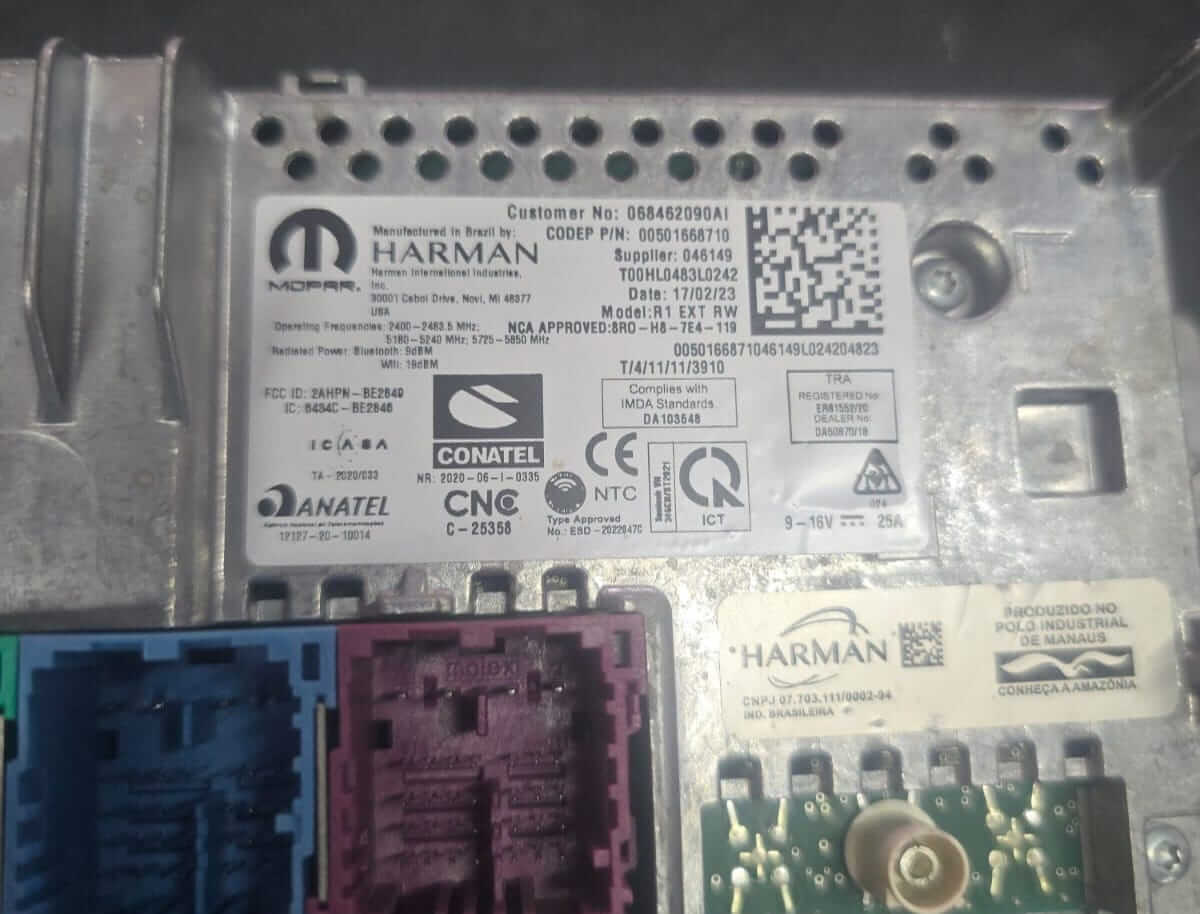
Newer R1 EXT RW units (2025 builds, part numbers such as 68501218AE) carry a serial that starts with T00HL instead of T0012 or T00BE. It is printed on the chassis label under the supplier number, for example T00HL1575L0174: T00HL, 4 digits, a letter and 4 more digits. Do not enter the long number under the date - that is the part number barcode, not the serial. Enter the full T00HL serial in the form and the code is sent by email.
Compatible Serial Number Formats
| Serial Prefix | Status |
|---|---|
T0012 |
Supported |
T00BE |
Supported |
T00HL |
Supported |
If your serial starts with any prefix above, we can recover your code.
How to get your code?
Everything runs from the serial number on the radio's own label.
- 1 Check the unit's sticker Look for it on the sticker on the housing. The radio normally has to come forward a little - the wiring can stay plugged in.
- 2 Key in the serial Exactly as printed, no spaces. The format is checked before any payment.
- 3 Receive the unlock code You get the digits immediately, with an email copy for safe keeping. Type them into the radio and it plays again.
Money-back guarantee if the code does not open your radio.
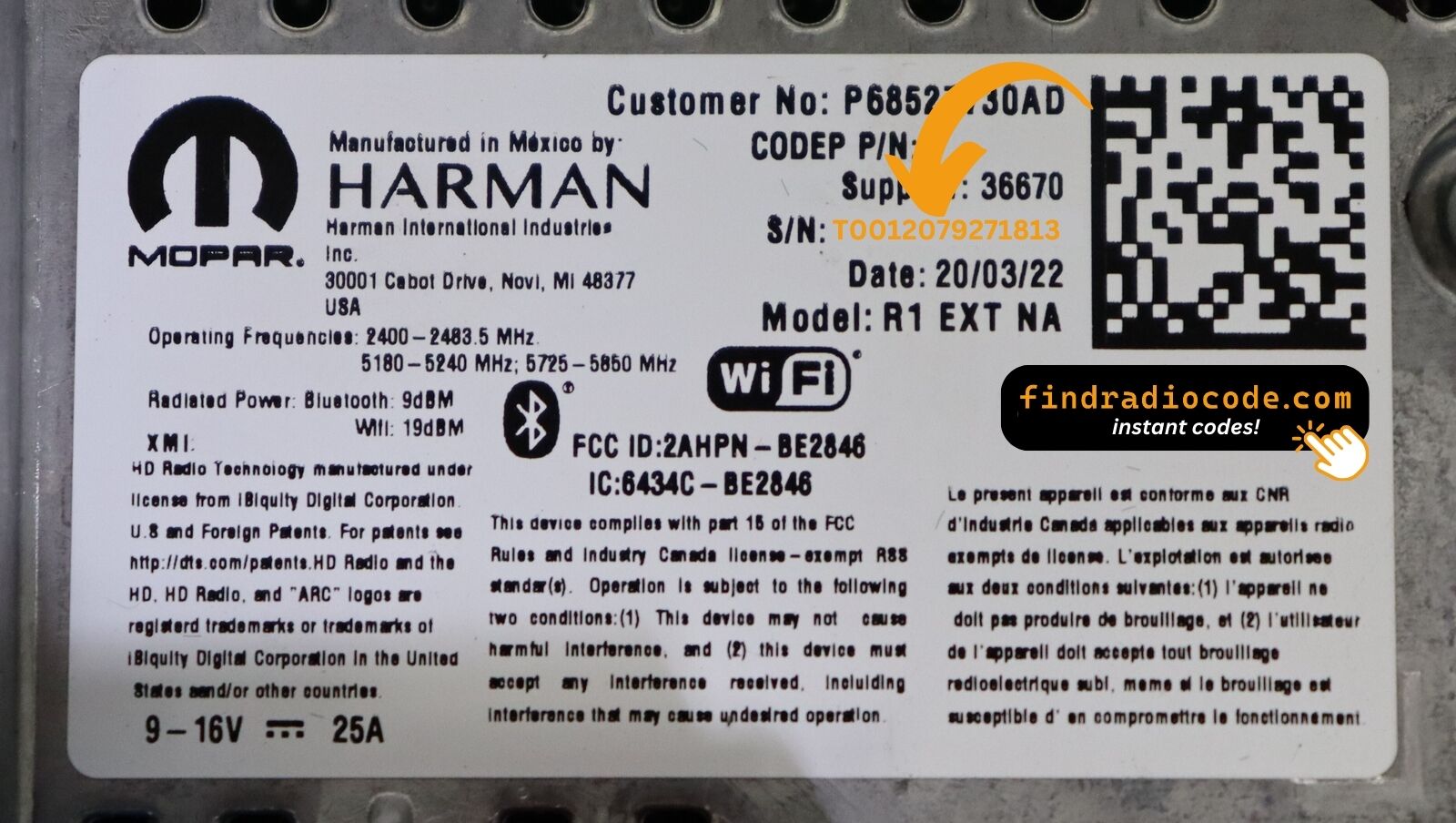
The sticker on your unit will look similar. Read the serial straight off it.
Example serial numbers
Examples of serial numbers taken from Chrysler vehicles:
T00BE351823197
(prefix: T00BE)
T0012566327123
(prefix: T0012)
T00BE104477269
(prefix: T00BE)
Prefixes we see most: T0012, T00BE, T00HL
Do You Have the R1 EXT RW?
Compare the design, controls, display and features listed below with your factory-installed radio - the R1 EXT RW is easy to identify once you know what to look for.
Typical identification features:
- Built for the Right-hand drive / Rest of World market
- RW printed on the factory label
- Label serial opening with T0012, T00BE or T00HL
You most likely have the R1 EXT RW if:
- RW appears as the sales code on the label
- the serial on the label starts with T0012, T00BE or T00HL
- it came in a car from the 2018-2022 range
External-mount RHD variant of R1.
Reading the R1 EXT RW Chassis Label
The code is generated from the radio's own serial number, so that number is the only thing you need before ordering. It is printed on the factory sticker of the unit itself, not in the vehicle documents.
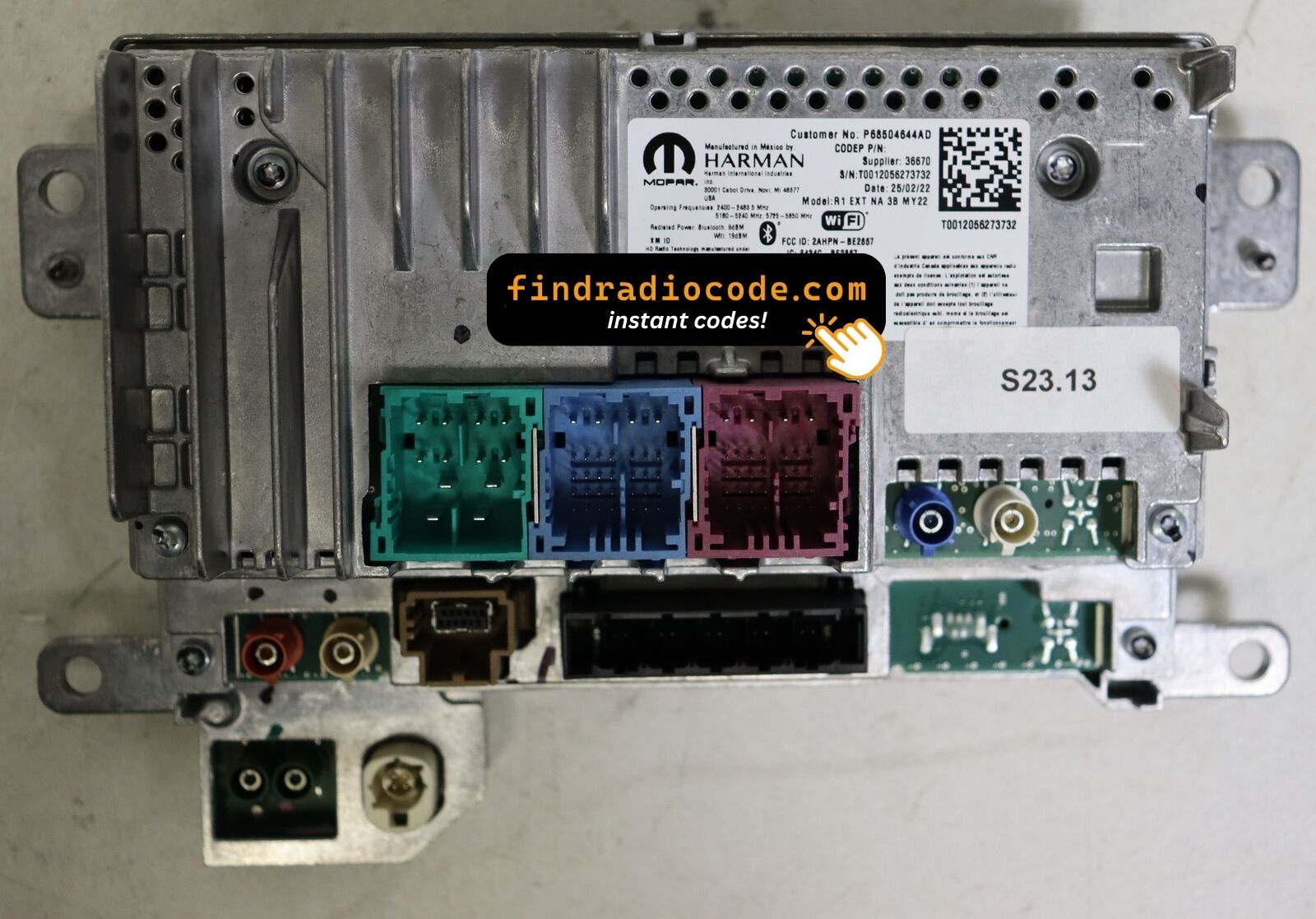
On the R1 EXT RW: Top of the chassis behind the screen module.
How to reach the number:
- Pull the unit forward with release keys (cheap online) - the wiring can stay connected.
- The serial is on the chassis sticker, usually right next to the barcode - copy it down.
- Type it into the form exactly as printed, with no spaces or dashes.
Where the label sits on this radio
Introducing the R1 EXT RW
The R1 EXT RW is a factory-fitted Chrysler audio and multimedia unit. Alongside standard radio and audio playback it may include touchscreen controls, Bluetooth, CD/DVD playback or factory navigation, depending on how the vehicle was specified.
R1 EXT RW is the externally-mounted Uconnect 4C NAV 8.4 head unit for right-hand-drive and rest-of-world markets - same external-mount hardware as R1 EXT NA but with RHD UI layout and locale-specific maps.
Look for the R1 EXT RW in Chrysler vehicles from 2018-2022. It shared the Harman multimedia platform and is still found in many cars from that period.
Typical features include:
AM/FM radio
CD playback
AUX and USB input*
Steering wheel control support
Anti-theft security code
*Availability depends on the vehicle specification.
As with other Harman factory units, the R1 EXT RW locks itself when power is lost. After a battery disconnect or a workshop visit the screen will ask for the original security code before any audio returns.
Platform details and official documentation are available from the official Uconnect site.
Typical Ways a R1 EXT RW Gets Locked
A locked R1 EXT RW is nearly always the result of one of four everyday situations, none of which mean anything is broken.
You bought the car second-hand
No handbook, no code card, seller unreachable - none of it matters. The radio's own serial number carries everything needed to calculate the code.
A replacement radio
Swapping in a second-hand radio means a new serial and therefore a new code - the one from the old unit cannot work.
A repair cut the power
Alternator, starter or fuse-box work usually means disconnecting the battery - and the radio locks itself as a side effect of the repair.
The battery was disconnected
A new battery - or a flat one after the car stood over winter - cuts power to the radio, and the anti-theft system arms itself the moment power returns.
Whichever of these happened to you, the fix is identical: the serial number off the radio, the form at the top of this page, and the code arrives in seconds.
Hardware Specifications
| Specification | Value |
|---|---|
| Manufacturer | Harman |
| Radio Family | R1 EXT |
| Variant | RW |
| Market | Right-hand drive / Rest of World |
| Vehicle Brand | Jeep / Ram |
| Production Years | 2018-2022 |
| Serial Prefixes | T0012, T00BE, T00HL |
Not every R1 EXT RW offers the same set of features. Bluetooth connectivity, navigation, USB support or multimedia playback may vary depending on the vehicle specification, production year and factory equipment package.
Compatible Vehicles
| Vehicle Model | Typical Production Years | Notes |
|---|---|---|
| Jeep Wrangler JL, Gladiator JT (UK, Australia, South Africa) | 2018-2022 | |
| Ram 1500 DT (RHD conversion markets) | 2018-2022 |
Vehicle compatibility can differ between trims, model years and regional versions. Because the same car could leave the factory with different radios, confirm your unit before placing an order.
Supported Part Numbers 11
Check your radio's label against this list - any matching number means the code for your unit can be retrieved here.
Do not worry about the trailing letters: the 11 numbers span 3 base references, and the letter suffixes only mark factory revisions - the code works for every revision.
P68462090AA P68462090AB P68462090AC P68462090AD P68462090AE P68462090AF P68462090AG P68462090AH P68501218AE P68627894AB P68627894AD The part number is printed on the sticker on top of or on the side of the radio chassis, usually next to the serial number. If yours appears above, the R1 EXT RW is the correct page.
Typing the code into your R1 EXT RW
Nothing to install and no tools needed - just the four digits.
- Put the key in accessory position so the unit powers up and asks for the code.
- A four-digit keypad appears on the display.
- Key in the code, one digit at a time, left to right.
- The unit checks the code automatically on the last digit.
- Right code in, lock screen gone - the radio is back to its usual self.
If something goes wrong
Too many wrong attempts
After a few wrong entries the radio stops accepting codes for a while - cutting power only restarts the clock. 60-minute PLEASE WAIT after three wrong attempts.
The serial is hiding from you
Nothing on the car's menus shows it - the number lives on the radio's own label. Top of the chassis behind the screen module.
It is asking for the code a second time
By design, every loss of power resets the anti-theft lock. Battery service.
I am not sure I have the right variant
Close relatives of this unit look almost identical from the driver's seat. External-mount RHD variant of R1.
Note the four digits somewhere safe - they are yours for good and reusable after any power cut.
Everything Else You Might Ask
Recent Customer Reviews
A few of the latest reviews left after an unlock - the full list is on the reviews page.
"Got a radio from a wrecked ca. paid this site which I was sketchy about doing.It actually worked I got the code for the radio.Was quick and easy all I needed was the serial number worked the first time I put it in"
Dang I thought it was a scam but it’s not it’s true I paid for it the code came through and I put it in and it works thank you
Vandale - Chrysler
Nice the code worked great now I can use my radio thanks for your help
John flores - Chrysler
Ordering a R1 EXT RW Code
Your original code arrives the moment you pay, with an email copy for safe keeping.
Does not work? Full refund - no questions beyond a short video.
Runs around the clock, so a locked radio never waits for opening hours.
Works again and again - the code stays valid for the life of the radio.
Related Radio Models
The models below share the same family and are frequently mistaken for the R1 EXT RW. Not your radio? Open one of these.
Check the R1 EXT RW with other Harman head units on the Harman radio codes page.