Panasonic Chrysler Uconnect 8.4 ULQ Security Code Online
Panasonic | Chrysler | Instant Retrieval
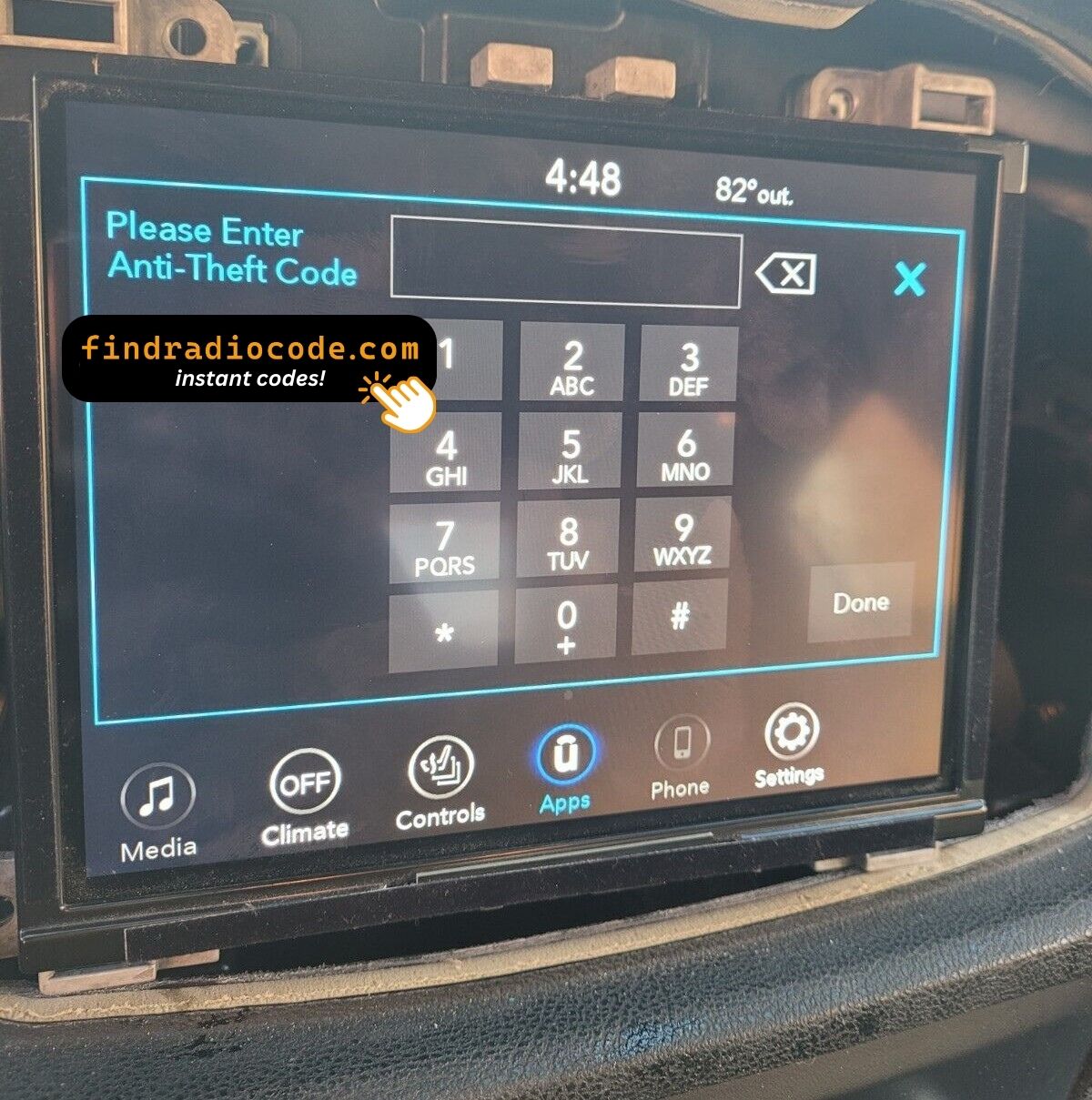
Read the full refund policy.
Serial Number Prefixes for the Chrysler Uconnect 8.4 ULQ
| Serial Prefix | Status |
|---|---|
TM9 |
Supported |
If your serial starts with any prefix above, we can retrieve your code.
How the service works
Everything runs from the serial number printed on the radio itself.
- 1 Find the number on the unit On the printed label on the radio housing, next to the barcode. Most units have to come out of the dash - release keys cost a few dollars.
- 2 Enter the serial Letters and digits as they appear on the label - the form validates them first.
- 3 Receive the unlock code The code is delivered automatically, day or night. Enter it on the radio and the anti-theft screen clears.
Covered by a full refund if the code turns out not to fit your unit.
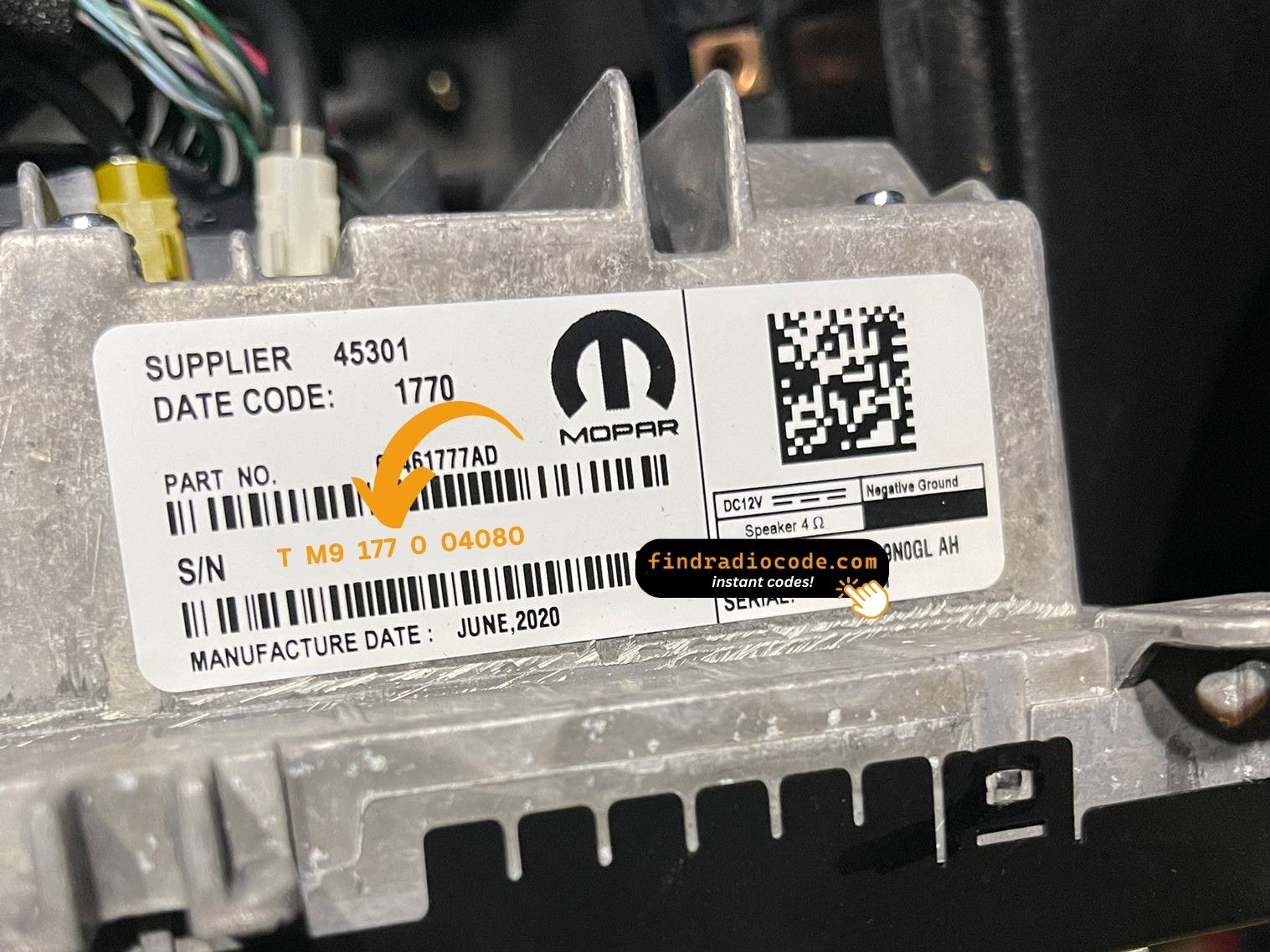
The sticker on your unit will look similar. Read the serial straight off it.
Example serial numbers
Real Chrysler serials, so you know what to look for:
TM9341100221
(prefix: TM9)
TM9128455907
(prefix: TM9)
TM9067230144
(prefix: TM9)
Usual starting characters: TM9
Do You Have the Chrysler Uconnect 8.4 ULQ?
Compare the design, controls, display and features listed below with your factory-installed radio - the Chrysler Uconnect 8.4 ULQ is easy to identify once you know what to look for.
How to recognise it:
- 8.4" touchscreen set into the middle of the dash
- A non-navigation unit: the menus never show a map
- Built for the Brazil / LATAM market
- Sales code ULQ on the chassis label
- Label serial opening with TM9
You most likely have the Chrysler Uconnect 8.4 ULQ if:
- the chassis label carries the ULQ sales code
- the label serial begins with TM9
- the model year sits within 2017-2020
- the 8.4" touchscreen is the one the Uconnect 8.4 family uses
ULQ defaults to Brazilian Portuguese. No NAV tile. If your radio boots in US English, you probably have UAQ instead.
About the Chrysler Uconnect 8.4 ULQ
The Chrysler Uconnect 8.4 ULQ is a factory-fitted Chrysler audio and multimedia unit. Alongside everyday radio and audio playback it may include touchscreen controls, Bluetooth, CD/DVD playback or factory navigation, depending on how the vehicle left the factory.
Uconnect 8.4 ULQ is the Brazilian/LATAM-market Panasonic 8.4-inch non-navigation head unit (the "L" middle letter denotes LATAM/Brazil). Portuguese and Spanish UI options, no built-in maps.
The Chrysler Uconnect 8.4 ULQ was installed in various Chrysler models between 2017-2020. It was commonly fitted to vehicles built on the Panasonic multimedia platform and is still one of the more recognisable factory radios of that period.
Features you may find on the Chrysler Uconnect 8.4 ULQ:
8.4" touchscreen
AM/FM radio
Bluetooth for hands-free calls and music streaming
Media playback over USB
SiriusXM satellite radio*
Steering wheel control support
Anti-theft security code
*Availability varies with the vehicle configuration.
The Chrysler Uconnect 8.4 ULQ carries the same anti-theft protection as most factory units. Once power is cut - a flat battery, a battery swap, or the radio being removed - it will ask for the original code before it comes back to life.
Background on the platform itself is published by the official Uconnect site.
How to Read the Serial Number Off Your Chrysler Uconnect 8.4 ULQ
The code is calculated from the radio's own serial number, so that number is the only thing you need before ordering. It is printed on the factory sticker of the unit itself, not in the vehicle documents.
On this unit: Top of the chassis label.
Three steps to the serial number:
- Bring the radio out of its slot; release keys do it in a minute and nothing needs disconnecting.
- The serial is on the chassis label, usually right by the barcode - copy it down.
- Copy it into the form precisely as printed; the checker catches any typo before payment.
Where the label sits on this radio
See it done on camera

Our own clip of the process - more videos are on the channel.
Typical Ways a Chrysler Uconnect 8.4 ULQ Gets Locked
The lock screen rarely appears out of nowhere - one of these four situations is behind nearly every locked Chrysler Uconnect 8.4 ULQ we see.
You bought the car second-hand
No handbook, no code card, seller long gone - none of it matters. The radio's own serial number carries everything needed to calculate the code.
A replacement radio
A radio from a breaker or an online sale comes with its own serial, so it needs its own code - read the label on the unit you fitted.
A battery swap
A new battery - or a flat one after the car stood over winter - cuts power to the radio, and the anti-theft system arms itself the moment power returns.
A repair cut the power
Alternator, starter or fuse-box work usually means disconnecting the battery - and the radio locks itself as a side effect of the repair.
The route back to a working radio is the same in every case: serial number in, original code out, within seconds.
Chrysler Uconnect 8.4 ULQ Specifications
| Specification | Value |
|---|---|
| Manufacturer | Panasonic |
| Radio Family | Uconnect 8.4 |
| Variant | ULQ |
| Market | Brazil / LATAM |
| Vehicle Brand | Jeep / Fiat |
| Production Years | 2017-2020 |
| Display | 8.4" touchscreen |
| Navigation | No |
| Serial Prefixes | TM9 |
Not every Chrysler Uconnect 8.4 ULQ offers the same set of features. Bluetooth connectivity, navigation, USB support or multimedia playback may vary depending on the vehicle specification, production year and factory equipment package.
OEM Radio References 60
These are the OEM references this page covers. If the number on your radio's label appears below, we can retrieve your code.
The 60 references boil down to 9 base numbers - the trailing letters (AA, AB, ZC and so on) are hardware revisions of the same unit, and every revision is covered.
68274761AA 68274761AF 68274761AJ 68274761ZC 68274761ZD 68274761ZE 68274761ZF 68274761ZG 68274761ZH 68274761ZI 68274761ZJ 68289302AC 68289302AD 68289302AF 68289302AH 68322346AA 68322346AB 68322346AC 68322346AD 68322346AE 68322346AF 68322346AG 68322346AH 68322346AI 68322346AJ 68322346AK 68322346ZA 68322346ZB 68322346ZC 68322346ZD Show all 60 part numbers
68322346ZE 68322346ZF 68322346ZG 68322346ZH 68322346ZI 68322346ZJ 68332806AA 68332806AB 68396163AA 68396163AC 68396537AA 68396537AB 68396537AC 68429180AB 68461745AA 68461745AB 68461745AC 68461745AD 68461745AE 68461745AF 68472594AA 68472594AB 68472594AD 68472594AE 68472594AF 68472594AG 68472594AH 68472594AI 68472594AJ 68472594AL The part number is printed on the sticker on top of or on the side of the radio chassis, usually next to the serial number. If yours appears above, the Chrysler Uconnect 8.4 ULQ is the correct page.
Compatible Vehicles
| Vehicle Model | Typical Production Years | Notes |
|---|---|---|
| Jeep Renegade BU, Compass MP (Brazil/LATAM non-nav) | 2017-2020 | |
| Fiat Toro (Brazil, Uconnect 8.4 non-nav) | 2017-2020 |
Some vehicle models were available with several different factory radio depending on trim level, production year or regional market. Always confirm your radio model before ordering a code.
Entering the code on the Chrysler Uconnect 8.4 ULQ
Nothing to install and no tools needed - just the four digits.
- Put the key in accessory position so the unit powers up and asks for the code.
- A four-digit keypad appears on the display.
- Key in the code, one digit at a time, left to right.
- The unit checks the code automatically on the last digit.
- Right code in, lock screen gone - the radio is back to its usual self.
Things that can catch you out
The unit will not take more codes
Wrong codes put the unit into a lockout, and the only fix is to leave it powered and wait. 30-minute WAIT after three wrong attempts.
The serial is hiding from you
Nothing on the car's menus shows it - the number lives on the radio's own label. Top of the chassis label.
It is asking for the code a second time
By design, every loss of power re-arms the anti-theft lock. Loss of 12V supply.
I am not sure I have the right variant
Close relatives of this unit look almost identical from the driver's seat. ULQ defaults to Brazilian Portuguese. No NAV tile. If your radio boots in US English, you probably have UAQ instead.
Note the four digits somewhere safe - they are yours for good and reusable after any power cut.
Everything Else You Might Ask
What Customers Say
A few of the latest reviews left after an unlock - the full list is on the reviews page.
"Got a radio from a wrecked ca. paid this site which I was sketchy about doing.It actually worked I got the code for the radio.Was quick and easy all I needed was the serial number worked the first time I put it in"
Doesn’t work scarm
john - Chrysler
Bueno
Ricardo Rodriguez - Chrysler
Ordering a Chrysler Uconnect 8.4 ULQ Code
Your original code arrives the moment you pay, with an email copy for safe keeping.
A complete refund whenever the code fails to open your unit.
Available 24/7 - no appointment, no dealer visit, no towing.
One code, for good: the same digits unlock the unit after every power cut.
Compare with Similar Models
These units are often mixed up with the Chrysler Uconnect 8.4 ULQ. If the details above do not match your radio, open one of these instead.
Each Panasonic radio range we cover, not just the Chrysler Uconnect 8.4 ULQ, is on the Panasonic radio code page.