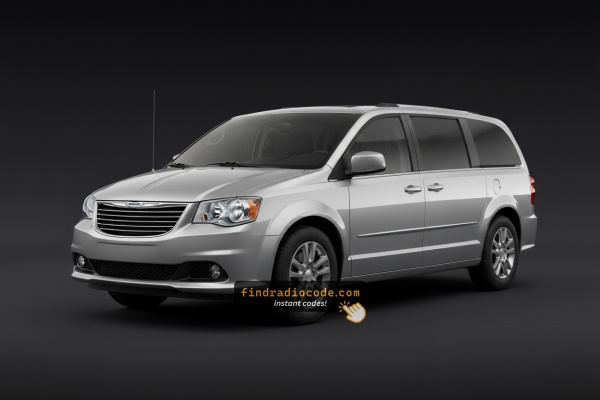
Can't Locate Your Radio Serial Number? Follow These Steps for Chrysler Grand Caravan 2019
The first part is to find and write down the radio's S/N.
Depending on the radio unit installed in your 2019 Grand Caravan, the serial can usually be found either through the screen menu or by pulling the unit out and checking the label on the radio itself.
Below are the most common methods to identify your serial quickly.
2019 Grand Caravan - Which Radio Did You Get?
For 2019 the Grand Caravan still ran the same three-radio fleet that had served the van since 2013 - no Uconnect 8.4 RA3/RA4 and no platform refresh. Identify yours below:
- RES (Media Center 130) - base AM/FM/CD. Non-touchscreen radio with a single-line display, hard preset buttons and rotary knobs. No NAV button, no factory Bluetooth out of the box. Standard on lower trims and the most common fit.
- RBZ (430 MyGIG) - 6.5-inch touchscreen, no nav. Volume touchscreen option: 6.5-inch color touchscreen with a glossy black bezel and hard keys for Radio, Media, Controls and More on the sides. No NAV soft key on the home menu because it has no navigation hardware.
- RHB (430N MyGIG) - 6.5-inch touchscreen with Garmin nav. The rare top-tier touchscreen with Garmin navigation - same 6.5-inch bezel as the RBZ but distinguished on-screen by a NAV soft key, the Garmin boot logo and a 28GB hard drive for ripped music.
- Optional rear-seat DVD entertainment. 9-inch flip-down headliner screen with a separate DVD player in the lower dash and wireless headphones; still available on higher trims and independent of which head unit you have.
Access the Serial on the Radio Display
The method for 2019 Chrysler Grand Caravan is this:
The 2019 Chrysler Grand Caravan — the iconic American family hauler with Stow 'n Go seating — is equipped with the Uconnect 8.4" Classic (RA3). The Grand Caravan's center stack positions the climate controls in a row directly below the 8.4" touchscreen, providing straightforward access to Dealer Mode.
Press and hold Climate Up, Climate Down, and Front Defrost simultaneously for 5 seconds with ignition in ACC or ON. Dealer Mode opens. Navigate to: System Info → Radio Part Info → Serial Number.
Pulling Out the Radio to See the S/N on the Tag
If the serial number cannot be accessed via display, use the hardware method.
Most Chrysler Grand Caravan OEM radios include a sticker with the serial number printed on the housing.
Steps:
- Power down the vehicle.
- Remove the dashboard frame surrounding the radio.
- Loosen the mounting bolts.
- Move the unit outward to access the label.
The serial number is usually located near the printed code.
If Dealer Mode is unavailable on the 2019 Chrysler Grand Caravan, remove the RA3 from the Grand Caravan's family-oriented center stack.
- Pry off the center stack bezel with a plastic trim tool.
- Remove the four Torx T20 mounting screws.
- Slide the unit out to read the serial label on the top or side of the chassis.
The Grand Caravan's no-nonsense center stack makes the trim removal relatively straightforward.
Grand Caravan's Hardware Label Method
The factory head units offered on the 2019 Grand Caravan - typically the RES single-CD radio, the RBZ MyGIG 430 (6.5-inch touchscreen, available with the Single-DVD Entertainment Group on lower trims), the RHB MyGIG 430N (6.5-inch touchscreen with Garmin navigation, 28 GB hard drive), and the optional REZ rear-seat DVD entertainment module - all keep their serial on a printed chassis label. The Grand Caravan continued with these legacy radios all the way through the end of production rather than moving to the Uconnect 8.4 platform, so the head unit has to come out for the sticker to be read.
- Safety first: switch the ignition off, remove the key, disconnect the negative battery terminal and wait several minutes before touching wiring; avoid the yellow airbag/SRS connectors entirely and use plastic trim tools so nothing shorts or breaks.
- Tools you will need: plastic trim removal kit, Phillips screwdriver, small Torx bit set, flashlight, and a 7 mm socket on hand for any deeper retaining bolts.
- Ease the centre stack bezel forward at the lower edge using a plastic pry tool and work up the sides - on the post-2011 Grand Caravan dash it is held in by four friction clips with no visible screws on the bezel.
- With the four clips released, lay the bezel aside on a soft cloth (on this body it does not need to be unplugged from any harness).
- Remove the four screws securing the radio chassis to the dash bracket.
- Slide the radio forward and disconnect the antenna lead and the multi-pin power/data harnesses on the rear.
- The serial number is printed on a barcode/sticker label on the top or side of the chassis, next to the part number and supplier markings; the REZ rear-seat DVD module wears the same kind of printed label on its own case.
- Photograph the label up close in good light and double-check ambiguous characters such as 0/O and 1/I before submitting the serial.

Example: Chrysler Grand Caravan serial number label location
What a Valid Serial Number Looks Like
Serial formats for the 2019 Chrysler Grand Caravan RA3:
T00AM– Harman VP2 RA3 (common on Grand Caravan)T00BE– Continental versionTM9– Older Harman production
Serial is 14 alphanumeric characters. Ignore the part number (starts with P05064 or 68).
Common S/N Formats Used on 2019 Grand Caravan Units
The factory radios fitted to the 2019 Grand Caravan are legacy Mopar head units rather than the later Uconnect 8.4 platform, so the prefix on the chassis label varies with which radio was specified and which supplier built it.
RBZ MyGIG 430 and RHB MyGIG 430N
- These Mitsubishi-built MyGIG units typically print an alphanumeric serial on the case sticker.
- Common Mopar/MyGIG prefixes seen on this generation include
TM9alongside otherT-style codes. - The serial usually runs as a continuous block of letters and digits with no dashes or spaces.
RES (single-CD)
- The base RES head unit usually carries a Mopar-style serial on a chassis sticker.
- Treat the printed label on the unit itself as the authoritative reference and copy each character exactly.
REZ rear-seat DVD module
- The optional REZ overhead DVD entertainment unit also wears a printed chassis label with its own serial.
- If codes are needed for that module, transcribe its serial separately and avoid guessing unclear characters.
How Serial-Based Chrysler Grand Caravan Radio Unlock Works
- Rather than relying on Chrysler dealership lookup or online threads you can find the code online with the radio S/N.
- Identify your radio's serial. The best place to search is on the unit itself, and in some cases it can be visible on the Grand Caravan's radio screen.
- Enter it into the field above, and the software will identify the correct 2019 Grand Caravan unlock code.
- When you receive the code, type it in using Grand Caravan's radio buttons to unlock the system successfully.
- The entire process takes just a short moment and requires minimal effort.
Unlocking the Radio After Code Generation
After receiving 2019 Chrysler Grand Caravan unlock code from the serial number, you're ready to reactivate the radio.
Some drivers get stuck at this stage because input process can look different across radio versions, but it's usually simple.
When the radio shows dashed lines, it means the unit is waiting for the correct numbers.
In-depth Input Instructions for Grand Caravan 2019
Entering the code on the 2019 Chrysler Grand Caravan Uconnect 8.4":
- Turn ignition to ON. Screen displays "ENTER CODE".
- Tap each digit of your 4-digit code.
- Radio auto-confirms after the 4th digit. No confirm button needed.
3 wrong entries cause a 60-minute lockout. Keep ignition ON. Turning off restarts the timer.
Detailed Input Instructions for Grand Caravan 2019
Once the unlock code has been retrieved for a 2019 Grand Caravan radio, it can be entered straight at the head unit - no scan tool or dealer visit is required.
- Limited attempts: Mopar head units only accept a small number of incorrect tries (commonly three) before going into a long lockout/WAIT state, so confirm each digit before pressing it.
- Place the ignition in RUN/ACC so the radio powers up but the engine stays off.
- Wait for the display to show
CODE,Enter Anti-Theft Code, or a similar prompt. - On the RBZ/RHB MyGIG (6.5-inch) units, type the digits using the on-screen number pad; on the base RES head unit, press the numbered preset buttons (1-6) in sequence.
- Confirm the entry with the on-screen OK/Enter button on the MyGIG units, or with the tune/menu knob (or labelled enter button) on the RES.
- If
WAITor a similar timeout appears after the failed-attempt limit is reached, leave the radio powered with the ignition in RUN for a continuous 30 minutes before trying the correct code again.
Fixing Common Code Entry Problems for 2019 Grand Caravan
3 wrong entries lock the Grand Caravan RA3 for 60 minutes. Keep ignition in ON or ACC. Cutting power restarts the timer.
On the Grand Caravan RA3 label: serial = 14 alphanumeric chars, starts with T00AM, T00BE, or TM9. Part number starts with P05064 or 68 — skip this.
The Grand Caravan RA3 label carries both serial and part number. Serial: 14 chars, starts with T00AM, T00BE, or TM9. Part number (skip): starts with P05064 or 68.
Re-read the label. Contact support for a free re-check if needed.
The Grand Caravan Uconnect RA3 uses touchscreen-only code entry. Tap each digit on the on-screen keypad. Confirms after the 4th digit.
If the Grand Caravan screen shows normally, anti-theft is inactive. Force the prompt by briefly disconnecting the battery, then reconnect and turn ignition to ON.
What Caused the Radio to Lock?
The 2019 Chrysler Grand Caravan radio locks automatically whenever the battery is disconnected. Family haulers like the Grand Caravan are common vehicles for battery replacement — that's the most common trigger.
Most common cause: battery replacement or disconnect. Other causes:
- Failed radio fuse
- Buying the Grand Caravan used without a code
- Battery disconnect for repairs or service
- Battery drained from not driving
Code is derived from the radio serial number — not the VIN.