Where to Find the Serial Number on your Accord
The first step is to find and write down the radio's serial number.
Based on the head unit type fitted in your 2019 Accord, the S/N can be found either through the display menu or by pulling the unit out and checking the label on the radio itself.
Below are the most common methods to identify your S/N quickly.
2019 Honda Accord factory radios
For 2019 the 10th-generation Accord carried over the Display Audio lineup with minor software refinements, and the Accord Hybrid returned in full force.
- 7-inch Display Audio - LX and Sport trims. Capacitive touchscreen, dedicated knobs for volume and tuning, Apple CarPlay and Android Auto, Bluetooth, HD Radio.
- 8-inch Display Audio with Navigation - Touring and Hybrid Touring. Adds Honda Satellite-Linked Navigation, Wi-Fi hotspot capability and over-the-air map updates.
- Premium audio - EX-L, EX-L Navi, Touring and Hybrid Touring carry the 10-speaker, 450-watt premium system. Lower trims use 4 or 8 speakers.
- Accord Hybrid (2019) - shares the same Display Audio family; Hybrid Touring matches the gas Touring with the 8-inch nav unit.
All 2019 head units rely on a 5-digit anti-theft code that must be re-entered after a battery disconnect.
Check the Display First - Serial Retrieval Without Tools
The method for 2019 Honda Accord is this:
The 2019 Honda Accord may feature Honda's Display Audio touchscreen (5" depending on trim) or a base non-touchscreen radio. Either type support serial number display via the 1+6 button method:
- Turn ignition to ON. Wait for the radio to turn on. The screen shows "CODE" when anti-theft is active.
- Hold down preset buttons 1 and 6 for 3-5 seconds.
- The serial number appears in two halves (e.g.,
U3210+L0482).
Also: On 2019 Accord with the Display Audio touchscreen, check Settings → System → Device Information – the serial may be listed there without using the button combination.
Find the S/N by Pulling Out the Radio
If the serial does not appear on screen, the next step is checking the radio itself.
Many Honda radios require physical access to the serial sticker attached to the unit.
Common approach:
- Start by completely shutting off the engine - pull the key out.
- Then detach the trim panel.
- Next, unscrew the mounting points and move the radio forward.
- Look for a printed tag showing the serial number.
If neither methods work on the 2019 Honda Accord:
- Power down the vehicle.
- Pry off the dashboard trim. The 2019 Accord's integrated dashboard uses plastic clips.
- On touchscreen trims: Remove the fasteners (Phillips) securing the display module.
- On base trims: Remove the four screws holding the radio unit.
- Pull the unit forward and locate the serial on the sticker on the back or side.
Note: The Display Audio unit is larger and more integrated than the base radio. Take care when extracting it.
2019 Honda Accord radio removal
Safety first. Disconnect the negative battery cable and wait several minutes before working near SRS components. Use nylon panel tools rather than metal screwdrivers to protect the soft-touch dash.
- Remove the ignition / push-button start surround and disconnect its harness.
- Open the glove box, then pry off the upper glove box trim panel (multiple clips).
- Detach the passenger-side dash end cap, then unclip the passenger HVAC vent assembly.
- Pry off the climate control panel from the driver edge first; disconnect the climate harness and any HVAC hose.
- Remove the two Phillips screws now visible, lift the integrated dash display module, disconnect the harnesses, and remove it.
Reassemble in reverse. The 10th-generation Accord places the receiver electronics inside the display assembly, so the radio serial label, when accessible, is on the back of the unit.
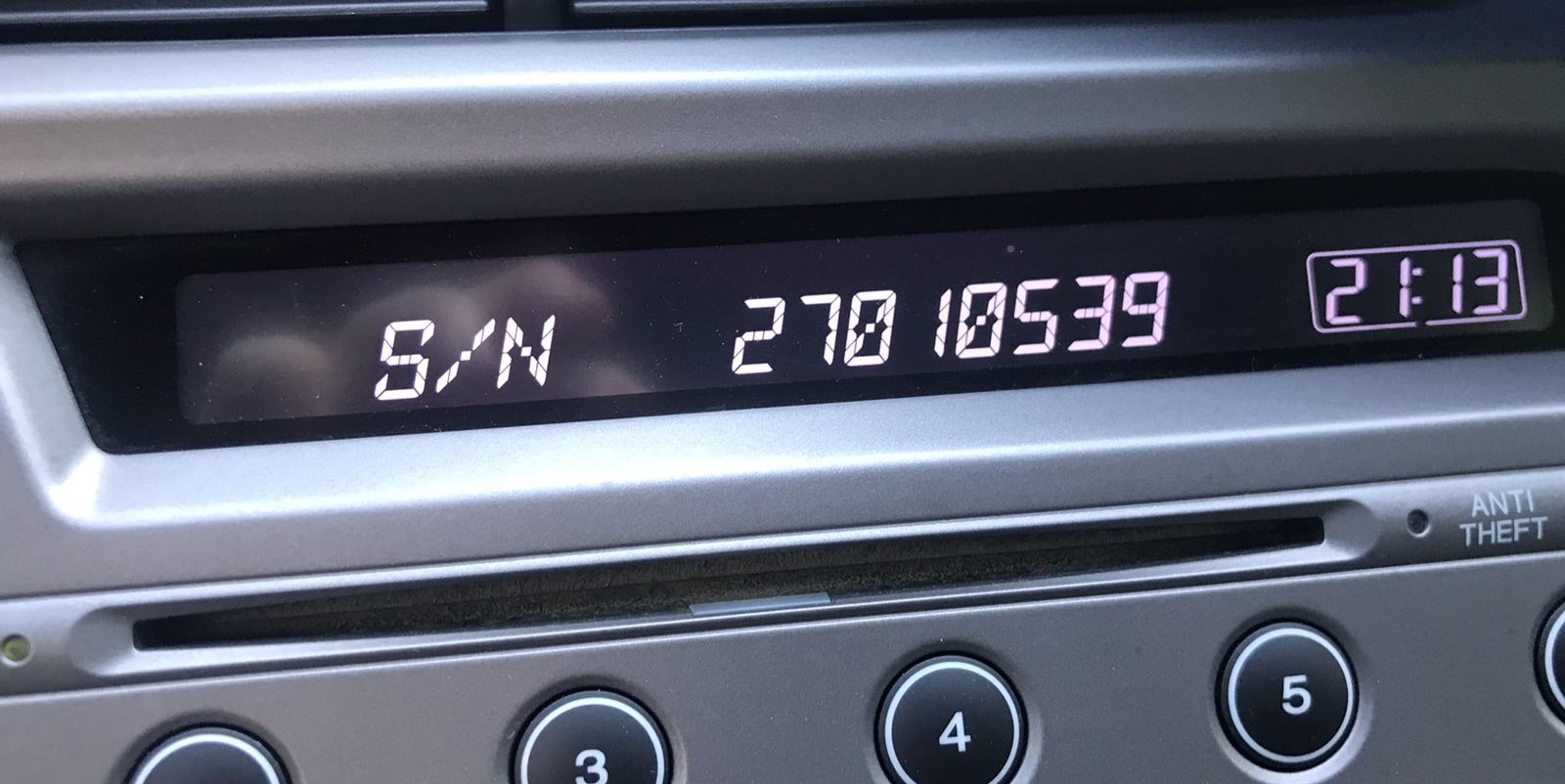
Example: Honda Accord serial number label location
Typical Serial Number Formats for 2019 Accord Radios
Based on which radio fitted to the 2019 Honda Accord:
U1234L5678– Most common Honda OEM formatHBM####– Found on Display Audio and navigation units913A####– Certain Alpine-manufactured units
The 2019 Accord may have: base CD radio (U/L format), Display Audio 5"/7" (HBM format), or navigation unit (HBM format). All require a 5-digit unlock code.
Important Verify you record the serial number, not the part number (which starts with 39100, 39101, or similar Honda part coding).
2019 Accord radio serial format
- Expect an alphanumeric serial of about 8 to 10 characters on Honda Display Audio.
- Characters are uppercase letters and digits 0-9 only; no symbols or spaces.
- The value printed on the radio chassis is the source of truth - copy it exactly as shown.
- If the on-screen display shows a similar alphanumeric string in service info, treat it as the serial.
Code Entry Process for 2019 Accord
When you obtain the correct unlock code based on the serial number, you can restore default functionality by entering it into the unit.
The code entry process depends on the radio interface, but most 2019 Accord systems follow a similar structure using preset buttons, touch controls, or rotary knobs - depending on if it's a factory or an aftermarket unit.
You will typically see CODE displayed on screen.
Detailed Input Instructions for Accord 2019
To input the code on the 2019 Honda Accord:
- Ignition ON. Radio shows "CODE" or "ENTER CODE".
- Non-touchscreen models: Use preset buttons 1-5 to cycle to each digit, then hold button 6 to confirm.
- Display Audio touchscreen: An on-screen keypad appears. Tap each digit and press "Enter" or "OK".
Lockout: 3 wrong attempts activate a 60-minute lockout. Keep ignition ON. Do not cycle the key or the timer starts over.
Entering the 2019 Accord radio code
- When the audio is locked, the screen displays a
CODEprompt. - Enter the 5-digit code using the on-screen keypad or radio preset buttons 1 through 6.
- For a code such as 27418, tap 2, 7, 4, 1, 8 in sequence.
- You will hear a confirmation beep when the audio unlocks.
Unlock Your 2019 Honda Accord Radio in Minutes - How It Works
- Skip long troubleshooting discussions or service visits - you can find the code online with the radio S/N.
- Identify your radio's serial. You will always find it on the unit itself, and in some cases you can see it on the Accord's display.
- Type it into the form above, and our system will calculate the correct 2019 Accord unlock code.
- After receiving your code, input it using Accord's radio buttons to unlock the system successfully.
- The entire process takes just a short moment and requires minimal effort.
Accord 2019 Common Radio Problems
Code entry depends on the exact radio variant in the 2014–2021 Accord:
- Non-touchscreen base radio: Use preset buttons 1–5 to scroll to each digit, then press and hold button 6 to confirm — identical to older Honda platforms.
- Display Audio 5" or 7" touchscreen: An on-screen numeric keypad is shown when the code prompt is active. Tap each digit and press OK or Enter on screen.
Should the touch input not work, try the physical preset buttons — some units support either input method. Ensure the screen is fully powered on before starting entry.
For Display Audio-era Honda radios, a rejected code usually points to the serial was misread. Both the button method and the settings menu can produce the correct serial — confirm that the serial you submitted was read off the radio unit and not from a sticker elsewhere in the car.
After one failed entry, pause and reach out before trying again — another incorrect entry brings you closer to the 60-minute lockout. A free serial reverification is available on request.
The Display Audio era spans radios using different serial formats depending on which unit was fitted:
U####L####— base CD radio serial (10 characters, two halves).HBM####— Display Audio 5"/7" and navigation modules.913A####— certain Alpine OEM configurations.
Part numbers on the same label start with 39100 or 39101 — these are not serials. If uncertain, use the Settings → Device Information menu or the 1+6 button method to display the serial directly from the unit.
The Display Audio platform uses the same three-try lockout as earlier Honda radios. Recovery steps:
- Leave the ignition in ON or ACC — do not switch off.
- Wait out the full 60-minute period. The touchscreen may go to sleep during this time — that's normal.
- After 60 minutes, the radio re-displays "CODE" and another attempt is possible.
For touchscreen units, the lockout countdown runs in the background. Just leave the vehicle running or the ignition on ACC for the full hour.
When the touchscreen comes on but goes straight to the home screen without a "CODE" prompt, consider these points:
- Anti-theft may not have triggered — some battery changes skip the lock if power was restored fast.
- On some Display Audio units, the code prompt shows only on the audio portion of the screen, not the navigation display — give it a moment after startup.
- Check the Settings → System → Device Information route; if the serial is visible there, the unit may still be functional without a code.
If none of these apply, checking the radio fuse is the next step — a failed fuse prevents the radio from powering on at all.
What Caused the Radio to Lock?
Honda's Display Audio system carries the same anti-theft architecture as earlier radios: losing battery power triggers a code request at next startup. Applies to both the non-touchscreen radio and the Display Audio unit.
- Battery replacement — the usual culprit.
- Battery disconnect during repairs — any work that interrupts battery power will activate the lock.
- Completely dead battery — a drained battery also triggers the request.
Worth knowing: many higher-end Display Audio models from the 2014–2021 period do not use a traditional code-based lock — if the radio never showed "CODE" after losing power, it could have a different anti-theft method linked to the vehicle VIN.