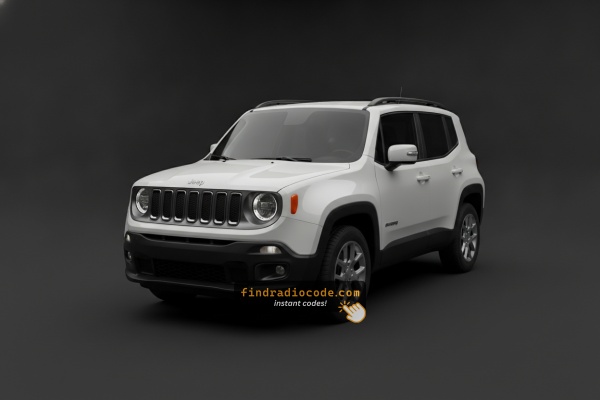
2016 Jeep Renegade Radio Models We Cover
These radio models shipped in the 2016 Jeep Renegade. Open yours to see its serial format and how to get the code.
| Years | Factory radio | Serial starts with |
|---|---|---|
| 2013-2018 | Uconnect 3.0 RA1 VP1 Continental |
TQN, TVPQN, A2C, A3C
|
| 2013-2017 | Uconnect 8.4 RG3 VP3 EU Harman |
T00AM, T00BE, T0012
|
| 2014-2018 | CAR MAKER FIAVP2_312 MCA SDARS Continental |
TQN, TVPQN, A2C, A3C
|
| 2014-2018 | Uconnect 5.0 RA2 VP2 Continental |
TQN, TVPQN, A2C, A3C
|
| 2014-2017 | Uconnect 5.0 RG2 VP2H EU Harman |
T00AM, T00BE, T0012
|
| 2014-2017 | Uconnect 5.0 RJ2 VP2H ROW Harman |
T00AM, T00BE, T0012
|
| 2014-2017 | Uconnect 8.4 RJ3 VP4 EU Harman |
T00AM, T00BE, T0012
|
| 2015-2018 | CAR MAKER 520 VP2 ECE DAB NAV Continental |
TQN, TVPQN, A2C, A3C
|
Step-by-Step Jeep Renegade 2016 Radio Code Retrieval Guide
Car radios use anti-theft codes dependent on the radio unit itself instead of the vehicle model or production year.
- Our lookup service works by matching your Jeep Renegade radio's serial number.
- When you input the serial into the generator, the system identifies the radio family and retrieves the corresponding code.
- Use the code to unlock the radio immediately.
- Compared to Jeep dealer retrieval, this method is faster and more convenient.
Inputting the Security Code
Once the system gives you 2016 Jeep Renegade radio code from the serial number, you're ready to reactivate the radio.
Many drivers get stuck at this stage because input methods can look different across radio versions, but it's usually quick.
When the radio shows CODE, it means the unit is waiting for the correct numbers.
The Correct Way to Enter It
To enter the code on your 2016 Jeep Renegade's Uconnect 7.0":
- Ignition ON. Screen shows "ENTER CODE" or ----.
- Use the touchscreen keypad to enter each digit of the 4-digit code.
- The radio auto-confirms after entering the 4th digit.
Lockout: 3 wrong attempts = 60-minute lockout. Keep ignition ON. Do not turning off the ignition within the lockout period.
Entering Process Explained
Once you have the correct anti-theft code for your 2016 Renegade radio, entry itself is quick - but the radio will lock you out for half an hour if you keep entering wrong codes, so verify before you start.
Limited Attempt Warning
You only get three attempts. After three successive wrong codes the radio enters a WAIT state and the display reads WAIT. To clear it, the radio must remain powered with the ignition in RUN for a continuous 30 minutes (the vehicle may be driven during this time). Cycling the key off does not shortcut the timer.
Entering the code
Turn the ignition to RUN or ACC so the radio powers up and shows the CODE / Anti-Theft prompt. On the touchscreen Uconnect 5.0 and 6.5/6.5N head units, tap each digit on the on-screen number pad. On the non-touch Uconnect 3 base radio, enter the code with the four preset buttons - press preset 1 repeatedly until the first digit appears, preset 2 until the second digit appears, preset 3 until the third digit appears and preset 4 until the fourth digit appears. Confirm with the OK/Enter control when prompted. If the code is accepted, the radio returns to the normal home screen and audio resumes.
If it does not unlock
Stop after the second wrong attempt and re-verify the serial used to obtain the code. Make sure no leading letters or trailing digits were dropped from the serial. If WAIT appears, leave the radio powered for the full 30 minutes before trying again.
Where to Find the Serial Number on your Renegade
The starting step is locating the radio serial.
Most drivers assume the code depends on the Jeep model or year, but actually, the whole process depends on the unique radio unit's serial number.
This number identifies the exact head unit installed in your Jeep Renegade.
This is even better, because if you have bought a used radio, the VIN or other vehicle-specific data wouldn't help.
Depending on the radio version used, you may be able to retrieve the serial directly from the display or by looking at the label on the radio chassis.
Radios Offered in the 2016 Renegade
- Uconnect 3 - non-touch base head unit on the Sport and entry European trims, with AM/FM, USB, iPod and 3.5 mm aux inputs.
- Uconnect 5.0 (5.0BT) - 5-inch colour touchscreen on Latitude and similarly equipped trims, with Bluetooth hands-free, audio streaming and voice command.
- Uconnect 6.5 / 6.5N - 6.5-inch touchscreen with Garmin-based navigation on higher trims and option packages, often paired with HD Radio in the US market.
Quick visual identification
- No touchscreen, just a small display and hard buttons - that is the Uconnect 3.
- 5-inch touchscreen with no native nav tile - that is the Uconnect 5.0.
- Larger 6.5-inch touchscreen with a Nav tile and on-screen mapping - that is the Uconnect 6.5/6.5N.
The 2016 model year carried over the launch-year radio lineup with no major hardware changes, and all units use the same Renegade-specific dash bezel.
Before Removing the Radio, Try This Screen Method
Try the following for your 2016 Jeep Renegade:
The 2016 Jeep Renegade is equipped with the Uconnect 7.0" touchscreen (RA2.1). The 7" Uconnect has a Dealer Mode for serial number access:
- Turn ignition to ACC or ON.
- Press and hold the Temperature Up and Temperature Down buttons simultaneously for about 5 seconds.
- The Engineering Menu opens on the 7" screen.
- Navigate to: System Info → Target Main Data → Serial Number.
Note: On the 7" Uconnect, the menu path is slightly different from the 8.4" version. Look for "Target Main Data" instead of "Radio Part Info".
Releasing the Unit to See the S/N on the Tag
If the serial number cannot be accessed through menu, use the hardware method.
Most Jeep Renegade factory radios include a tag with the serial number printed on the housing.
The process:
- Shut down the car.
- Lift away surrounding panel pieces.
- Loosen screws holding the radio.
- Slide outward to inspect the label.
If Dealer Mode fails on your 2016 Jeep Renegade, pull out the radio to find the serial label:
- Power down the vehicle.
- Remove the dashboard bezel surrounding the 7" screen. A trim removal tool to prevent scratching.
- Unscrew the four mounting screws (Phillips).
- Ease the radio forward to access the serial label on the unit.
The 2016 Renegade's dashboard is relatively tight. Take your time when prying off the trim to avoid cracking the clips.
Locate Serial on Renegade's Radio Chassis
If the on-screen approach does not produce a serial, or the radio is locked at the CODE prompt, the chassis label is the most dependable source for the serial number on a 2016 Renegade. The bezel is retained by spring clips and the radio itself by four Torx screws, so the job is mechanically simple but should be done with care.
Safety preparation
Turn the ignition fully off and remove the key fob from the cabin. Disconnect the negative terminal of the 12V battery and wait several minutes before working near the dash so airbag-related circuits can fully discharge. Avoid pulling on yellow airbag harnesses while moving panels around.
Tools to have ready
Plastic trim/panel pry tools to release the bezel without marking the dash, a Torx T-25 driver for the four radio retaining screws, and a phone or camera to photograph the chassis label.
Removal overview
Begin by gently prying off the radio trim panel - on the BU Renegade it is held by around eight retaining clips around its perimeter. Walk the pry tool around each clip until the panel comes free. If the bezel carries any switches or HVAC controls, disconnect their wiring as it lifts away. Undo the four T-25 Torx screws that secure the head unit to the dash frame, slide the radio out toward you, then unplug the wiring harnesses and antenna lead from the rear of the unit.
Where the serial sits
The serial is on a printed label on the metal chassis - usually on the top or one side. The label carries a barcode, a part number and a serial number; copy the longest alphanumeric string, which is the serial. Double-check ambiguous characters such as O vs 0 and I vs 1.
Tips
Photograph the label before refitting the radio so the serial is preserved as a permanent reference. Reassembly is the reverse of removal: harnesses and antenna back on, four Torx screws home, bezel pressed in until each clip seats, then reconnect the battery.

Example: Jeep Renegade serial number label location
These are the Common Serial Formats
The 2016 Jeep Renegade with Uconnect 7.0" features:
T00AM– Most common Harman prefixT00BE– Continental variant
Radio designation: RA2.1 (Uconnect 7.0" touchscreen). The Renegade shares an identical radio platform with other Stellantis compact vehicles. Serial: 14 characters, alphanumeric.
Serial number pattern is consistent across all Uconnect screen sizes – only the Dealer Mode entry method differs.
Standard Serial Number Patterns on This Radio
The 2016 Renegade was built at Melfi with a European supplier mix, so serial-number styles can differ slightly from US-market Mopar radios. The patterns below are the ones most commonly reported by owners and unlock services for this generation.
Renegade Uconnect serial numbers usually start with the letter T, with prefixes such as T0, TC, TQ, TZ, TB, TH, TM9 or TVP reported across the Uconnect 3, Uconnect 5.0 and Uconnect 6.5 head units. The full serial is typically a 14-character alphanumeric string printed inline with the rest of the serial on the chassis label.
When copying the serial, take the longest alphanumeric string next to the barcode - that is the serial line, not the part number. Watch for ambiguous characters such as O vs 0 and I vs 1, and confirm the string by comparing the printed text with the barcode.
If the alphanumeric you read does not match any of the patterns above, recheck that you copied the serial line rather than the part number. The serial is normally the longest string on the label and is the one tied to the barcode.
Understanding Unlock Issues with Your Renegade
Three incorrect entries on the 7" Uconnect trigger a 60-minute lockout. The screen displays "WAIT" or ceases accepting input. To handle the lockout:
- Leave the ignition ON for the entire 60 minutes.
- Cycling the key at any point restarts the 60-minute wait.
The 7" Uconnect lockout is identical to the other Uconnect platform variants. Do not rush — the timer only counts while ignition is ON.
The RA2.1 system on the 2016 Jeep Renegade has on-screen serial retrieval via the Engineering Menu: hold Temperature Up + Temperature Down for 5 seconds, then navigate to System Info → Target Main Data → Serial Number.
- Serial number — 14 characters, starting with
T00AMorT00BE. Submit this. - Part number — starts with
Por68. Not the serial.
Note that on the 7" Uconnect, the menu path uses "Target Main Data" rather than "Radio Part Info" — this is the correct path, not an error.
The Uconnect 7.0" (RA2.1) uses the touchscreen exclusively for code entry — no physical preset buttons are involved in the process. When the code entry prompt is on screen:
- Touch each digit on the 7" touchscreen.
- The radio auto-confirms after the 4th digit — no confirm button is needed.
Note that the Engineering Menu (Temperature Up + Temperature Down hold) is only used to find the serial — this is not how you enter the code.
A failed code entry on the Uconnect 7.0" most often results from the wrong serial was submitted. The 7" (RA2.1) serial is 14 characters, starting with T00AM or T00BE. The part number (P... or 68...) is also shown on the label but generates no code.
Dealer Mode is the recommended approach to confirm the serial on the Renegade and Compass before submitting. Contact support for a free re-check if anything seems wrong.
When the display does not request a code after a power reconnection:
- Confirm the ignition is fully ON and give a moment for the RA2.1 system to boot.
- Check the fuse panel — a blown fuse prevents the display from showing anything.
- On the Renegade and Compass, the button press for Engineering Mode does not affect the code prompt — it shows when the radio starts normally after a power loss.
Should the screen remain dark, check the fuse before anything else.
What Caused the Radio to Lock?
The 2016 Renegade encounters radio lockouts most commonly from:
- Battery disconnect or replacement — the primary cause on all Uconnect platforms, including the 7" system.
- Dead battery from urban use — compact crossovers with frequent short trips can experience battery drain from heavy infotainment use on short journeys, triggering the lock.
- Blown fuse — a blown radio fuse interrupts power and causes the code request.
- Used purchase — the Renegade is a popular budget-friendly used crossover, and the code is often missing at resale.
Your code is permanently linked to the radio serial and does not expire.