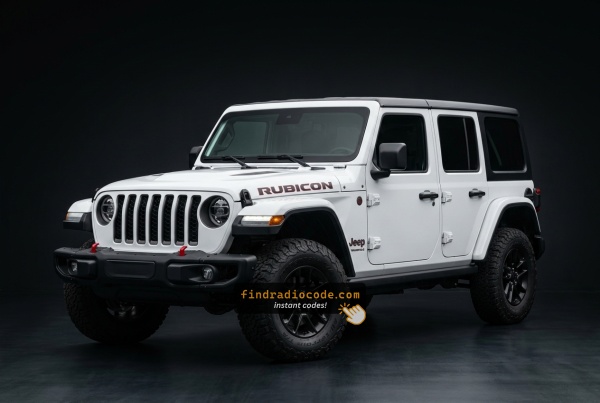
How 2024 Jeep Wrangler Radio Code Lookup Works
Vehicle radios use anti-theft codes dependent on the radio unit itself instead of the vehicle model or production year.
- Our lookup service works by matching your Jeep Wrangler radio's serial number.
- Once the serial number is submitted, the system identifies the radio unit and retrieves the corresponding code.
- Simply input the digits into the Wrangler stereo.
- This approach saves time compared to traditional methods for 2024 Jeep Wrangler.
Can't Locate Your Unit's S/N? Follow The Steps Below for Jeep Wrangler 2024
Very useful thing to know is that factory radios use a specific serial number to identify each unitindividually.
The anti-theft system matches the code directly to this serial.
Different from vehicle-specific data such as VIN or registration information, it is not determined by the model or production year, so you'll be able to get it even if you have an aftermarket radio.
Depending on the manufacturer and radio installed in your Jeep Wrangler, the retrieval method is different.
Here are the most reliable ways to find it.
Radios Offered in the 2024 Wrangler
The 2024 Wrangler refresh moves the entire JL line-up onto a single new infotainment system, so the 5-inch UAG, 7-inch UCQ and 8.4-inch UAQ choices that defined 2018-2023 are gone. Every Sport, Sport S, Sahara, Rubicon and 4xe trim now leaves the factory with the same 12.3-inch Uconnect 5 panel, with feature differences handled in software rather than by hardware tier.
Uconnect 5 12.3 (UBR / UBX). Standard on every 2024 JL trim. Recognised by a large 12.3-inch landscape touchscreen sitting prominently on top of the centre stack, with wireless Apple CarPlay and Android Auto and over-the-air updates. The UBR designation refers to the standard 12.3-inch Uconnect 5 head unit, while the UBX designation marks the variant with built-in factory navigation - the 12.3-inch screen and dash hardware are otherwise identical, so visual identification of UBR vs UBX usually comes down to whether a NAV/Maps tile is present in the home screen layout.
What changed versus 2018-2023. No more legacy 5-inch UAG, 7-inch UCQ or 8.4-inch UAQ on the 2024 JL. The dash trim around the screen is also new for the refresh, and the 12.3-inch panel sits noticeably proud of the dash compared to the recessed UAQ.
View Your S/N on the Radio Display
The method for 2024 Jeep Wrangler is this:
The generation split is the main story for the Jeep Wrangler. JK and JL are fundamentally different vehicles with different radio systems — the method that works on one will not work on the other.
JK Wrangler (2007–2018) — Physical Removal Required
The JK used Uconnect 430N or 730N with physical preset buttons — no touchscreen, no Dealer Mode. Whether you're a daily driver or have the Wrangler as a trail rig, knowing this matters: if your battery disconnects on a trail, you'll need to remove the radio to read the serial label once you get home.
The serial number is on a label on the radio chassis. Pull the unit out and look at the top or side. See the removal guide below for JK-specific steps and videos.
JL Wrangler (2018+) — Tech Upgrade: On-Screen Methods Available
The JL brought a proper modern infotainment system. If your JL has the Uconnect 7": hold Temp Up + Temp Down for 5 seconds. The Engineering Menu opens. Navigate: System Info → Target Main Data → Serial Number.
If your JL has the Uconnect 8.4" NEW: press the bottom-left + bottom-right edges of the plastic bezel frame simultaneously until Dealer Mode opens. Navigate: System Info → Radio Part Info → Serial Number.
Note After 2020 software updates, some JL units have Dealer Mode restricted. If that's your situation, the physical removal method is the fallback.
Serial format: 14 characters, e.g. T00AM1801T0282.
Manufacturer Label Inspection
If the serial number cannot be accessed through menu, use the pull-out method.
Most Jeep Wrangler factory radios include a label with the serial number printed on the casing.
Step-by-Step:
- Power down the vehicle.
- Lift the bezel surrounding the radio.
- Unscrew the fasteners.
- Move the unit slightly out to access the label.
The serial number is usually located near the printed code.
📹 Video Guide: Jeep Wrangler Radio Removal
Watch step-by-step tutorials for removing your Jeep Wrangler radio:
2018+ Wrangler JL

2021 Wrangler JL
Need a different Wrangler year or model? Search YouTube for more Wrangler tutorials
Written Instructions
Physical Radio Removal (if Dealer Mode is unavailable)
If the on-screen method is not available on your vehicle, the radio can be physically removed to read the serial number label on the top or side of the unit:
- Remove the trim bezel – Gently remove the dashboard trim surrounding the radio using a plastic trim removal tool. The bezel is held by friction clips.
- Unscrew the mounting bolts – Remove the 4 mounting screws (usually Torx or Phillips) securing the radio to the dash frame.
- Slide the unit forward – Gently pull the radio out far enough to see the label. Do not disconnect the wiring harness unless necessary.
- Locate the serial number label – Locate a white or silver sticker with a barcode on the top or side of the unit. The serial number is a 14-character alphanumeric code (e.g.
T00AM1801T0282).
For detailed instructions with video tutorials for specific vehicles, see our Uconnect radio removal guide.
Pulling Out the Radio Unit to See the S/N on the Tag
The 2024 Wrangler refresh introduces a standard 12.3-inch Uconnect 5 head unit (UBR/UBX) sitting prominently on top of the centre stack. Stellantis has restricted dealer/engineering mode on Uconnect 5, so the printed chassis label on the radio itself is the most reliable way to read the serial number on a 2024 JL. Work slowly because the floating 12.3-inch panel and the surrounding refreshed dash trim are easy to scratch.
Safety first. Turn the ignition off, remove the key, disconnect the negative battery terminal, and wait several minutes before touching wiring. Never disturb the yellow airbag/SRS connectors and use plastic trim tools so nothing shorts or breaks.
Tools you will need. Plastic trim removal kit, Phillips screwdriver, 7mm socket, small Torx bit set, flashlight.
Removal overview. The refreshed 2024 JL keeps the JL-platform dash architecture, so the radio module behind the 12.3-inch screen is reached by removing the centre-stack bezel - undo the visible Phillips screws at the lower edge, unclip the trim from the bottom upward, and set it aside on a clean cloth. Undo the screws (typically 7mm) holding the radio cage to the dash support, slide the unit rearward, and disconnect the antenna lead and the multi-pin power/data harness on the back.
Where the serial sits. The serial number is printed on a barcode/sticker label on the top or side of the radio chassis, next to the part number and supplier markings.
Tips. Photograph the label up close and double-check ambiguous characters such as 0/O, 1/I and B/8. The 12.3-inch glass panel is fragile, so support it from below while the cage is loose; if you are not comfortable working around the airbag wiring or the larger floating display, have a professional installer remove the unit for you.

Example: Jeep Wrangler serial number label location
Typical Radio Serial Prefixes and Formats
Your Jeep Wrangler 2024 radio serial number may start with:
T00AMT00BETM9T0MYDA2CTQNTVPQNT0071T00AD
Typical Serial Number Formats for 2024 Wrangler Radios
The 2024 Wrangler ships with the new 12.3-inch Uconnect 5 head unit. Uconnect 5 hardware suppliers can differ from the legacy Uconnect 4 family, so the chassis label printed on the radio itself remains the authoritative reference for the serial.
Uconnect 5 12.3 (UBR / UBX)
The serial is printed as an alphanumeric string on the chassis label alongside the part number and supplier markings. There is no single published Uconnect 5 prefix list for the 2024 JL, and the supplier mix may not match the older Mopar Uconnect 4 conventions, so do not assume the legacy T00AM, TM9, TQ1 or A2C prefixes apply. Copy the serial exactly as printed on the radio label and avoid guessing characters that look unclear.
Entering the Radio Security Code
Once you receive the correct unlock code based on the S/N, you can restore normal functionality by entering it into the unit.
The code entry process depends on the control layout, but most 2024 Wrangler systems follow a similar structure using preset buttons, touch controls, or rotary knobs - depending on if it's a factory or an aftermarket unit.
You will typically see ENTER CODE displayed on screen.
In-depth Entering Instructions for Wrangler 2024
📹 Video Guide: Entering Your Unlock Code
Watch this tutorial demonstrating how to enter the 4-digit unlock code on your Jeep Uconnect radio:
Search YouTube for more code entry videos
Step-by-Step Code Entry Instructions
To input the unlock code on your Jeep Uconnect radio:
- Turn the ignition to the ON or ACC position (engine off is fine).
- The radio screen will display "ENTER CODE" or show four dashes (----).
- For touchscreen models (Uconnect 8.4" or 7" with touchscreen):
- Use the on-screen keypad to tap each digit of your 4-digit code.
- The code will appear on screen as you enter it.
- For button models (older Uconnect 430/730 systems):
- Use the preset buttons (1-4) to enter the code.
- Press button 1 repeatedly for the first digit (e.g., press 5 times for digit "5").
- Press button 2 repeatedly for the second digit.
- Press button 3 repeatedly for the third digit.
- Press button 4 repeatedly for the fourth digit.
- Press and hold the Enter button (usually the round center button) for several seconds to confirm.
- After entering all 4 digits correctly, the radio unlocks and should function normally.
Important Tip: Ensure you enter the code carefully. Three incorrect attempts will trigger a temporary lockout (see warning below).
Understanding Unlock Issues with Your Wrangler
Try turning the radio off/on or disconnecting the power briefly.
Look for:
- typing errors
- wrong serial format
- skipped confirmation step.
Retry after checking each digit.
Look for missing confirm steps, wrong input methods, or disabled buttons during lockout.
Messages like WAIT mean too many attempts.
Solution:
- ignition powered
- radio active
- wait for unlock delay.
Common issues:
- part number instead of serial
- missing characters
- Incorrect prefix