Get Your Panasonic Chrysler Uconnect 8.4 UGV Radio Code in 3 Easy Steps
Panasonic | Chrysler | Instant Retrieval
Refund terms explained.
Recognized Serial Prefixes
| Serial Prefix | Status |
|---|---|
TM9 |
Supported |
If your serial starts with any prefix above, we can retrieve your code.
From serial number to code
Everything runs from the serial number on the radio's own label.
- 1 Get the serial off the radio It is printed on the unit's own label, usually near the barcode. Release keys slide the radio out far enough to read it.
- 2 Add it to the form Enter the full serial with your email address. A format check flags mistakes before checkout.
- 3 Your code arrives in seconds The code appears the moment the payment clears, and a copy goes to your email. Save it - the same four digits work for the life of the radio.
Covered by a full refund if the code turns out not to fit your unit.
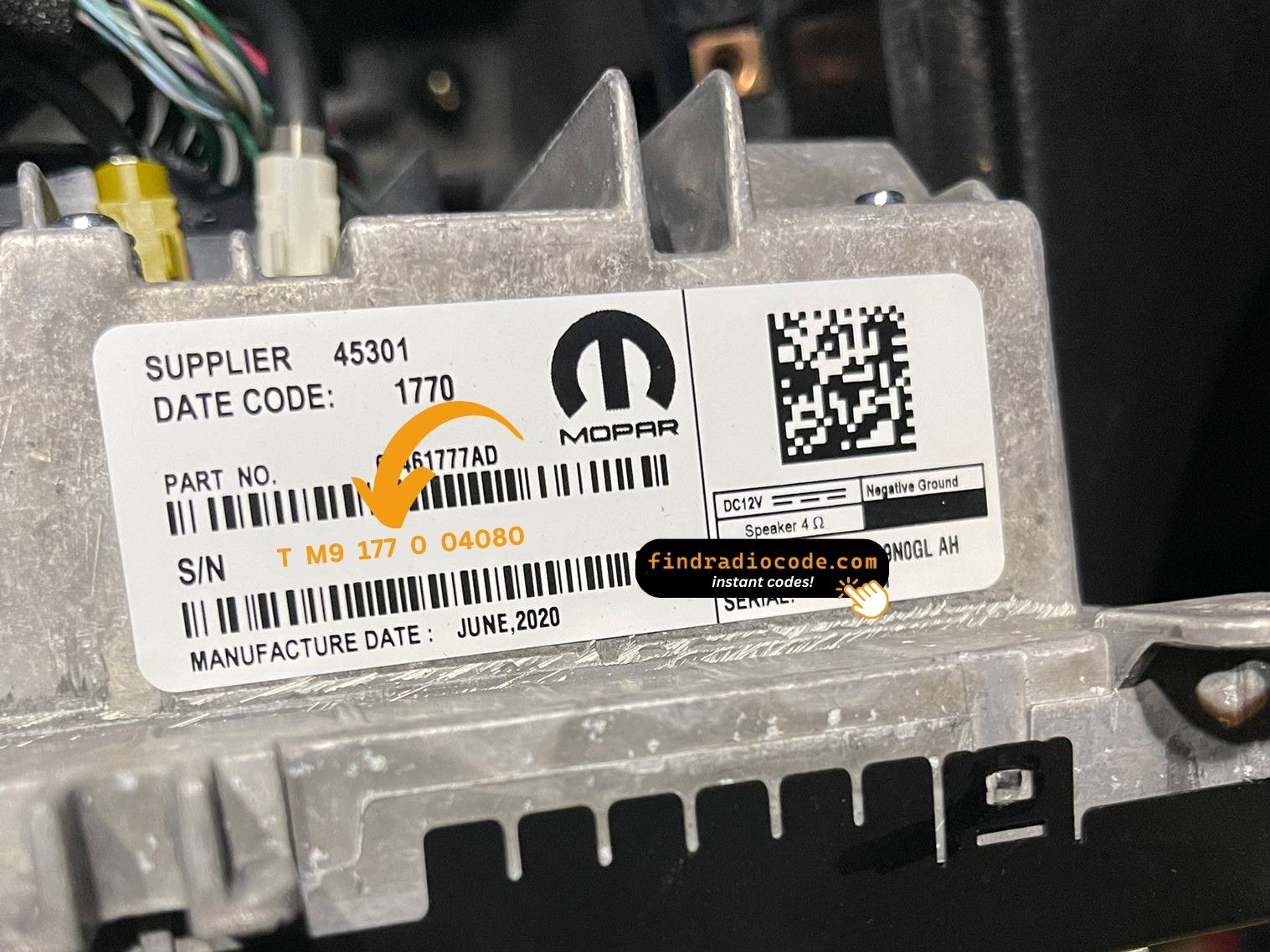
Your radio carries a label like this one. The serial is the code printed on it.
Sample serials we handle
Examples of serial numbers taken from Chrysler vehicles:
TM9341100221
(prefix: TM9)
TM9128455907
(prefix: TM9)
TM9067230144
(prefix: TM9)
Common prefixes: TM9
Check If This Is Your Radio
Not sure if your vehicle is fitted with the Chrysler Uconnect 8.4 UGV? Compare the design, controls, display and features listed below against your factory radio.
How to recognise it:
- 8.4" touchscreen in the centre of the dash
- Built-in navigation with factory map data
- A Europe-market build
- The chassis label carries the UGV sales code
- Label serial opening with TM9
You most likely have the Chrysler Uconnect 8.4 UGV if:
- the chassis label carries the UGV sales code
- the printed serial opens with TM9
- the build year falls inside 2017-2020
- the 8.4" touchscreen is the one the Uconnect 8.4 family uses
UGV has navigation and DAB+. UGQ is the non-nav EU sibling. If the maps cover Europe and the radio supports DAB+, you are on UGV.
About the Chrysler Uconnect 8.4 UGV
The Chrysler Uconnect 8.4 UGV is a dealer-installed Chrysler audio and multimedia unit. Alongside everyday radio and audio playback it may include touchscreen controls, Bluetooth, CD/DVD playback or factory navigation, depending on how the vehicle was specified.
Uconnect 8.4 UGV is the European-market Panasonic 8.4-inch navigation head unit - DAB+ digital radio, built-in European map data, EU language packs, NAV tile visible on the home screen.
Production of the Chrysler Uconnect 8.4 UGV ran across 2017-2020, mainly in Chrysler models built around the Panasonic multimedia platform, so plenty of these units are still on the road.
Typical features include:
8.4" touchscreen
AM/FM radio
Navigation built in, with factory map data
Bluetooth for hands-free calls and music streaming
Media playback over USB
SiriusXM satellite radio*
Steering wheel control support
Anti-theft security code
*Availability depends on the vehicle configuration.
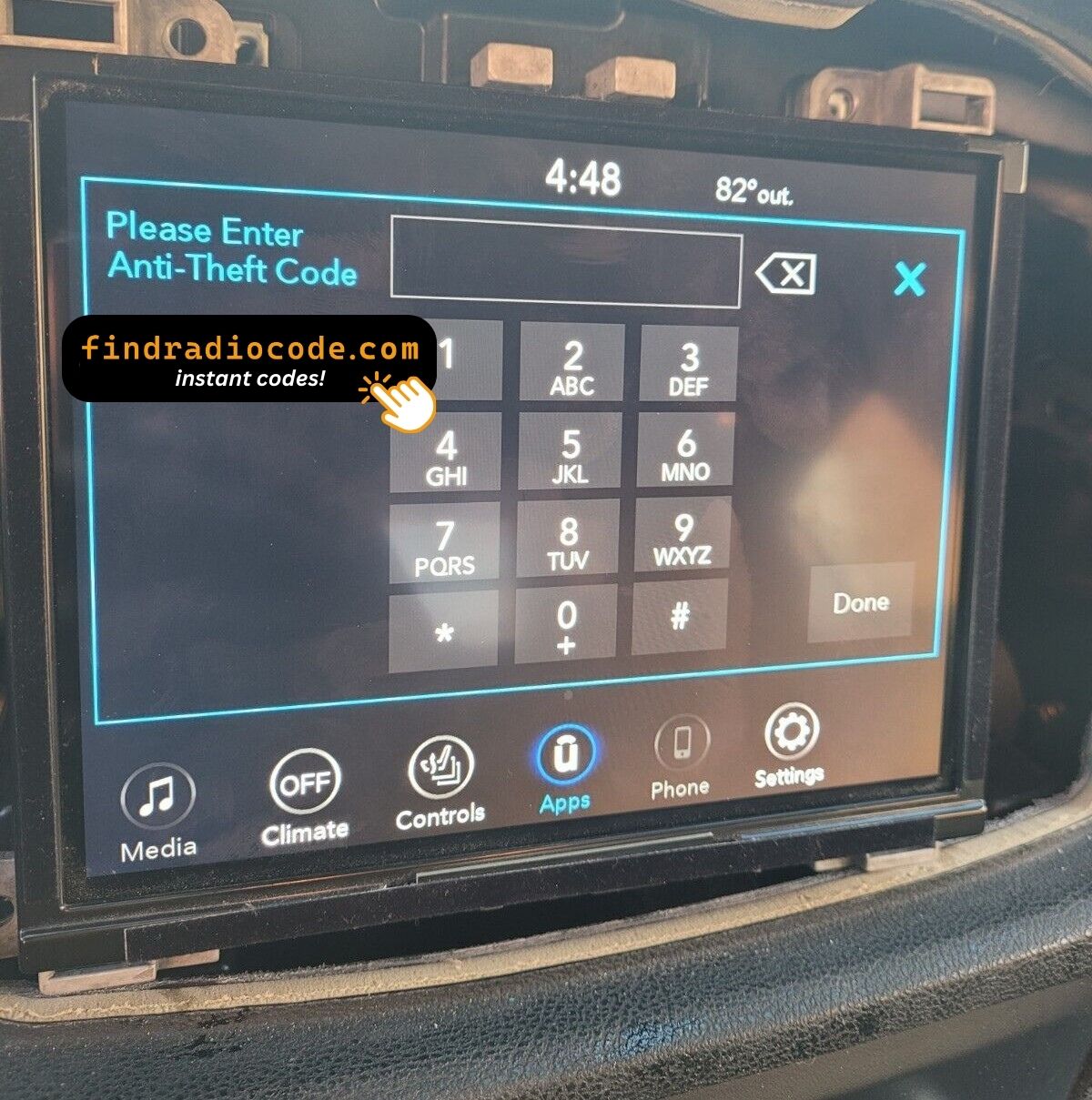
As with other Panasonic factory units, the Chrysler Uconnect 8.4 UGV locks itself when power is lost. After a battery disconnect or a workshop visit the screen will ask for the original security code before any audio returns.
Background on the platform itself is published by the official Uconnect site.
How to Get the Serial Number From Your Radio
Your unlock code is tied to the radio's serial number, so it is the one detail the form asks for. The number lives on the label stuck to the chassis of the radio itself.
On this unit: Top of the chassis on a white sticker. Removal required.
How to reach the number:
- Pull the unit forward with release keys (cheap online) - the wiring can stay plugged in.
- Read the serial from the factory sticker on the housing, beside the barcode.
- Enter it exactly as it appears - no spaces, no dashes.
The label you are looking for
See it done on camera

Recorded on a radio from this family; your unit behaves the same.
How Owners End Up on This Page
A locked Chrysler Uconnect 8.4 UGV is nearly always the result of one of four everyday situations, none of which mean anything is broken.
A repair cut the power
Alternator, starter or fuse-box work usually means disconnecting the battery - and the radio arms its anti-theft as a side effect of the repair.
You bought the car used
No handbook, no code card, seller long gone - none of it matters. The radio's own serial number carries everything needed to calculate the code.
The battery was replaced
A replacement battery - or a flat one after the car stood over winter - cuts power to the radio, and the anti-theft system arms itself the moment power returns.
A replacement radio
Replacement radios are the classic case: every unit has its own code tied to its own serial. Read the serial off the newly fitted radio and order for that one.
Whichever of these applies, the fix is identical: the serial number off the radio, the form at the top of this page, and the code arrives in seconds.
Chrysler Uconnect 8.4 UGV Specifications
| Specification | Value |
|---|---|
| Manufacturer | Panasonic |
| Radio Family | Uconnect 8.4 |
| Variant | UGV |
| Market | Europe |
| Vehicle Brand | Jeep / Alfa Romeo |
| Production Years | 2017-2020 |
| Display | 8.4" touchscreen |
| Navigation | Yes |
| Serial Prefixes | TM9 |
Not every Chrysler Uconnect 8.4 UGV offers the same set of features. Bluetooth connectivity, navigation, USB support or multimedia playback may differ depending on the vehicle specification, production year and factory equipment package.
Supported Factory Identifiers 14
These are the OEM references this page covers. If the number on your radio's label is in the list, we can retrieve your code.
Do not worry about the trailing letters: the 14 numbers span 4 base references, and the letter suffixes only mark factory revisions - the code works for every revision.
68403072AA
68403072AB
68403072AD
68403072AE
68429217AA
68429217AB
68461753AA
68461753AD
68461753AF
68520195AA
68520195AB
68520195AC
68520195AE
68520195AF
You will find the part number on the factory sticker of the unit, normally alongside the serial. A match in this list confirms you are on the right page for the Chrysler Uconnect 8.4 UGV.
Supported Vehicle Models
| Vehicle Model | Typical Production Years | Notes |
|---|---|---|
| Jeep Cherokee KL, Renegade, Compass (EU nav trims) | 2017-2020 | |
| Jeep Grand Cherokee WK2 (EU Limited/Overland nav) | 2017-2020 | |
| Alfa Romeo Giulia, Stelvio (Uconnect 8.4 EU nav builds) | 2017-2020 |
The vehicles listed above are the most common factory applications for the Chrysler Uconnect 8.4 UGV. Equipment packages and regional specifications vary, so verify the radio using its design, serial number or part number before requesting a code.
Entering the code on the Chrysler Uconnect 8.4 UGV
It takes under a minute once you have the four digits.
- Give the radio power - key to accessory is enough - and wait for the code prompt.
- The screen shows a numeric keypad for the four digits.
- Punch in the four digits, first to last.
- Verification happens by itself once the fourth digit is in.
- The security screen disappears and the unit returns to normal operation.
If something goes wrong
The screen shows a wait timer
The timer is the radio protecting itself after failed entries - power on, patience, then try again. 30-minute WAIT countdown after three wrong attempts.
I cannot find the serial number
It is printed on the housing, so the unit normally has to come forward to read it. Top of the chassis on a white sticker. Removal required.
Why it happened again
That is normal - the anti-theft system re-arms every time the unit loses power. Loss of 12V supply.
This radio looks like several others
A few models in this family share the same face, so the label is what settles it. UGV has navigation and DAB+. UGQ is the non-nav EU sibling. If the maps cover Europe and the radio supports DAB+, you are on UGV.
Save the code: it stays valid, so the next battery change costs you nothing.
Common Questions About the Chrysler Uconnect 8.4 UGV
Recent Customer Reviews
A few of the latest reviews left after an unlock - the full list is on the reviews page.
"Got a radio from a wrecked ca. paid this site which I was sketchy about doing.It actually worked I got the code for the radio.Was quick and easy all I needed was the serial number worked the first time I put it in"
Replaced broke screen radio in a 2016 Chrysler 200. New radio needed code dealership wanted all kinds of information. This website gave me the code instantly! Very helpful!
Josh - Chrysler
100% Legit It Works
Chris - Chrysler
What Happens After You Order
Code delivered instantly once payment clears - on screen and in your inbox.
A complete refund whenever the code fails to open your unit.
Available 24/7 - no appointment, no dealer visit, no towing.
One code, forever: the same digits unlock the unit after every power cut.
Related Radio Models
The models below share the same family and are frequently mistaken for the Chrysler Uconnect 8.4 UGV. Not your radio? Try one of these.
Looking for another Panasonic units? Go to the Panasonic radio code page.