Get Your Panasonic Chrysler Uconnect 12.0 UDX Radio Code in 3 Easy Steps
Panasonic | Chrysler | Instant Retrieval
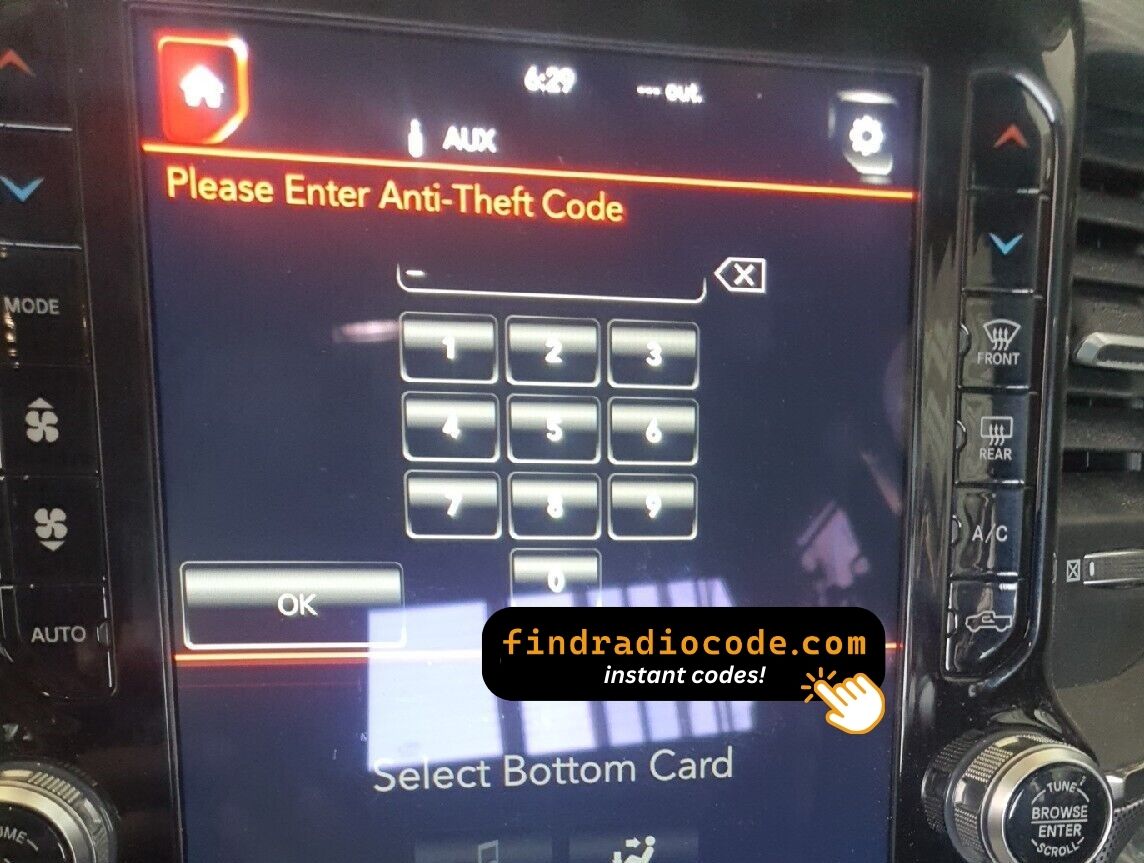
Read the full refund policy.
Recognized Serial Prefixes
| Serial Prefix | Status |
|---|---|
TM9 |
Supported |
If your serial starts with any prefix above, we can recover your code.
How to get your code?
Everything runs from the serial number on the radio's own label.
- 1 Check the radio label It is printed on the unit's own label, usually near the barcode. A pair of release keys slide the radio out far enough to read it.
- 2 Paste it into the box Copy it character for character. We check the format before checkout, so a typo never costs you anything.
- 3 Get your code Payment done, code shown on screen and emailed. It works for the life of the unit, so hold on to it.
If it does not work, you get your money back.
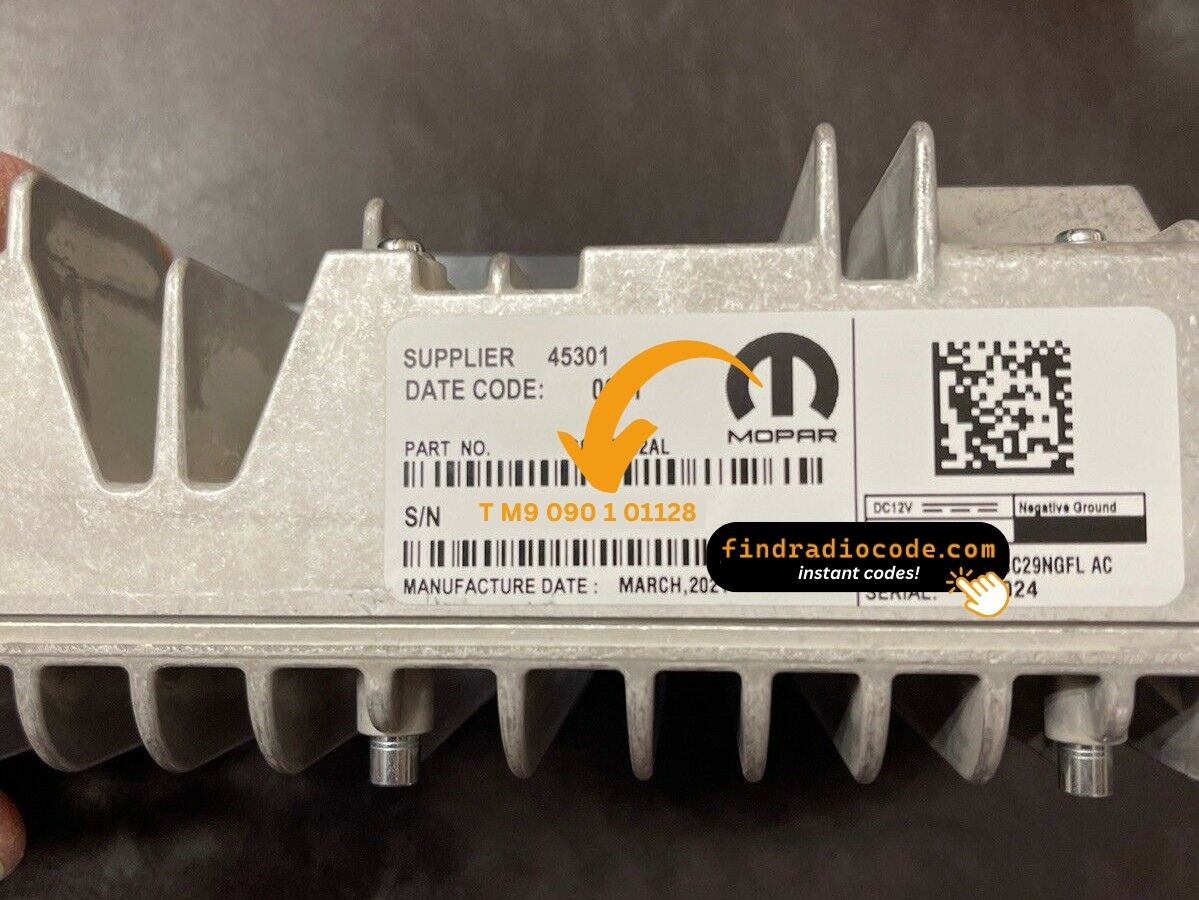
The sticker on your unit will look similar. Read the serial straight off it.
Serial number examples
Examples of serial numbers taken from Chrysler vehicles:
TM9341100221
(prefix: TM9)
TM9128455907
(prefix: TM9)
TM9067230144
(prefix: TM9)
Prefixes we see most: TM9
Identify Your Factory Radio
Not sure if your vehicle is equipped with the Chrysler Uconnect 12.0 UDX? Check the design, controls, display and features listed below against your factory radio.
Identifying details:
- 12.0" touchscreen set into the middle of the dash
- A Mexico-market build
- UDX printed on the factory label
- A serial that begins with TM9
It is the Chrysler Uconnect 12.0 UDX when:
- the factory label reads UDX
- the label serial begins with TM9
- the car left the factory between 2019-2022
- the display matches the Uconnect 12.0 12.0" touchscreen
UDX defaults to Mexican Spanish on boot. Map data is Mexico-regional. If your radio boots in English by default, you have UAX/UCX rather than UDX.
Introducing the Chrysler Uconnect 12.0 UDX
The Chrysler Uconnect 12.0 UDX is an original factory-installed head unit developed for selected Chrysler vehicles. Built to deliver reliable audio playback and vehicle integration, this unit may also offer Bluetooth connectivity, touchscreen controls, CD/DVD playback, navigation or multimedia support, depending on the specific version.
Uconnect 12.0 UDX is the Mexican-market Panasonic 12-inch premium-audio Uconnect - Mexican Spanish UI default on the vertical 12-inch screen, factory premium-audio package, wireless CarPlay/Android Auto.
Chrysler used the Chrysler Uconnect 12.0 UDX on selected models produced between 2019-2022, typically alongside the Panasonic multimedia platform. It is one of the factory units most often seen from that era.
Typical features include:
12.0" touchscreen
AM/FM radio
CarPlay and Android Auto support*
Hands-free Bluetooth with audio streaming
USB media playback
SiriusXM satellite radio*
Steering wheel control support
Anti-theft security code
*Availability depends on the vehicle specification.
Like many factory-installed radios, the Chrysler Uconnect 12.0 UDX is protected by an anti-theft system. If power is interrupted after replacing or disconnecting the vehicle battery, the unit may request the original radio code before it can be used again.
Platform details and official documentation are available from the official Uconnect site.
Where to Find Your Chrysler Uconnect 12.0 UDX Serial Number
Every Chrysler Uconnect 12.0 UDX has a unique serial number, and the unlock code is derived from it. You will find that number on the unit's own label - it is not in the service book and not on the dashboard.
Where exactly: Top of the chassis assembly behind the 12-inch screen module.
Getting to the label:
- Pull the unit forward with release keys (a few dollars online) - the wiring can stay plugged in.
- Find the white label on the housing and read the serial off it - it sits near the barcode.
- Type it into the form exactly as printed, without spaces.
The label you are looking for
Watch the full process

Our own clip of the unlock - more videos are on the channel.
Four Ways a Chrysler Uconnect 12.0 UDX Ends Up Locked
A locked Chrysler Uconnect 12.0 UDX is nearly always the result of one of four everyday situations, none of which mean anything is broken.
A repair cut the power
Alternator, starter or fuse-box work usually means disconnecting the battery - and the radio locks itself as a side effect of the repair.
You bought the car used
No handbook, no code card, seller long gone - none of it matters. The radio's own serial number carries everything needed to calculate the code.
A battery change
A replacement battery - or a flat one after the car sat for a while - cuts power to the radio, and the anti-theft system arms itself the moment power returns.
A replacement radio
A used unit from a donor car always arrives locked, and the code from your old radio will not fit - the code follows each radio's own serial number, so order it for the serial on the REPLACEMENT unit.
Whichever of these happened to you, the fix is identical: the serial number off the radio, the form at the top of this page, and the code is emailed in seconds.
Hardware Specifications
| Specification | Value |
|---|---|
| Manufacturer | Panasonic |
| Radio Family | Uconnect 12.0 |
| Variant | UDX |
| Market | Mexico |
| Vehicle Brand | Ram |
| Production Years | 2019-2022 |
| Display | 12.0" touchscreen |
| Serial Prefixes | TM9 |
Equipment on the Chrysler Uconnect 12.0 UDX varies with the car it came in: navigation, Bluetooth, USB and media playback depend on trim, market and model year.
Models Featuring the Chrysler Uconnect 12.0 UDX
| Vehicle Model | Typical Production Years | Notes |
|---|---|---|
| Ram 1500 DT Limited, Laramie Limited (Mexican premium-audio nav) | 2019-2022 |
The vehicles listed above are the most common factory applications for the Chrysler Uconnect 12.0 UDX. Equipment packages and regional specifications vary, so verify the radio using its design, serial number or part number before ordering a code.
Compatible Radio Part Numbers 5
All of the part numbers listed here are supported. Match the one printed on your unit's label and you are in the right place.
68378396AA 68378396AE 68422049AA 68422049AC 68422049AD The part number is printed on the label on top of or on the side of the radio chassis, usually next to the serial number. If yours appears above, the Chrysler Uconnect 12.0 UDX is the right page.
Typing the code into your Chrysler Uconnect 12.0 UDX
It takes less than a minute once you have the four digits.
- Put the key in accessory position so the unit powers up and asks for the code.
- A four-digit keypad appears on the display.
- Key in the code, one digit at a time, left to right.
- The unit checks the code automatically on the last digit.
- Right code in, lock screen gone - the radio is back to its usual self.
Common problems
Too many wrong attempts
After a few wrong entries the radio stops accepting codes for a while - cutting power only restarts the clock. 60-minute PLEASE WAIT after three wrong codes. Power must stay on for the timer to count down.
Where the number actually is
The serial is on the unit itself, not in the vehicle papers or on the dashboard. Top of the chassis assembly behind the 12-inch screen module.
The radio locked itself again
Expected behaviour: the security system trips again whenever power is cut. Loss of 12V supply.
I am not sure I have the right variant
Close relatives of this unit look almost identical from the driver's seat. UDX defaults to Mexican Spanish on boot. Map data is Mexico-regional. If your radio boots in English by default, you have UAX/UCX rather than UDX.
Note the four digits somewhere safe - they are permanent and reusable after any power cut.
Frequently Asked Questions
After the Code Arrived
What a few recent customers said after unlocking - every review is on the reviews page.
"Worked great! I ordered the code at 8pm est and received the code at 2am est put the code it this morning and radio is working great!"
Amazing people amazing service everything amazing I got my code immediately thank God for these people
Jesus Martinez - Chrysler
Fast delivery Good code give me best
Gyula schmidthausen - Chrysler
Ordering a Chrysler Uconnect 12.0 UDX Code
Your original code arrives the moment you pay, with an email copy for safe keeping.
A complete refund whenever the code fails to open your unit.
Order at 3 a.m. or 3 p.m. - no dealership, no appointment, no towing.
One code, forever: the same digits unlock the unit after every power cut.
Compare with Similar Models
These units are easily confused with the Chrysler Uconnect 12.0 UDX. If the details above do not match your radio, check one of these instead.
The Chrysler Uconnect 12.0 UDX is only one of the Panasonic radios we support - the Panasonic radio codes page lists all of them.